
iOS 控件實作:UIWebView 動態載入網頁與自訂 HTML 內容
編輯:iOS 相關資訊
前言
UIWebView 讓你在 App 內直接渲染網頁,幾乎等同於把 Safari 的能力嵌進自己的介面裡。它既能載入遠端 URL,也能直接吃一段 HTML 字串,是早期 iOS 做混合應用的主力控件。
案例一:載入自訂 HTML 字串
#import <UIKit/UIKit.h>

@interface ZYViewController : UIViewController

@property (nonatomic, strong) UIWebView *myWebView;

@end
@synthesize myWebView;

- (void)viewDidLoad
{
    [super viewDidLoad];
    self.view.backgroundColor = [UIColor whiteColor];

    myWebView = [[UIWebView alloc] initWithFrame:self.view.bounds];
    [self.view addSubview:myWebView];

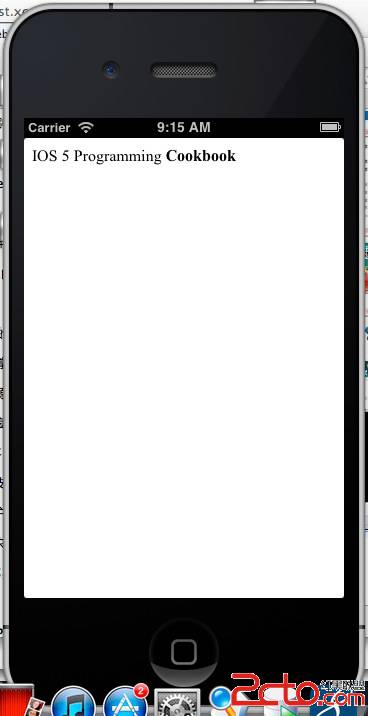
    NSString *htmlString = @"IOS 5 Programming <strong>Cookbook</strong>";
    // baseURL 傳 nil 時,頁面中的相對路徑無從解析
    [myWebView loadHTMLString:htmlString baseURL:nil];
}
案例二:載入既有 URL 並監聽載入狀態
#import <UIKit/UIKit.h>

@interface ZYUIWebViewController : UIViewController <UIWebViewDelegate>

@property (nonatomic, strong) UIWebView *myWebView;

@end
- (void)viewDidLoad
{
    [super viewDidLoad];
    self.view.backgroundColor = [UIColor whiteColor];

    self.myWebView = [[UIWebView alloc] initWithFrame:self.view.bounds];
    self.myWebView.scalesPageToFit = YES;   // 讓頁面自動縮放適配螢幕
    [self.view addSubview:self.myWebView];

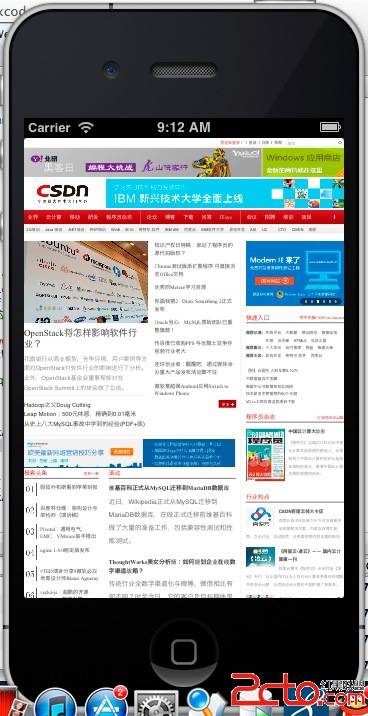
    NSURL *url = [NSURL URLWithString:@"https://www.csdn.net"];
    NSURLRequest *request = [NSURLRequest requestWithURL:url];

    self.myWebView.delegate = self;
    [self.myWebView loadRequest:request];
}

// 開始載入:適合打開網路活動指示器
- (void)webViewDidStartLoad:(UIWebView *)webView {
    [[UIApplication sharedApplication] setNetworkActivityIndicatorVisible:YES];
    NSLog(@"webViewDidStartLoad");
}

// 載入完成:關閉指示器
- (void)webViewDidFinishLoad:(UIWebView *)webView {
    [[UIApplication sharedApplication] setNetworkActivityIndicatorVisible:NO];
    NSLog(@"webViewDidFinishLoad");
}

// 載入失敗,例如網路異常
- (void)webView:(UIWebView *)webView didFailLoadWithError:(NSError *)error {
    [[UIApplication sharedApplication] setNetworkActivityIndicatorVisible:NO];
    NSLog(@"didFailLoadWithError: %@", error);
}
實務提醒
UIWebView 自 iOS 12 起已被蘋果標記為不建議使用,新專案請改用 WKWebView。兩者的 delegate 名稱不同(WKNavigationDelegate),但「開始載入/完成/失敗」這三段式的心智模型完全一致,習慣了 UIWebView 之後遷移成本並不高。此外,App 內載入外部網頁時仍應留意目標網站的條款與授權,避免未經同意抓取或呈現他人內容。