
仿今日頭條滑動切換:iOS 側滑手勢與 ScrollView 衝突的解法
之前分享過網易首頁導航的封裝思路與優化,這次換成今日頭條那種「手指一劃,整個頁面跟著走」的側滑切換。它看起來和之前的方案很像,但真正的難點在於手勢衝突——只不過這回對手從 UIScreenEdgePanGestureRecognizer 換成了 UIPanGestureRecognizer。
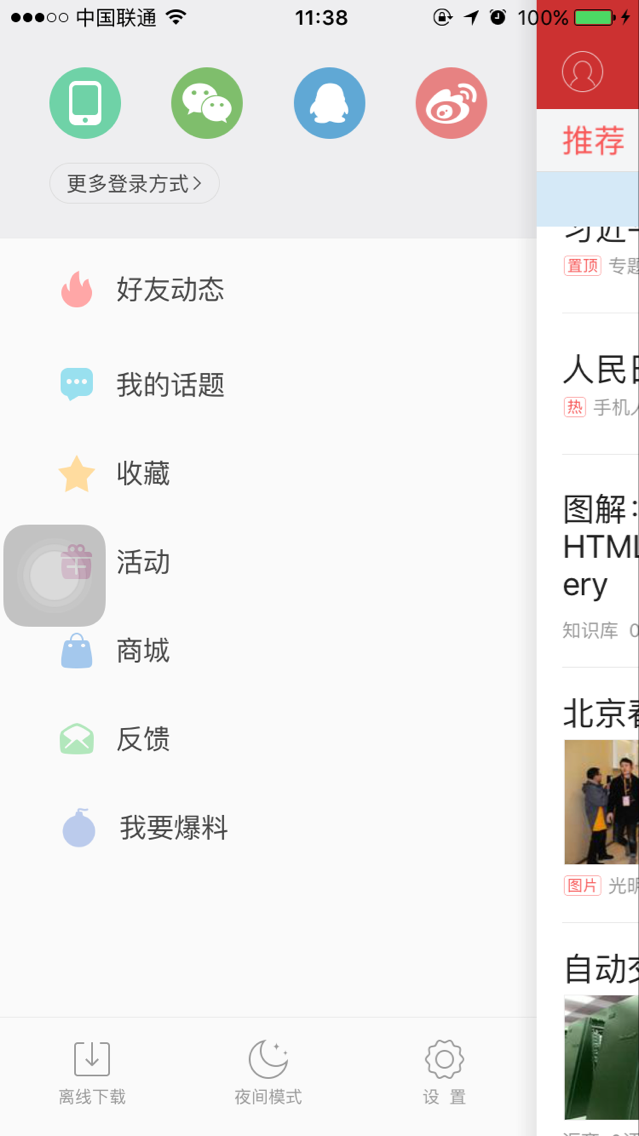
一、視圖層次先理清楚
如圖所示,左側個人頁面的 ViewController 透過 addChildViewController 掛了一個以 MainViewController 為根控制器的 UINavigationController,再把這個 UINavigationController 的 view 用 addSubview 疊上去。被拖動的,其實是整個 UINavigationController 的 view——理解這一點,後面的座標計算才有依據。
二、三個必須解決的問題
1. UIPanGestureRecognizer 與 ScrollView 互相搶手勢
為了實現跟手拖動,需要給 MainViewController 掛一個 UIPanGestureRecognizer。但底部內容是由 ScrollView 和 TableView 組成的,兩者天生會打架。
解法與之前那篇一致:在 shouldRecognizeSimultaneouslyWithGestureRecognizer: 中對特定手勢回傳 YES,讓雙方並存。
2. 手勢結束時的位置不對
拖動過程中是靠位移量改 view 的 frame,但今日頭條的行為是:放手後要麼完全展開、要麼完全收回,絕不停在中間。這讓我想起之前做果凍效果時的處理方式——依手勢的 state 分別應對,尤其是 UIGestureRecognizerStateEnded 這個時刻。
3. 由第 1 點衍生的副作用
既然讓 ScrollView 和 Pan 手勢同時識別,那麼頁面往右滑時底部的 ScrollView 也會跟著滑動,體驗很糟。判斷依據其實很簡單:只有當 UINavigationController 的 view 回到初始位置(frame.origin.x == 0)時,底部 ScrollView 才該響應滾動。
三、主要實現代碼
1. 宣告手勢
@property (nonatomic, strong) UIPanGestureRecognizer *panGestureRecognizer;
2. 為 MainViewController 掛上手勢
_panGestureRecognizer = [[UIPanGestureRecognizer alloc] initWithTarget:self
                                                              action:@selector(panGesture:)];
_panGestureRecognizer.delegate = self;
[self.navigationController.view addGestureRecognizer:_panGestureRecognizer];
3. 手勢處理的核心邏輯
- (void)panGesture:(UIPanGestureRecognizer *)pan
{
    // 以手指按下位置為原點的位移量
    CGPoint point1 = [pan translationInView:self.navigationController.view];

    if (pan.state == UIGestureRecognizerStateChanged && pan == _panGestureRecognizer) {
        if (point1.x > 0 &&
            self.navigationController.view.frame.origin.x < self.navigationController.view.frame.size.width - 100) {
            // 右拖,最多露出一條 100pt 的邊
            float x = self.navigationController.view.frame.origin.x + point1.x
                      > self.navigationController.view.frame.size.width - 100
                      ? self.navigationController.view.frame.size.width - 100
                      : self.navigationController.view.frame.origin.x + point1.x;
            self.navigationController.view.frame = CGRectMake(x,
                self.navigationController.view.frame.origin.y,
                self.navigationController.view.frame.size.width,
                self.navigationController.view.frame.size.height);
        } else if (point1.x < 0) {
            // 左拖,最左不能超過 0
            float x = self.navigationController.view.frame.origin.x + point1.x < 0
                      ? 0
                      : self.navigationController.view.frame.origin.x + point1.x;
            self.navigationController.view.frame = CGRectMake(x,
                self.navigationController.view.frame.origin.y,
                self.navigationController.view.frame.size.width,
                self.navigationController.view.frame.size.height);
        }
    } else if (pan.state == UIGestureRecognizerStateEnded) {
        // 放手時以 1/3 屏寬為臨界值,決定去或留
        if (self.navigationController.view.frame.origin.x > self.navigationController.view.frame.size.width / 3) {
            [UIView animateWithDuration:0.2 animations:^{
                self.navigationController.view.frame = CGRectMake(
                    self.navigationController.view.frame.size.width - 100, 0,
                    self.navigationController.view.frame.size.width,
                    self.navigationController.view.frame.size.height);
            } completion:^(BOOL finished) {
                self.bottomScrollView.scrollEnabled = YES;
            }];
        } else {
            [UIView animateWithDuration:0.2 animations:^{
                self.navigationController.view.frame = CGRectMake(0, 0,
                    self.navigationController.view.frame.size.width,
                    self.navigationController.view.frame.size.height);
            } completion:^(BOOL finished) {
                self.bottomScrollView.scrollEnabled = YES;
            }];
        }
    }

    // 位移量是累加值,用完必須歸零
    [pan setTranslation:CGPointZero inView:self.navigationController.view];
}
最後那行 setTranslation:CGPointZero 是最常被遺漏的一步。translationInView 回傳的是自上次呼叫以來的累加位移,不清零就會越滑越快,直接飛出螢幕。
4. 手勢衝突的仲裁
- (BOOL)gestureRecognizer:(UIGestureRecognizer *)gestureRecognizer
shouldRecognizeSimultaneouslyWithGestureRecognizer:(UIGestureRecognizer *)otherGestureRecognizer
{
    if (self.bottomScrollView.contentOffset.x <= 0.0 && gestureRecognizer == _panGestureRecognizer) {
        if (self.navigationController.view.frame.origin.x > 0) {
            self.bottomScrollView.scrollEnabled = NO;   // 頁面已偏移,禁止底部滾動
        } else {
            self.bottomScrollView.scrollEnabled = YES;
        }
        return YES;
    }
    return NO;
}
四、效果
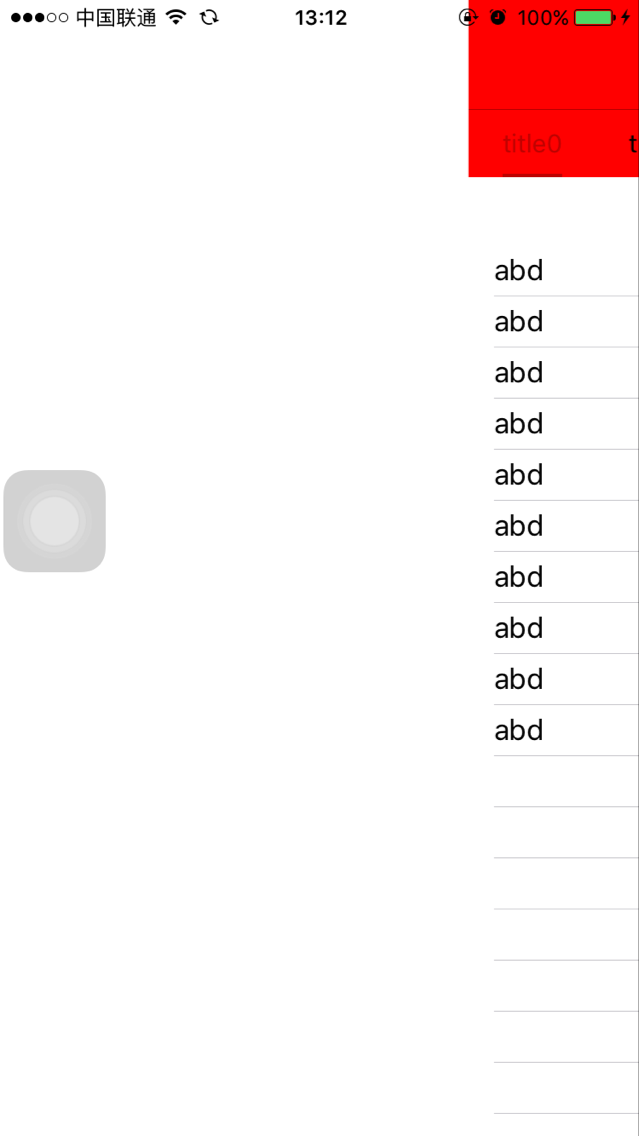
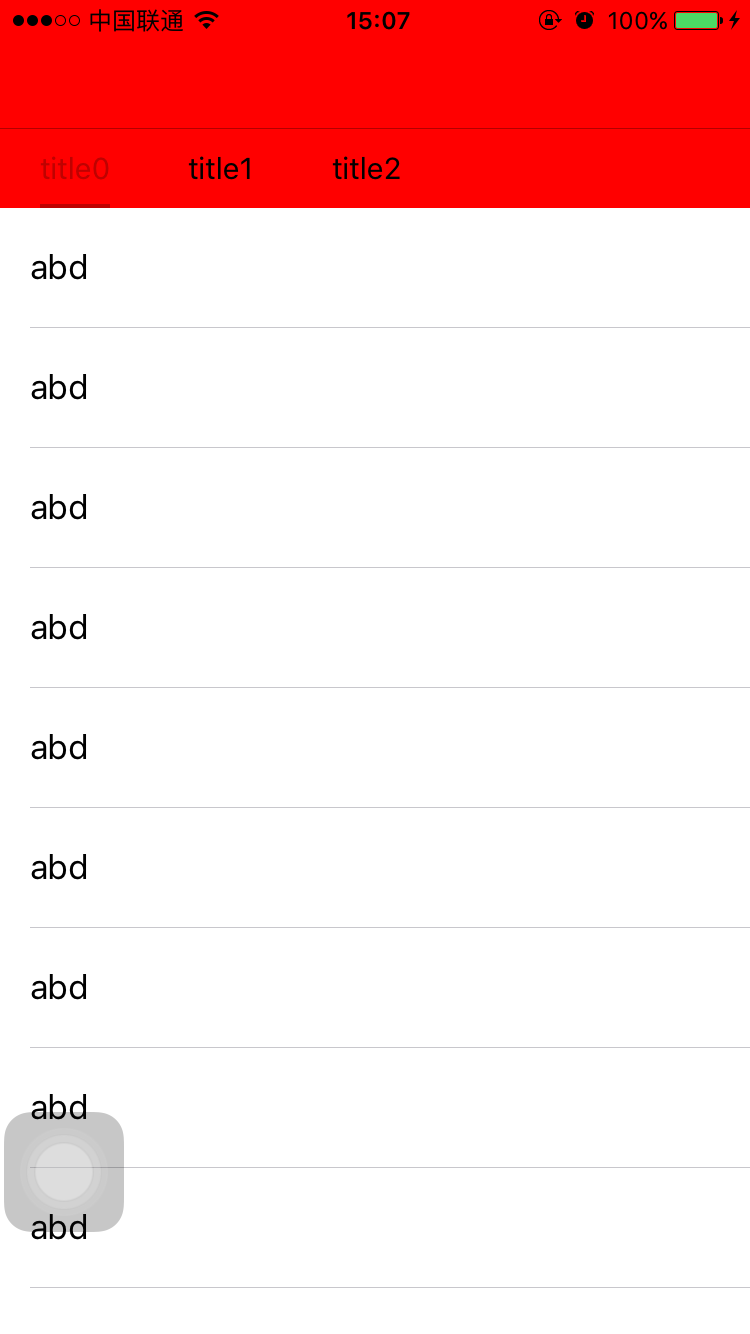
思路回顧
這個需求本質上是三個問題的疊加:手勢的所有權、動畫的終點、以及連帶的滾動鎖定。解決順序也有講究——先讓兩個手勢共存,再用 state 控制終點,最後用 frame.origin.x 作為「頁面是否處於偏移態」的判據去開關 ScrollView。把這個判據抽成一個獨立的屬性或方法,後續維護會清爽很多。