
iOS 開發實戰:UISwitch 開關控件的基本用法
編輯:iOS 開發綜合
UISwitch(開關控件)在 iOS 中十分常見,作用類似於只有兩種狀態的按鈕:ON 與 OFF。本文用一個簡短的範例,說明如何建立開關並監聽它的狀態變化。
一、關鍵程式碼
.h 檔:
@property(nonatomic,strong) UISwitch *mySwitch;
.m 檔:
@synthesize mySwitch;

- (void)viewDidLoad
{
    [super viewDidLoad];
    self.view.backgroundColor = [UIColor whiteColor];
    //初始化開關控件,CGRectMake(x, y, 寬, 高)
    self.mySwitch = [[UISwitch alloc] initWithFrame:CGRectMake(100, 100, 0, 0)];
    //可選擇是否設為預設的 ON 狀態
    //[self.mySwitch setOn:YES];
    //為控件加入事件
    [self.mySwitch addTarget:self action:@selector(switchIsChanged:) forControlEvents:UIControlEventValueChanged];
    //把控件加入視圖
    [self.view addSubview:self.mySwitch];
}

-(void)switchIsChanged:(UISwitch *)paramSender{
    NSLog(@"Sender is=%@",paramSender);
    if([paramSender isOn]){//開關為 ON
        NSLog(@"The switch is turned on.");
    }else{
        NSLog(@"The switch is turned off.");
    }
}
二、運行結果
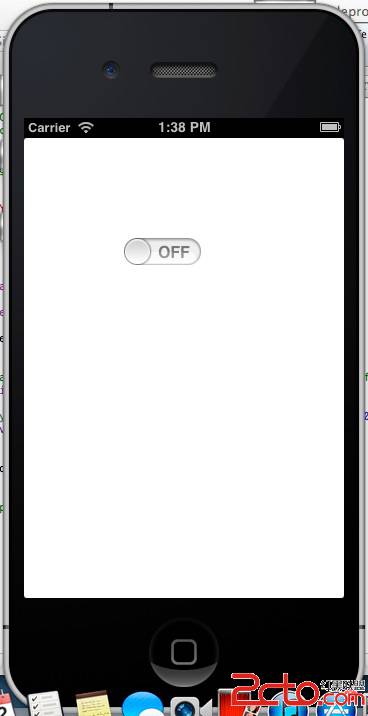
切換 ON / OFF 時,控制台會輸出對應訊息:
2013-04-22 13:46:51.430 UISwitchViewControllerTest[540:c07] The switch is turned on.
2013-04-22 13:46:58.878 UISwitchViewControllerTest[540:c07] The switch is turned off.
透過 UIControlEventValueChanged 事件與 isOn 判斷,就能即時掌握開關的狀態。
- 上一篇文章: iOS 開發實戰:UIPickerView 選擇器控件用法
- 下一篇文章: iOS 開發實戰:UIAlertView 提示框的三種用法