
自定義 presentViewController 轉場動畫(Swift 實戰)
前言
iOS 默認的
presentViewController切換動畫是從底部推入、消失時從頂部推出。但由於系統默認動畫需要適配所有轉場上下文,針對特定的轉場場景,我們其實能做出更精緻的效果。
Tips:所謂的轉場上下文,指的是轉場的起始 View、結束 View,以及對應的 ViewController。
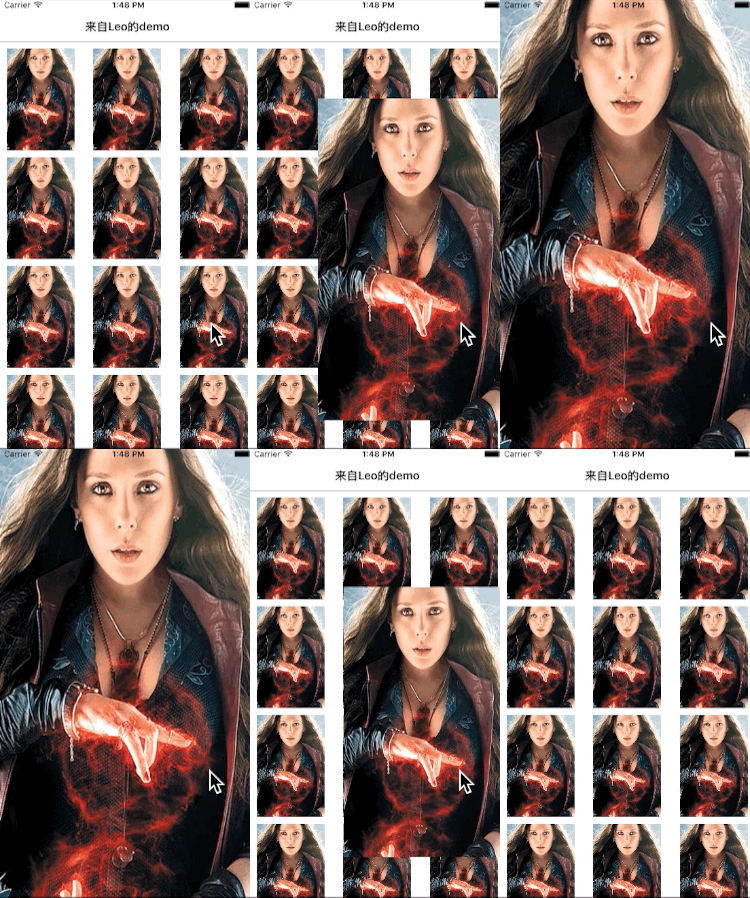
目標效果
最終效果如下:
准備工作
首先寫一個 CollectionView,每個 Cell 是一張圖片。由於本文的核心是轉場,CollectionView 部分在此略過。完成後大致如下:
點擊某個 Cell 查看大圖,再點擊大圖使其消失。


如何實現自定義轉場動畫
iOS 8 之後,我們可以通過設置
ViewController的transitioningDelegate來指定代理處理轉場動畫。
查閱文檔可知,transitioningDelegate 是一個實現 UIViewControllerTransitioningDelegate 協議的對象。本文主要用到其中兩個方法:
animationControllerForDismissedController
animationControllerForPresentedController
這兩個方法的目的是返回一個遵循 UIViewControllerAnimatedTransitioning 協議的對象,由它來實際處理轉場。顧名思義,一個負責 present,一個負責 dismiss。
本文的設計是讓 ViewController 自身處理轉場,在 didSelectItemAtIndexPath 中設置 pvc 的轉場代理:
dvc.transitioningDelegate = self
接著寫一個 extension 來實現協議:
extension ViewController:UIViewControllerTransitioningDelegate{ func animationControllerForDismissedController(dismissed: UIViewController) -> UIViewControllerAnimatedTransitioning? { return nil } func animationControllerForPresentedController(presented: UIViewController, presentingController presenting: UIViewController, sourceController source: UIViewController) -> UIViewControllerAnimatedTransitioning? { return nil } }
此時再運行項目,你會發現毫無變化,仍是默認的轉場方式——因為我們還沒有提供實際的動畫。當上述兩個代理方法返回 nil 時,系統會採用默認方式。
實現 UIViewControllerAnimatedTransitioning
新建一個文件,命名為 Animator.swift,在其中新建一個類來處理 Present 轉場(Dismiss 類似),並實現 UIViewControllerAnimatedTransitioning 協議:
class PresentAnimator: NSObject,UIViewControllerAnimatedTransitioning{ }
此時會報錯提示未實現協議,於是我們添加協議方法,此時的 Animator.swift 如下:
import Foundation import UIKit class PresentAnimator: NSObject,UIViewControllerAnimatedTransitioning{ let duration = 0.5 //動畫的時間 var originFrame = CGRectZero //點擊 Cell 的 frame func transitionDuration(transitionContext: UIViewControllerContextTransitioning?) -> NSTimeInterval { return duration } func animateTransition(transitionContext: UIViewControllerContextTransitioning) { } }
簡單介紹一下這裡的協議方法:
transitionDuration:返回轉場動畫的時間。
animateTransition:進行實際的轉場動畫,通過參數 transitionContext(轉場上下文)獲取 fromView、toView、fromViewController、toViewController。
轉場的原理
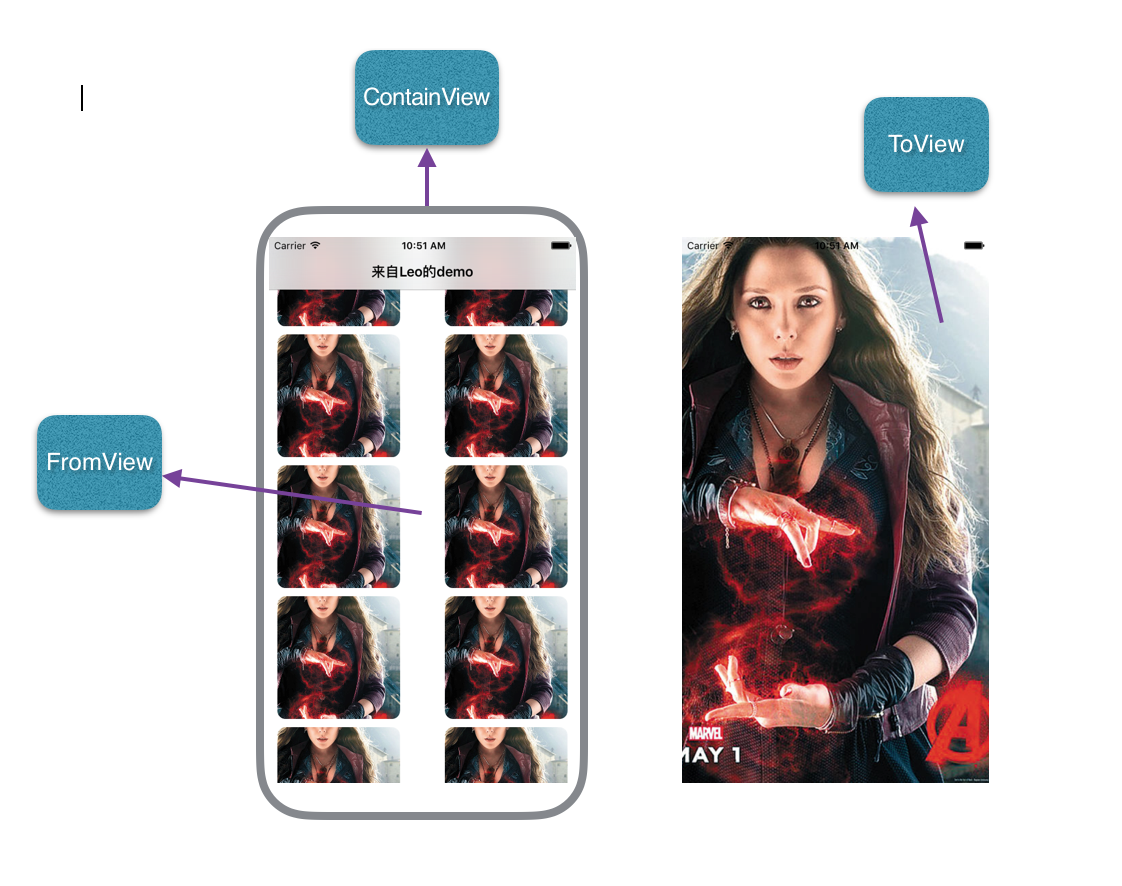
轉場開始時,系統會自動把 FromView 添加到轉場 ContainView;轉場結束時,自動把 FromView 從 ContainView 移除。
因此,開發者要做的就是:
把 toView 添加到轉場 ContainView,並定義好 toView 的初始位置與狀態;
定義好 FromView 與 ToView 在轉場結束時的狀態;
創建動畫。
實現實際的轉場動畫
基於上述原理,我們來完善實際的動畫:
func animateTransition(transitionContext: UIViewControllerContextTransitioning) { let containView = transitionContext.containerView() let toView = transitionContext.viewForKey(UITransitionContextToViewKey)! let finalFrame = toView.frame let xScale = originFrame.size.width/toView.frame.size.width let yScale = originFrame.size.height/toView.frame.size.height toView.transform = CGAffineTransformMakeScale(xScale, yScale) toView.center = CGPointMake(CGRectGetMidX(originFrame), CGRectGetMidY(originFrame)) containView?.addSubview(toView) UIView.animateWithDuration(duration, animations: { () -> Void in toView.center = CGPointMake(CGRectGetMidX(finalFrame), CGRectGetMidY(finalFrame)) toView.transform = CGAffineTransformIdentity }) { (finished) -> Void in transitionContext.completeTransition(true) } }
然後,在 ViewController.swift 中添加一個屬性:
let presentAnimator = PresentAnimator()
修改 didSelectItemAtIndexPath:
override func collectionView(collectionView: UICollectionView, didSelectItemAtIndexPath indexPath: NSIndexPath) { let dvc = DetailViewController() dvc.image = UIImage(named: "image.jpg") dvc.transitioningDelegate = self let cell = collectionView.cellForItemAtIndexPath(indexPath) as! FullImageCell presentAnimator.originFrame = cell.convertRect(cell.imageview.frame, toView: nil) self.presentViewController(dvc, animated: true, completion: nil) }
修改代理方法:
func animationControllerForPresentedController(presented: UIViewController, presentingController presenting: UIViewController, sourceController source: UIViewController) -> UIViewControllerAnimatedTransitioning? { return presentAnimator }
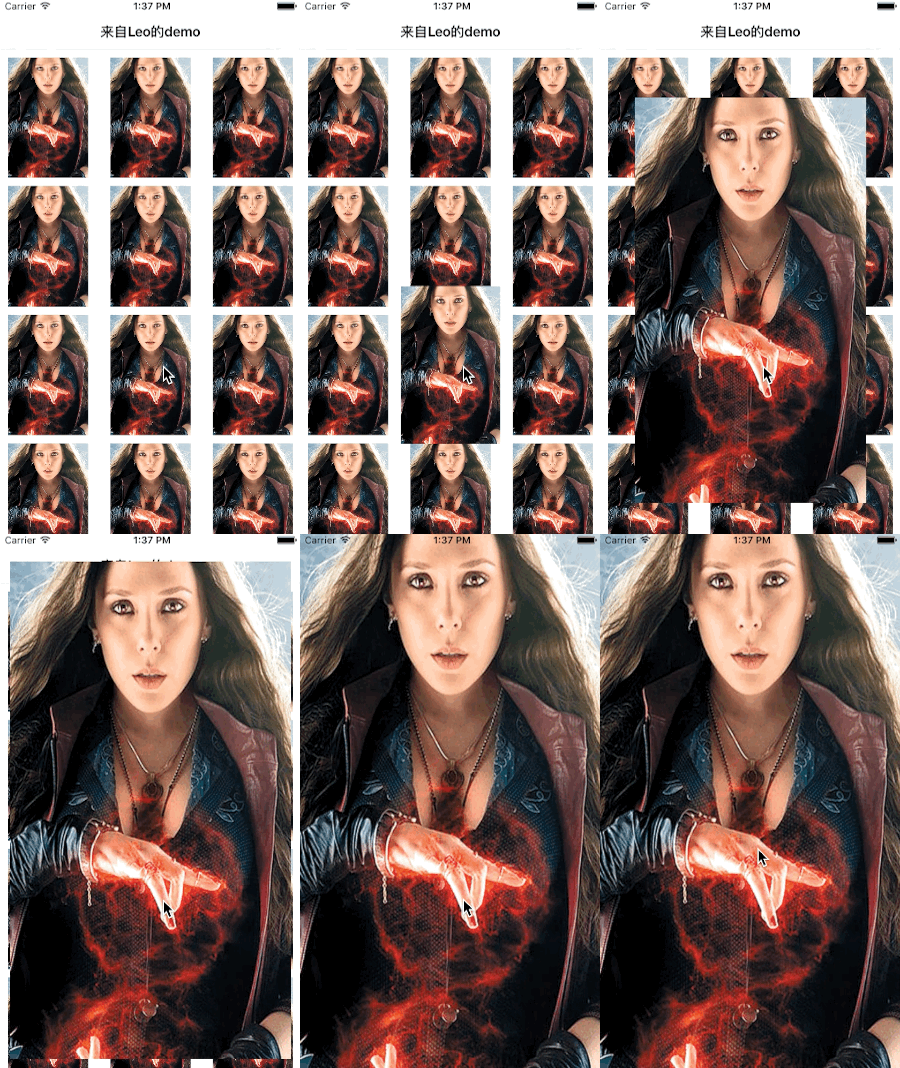
此時的動畫效果如下圖 GIF 所示:
同理,為 dismiss 添加轉場動畫
在 Animator.swift 中新增一個類:
class DismisssAnimator:NSObject,UIViewControllerAnimatedTransitioning{ let duration = 0.6 var originFrame = CGRectZero func transitionDuration(transitionContext: UIViewControllerContextTransitioning?) -> NSTimeInterval { return duration } func animateTransition(transitionContext: UIViewControllerContextTransitioning) { let containView = transitionContext.containerView() let toView = transitionContext.viewForKey(UITransitionContextToViewKey)! //Collection View let fromView = transitionContext.viewForKey(UITransitionContextFromViewKey)! //全屏的 imageview let xScale = originFrame.size.width/toView.frame.size.width let yScale = originFrame.size.height/toView.frame.size.height containView?.addSubview(toView) containView?.bringSubviewToFront(fromView) UIView.animateWithDuration(duration, animations: { () -> Void in fromView.center = CGPointMake(CGRectGetMidX(self.originFrame), CGRectGetMidY(self.originFrame)) fromView.transform = CGAffineTransformMakeScale(xScale, yScale) }) { (finished) -> Void in transitionContext.completeTransition(true) } } }
然後,在 ViewController.swift 的 didSelectItemAtIndexPath 中,於設置 presentAnimator.frame 的下一行添加:
dismissAnimator.originFrame = cell.convertRect(cell.imageview.frame, toView: nil)
其中,dismissAnimator 是 ViewController 的一個屬性:
let dismissAnimator = DismisssAnimator()
然後,在代理方法中返回它:
func animationControllerForDismissedController(dismissed: UIViewController) -> UIViewControllerAnimatedTransitioning? { return dismissAnimator; }
最終效果如下:
- 上一篇文章: iOS 動畫系列之五:UIBezierPath 繪圖完全指南
- 下一篇文章: Xcode 7 與 iOS 9 適配踩坑全記錄