
在 Mac OS X 10.6.8 上跑 iBooks Author 的繞道做法
編輯:iOS 相關教學
蘋果的電子教科書製作工具 iBooks Author 免費好用,但部分使用者在 10.6.8 上安裝完成後卻會跳出錯誤。以下提供一個可行的處理方式。
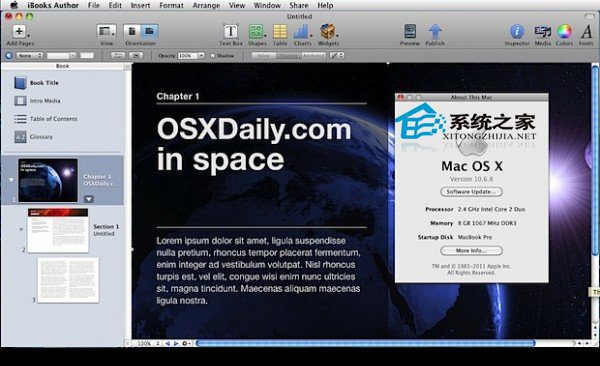
操作步驟:
1. 在桌面或 Finder 中按 Command+Shift+G,於路徑欄輸入 /System/Library/CoreServices/ 後按 Enter;
2. 找到 SystemVersion.plist,先複製一份到桌面備份;
3. 備份好之後開啟終端機(應用程式 → 實用工具),執行:
sudo nano /System/Library/CoreServices/SystemVersion.plist
4. 把開啟檔案中的 ProductUserVisibleVersion 與 ProductVersion 數值從 10.6.8 改為 10.7.2;
5. 按 control+O 儲存;
6. 前往 Mac App Store 下載 iBooks Author。下載完成後先別急著開啟,改到「應用程式」資料夾找到它,右鍵選擇「顯示套件內容」;
7. 開啟「Contents」資料夾,找到 info.plist 並用編輯器(例如 nano)打開,把 LSMinimumSystemVersion 的值從 10.7.2 改回 10.6.8 後儲存;
8. 回到終端機執行 sudo nano /System/Library/CoreServices/SystemVersion.plist,把先前改成的 10.7.2 再改回 10.6.8 並儲存。
完成後啟動 iBooks Author,即可正常開啟。
以上就是讓 iBooks Author 在 10.6.8 上跑起來的思路。提醒一句,這屬於繞過版本檢查的做法,動手前請務必確保有備份。
- 上一篇文章: 把 Mac 版 Chrome 的重新整理鍵改成 F5
- 下一篇文章: 用雙指手勢放大桌面背景縮圖