
UITableView 入門實作:從建立專案到點擊彈出提示
編輯:iOS 開發綜合
UITableView 是 iOS 最常被用到的元件之一,清單、設定頁、聊天紀錄幾乎都靠它。這篇用最簡單的例子把整個流程跑一遍。
步驟一:建立專案
選擇 File → New → Project…。
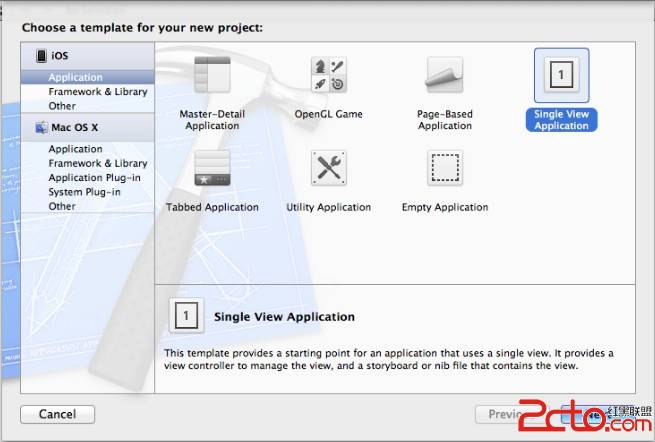
選 Single View Application 範本後按 Next。
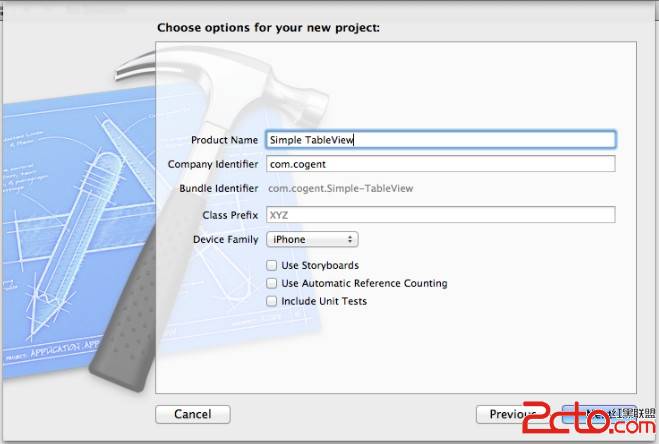
專案命名為 Simple Table,接著 Next → Create。
步驟二:在 xib 上擺 Table View
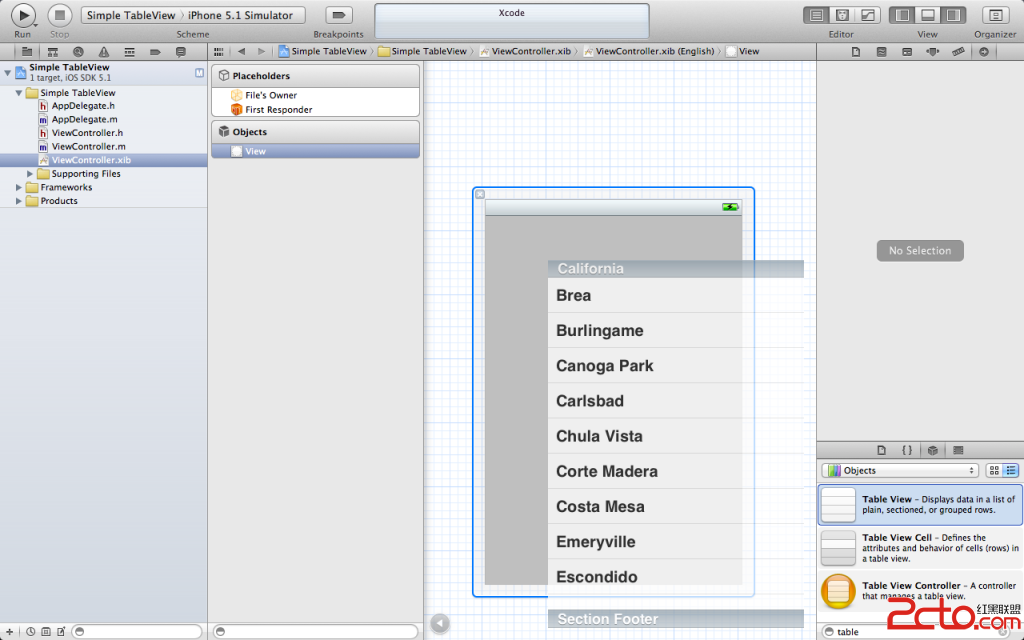
開啟 ViewController.xib,從物件庫拖一個 Table View 到 View 上。
步驟三:接上 delegate 與 dataSource
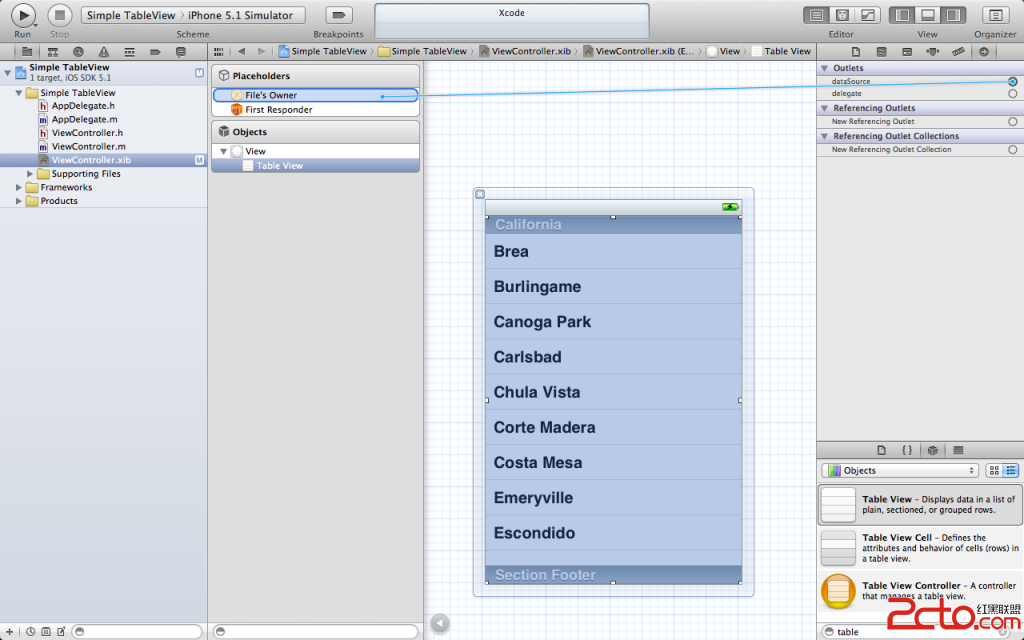
把 Table View 的 delegate 與 dataSource 都連到 File's Owner。少了這一步,表格會一片空白。
步驟四:標頭檔宣告
#import <UIKit/UIKit.h>

@interface ViewController : UIViewController <UITableViewDelegate, UITableViewDataSource>
{
    NSArray *list;
}
@property (nonatomic, retain) NSArray *list;
@end
步驟五:實作資料與協定方法
#import "ViewController.h"

@implementation ViewController
@synthesize list;

- (void)viewDidLoad
{
    [super viewDidLoad];
    NSArray *array = [[NSArray alloc] initWithObjects:
                      @"廣東", @"湖南", @"北京", @"上海", @"香港", @"澳門", nil];
    self.list = array;
    [array release];
}

- (void)viewDidUnload
{
    [super viewDidUnload];
    self.list = nil;
}

- (BOOL)shouldAutorotateToInterfaceOrientation:(UIInterfaceOrientation)interfaceOrientation
{
    return (interfaceOrientation != UIInterfaceOrientationPortraitUpsideDown);
}

- (void)dealloc
{
    [super dealloc];
    [list release];
}

#pragma mark - Table Data Source Methods

- (NSInteger)tableView:(UITableView *)tableView numberOfRowsInSection:(NSInteger)section
{
    return [list count];
}

- (UITableViewCell *)tableView:(UITableView *)tableView
         cellForRowAtIndexPath:(NSIndexPath *)indexPath
{
    static NSString *identfier = @"placetable";
    UITableViewCell *cell = [tableView dequeueReusableCellWithIdentifier:identfier];
    if (cell == nil)
    {
        cell = [[UITableViewCell alloc] initWithStyle:UITableViewCellStyleDefault
                                     reuseIdentifier:identfier];
    }
    NSInteger row = [indexPath row];
    cell.textLabel.text = [list objectAtIndex:row];
    return cell;
}

- (void)tableView:(UITableView *)tableView didSelectRowAtIndexPath:(NSIndexPath *)indexPath
{
    NSInteger row = [indexPath row];
    NSString *message = [list objectAtIndex:row];
    UIAlertView *alert = [[UIAlertView alloc] initWithTitle:@"你選擇:"
                                                    message:message
                                                   delegate:self
                                          cancelButtonTitle:@"確定"
                                          otherButtonTitles:nil];
    [alert show];
    [alert release];
}
@end
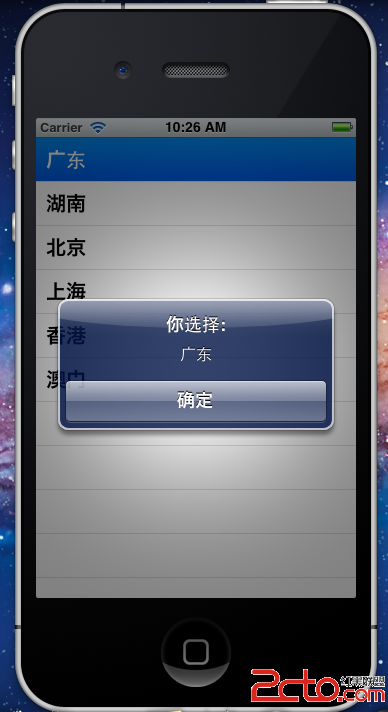
執行結果
按下執行,點選「廣東」就會看到提示框。
兩個關鍵觀念
Cell 重用機制是 UITableView 效能的核心。 dequeueReusableCellWithIdentifier: 會回收螢幕外已滾離的 cell, identifier 相同就能重複使用;正因如此,每次都要把 textLabel 的內容重新指定,否則會出現「文字錯位」的經典 bug。
另外,numberOfRowsInSection: 與 cellForRowAtIndexPath: 是 dataSource 的兩個必要方法,而 didSelectRowAtIndexPath: 屬於 delegate,負責回應點擊。把「資料有多少」和「點了要做什麼」分給兩個協定,是 UITableView 設計上相當漂亮的一刀切。