
iOS 各種手勢與 UISlider 的綜合運用
編輯:iOS 開發綜合
手勢操作與滑塊控件是 iOS 交互設計中非常常用的能力。本文以一個 RootViewController 為例,示範如何為視圖添加旋轉、捏合、平移、輕掃等多種手勢,並結合金片滑塊(UISlider)與視圖動畫,實現豐富的交互效果。
添加各類手勢識別器
- (void)viewDidLoad {
    [super viewDidLoad];

    _aview = [[UIImageView alloc] initWithFrame:CGRectMake(60, 100, 200, 200)];
    _aview.backgroundColor = [UIColor grayColor];
    [self.view addSubview:_aview];

    // 旋轉手勢(需先打開交互)
    _aview.userInteractionEnabled = YES;
    UIRotationGestureRecognizer *rotation = [[UIRotationGestureRecognizer alloc] initWithTarget:self action:@selector(handelRotationGesture:)];
    [_aview addGestureRecognizer:rotation];

    // 捏合手勢
    UIPinchGestureRecognizer *pinch = [[UIPinchGestureRecognizer alloc] initWithTarget:self action:@selector(pingchAction:)];
    [_aview addGestureRecognizer:pinch];

    // 平移手勢
    UIPanGestureRecognizer *pan = [[UIPanGestureRecognizer alloc] initWithTarget:self action:@selector(panAction:)];
    [_aview addGestureRecognizer:pan];

    // 輕掃手勢
    UISwipeGestureRecognizer *swipe = [[UISwipeGestureRecognizer alloc] initWithTarget:self action:@selector(changeColor:)];
    [_aview addGestureRecognizer:swipe];

    // UISlider:滑塊在設置的範圍內提供數據,停留位置即對應某個數值
    UISlider *slider = [[UISlider alloc] initWithFrame:CGRectMake(60, 310, 200, 30)];
    [self.view addSubview:slider];
    slider.minimumValue = 0.05;
    slider.maximumValue = 2;
    slider.minimumTrackTintColor = [UIColor redColor];
    [slider addTarget:self action:@selector(handelSliderAction:) forControlEvents:(UIControlEventValueChanged)];

    // 播放視圖動畫
    NSMutableArray *array = [NSMutableArray arrayWithCapacity:40];
    for (int i = 1; i < 8; i++) {
        NSString *name = [NSString stringWithFormat:@"frame-%d.png", i];
        UIImage *image = [UIImage imageNamed:name];
        [array addObject:image];
    }
    _aview.animationImages = array;
    _aview.animationDuration = 0.5;
    [_aview startAnimating];
}
各手勢的響應方法
// 平移
- (void)panAction:(UIPanGestureRecognizer *)pan {
    CGPoint panPoint = [pan translationInView:pan.view];
    pan.view.transform = CGAffineTransformMakeTranslation(panPoint.x, panPoint.y);
}

// 捏合(縮放)
- (void)pingchAction:(UIPinchGestureRecognizer *)pinch {
    pinch.view.transform = CGAffineTransformMakeScale(pinch.scale, pinch.scale);
}

// 輕掃(隨機改變背景色)
- (void)changeColor:(UISwipeGestureRecognizer *)swipe {
    _aview.backgroundColor = [[UIColor alloc] initWithRed:arc4random()%256/255.0 green:arc4random()%256/255.0 blue:arc4random()%256/255.0 alpha:1.0];
}

// 旋轉
- (void)handelRotationGesture:(UIRotationGestureRecognizer *)rotationGesture {
    rotationGesture.view.transform = CGAffineTransformMakeRotation(rotationGesture.rotation);
    NSLog(@"rotation = %f", rotationGesture.rotation);
}

// UISlider 的響應方法:把滑塊當前值設為動畫時長
- (void)handelSliderAction:(UISlider *)slider {
    _aview.animationDuration = slider.value;
    [_aview startAnimating];
}
效果圖如下:
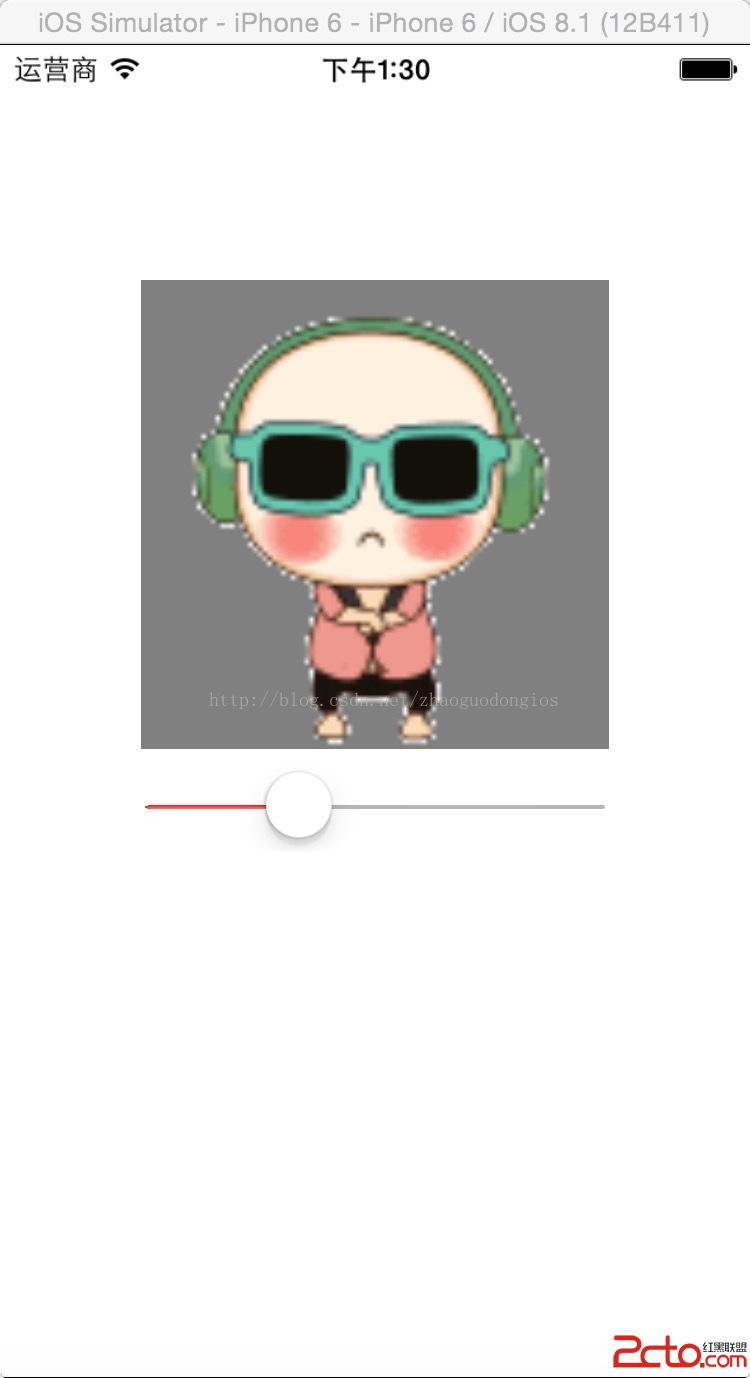
透過這些手勢與 UISlider 的搭配,你就能為視圖實現旋轉、縮放、拖動、換色以及控制動畫播放速度等豐富的交互效果。實際開發中,可根據具體需求靈活組合,打造自然流暢的用戶體驗。