
iOS 開發:用 UIScrollView + UIPageControl 做圖片輪播器
編輯:iOS 開發綜合
輪播器是 App 首頁的標配。實作原理很單純:UIScrollView 開啟分頁模式讓它一次滑一頁,UIPageControl 負責顯示「現在第幾頁」,再補一個計時器做到自動輪播。
一、分頁相關屬性
// 只要把 pageEnabled 設為 YES,UIScrollView 會被切成多個獨立頁面
scrollView.pagingEnabled = YES;

// UIPageControl 常用屬性
@property(nonatomic) NSInteger numberOfPages;                    // 總頁數
@property(nonatomic) NSInteger currentPage;                      // 當前頁碼
@property(nonatomic) BOOL hidesForSinglePage;                    // 只有一頁時是否隱藏
@property(nonatomic, retain) UIColor *pageIndicatorTintColor;    // 其餘頁指示器顏色
@property(nonatomic, retain) UIColor *currentPageIndicatorTintColor; // 當前頁指示器顏色
二、輪播器實作
#define ImageCount 5

#import "ViewController.h"

@interface ViewController () <UIScrollViewDelegate>
@property (weak, nonatomic) IBOutlet UIScrollView  *scrollView;
@property (weak, nonatomic) IBOutlet UIPageControl *pageControl;
/** 自動輪播計時器 */
@property (nonatomic, strong) NSTimer *timer;
@end

@implementation ViewController

- (void)viewDidLoad {
    [super viewDidLoad];

    // 0. 固定尺寸參數
    CGFloat imageW = self.scrollView.frame.size.width;
    CGFloat imageH = self.scrollView.frame.size.height;
    CGFloat imageY = 0;

    // 1. 依序加入 ImageCount 張圖片
    for (int i = 0; i < ImageCount; i++) {
        CGFloat imageX = i * imageW;
        UIImageView *imageView = [[UIImageView alloc] init];
        imageView.frame = CGRectMake(imageX, imageY, imageW, imageH);
        imageView.image = [UIImage imageNamed:
                           [NSString stringWithFormat:@"%d", i + 1]];
        [self.scrollView addSubview:imageView];
    }

    // 2. 設定內容尺寸,讓它能横向滾動
    CGFloat contentW = ImageCount * imageW;
    self.scrollView.contentSize = CGSizeMake(contentW, imageH);
    self.scrollView.pagingEnabled = YES;
    self.scrollView.showsHorizontalScrollIndicator = NO;
    self.scrollView.delegate = self;

    // 3. 設定頁碼
    self.pageControl.numberOfPages = ImageCount;

    // 4. 啟動計時器
    [self addTimer];
}

#pragma mark - 計時器
- (void)addTimer {
    self.timer = [NSTimer scheduledTimerWithTimeInterval:2.0f
                                                  target:self
                                                selector:@selector(nextImage)
                                                userInfo:nil
                                                 repeats:YES];
    // 讓計時器在滾動 tracking 時仍能觸發
    [[NSRunLoop currentRunLoop] addTimer:self.timer
                                 forMode:NSRunLoopCommonModes];
}

- (void)removeTimer {
    [self.timer invalidate];
    self.timer = nil;
}

- (void)nextImage {
    int page = self.pageControl.currentPage;
    page++;
    if (page == ImageCount) page = 0;

    CGFloat offsetX = page * self.scrollView.frame.size.width;
    CGPoint offset = CGPointMake(offsetX, 0);
    [self.scrollView setContentOffset:offset animated:YES];
    self.pageControl.currentPage = page;
}

#pragma mark - 手勢拖動時暫停自動播放
- (void)scrollViewWillBeginDragging:(UIScrollView *)scrollView {
    [self removeTimer];
}

- (void)scrollViewDidEndDragging:(UIScrollView *)scrollView
                  willDecelerate:(BOOL)decelerate {
    [self addTimer];
}

#pragma mark - 手動翻頁後同步頁碼
- (void)scrollViewDidEndDecelerating:(UIScrollView *)scrollView {
    CGFloat scrollW = scrollView.frame.size.width;
    int page = (scrollView.contentOffset.x + scrollW / 2) / scrollW;
    self.pageControl.currentPage = page;
}

@end
三、Storyboard 設定
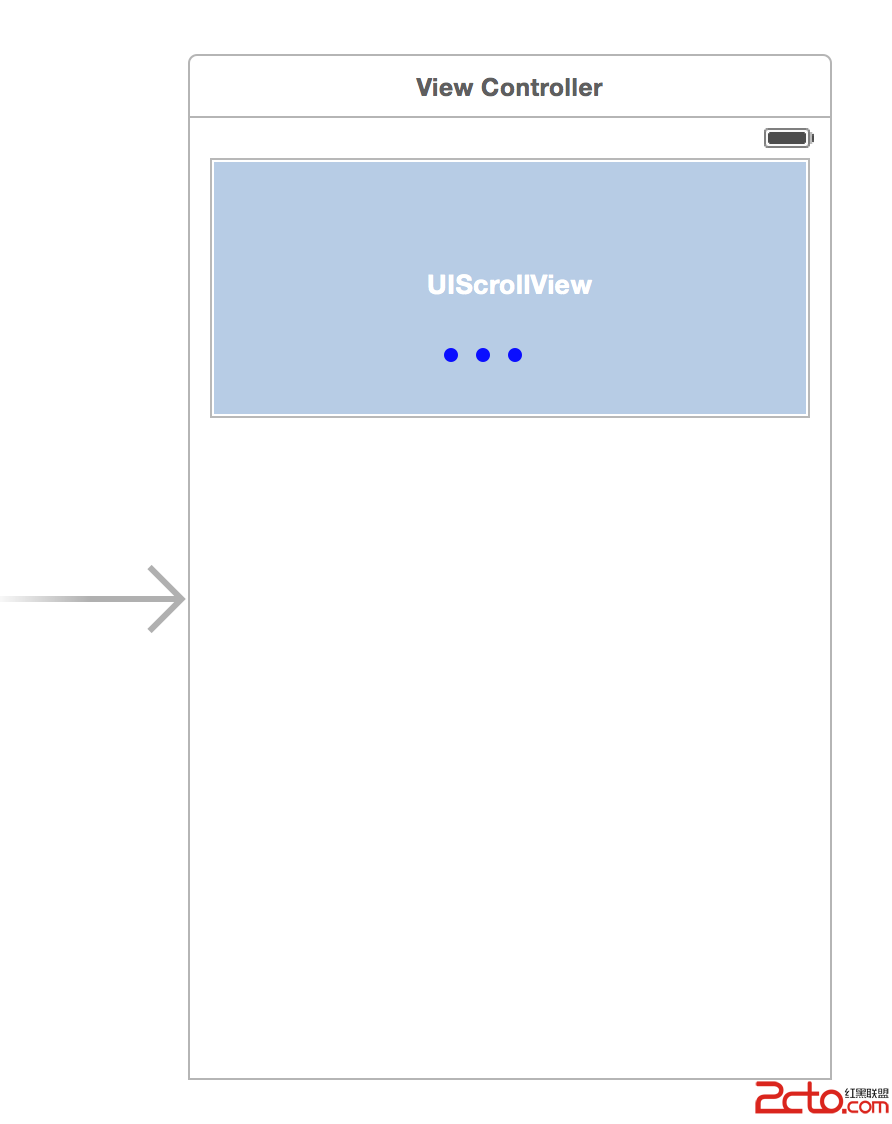
拉一個 UIScrollView 與 UIPageControl 進畫面,用 Auto Layout 約束好位置,再把兩個 IBOutlet 連上即可。
四、執行結果

兩個容易被忽略的細節:一是計時器要加入 NSRunLoopCommonModes,否則使用者一開始拖動,計時器就會停止觸發;二是記得在 dealloc 或 viewWillDisappear 中 invalidate 計時器,NSTimer 對 target 的強引用會讓控制器永遠無法釋放。