
iOS 沙盒機制入門:目錄結構與檔案讀寫
編輯:iOS 開發綜合
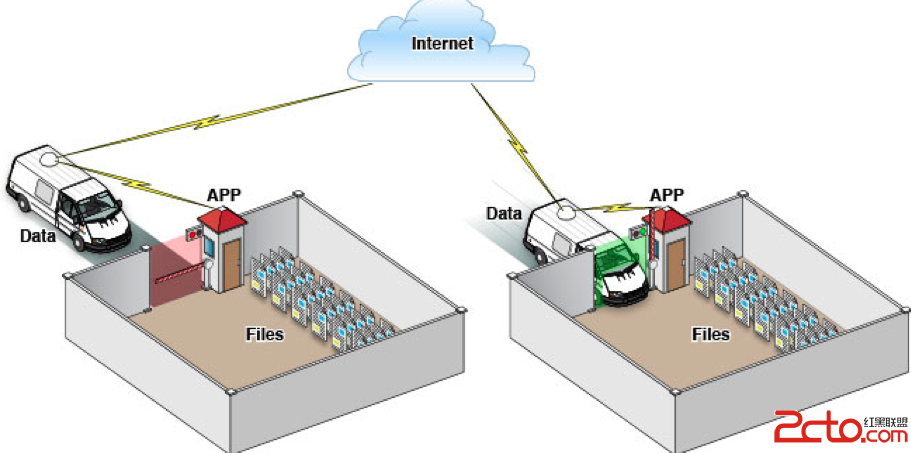
iOS 的沙盒機制讓每個 App 只能在被允許的檔案系統區域中讀寫資料。非程式碼資源,例如圖片、圖示、聲音、屬性列表與文字檔,通常都儲存在沙盒內。
沙盒的基本概念
- 每個 App 擁有自己的儲存空間。
- App 不能隨意存取其他 App 的資料。
- 所有存取行為都會受到系統權限限制。
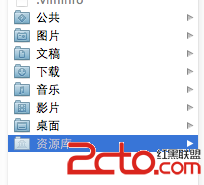
查看模擬器沙盒
模擬器的沙盒位於使用者資料夾下的隱藏資源庫中。可透過終端顯示隱藏檔案,或直接前往以下路徑:
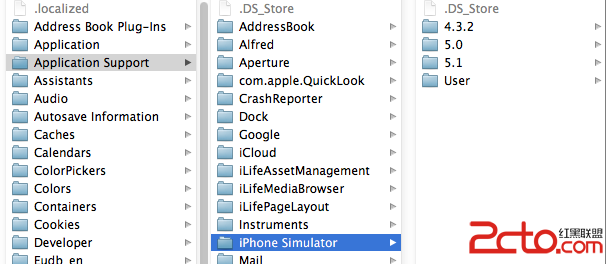
/Users/使用者名稱/Library/Application Support/iPhone Simulator/
進入後可看到各模擬器 App 的沙盒目錄。
沙盒目錄結構
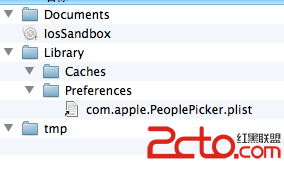
一般沙盒包含三個主要目錄:
- Documents:儲存使用者產生的資料,iTunes 備份時會包含。
- Library:儲存 App 設定與狀態資訊。
- Library/Caches:儲存快取,通常不會被備份。
- tmp:儲存暫存檔,App 重啟時可能被清除。
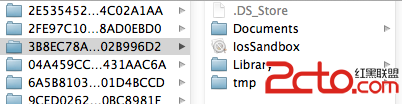
取得目錄路徑
NSArray *paths = NSSearchPathForDirectoriesInDomains(NSDocumentDirectory, NSUserDomainMask, YES);
NSString *documentsDirectory = [paths objectAtIndex:0];

NSArray *cachePaths = NSSearchPathForDirectoriesInDomains(NSCachesDirectory, NSUserDomainMask, YES);
NSString *cacheDirectory = [cachePaths objectAtIndex:0];

NSString *tmpDirectory = NSTemporaryDirectory();
寫入與讀取檔案
可將陣列寫入 Documents 目錄:
NSString *filePath = [documentsDirectory stringByAppendingPathComponent:@"testFile.txt"];
NSArray *array = @[@"內容", @"content"];
[array writeToFile:filePath atomically:YES];
讀取時可使用:
NSArray *array = [NSArray arrayWithContentsOfFile:filePath];
NSLog(@"%@", array);
寫入後可在沙盒中看到檔案,內容通常以 plist 格式保存。透過這些 API,開發者可以完成基本的檔案持久化與讀寫操作。
- 上一篇文章: 使用 Nginx 與自簽憑證為 iOS 建立 HTTPS 通信
- 下一篇文章: iOS App 進入背景後爭取執行時間的做法