
Quartz2D 實作:用 UIColor 直接生成純色與漸層圖片
編輯:iOS 技巧大全
有些時候我們需要的不是一張圖檔,而是一塊指定顏色的區域。與其丟給設計師切圖,不如用 Quartz2D 在執行期畫出來——純色一兩行,漸層稍微多一點,但都比管理一堆 1x1 的 placeholder 圖檔乾淨。
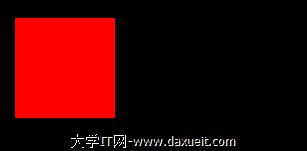
純色填滿
- (void)drawRect:(CGRect)rect {
    CGRect cxRect = CGRectMake(0, 0, 100, 100);

    UIGraphicsBeginImageContextWithOptions(cxRect.size, NO, 0);
    [[UIColor redColor] setFill];
    UIRectFill(cxRect);
    UIImage *image = UIGraphicsGetImageFromCurrentImageContext();
    UIGraphicsEndImageContext();

    UIImageView *imageView = [[UIImageView alloc] initWithFrame:CGRectMake(20, 20, 100, 100)];
    imageView.image = image;
    [self addSubview:imageView];
}
線性漸層
- (void)drawRect:(CGRect)rect {
    CGRect cxRect = CGRectMake(0, 0, 1, 1);

    UIGraphicsBeginImageContextWithOptions(cxRect.size, NO, 0);
    CGContextRef context = UIGraphicsGetCurrentContext();

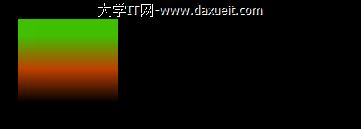
    UIColor *beginColor = [UIColor greenColor];
    UIColor *endColor   = [UIColor redColor];
    drawLinearGradient(context, cxRect, beginColor.CGColor, endColor.CGColor);
    CGContextRestoreGState(context);

    UIImage *image = UIGraphicsGetImageFromCurrentImageContext();
    UIGraphicsEndImageContext();

    UIImageView *imageView = [[UIImageView alloc] initWithFrame:CGRectMake(20, 20, 100, 100)];
    imageView.image = image;
    [self addSubview:imageView];
}

void drawLinearGradient(CGContextRef context, CGRect rect,
                        CGColorRef startColor, CGColorRef endColor) {
    CGColorSpaceRef colorSpace = CGColorSpaceCreateDeviceRGB();
    CGFloat locations[] = { 0.0, 1.0 };
    NSArray *colors = @[(__bridge id)startColor, (__bridge id)endColor];

    CGGradientRef gradient = CGGradientCreateWithColors(
        colorSpace, (__bridge CFArrayRef)colors, locations);

    CGPoint startPoint = CGPointMake(rect.size.width / 2, 0);
    CGPoint endPoint   = CGPointMake(rect.size.width / 2, rect.size.height / 1.5);

    CGContextSaveGState(context);
    CGContextAddRect(context, rect);
    CGContextClip(context);
    CGContextDrawLinearGradient(context, gradient, startPoint, endPoint, 0);
    CGContextSetStrokeColorWithColor(context, [[UIColor clearColor] CGColor]);
}
幾個實作提醒
漸層那段程式建立了一個 1×1 的 image context 再對它畫矩形,實際上尺寸並不會放大輸出結果——真正顯示尺寸是由 UIImageView 的 frame 撐開的。這樣寫的好處是只需要畫一張極小的貼圖,再讓它拉伸填滿目標區域,省記憶體也省繪製時間。
另外,CGGradientCreateWithColors 與 CGColorSpaceCreateDeviceRGB 都是 Core Graphics 的 Create 規則物件,在 MRC 環境下需要對應的 release;ARC 下 likewise 要留意 color space 的生命週期,避免反覆建立造成洩漏。實務上可以把 color space 做成靜態快取重複使用。
若漸層方向需要可調,把 startPoint 與 endPoint 抽成參數即可支援水平、垂直與任意角度。