
iOS 數據庫操作:SQL 語句核心用法與約束、連接查詢全攻略
一、批量導入數據到數據庫
1. 執行 SQL 語句插入一條信息:
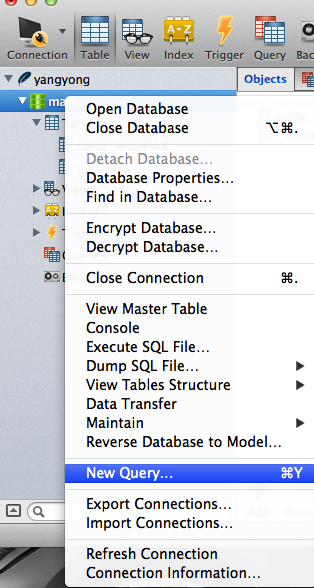
插入一條數據的語句:
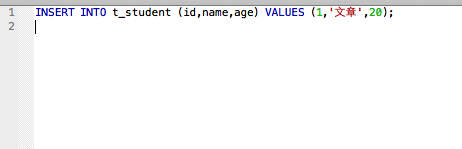
點擊 run 執行後,刷新即可看到數據:

2. 用代碼批量生成多行插入語句:
// main.m
#import <Foundation/Foundation.h>

int main(int argc, const char * argv[])
{
   @autoreleasepool {
       NSArray *names=@[@"張一",@"張二",@"張三",@"張四"];
       NSMutableString *sql=[NSMutableString string];

       for (int i=0; i<200; i++) {
           int ID=i+1;
           NSString *name=names[arc4random_uniform(names.count)];
           name=[name stringByAppendingFormat:@"-%d",arc4random_uniform(200)];
           int age=arc4random_uniform(20)+10;
           [sql appendFormat:@"INSERT INTO t_student (id,name,age) VALUES (%d,'%@',%d);\n",ID,name,age];
       }
       // 把 sql 寫入文件
       [sql writeToFile:@"/Users/apple/Desk/students.sql" atomically:YES encoding:NSUTF8StringEncoding error:nil];
       NSLog(@"\n%@",sql);
   }
   return 0;
}
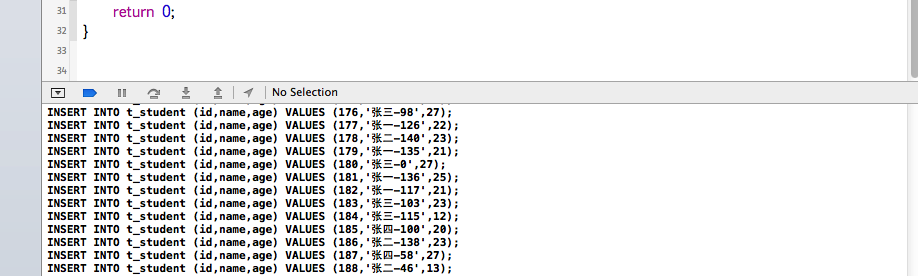
作用:一次性生成 200 條插入語句。
打印結果:
用文本編輯器打開生成的 sql 文件:
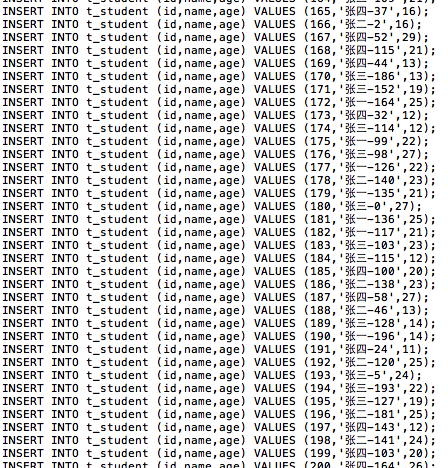
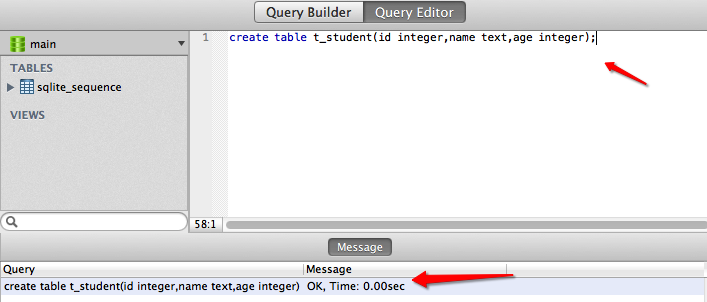
可以把這些語句拷貝到 Navicat 執行,也可以直接執行整個文件。先在數據庫中建好表:
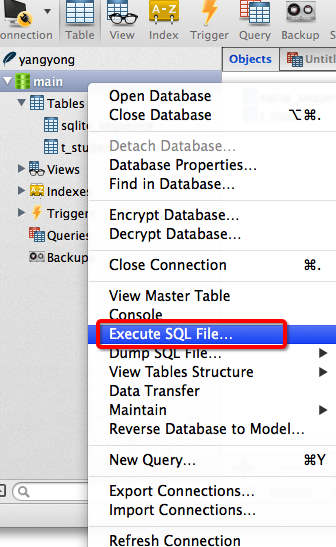
選擇「執行 SQL 文件」:
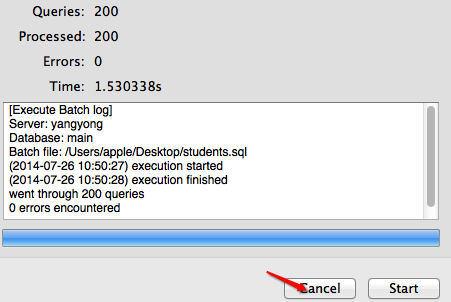
執行完畢後點擊 cancel:
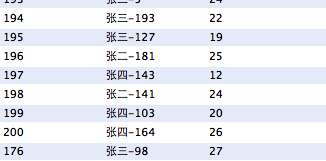
刷新數據庫,查看插入的 200 條數據:
二、分頁查詢
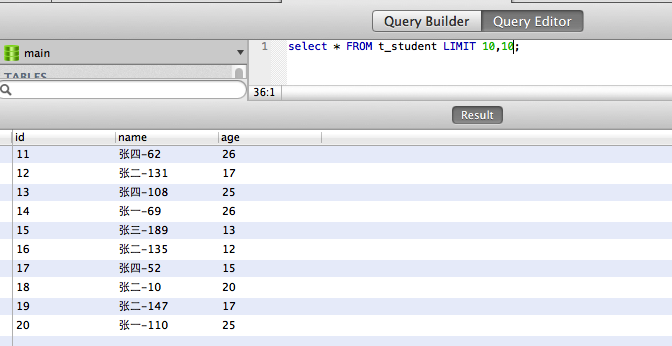
limit 能精確控制返回的記錄數量,格式為 select * from 表名 limit 數值1, 數值2;。
示例:
select * from t_student limit 4, 8;
可理解為:跳過最前面 4 條,然後取 8 條記錄。limit 常用於分頁,比如每頁固定 5 條:
第 1 頁:limit 0, 5;第 2 頁:limit 5, 5;第 3 頁:limit 10, 5;…… 第 n 頁:limit 5*(n-1), 5。
而 select * from t_student limit 7; 相當於 limit 0, 7,即取最前面 7 條。
三、補充知識
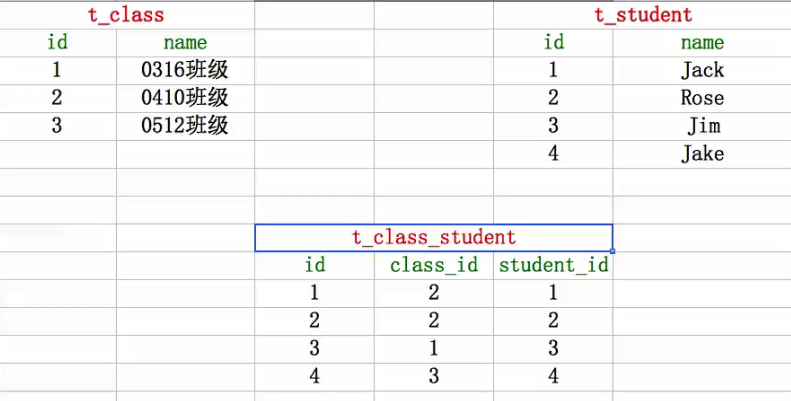
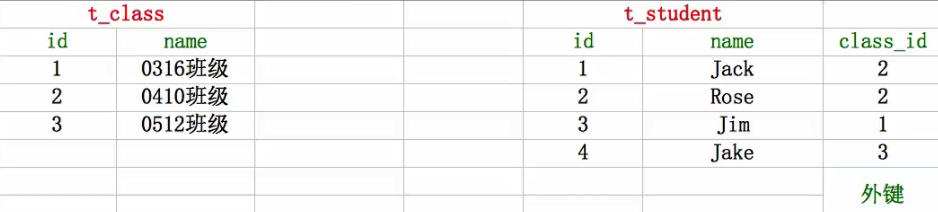
1. 外鍵約束(建立兩張表之間的聯系):第一種做法是新建一張關系表,把班級表和學生表關聯起來,但顯得冗餘;更規範的做法是使用外鍵約束,處理一對一、一對多、多對多關系。
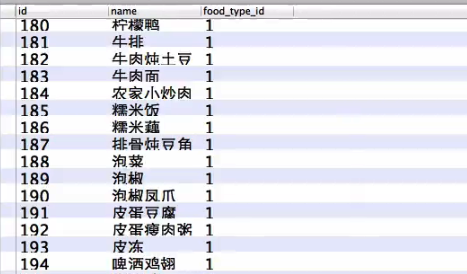
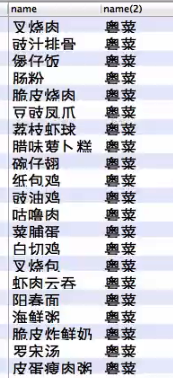
2. 表連接:子查詢——查詢所有類型為粵菜的菜名:

查詢結果:
連接查詢:

查詢結果:
附:常用 SQL 語句整理
一、什麼是 SQL
SQL(Structured Query Language)即結構化查詢語言,是用來定義和操作關系型數據庫數據的語言,語法簡潔、好學好用。用 SQL 寫出來的句子就是 SQL 語句。要在程序運行中對數據進行增刪改查(CRUD),就必須使用 SQL 語句。
SQL 語句的特點:不區分大小寫(user 與 UsEr 等效);每條語句必須以分號結尾;select、insert、update、delete、from、create、where、order、group 等是常用關鍵字,且不能用關鍵字命名表或字段。
二、SQL 語句的種類
1. 數據定義語句(DDL):如 create、drop,用於創建或刪除表;
2. 數據操作語句(DML):如 insert、update、delete,用於增改刪表中數據;
3. 數據查詢語句(DQL):以 select 為核心,配合 where、order by、group by、having 等。
三、基本操作
1. 創建表:
create table 表名 (字段名1 字段類型1, 字段名2 字段類型2, …);
create table if not exists 表名 (…);
-- 示例
create table t_student (id integer, name text, age integer, score real);
2. 字段類型:SQLite 分為 integer(整型)、real(浮點)、text(文本)、blob(二進制)。值得注意的是 SQLite 本質上是無類型的,即便聲明為 integer 仍能存字符串(主鍵除外)。為保持規範,建表時最好標明類型。
3. 刪表:
drop table 表名;
drop table if exists 表名;
-- 示例
drop table t_student;
4. 插入數據:
insert into 表名 (字段1, 字段2, …) values (值1, 值2, …);
-- 示例(字符串用單引號括住)
insert into t_student (name, age) values ('mj', 10);
5. 更新數據:
update 表名 set 字段1 = 值1, 字段2 = 值2, …;
-- 示例(會把所有記錄都改掉,慎用)
update t_student set name = 'jack', age = 20;
6. 刪除數據:
delete from 表名;
-- 示例(會刪掉所有記錄,慎用)
delete from t_student;
7. 條件語句:只更新或刪除部分記錄時,需加條件:
where 字段 = 某個值;       // 不能用兩個 =
where 字段 is 某個值;       // is 相當於 =
where 字段 != 某個值;
where 字段 is not 某個值;    // is not 相當於 !=
where 字段 > 某個值;
where 字段1 = 值1 and 字段2 > 值2;  // and 相當於 &&
where 字段1 = 值1 or 字段2 = 值2;   // or 相當於 ||

-- 示例:把年齡大於 10 且姓名不為 jack 的記錄年齡改為 5
update t_student set age = 5 where age > 10 and name != 'jack';
-- 示例:刪除年齡 <=10 或 >30 的記錄
delete from t_student where age <= 10 or age > 30;
8. DQL 查詢:
select 字段1, 字段2, … from 表名;
select * from 表名;             // 查詢所有字段
select * from t_student where age > 10;  // 條件查詢
9. 起別名(字段和表都可以):
select 字段1 別名, 字段2 as 別名, … from 表名 as 別名;
select 別名.字段1, 別名.字段2, … from 表名 別名;
-- 示例
select name myname, age myage from t_student;
select s.name, s.age from t_student s;
10. 計算記錄數量:
select count(字段) from 表名;
select count(*) from 表名;
-- 示例
select count(age) from t_student;
select count(*) from t_student where score >= 60;
11. 排序:
select * from t_student order by age;         // 默認升序
select * from t_student order by age desc;    // 降序
select * from t_student order by age asc, height desc;  // 多字段排序
12. limit 分頁:格式為 select * from 表名 limit 數值1, 數值2;,跳過前 N 條再取指定數量,是分頁查詢的利器。
四、約束
1. 簡單約束:not null(不能為空)、unique(值唯一)、default(默認值)。建議盡量給字段加上嚴格約束,以保證數據規範:
create table t_student (id integer, name text not null unique, age integer not null default 1);
2. 主鍵約束:主鍵(Primary Key,PK)用來唯一標識一條記錄,相當於數據的「身份證」。設計原則是:對用戶沒有意義、永不更新、不含動態數據、由計算機自動生成。聲明方式:
create table t_student (id integer primary key, name text, age integer);
-- 讓主鍵自動增長(必須是 integer 類型)
create table t_student (id integer primary key autoincrement, name text, age integer);
主鍵字段默認已包含 not null 與 unique 兩個約束。
3. 外鍵約束:用來建立表與表之間的聯系,通常是「一張表的某字段引用另一張表的主鍵」:
create table t_student (
   id integer primary key autoincrement,
   name text,
   age integer,
   class_id integer,
   constraint fk_student_class foreign key (class_id) references t_class (id)
);
4. 表連接查詢:需要聯合多張表才能查到想要的數據。常見類型有內連接(inner join / join,只顯示左右表都匹配的記錄)與左外連接(left outer join,保證左表數據完整)。示例——查詢 0316iOS 班的所有學生:
select s.name, s.age from t_student s, t_class c where s.class_id = c.id and c.name = '0316iOS';