
iOS 驗證碼倒計時按鈕 IDCountDownButton 完整實作
驗證碼倒計時按鈕幾乎是每個需要手機驗證的 App 標配。這個組件值得自己封裝一次,因為它要處理的細節比看起來多:防止重複點擊、計時狀態維護、銷毀時清理定時器。封裝好之後,使用方只需要像普通 UIButton 一樣設置時長即可。
一、效果預覽
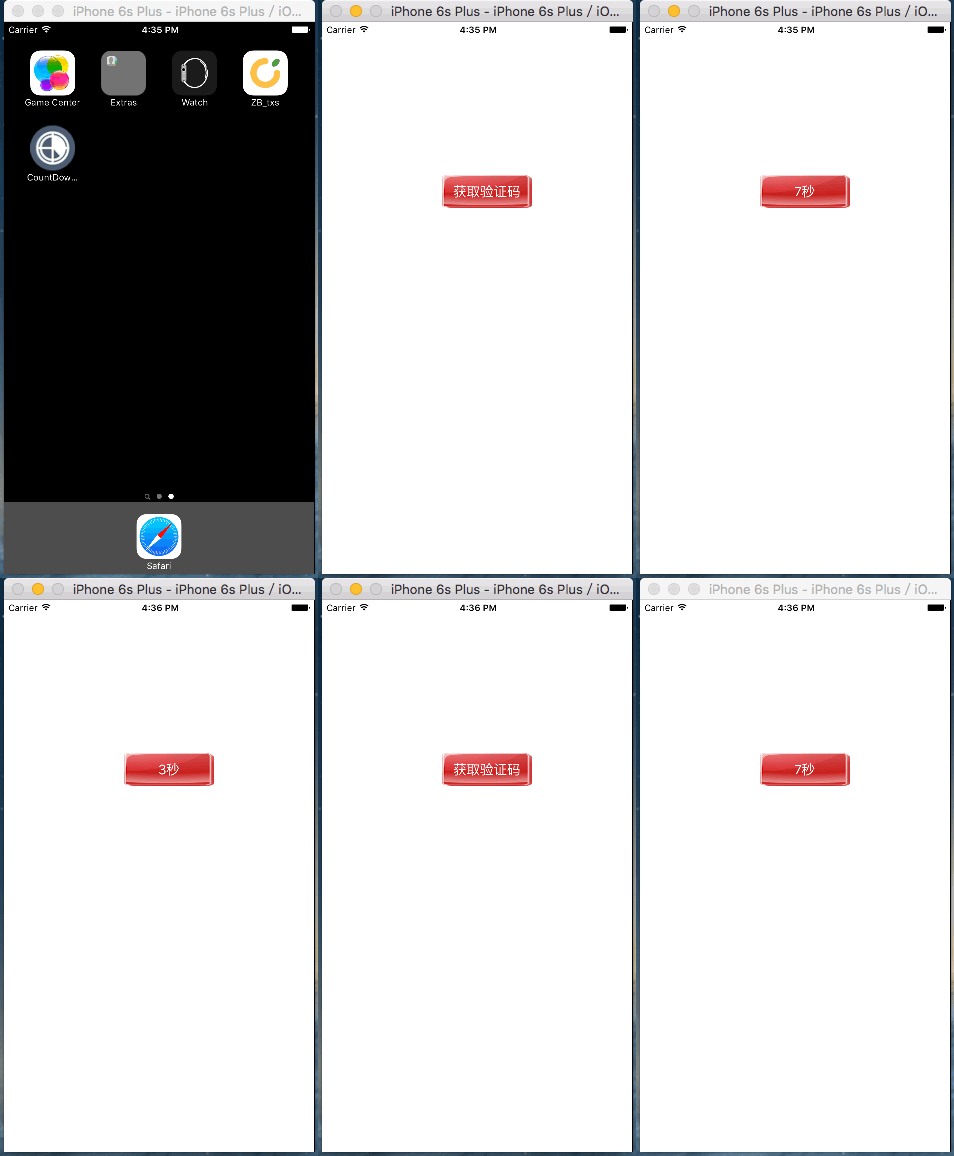
二、實現思路
1. 自定義 IDCountDownButton,重寫 beginTrackingWithTouch:withEvent: 攔截點擊,依是否正在倒計時決定要不要響應;
2. 用 NSTimer 每秒更新一次標題;
3. 倒計時結束時取消防火並恢復時長,讓按鈕重新具備倒計時能力;
4. 對象銷毀時同樣要取消定時器。
這裡的關鍵設計是:用「允許再次點擊」與「正在倒計時」兩個狀態的切換來控制交互,而不是靠遍歷標籤文字去猜狀態。
三、實現步驟
1. 屬性設計
對外只暴露一個時長屬性:
@interface IDCountDownButton : UIButton

/** 驗證碼倒計時的時長 */
@property (nonatomic, assign) NSInteger durationOfCountDown;

@end
內部需要三個輔助狀態:
@interface IDCountDownButton ()

/** 保存非倒計時狀態下的原始標題 */
@property (nonatomic, copy) NSString *originalTitle;
/** 倒計時的當前剩餘值 */
@property (nonatomic, assign) NSInteger tempDurationOfCountDown;
/** 定時器 */
@property (nonatomic, strong) NSTimer *countDownTimer;

@end
用 tempDurationOfCountDown 與 durationOfCountDown 是否相等來判斷「是否處於倒計時中」,這是整個組件的狀態基礎。
2. 重寫 setTitle:forState:
倒計時過程中標題會被反覆改寫,必須避免把倒計時文字誤存成原始標題:
- (void)setTitle:(NSString *)title forState:(UIControlState)state
{
    [super setTitle:title forState:state];

    // 只有非倒計時狀態下設置的標題,才算用戶設置的原始標題
    if (self.tempDurationOfCountDown == self.durationOfCountDown) {
        self.originalTitle = title;
    }
}
3. 重寫 durationOfCountDown 的 setter
- (void)setDurationOfCountDown:(NSInteger)durationOfCountDown
{
    _durationOfCountDown = durationOfCountDown;
    self.tempDurationOfCountDown = _durationOfCountDown;
}
4. 初始化默認值
默認 60 秒、默認標題「獲取驗證碼」。代碼與 storyboard 兩種建立途徑都要覆蓋:
- (instancetype)initWithFrame:(CGRect)frame
{
    if (self = [super initWithFrame:frame]) {
        self.durationOfCountDown = 60;
        [self setTitle:@"獲取驗證碼" forState:UIControlStateNormal];
    }
    return self;
}

- (instancetype)initWithCoder:(NSCoder *)aDecoder
{
    if (self = [super initWithCoder:aDecoder]) {
        self.durationOfCountDown = 60;
        [self setTitle:@"獲取驗證碼" forState:UIControlStateNormal];
    }
    return self;
}
5. 攔截點擊事件
- (BOOL)beginTrackingWithTouch:(UITouch *)touch withEvent:(UIEvent *)event
{
    // 正在倒計時,不響應
    if (self.tempDurationOfCountDown != self.durationOfCountDown) {
        return NO;
    }

    // 未在倒計時,響應並開始計時
    [self startCountDown];
    return [super beginTrackingWithTouch:touch withEvent:event];
}
6. 啟動定時器
- (void)startCountDown
{
    self.countDownTimer = [NSTimer timerWithTimeInterval:1
                                                 target:self
                                               selector:@selector(updateIDCountDownButtonTitle)
                                               userInfo:nil
                                                repeats:YES];

    // 加入 RunLoop,否則定時器不會啟動
    [[NSRunLoop currentRunLoop] addTimer:self.countDownTimer forMode:NSRunLoopCommonModes];
}
用 RunLoopCommonModes 而非默認模式是個實用細節:這樣使用者在計時期間滾動列表,倒計時不會被 scroll 模式卡住而停止更新。
7. 更新標題與收尾
- (void)updateIDCountDownButtonTitle
{
    if (self.tempDurationOfCountDown == 0) {
        // 恢復原始標題
        [self setTitle:self.originalTitle forState:UIControlStateNormal];
        // 恢復可倒計時能力
        self.tempDurationOfCountDown = self.durationOfCountDown;
        [self.countDownTimer invalidate];
    } else {
        [self setTitle:[NSString stringWithFormat:@"%zd秒", self.tempDurationOfCountDown--]
              forState:UIControlStateNormal];
    }
}
- (void)dealloc
{
    [self.countDownTimer invalidate];
}
dealloc 裡取消定時器不可省略。定時器會強引用 target,忘記清理不僅會造成週期引用讓對象無法釋放,定時器還會在已銷毀的對象上繼續觸發方法而崩潰。
四、使用方式
@interface ViewController ()

/** 驗證碼倒計時按鈕 */
@property (nonatomic, strong) IDCountDownButton *vertificationCodeIDCountDownButton;

@end
- (void)viewDidLoad
{
    [super viewDidLoad];

    self.vertificationCodeIDCountDownButton =
        [[IDCountDownButton alloc] initWithFrame:CGRectMake(160, 204, 120, 44)];

    [self.vertificationCodeIDCountDownButton addTarget:self
                                                action:@selector(vertificationCodeIDCountDownButtonClick:)
                                      forControlEvents:UIControlEventTouchUpInside];

    [self.vertificationCodeIDCountDownButton setTitleColor:[UIColor whiteColor]
                                                 forState:UIControlStateNormal];
    [self.vertificationCodeIDCountDownButton setTitle:@"獲取驗證碼"
                                            forState:UIControlStateNormal];
    [self.vertificationCodeIDCountDownButton setBackgroundImage:[UIImage imageNamed:@"redButton"]
                                                       forState:UIControlStateNormal];

    self.vertificationCodeIDCountDownButton.durationOfCountDown = 10;

    [self.view addSubview:self.vertificationCodeIDCountDownButton];
}
- (void)vertificationCodeIDCountDownButtonClick:(UIButton *)button
{
    // TODO: 調用服務器接口獲取驗證碼
}
五、附帶一提:AppIcon 的命名與尺寸
添加 App 圖標時有兩條硬性規則。
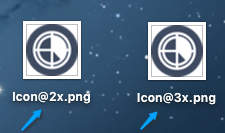
命名必須以 Icon 開頭(首字母大寫),並標註倍率:
尺寸必須嚴格符合要求:
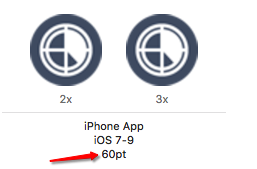
其中 60pt 對應的實際像素為:2x 是 120×120,3x 是 180×180。
補充一個實務建議:點擊事件裡通常應該先禁用按鈕再發請求,等請求失敗時把倒計時停掉並恢復標題。否則使用者會遇到「驗證碼沒收到,但按鈕還在倒計時」的尷尬情況。