
iOS 開發筆記:為 UITextView 模擬 placeholder 效果
編輯:iOS 相關教學
在 iOS 早期開發中,UITextView 本身沒有內建 placeholder 屬性。若需要類似輸入框提示文字的效果,通常需要自行搭配 UILabel 實作。
基本思路
建立一個 UITextView 作為輸入區,再額外建立一個 UILabel 顯示提示文字。當使用者開始輸入時,隱藏提示文字;若內容清空,則可再次顯示。
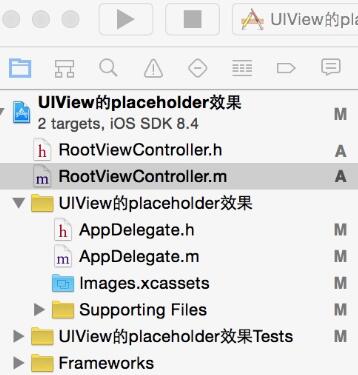
RootViewController.h
#import <UIKit/UIKit.h>

@interface RootViewController : UIViewController <UITextViewDelegate> {
    UITextView *psTextView;
    UILabel *pslabel;
}
@end
RootViewController.m 重點
#import "RootViewController.h"

@implementation RootViewController

- (void)viewDidLoad {
    [super viewDidLoad];
    self.title = @"UIView的placeholder的效果";
    [self initBackgroundView];
}

-(void)initBackgroundView {
    UIView *backView = [[UIView alloc] initWithFrame:CGRectMake(0, 0, 320, 480)];
    [self.view addSubview:backView];

    psTextView = [[UITextView alloc] initWithFrame:CGRectMake(10, 70, 280, 200)];
    psTextView.text = @"";
    psTextView.backgroundColor = [UIColor yellowColor];
    psTextView.delegate = self;
    psTextView.scrollEnabled = NO;
    [backView addSubview:psTextView];

    pslabel = [[UILabel alloc] initWithFrame:CGRectMake(15, 140, 280, 20)];
    pslabel.text = @"請輸入備注信息";
    pslabel.textColor = [UIColor grayColor];
    pslabel.enabled = NO;
    pslabel.backgroundColor = [UIColor clearColor];
    [backView addSubview:pslabel];
}

-(BOOL)textView:(UITextView *)textView shouldChangeTextInRange:(NSRange)range replacementText:(NSString *)text {
    if (text.length > 0) {
        pslabel.hidden = YES;
    }
    if ([text isEqualToString:@"\n"]) {
        [textView resignFirstResponder];
        return NO;
    }
    return YES;
}

@end
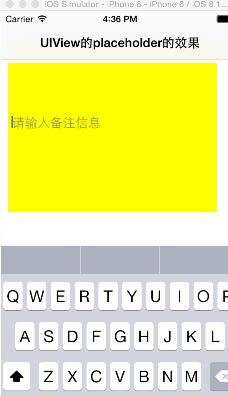
效果說明
當使用者尚未輸入內容時,灰色提示文字會顯示在輸入框內;一旦開始輸入,提示文字便會隱藏。這種做法雖然簡單,但在早期 iOS 介面開發中相當常見。