
iOS 加速度計(Accelerometer)實作教學
編輯:iOS 入門介紹
iOS 加速度傳感器(Accelerometer)
簡介
加速度計沿 X、Y、Z 三個軸向偵測裝置的位置變化,藉此可以判斷目前裝置相對於地面的姿態。
請注意:以下範例必須在真機上執行,模擬器無法提供真實的加速度資料。
實作步驟
1、建立一個簡單的 View-based Application。
2、在 ViewController.xib 中加入三個標籤,建立 xlable、ylabel、zlabel 三個 IBOutlet。
3、更新 ViewController.h:
#import <UIKit/UIKit.h> @interface ViewController : UIViewController<UIAccelerometerDelegate> { IBOutlet UILabel *xlabel; IBOutlet UILabel *ylabel; IBOutlet UILabel *zlabel; } @end
4、更新 ViewController.m:
#import "ViewController.h" @interface ViewController () @end @implementation ViewController - (void)viewDidLoad { [super viewDidLoad]; [[UIAccelerometer sharedAccelerometer]setDelegate:self]; //Do any additional setup after loading the view,typically from a nib } - (void)didReceiveMemoryWarning { [super didReceiveMemoryWarning]; // Dispose of any resources that can be recreated. } - (void)accelerometer:(UIAccelerometer *)accelerometer didAccelerate: (UIAcceleration *)acceleration{ [xlabel setText:[NSString stringWithFormat:@"%f",acceleration.x]]; [ylabel setText:[NSString stringWithFormat:@"%f",acceleration.y]]; [zlabel setText:[NSString stringWithFormat:@"%f",acceleration.z]]; } @end
補充:UIAccelerometer 的 updateInterval 預設較大,若需要更即時的反應,可在 viewDidLoad 中一併設定;而在 iOS 8 之後,Core Motion 是更推薦的做法。
輸出結果
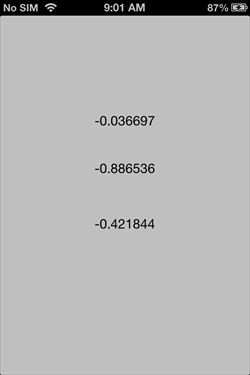
在 iPhone 上執行程式,旋轉裝置即可看到三軸數值即時變化:
- 上一篇文章: iOS 通用應用程式:讓 iPhone 與 iPad 共用一份專案
- 下一篇文章: iOS UI 元素總覽:常見元件與各自的功能