
iOS 音訊與影片播放教學(AVFoundation 與 MediaPlayer)
編輯:iOS 入門介紹
iOS 音訊與影片(Audio & Video)
簡介
影音播放在行動裝置上已是基本配備。只要在 Xcode 專案中匯入 AVFoundation.framework 與 MediaPlayer.framework,iOS 即可支援音訊與影片播放。
實作步驟
1、建立一個簡單的 View-based Application。
2、選擇專案檔,進入 Targets,加入 AVFoundation.framework 與 MediaPlayer.framework。
3、在 ViewController.xib 中加入兩個按鈕,分別建立播放音訊與播放影片的 IBAction。
4、更新 ViewController.h:
#import <UIKit/UIKit.h> #import <AVFoundation/AVFoundation.h> #import <MediaPlayer/MediaPlayer.h> @interface ViewController : UIViewController { AVAudioPlayer *audioPlayer; MPMoviePlayerViewController *moviePlayer; } -(IBAction)playAudio:(id)sender; -(IBAction)playVideo:(id)sender; @end
5、更新 ViewController.m:
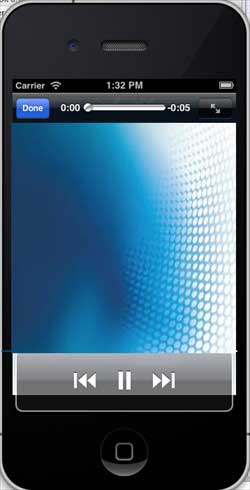
#import "ViewController.h" @interface ViewController () @end @implementation ViewController - (void)viewDidLoad { [super viewDidLoad]; } - (void)didReceiveMemoryWarning { [super didReceiveMemoryWarning]; // Dispose of any resources that can be recreated. } -(IBAction)playAudio:(id)sender{ NSString *path = [[NSBundle mainBundle] pathForResource:@"audioTest" ofType:@"mp3"]; audioPlayer = [[AVAudioPlayer alloc]initWithContentsOfURL: [NSURL fileURLWithPath:path] error:NULL]; [audioPlayer play]; } -(IBAction)playVideo:(id)sender{ NSString *path = [[NSBundle mainBundle]pathForResource: @"videoTest" ofType:@"mov"]; moviePlayer = [[MPMoviePlayerViewController alloc]initWithContentURL:[NSURL fileURLWithPath:path]]; [self presentModalViewController:moviePlayer animated:NO]; } @end
注意事項
記得把音訊與影片檔加入專案,否則不會有預期的輸出。
輸出結果
執行程式後:
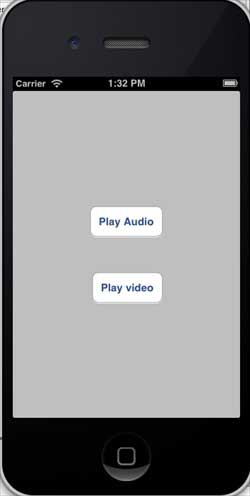
點擊播放影片後:
- 上一篇文章: iOS 檔案處理:常用 NSFileManager 操作整理
- 下一篇文章: iOS 如何透過應用程式發送電子郵件