
iOS 手勢實作:用 UILongPressGestureRecognizer 處理長按
編輯:iOS 相關資訊
一、前言
UILongPressGestureRecognizer 用來辨識「手指按住某處一段時間」的手勢。它比一般點擊多了三個可調整的參數,讓你能精細控制觸發條件,常見用途包括情境選單、拖放起手式與隱藏功能入口。
二、程式碼實作
- (void)viewDidLoad
{
    [super viewDidLoad];
    self.view.backgroundColor = [UIColor whiteColor];

    // 放一顆按鈕作為被移動的對象
    self.dummyButton = [UIButton buttonWithType:UIButtonTypeRoundedRect];
    self.dummyButton.frame = CGRectMake(0.0f, 0.0f, 100.0f, 37.0f);
    self.dummyButton.center = self.view.center;
    [self.dummyButton setTitle:@"注意我的位置" forState:UIControlStateNormal];
    [self.view addSubview:self.dummyButton];

    // 建立長按手勢識別器
    self.longPressGestureRecognizer =
        [[UILongPressGestureRecognizer alloc] initWithTarget:self
                                                      action:@selector(handleLongPressGestures:)];

    // 需要幾根手指同時按住,預設為 1
    self.longPressGestureRecognizer.numberOfTouchesRequired = 2;

    // 手指移動超過 100px 就不再算長按
    self.longPressGestureRecognizer.allowableMovement = 100.0f;

    // 按住多久才算長按(秒)
    self.longPressGestureRecognizer.minimumPressDuration = 1.0;

    [self.view addGestureRecognizer:self.longPressGestureRecognizer];
}

- (void)handleLongPressGestures:(UILongPressGestureRecognizer *)paramSender
{
    if ([paramSender isEqual:self.longPressGestureRecognizer]) {
        if (paramSender.numberOfTouchesRequired == 2) {

            // 取得兩根手指各自的位置
            CGPoint touchPoint1 = [paramSender locationOfTouch:0 inView:paramSender.view];
            CGPoint touchPoint2 = [paramSender locationOfTouch:1 inView:paramSender.view];

            // 取兩指中點
            CGFloat midPointX = (touchPoint1.x + touchPoint2.x) / 2.0f;
            CGFloat midPointY = (touchPoint1.y + touchPoint2.y) / 2.0f;
            CGPoint midPoint = CGPointMake(midPointX, midPointY);

            // 讓按鈕移動到兩指之間
            self.dummyButton.center = midPoint;
        }
    }
}
三、三個參數的意義
numberOfTouchesRequired:觸發所需的手指數量。設為 2 之後,用一根手指長按是不會觸發的,這也是範例中 locationOfTouch:0 與 locationOfTouch:1 能安全取用的前提。
allowableMovement:手指移動的容許範圍。超過這個像素數,系統就判定這不是長按,而是拖曳或滑動。設得太大會讓長按與滾動難以區分,實務上可依畫面情境調整。
minimumPressDuration:觸發門檻的秒數。設太短容易誤觸,設太長則操作感遲鈍,0.5 到 1.0 秒之間是常見取捨。
四、執行結果
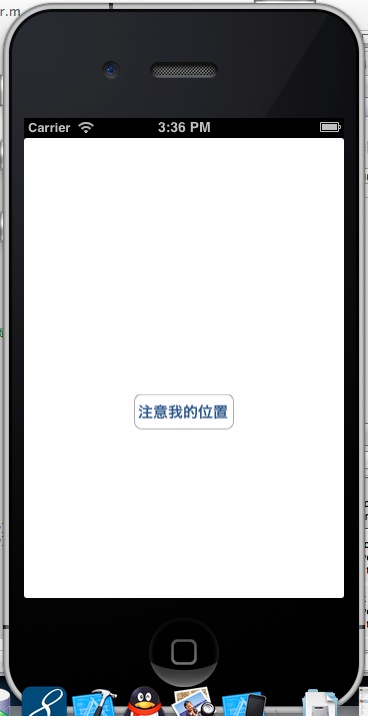
畫面載入時按鈕置中:
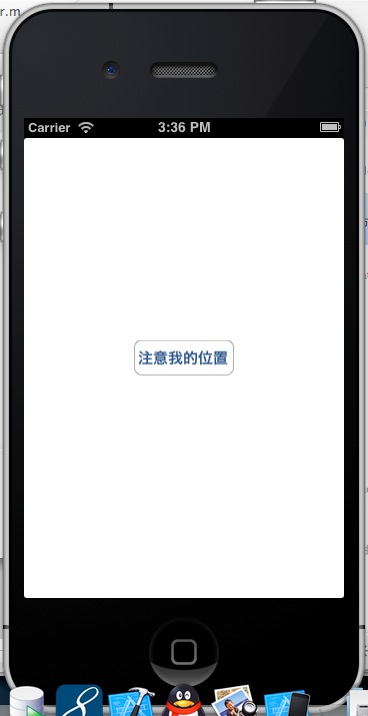
用兩根手指長按之後,按鈕會移到兩指的中點位置。在模擬器中同樣可以按住 Option 鍵搭配滑鼠模擬多指操作:
五、實務上的建議
長按手勢常拿來當「拖放」的前置動作:先在 minimumPressDuration 觸發時把物件進入拖動模式,再同時掛上 UIPanGestureRecognizer 接手位移。這種組合能避免一般捲動與拖曳互相打架。
另外提醒,長按辨識器會持續回呼(狀態會經歷 Began、Changed、Ended),若只在特定狀態才要更新 UI,記得加上狀態判斷,避免不必要的重複運算。