
動手實現一個 iOS 秒表小應用
本文模仿實現 iOS 系統「時鐘」中的秒表程式,主要功能包括:
1. 由 Start/Stop 鍵實現計時的啟動與暫停;
2. 由 Reset/Lap 鍵實現復位與計次。
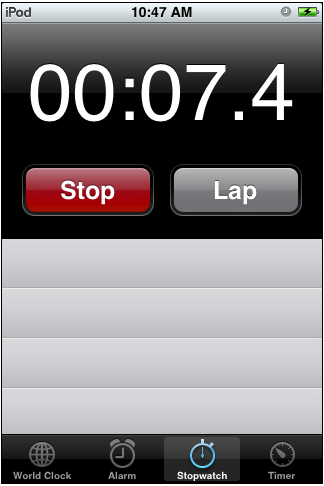
需要思考的關鍵點:
1. 時間的表示方法(有多種思路可選);
2. 計次數據的倒序排列,即計次 1 的數據位於最底端,向上依次為計次 2、計次 3……
實現說明:ARC 省去我們自行管理記憶體的大部分工作,寫起來省心不少。以下為核心程式碼:
- (IBAction)startOrstop:(UIButton *)sender
{
// 點擊切換按鈕背景圖與標題
UIImage *newImage = (checked) ? [UIImage imageNamed:@"red.png"] : [UIImage imageNamed:@"green.png"];
[leftBtn setBackgroundImage:newImage forState:UIControlStateNormal];
NSString *titlel = (checked) ? (@"Stop") : (@"Start");
[leftBtn setTitle:titlel forState:UIControlStateNormal];
NSString *titler = (checked) ? (@"Lap") : (@"Reset");
[rightBtn setTitle:titler forState:UIControlStateNormal];
if (checked) { // start
timer = [NSTimer scheduledTimerWithTimeInterval:0.1 target:self selector:@selector(updateTime) userInfo:nil repeats:YES];
} else { // stop
[timer invalidate];
}
checked = !checked;
}
- (IBAction)resetOrLap:(UIButton *)sender
{
static NSInteger count = 1;
if (checked) { // reset
time = time_lap = 0.0;
timestr = [NSString stringWithFormat:@"00:00.0"];
[label setText:timestr];
list_time = list_lap = nil;
count = 1;
[tableview reloadData];
} else { // lap
if (list_time == nil) {
list_time = [[NSArray alloc] initWithObjects:timestr_lap, nil];
list_lap = [[NSArray alloc] initWithObjects:[NSString stringWithFormat:@"%d", count++], nil];
} else {
NSArray *array = [[NSArray alloc] initWithObjects:timestr_lap, nil];
list_time = [array arrayByAddingObjectsFromArray:list_time];
array = [[NSArray alloc] initWithObjects:[NSString stringWithFormat:@"%d", count++], nil];
list_lap = [array arrayByAddingObjectsFromArray:list_lap];
}
time_lap = 0;
[tableview reloadData];
}
}
- (float)updateTime
{
time += 0.1;
time_lap += 0.1;
timestr = [NSString stringWithFormat:@"%02d:%04.1f", (int)(time / 60), time - (60 * (int)(time / 60))];
timestr_lap = [NSString stringWithFormat:@"%02d:%04.1f", (int)(time_lap / 60), time_lap - (60 * (int)(time_lap / 60))];
[label setText:timestr];
return time;
}
- (NSInteger)tableView:(UITableView *)tableView numberOfRowsInSection:(NSInteger)section
{
return [list_time count];
}
- (UITableViewCell *)tableView:(UITableView *)tableView cellForRowAtIndexPath:(NSIndexPath *)indexPath
{
static NSString *tableViewIdentifier = @"tableViewIdentifier";
UITableViewCell *cell = [tableView dequeueReusableCellWithIdentifier:tableViewIdentifier];
if (cell == nil) {
cell = [[UITableViewCell alloc] initWithStyle:UITableViewCellStyleValue1 reuseIdentifier:tableViewIdentifier];
}
NSUInteger row = [indexPath row];
cell.detailTextLabel.text = [list_time objectAtIndex:row];
cell.detailTextLabel.textColor = [UIColor blackColor];
cell.detailTextLabel.font = [UIFont boldSystemFontOfSize:25.0];
cell.detailTextLabel.textAlignment = UITextAlignmentCenter;
NSString *text = [[NSString alloc] initWithFormat:@"lap %@", [list_lap objectAtIndex:row]];
cell.textLabel.text = text;
return cell;
}
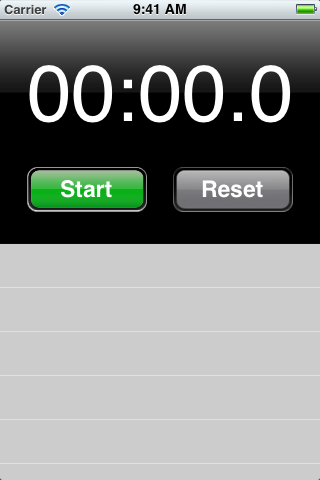
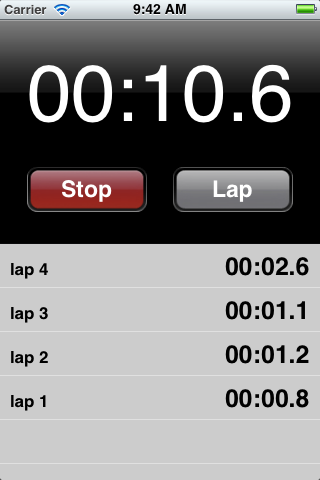
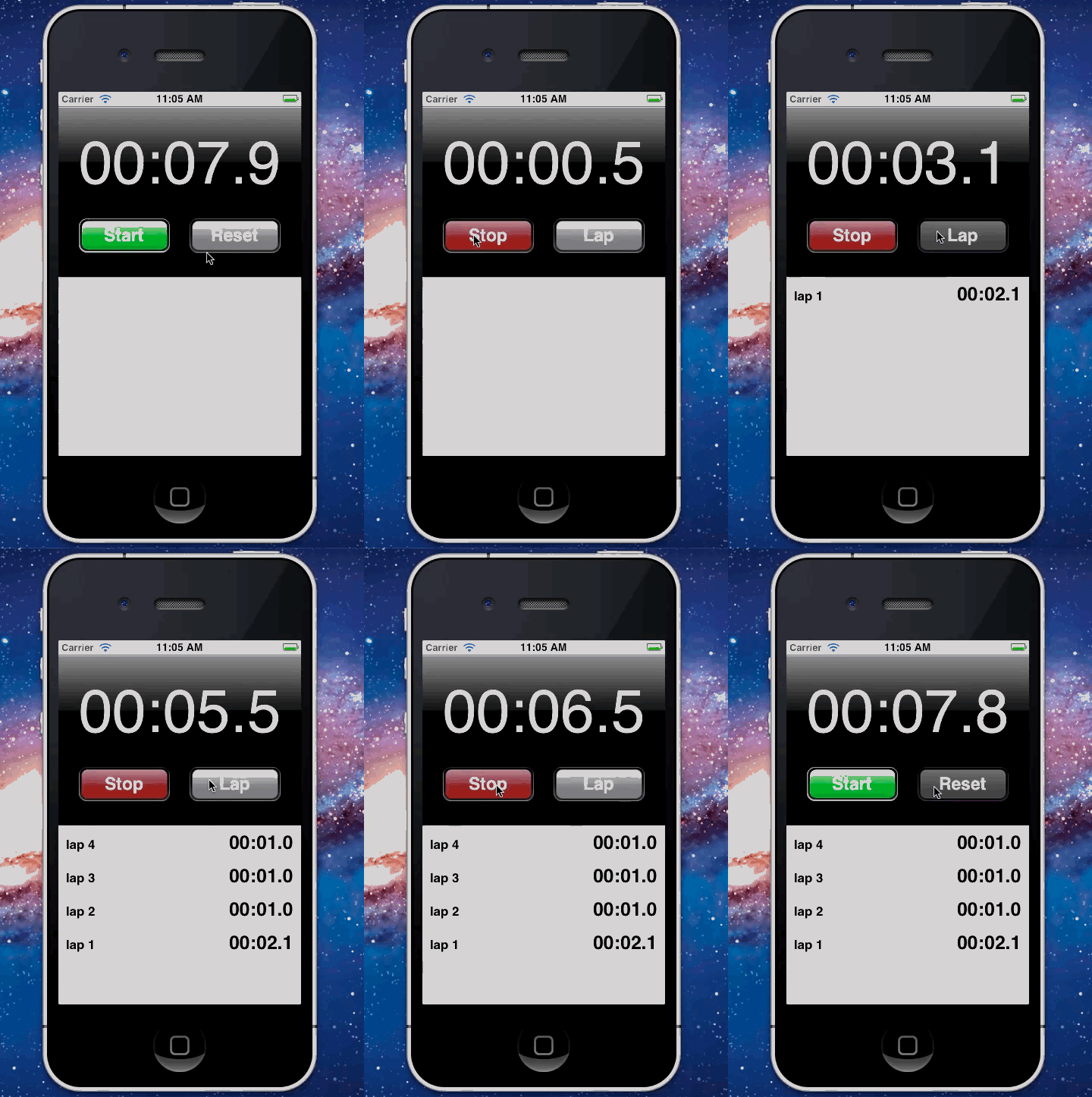
待改進之處:
1. 計時操作與 UI 事件理應分不同線程實現,此處為求簡便而從略;
2. 時間的表示方法也較為隨意,並未採用標準的分秒進位方式。
- 上一篇文章: 在 iOS 上實現簡單繪畫板功能的完整做法
- 下一篇文章: iOS 下 PDF 瀏覽與塗鴉效果的實現方案