
iOS 动画三件套:转场动画、组合动画与 UIView 封装动画实战
一、转场动画 CATransition
CATransition 是 CAAnimation 的子类,专门用来做转场动画,能够为图层提供移出屏幕与移入屏幕的视觉效果。相比 Mac OS X,iOS 提供的转场效果要少一些。系统里的 UINavigationController,正是通过 CATransition 实现了控制器视图推入屏幕的动画。
属性解析:
type:动画过渡类型subtype:动画过渡方向startProgress:动画起点(在整体动画中的百分比)endProgress:动画终点(在整体动画中的百分比)
界面搭建:
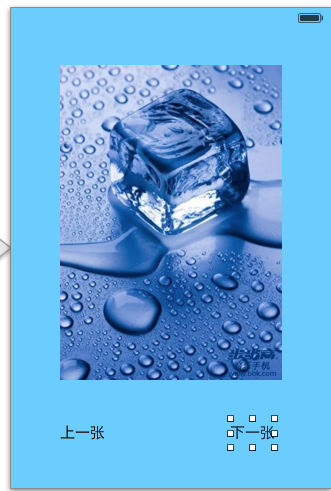
实现代码:
#import "YYViewController.h"

@interface YYViewController ()
@property (nonatomic, assign) int index;
@property (weak, nonatomic) IBOutlet UIImageView *iconView;
- (IBAction)preOnClick:(UIButton *)sender;
- (IBAction)nextOnClick:(UIButton *)sender;
@end

@implementation YYViewController

- (void)viewDidLoad
{
    [super viewDidLoad];
    self.index = 1;
}

// 上一张
- (IBAction)preOnClick:(UIButton *)sender {
    self.index--;
    if (self.index < 1) {
        self.index = 7;
    }
    self.iconView.image = [UIImage imageNamed:[NSString stringWithFormat:@"%d.jpg", self.index]];

    // 1. 建立转场动画
    CATransition *ca = [CATransition animation];
    ca.type = @"cube";                      // 过渡效果
    ca.subtype = kCATransitionFromLeft;     // 过渡方向(向左)
    ca.duration = 2.0;                      // 动画时长
    [self.iconView.layer addAnimation:ca forKey:nil];
}

// 下一张
- (IBAction)nextOnClick:(UIButton *)sender {
    self.index++;
    if (self.index > 7) {
        self.index = 1;
    }
    self.iconView.image = [UIImage imageNamed:[NSString stringWithFormat:@"%d.jpg", self.index]];

    CATransition *ca = [CATransition animation];
    ca.type = @"cube";
    ca.subtype = kCATransitionFromRight;    // 过渡方向(向右)
    ca.duration = 2.0;
    ca.startProgress = 0.5;                 // 动画起点
    // ca.endProgress = 0.5;                // 动画终点

    [self.iconView.layer addAnimation:ca forKey:nil];
}

@end
点击上一张或下一张时,会展示对应的转场效果。
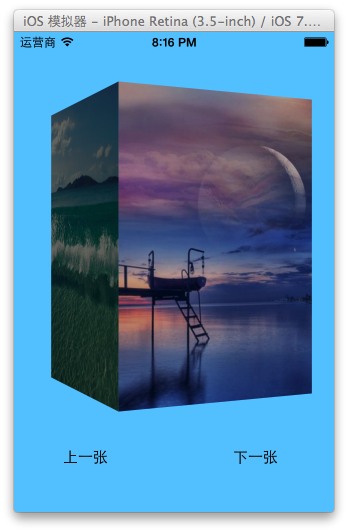
二、组合动画 CAAnimationGroup
CAAnimationGroup 同样是 CAAnimation 的子类,可以保存一组动画对象。把组合动画对象加入图层后,组内的所有动画会同时并发运行。
属性解析:
animations:保存一组动画对象的 NSArray。- 默认情况下组内动画同时运行,也可以通过设置各动画对象的
beginTime来错开开始时间。
#import "YYViewController.h"

@interface YYViewController ()
@property (weak, nonatomic) IBOutlet UIView *iconView;
@end

@implementation YYViewController

- (void)touchesBegan:(NSSet *)touches withEvent:(UIEvent *)event
{
    // 平移动画
    CABasicAnimation *a1 = [CABasicAnimation animation];
    a1.keyPath = @"transform.translation.y";
    a1.toValue = @(100);

    // 缩放动画
    CABasicAnimation *a2 = [CABasicAnimation animation];
    a2.keyPath = @"transform.scale";
    a2.toValue = @(0.0);

    // 旋转动画
    CABasicAnimation *a3 = [CABasicAnimation animation];
    a3.keyPath = @"transform.rotation";
    a3.toValue = @(M_PI_2);

    // 组合动画
    CAAnimationGroup *groupAnima = [CAAnimationGroup animation];
    groupAnima.animations = @[a1, a2, a3];

    groupAnima.duration = 2;                        // 组合动画总时长
    groupAnima.fillMode = kCAFillModeForwards;
    groupAnima.removedOnCompletion = NO;

    [self.iconView.layer addAnimation:groupAnima forKey:nil];
}

@end
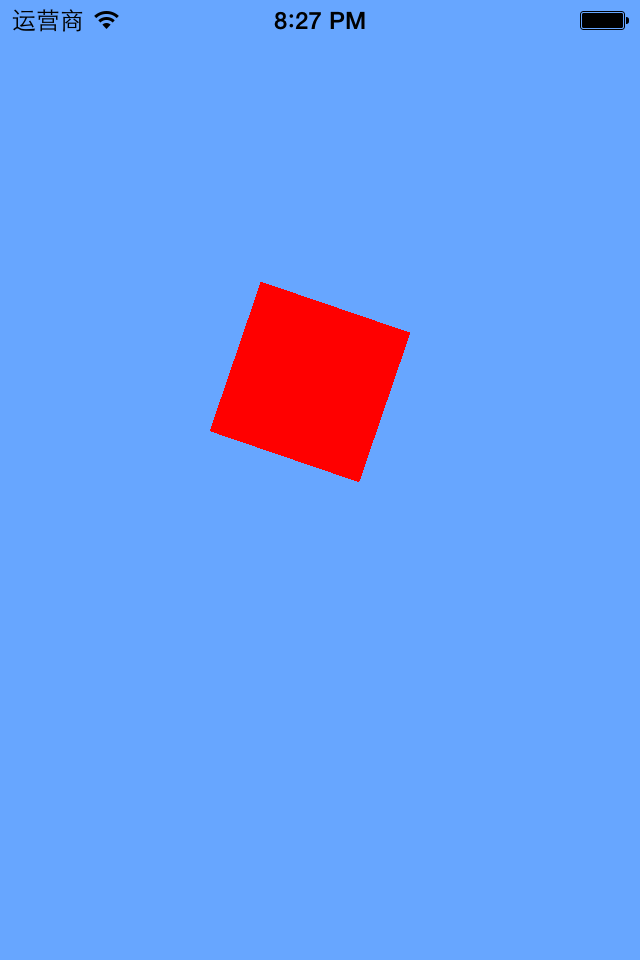
说明:平移、旋转、缩放作为一组动画一起执行。
执行效果:
三、UIView 封装的动画
1. 首尾式动画
UIKit 直接把动画集成到 UIView 类中,当内部一些属性发生改变时,UIView 会为这些改变提供动画支持。执行动画的繁重工作由 UIView 自动完成,但你仍需在希望执行动画时通知视图——把改变属性的代码放在 [UIView beginAnimations:nil context:nil] 与 [UIView commitAnimations] 之间即可。
常用方法解析:
setAnimationDelegate:设置动画代理对象,动画开始或结束时会发消息给代理。setAnimationWillStartSelector:动画即将开始时执行代理的 selector,并把 beginAnimations 传入的参数带进去。setAnimationDidStopSelector:动画结束时执行代理的 selector。setAnimationDuration:动画持续时间,以秒为单位。setAnimationDelay:动画延迟 delay 秒后再开始。setAnimationStartDate:动画的开始时间,默认为 now。setAnimationCurve:动画的节奏控制。setAnimationRepeatCount:动画的重复次数。setAnimationRepeatAutoreverses:设为 YES 时,每次重复执行的效果会与上一次相反。setAnimationTransition:forView:cache:设置视图的过渡效果,transition 指定过渡类型,cache 设为 YES 会使用视图缓存,性能较好。
代码示例:
#import "YYViewController.h"

@interface YYViewController ()
@property (weak, nonatomic) IBOutlet UIView *customView;
@end

@implementation YYViewController

-(void)touchesBegan:(NSSet *)touches withEvent:(UIEvent *)event
{
    NSLog(@"动画执行之前的位置:%@", NSStringFromCGPoint(self.customView.center));

    // 首尾式动画
    [UIView beginAnimations:nil context:nil];
    [UIView setAnimationDuration:2.0];                       // 执行时长
    [UIView setAnimationDelegate:self];                      // 设置代理
    [UIView setAnimationDidStopSelector:@selector(didStopAnimation)]; // 结束回调

    self.customView.center = CGPointMake(200, 300);

    [UIView commitAnimations];
}

-(void)didStopAnimation
{
    NSLog(@"动画执行完毕");
    NSLog(@"动画执行之后的位置:%@", NSStringFromCGPoint(self.customView.center));
}

@end
执行结果:
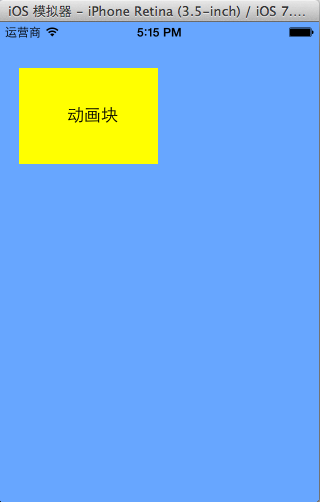
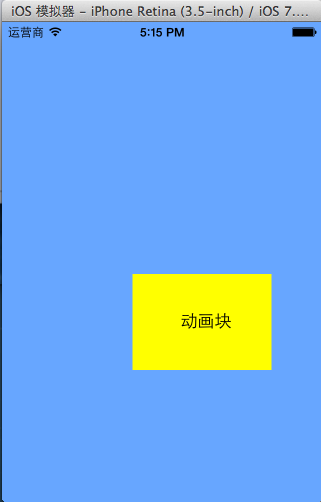
打印动画块的位置:

(3)UIView 动画与 CALayer 动画的对比
两者都能实现动画,但实际开发中一般主要使用 UIView 封装的动画,很少直接用 CALayer 的核心动画。关键区别在于:UIView 封装的动画执行完毕后不会反弹;而如果用 CALayer 核心动画改变 layer 的位置状态,表面上看起来已经移动了,实际上它的位置并没有真正改变。
#import "YYViewController.h"

@interface YYViewController ()
@property (weak, nonatomic) IBOutlet UIView *customView;
@end

@implementation YYViewController

-(void)touchesBegan:(NSSet *)touches withEvent:(UIEvent *)event
{
    // 1. 建立核心动画
    CABasicAnimation *anima = [CABasicAnimation animation];
    anima.keyPath = @"position";                                        // 平移
    anima.toValue = [NSValue valueWithCGPoint:CGPointMake(200, 300)];

    anima.duration = 2.0;
    anima.removedOnCompletion = NO;                 // 执行完不删除动画
    anima.fillMode = kCAFillModeForwards;           // 保持动画最新状态
    // anima.fillMode = kCAFillModeBackwards;
    anima.delegate = self;

    // 2. 添加核心动画
    [self.customView.layer addAnimation:anima forKey:nil];
}

-(void)animationDidStart:(CAAnimation *)anim
{
    NSLog(@"动画开始执行前的位置:%@", NSStringFromCGPoint(self.customView.layer.position));
}

-(void)animationDidStop:(CAAnimation *)anim finished:(BOOL)flag
{
    NSLog(@"动画执行完毕后的位置:%@", NSStringFromCGPoint(self.customView.layer.position));
}

@end
打印结果:

2. block 动画
动画方法:
+ (void)animateWithDuration:(NSTimeInterval)duration
                      delay:(NSTimeInterval)delay
                    options:(UIViewAnimationOptions)options
                 animations:(void (^)(void))animations
                 completion:(void (^)(BOOL finished))completion
参数解析:
duration:动画持续时间delay:延迟 delay 秒后开始options:动画的节奏控制animations:把改变视图属性的代码放在这个 block 中completion:动画结束后自动调用这个 block
转场动画方法:
+ (void)transitionWithView:(UIView *)view
                  duration:(NSTimeInterval)duration
                   options:(UIViewAnimationOptions)options
                animations:(void (^)(void))animations
                completion:(void (^)(BOOL finished))completion
参数解析:
duration:动画持续时间view:需要进行转场动画的视图options:转场动画的类型animations:把改变视图属性的代码放在这个 block 中completion:动画结束后自动调用
视图切换方法:
+ (void)transitionFromView:(UIView *)fromView
                   toView:(UIView *)toView
                 duration:(NSTimeInterval)duration
                  options:(UIViewAnimationOptions)options
               completion:(void (^)(BOOL finished))completion
这个方法调用完毕后,相当于执行了下面两句:
// 把 toView 加到父视图
[fromView.superview addSubview:toView];

// 把 fromView 从父视图中移除
[fromView removeFromSuperview];
参数解析:duration 为持续时间,options 为转场类型,animations 放改变属性的代码,completion 为结束回调。
代码示例:
#import "YYViewController.h"

@interface YYViewController ()
@property (weak, nonatomic) IBOutlet UIView *customView;
@end

@implementation YYViewController

-(void)touchesBegan:(NSSet *)touches withEvent:(UIEvent *)event
{
    [UIView transitionWithView:self.customView duration:3.0 options:0 animations:^{
        NSLog(@"动画开始执行前的位置:%@", NSStringFromCGPoint(self.customView.center));
        self.customView.center = CGPointMake(200, 300);
    } completion:^(BOOL finished) {
        NSLog(@"动画执行完毕");
        NSLog(@"动画执行完毕后的位置:%@", NSStringFromCGPoint(self.customView.center));
    }];
}

@end
打印结果:

提示:self.customView.layer.position 与 self.customView.center 等价,因为 position 的默认锚点为 (0.5, 0.5)。
3. 补充:两个常用的动画型控件
(1)UIImageView 的帧动画——让一系列图片在特定时间内按顺序显示。
animationImages:要显示的图片(装着 UIImage 的 NSArray)animationDuration:完整显示一次所有图片所需的时间animationRepeatCount:动画执行次数(默认 0,代表无限循环)startAnimating/stopAnimating/isAnimating:开始、停止、判断是否正在运行
(2)UIActivityIndicatorView——旋转进度轮,用来告知用户某个操作正在进行中,一般用 initWithActivityIndicatorStyle 初始化,同样提供 start/stop/isAnimating 三个方法。
三种样式可选:
UIActivityIndicatorViewStyleWhiteLarge   // 大型白色指示器
UIActivityIndicatorViewStyleWhite        // 标准尺寸白色指示器
UIActivityIndicatorViewStyleGray         // 灰色指示器,用于白色背景
- 上一篇文章: iOS 开发的地基:C 语言入门必读的语法与运行原理
- 下一篇文章: iOS 执行绪沟通与执行绪安全:从图片下载实作到互斥锁与原子属性