
iOS 自繪圓環下載進度條
編輯:iOS 開發綜合
本文示範如何用 Core Graphics 畫出一個會隨下載進度成長的圓環進度條,並在正中央顯示百分比文字。

一、實作思路
- 自訂一個
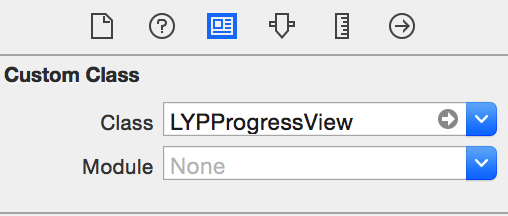
UIView子類別,覆寫-drawRect:完成繪圖。 - 只要把 storyboard 上控件的 class 改成這個子類別,就能直接在介面中使用。
- 視覺效果的本質是「一段圓弧」:固定起點角度,讓終點角度隨進度推進,進度到 100% 時剛好閉合成整圓。
- 中央文字用一個
UILabel承擔,隨進度更新。
二、實作步驟
先建立子類別並對外開放進度屬性:
// 接收下載進度
@property (nonatomic, assign) CGFloat progress;
覆寫 setter,讓每次進度變動都觸發重繪:
- (void)setProgress:(CGFloat)progress {
    _progress = progress;
    [self setNeedsDisplay];
}
核心的繪圖邏輯:起點固定在 12 點鐘方向(-M_PI_2),終點則由進度決定。
- (void)drawRect:(CGRect)rect {
    // 半徑與圓心
    CGFloat radius = rect.size.width * 0.5;
    CGPoint center = CGPointMake(radius, radius);

    // 起始角:12 點鐘方向(弧度制)
    CGFloat startAngle = - M_PI_2;
    // 終止角:隨進度往順時針推進
    CGFloat endAngle = - M_PI_2 + 2 * M_PI * self.progress;

    // 繪製圓弧,半徑略縮 5pt 避免線寬被裁掉
    UIBezierPath *path = [UIBezierPath bezierPathWithArcCenter:center
                                                       radius:radius - 5
                                                   startAngle:startAngle
                                                     endAngle:endAngle
                                                    clockwise:YES];
    // 渲染到圖層上
    [path stroke];
}
使用時只需在進度回呼中更新 progress 與中央的 label 文字即可。若想要更精緻的外觀,可以再畫一條淡色底圓作為背景軌道,並在進度圓上設定 lineWidth 與 lineCapStyle(圓頭端點會讓起收的地方更柔和)。