
iOS 多執行緒圖片下載(二):NSOperationQueue 與佔位圖
編輯:iOS 開發綜合
延續上一篇
上一篇使用單執行緒下載圖片,容易讓主執行緒等待。本篇改用 NSOperationQueue,把下載工作放到背景佇列,並加入佔位圖與重複下載保護。
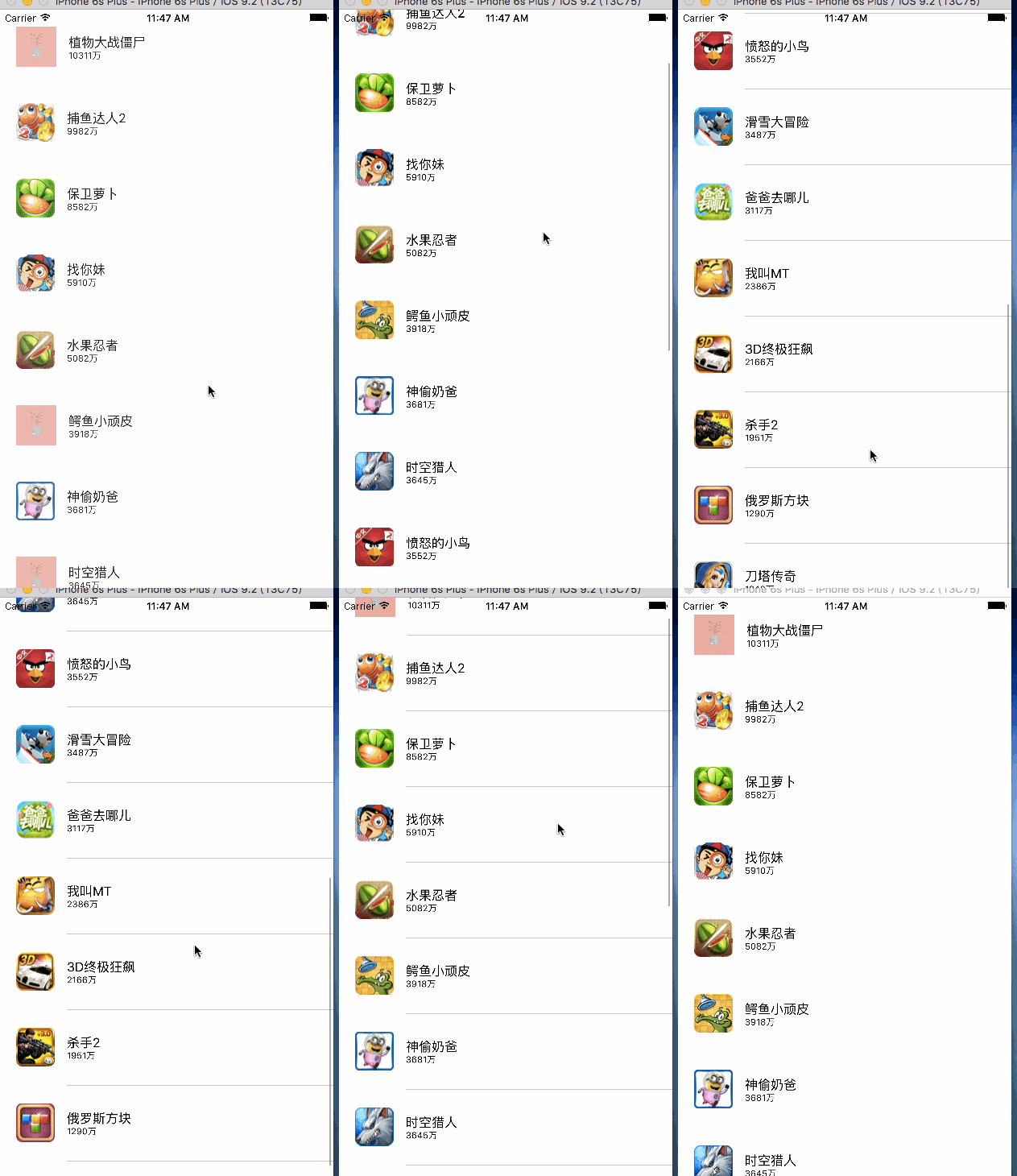
新增屬性
除了 apps 與 imgCache,還可增加 operations 字典與 queue。operations 用來記錄目前進行中的下載任務,避免同一張圖片被重複下載;queue 則負責控制並行數量。
@property (nonatomic, strong) NSMutableDictionary *operations;
@property (nonatomic, strong) NSOperationQueue *queue;
- (NSOperationQueue *)queue {
    if (!_queue) {
        _queue = [[NSOperationQueue alloc] init];
        _queue.maxConcurrentOperationCount = 3;
    }
    return _queue;
}
下載流程
在 cellForRowAtIndexPath: 中,先檢查記憶體是否已有圖片。若沒有,再檢查沙盒。若沙盒也沒有,可先顯示佔位圖,然後建立 NSBlockOperation 下載。
NSOperation *operation = [NSBlockOperation blockOperationWithBlock:^{
    NSData *data = [NSData dataWithContentsOfURL:[NSURL URLWithString:app.icon]];
    if (data == nil) {
        [self.operations removeObjectForKey:app.icon];
        return;
    }
    UIImage *image = [UIImage imageWithData:data];
    self.imgCache[app.icon] = image;
    [[NSOperationQueue mainQueue] addOperationWithBlock:^{
        [tableView reloadRowsAtIndexPaths:@[indexPath] withRowAnimation:UITableViewRowAnimationNone];
    }];
    [data writeToFile:file atomically:YES];
    [self.operations removeObjectForKey:app.icon];
}];
重點整理
- 使用 queue 控制最大並行數量。
- 使用 operations 字典避免重複下載。
- 下載失敗時移除任務,讓後續有機會重試。
- 回到主執行緒更新 UITableView,避免非主執行緒操作 UI。
- 下載成功後同時寫入記憶體與沙盒。
- 上一篇文章: iOS 多執行緒圖片下載(一):單執行緒與快取策略
- 下一篇文章: iOS SQLite 使用教程:基本操作、加密與事務