
iOS 多執行緒圖片下載(一):單執行緒與快取策略
編輯:iOS 開發綜合
功能目標
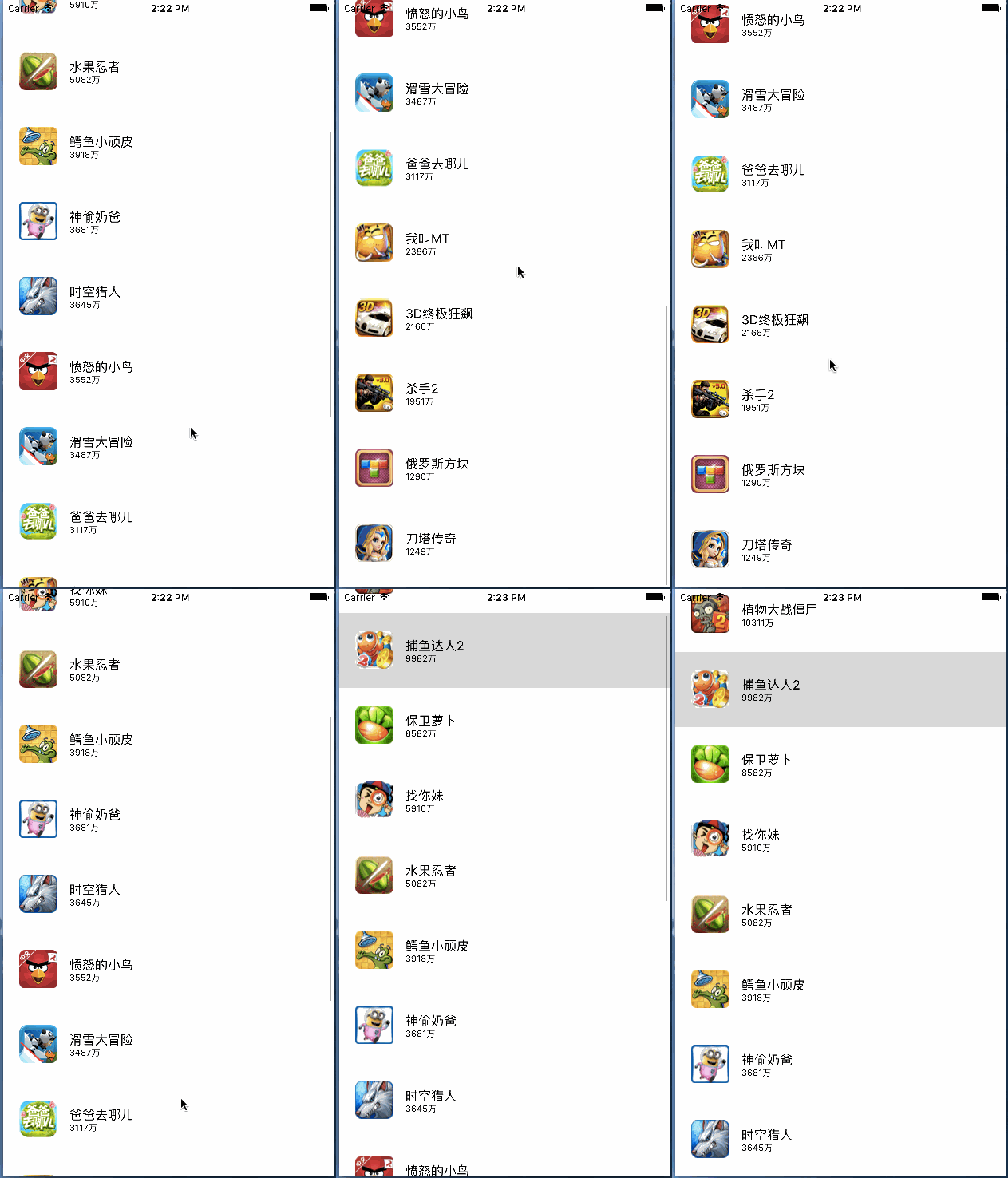
這個範例會用 UITableView 顯示多張網路圖片。畫面本身不複雜,重點在於如何載入圖片、如何快取,以及如何避免重複讀取。
資料來源
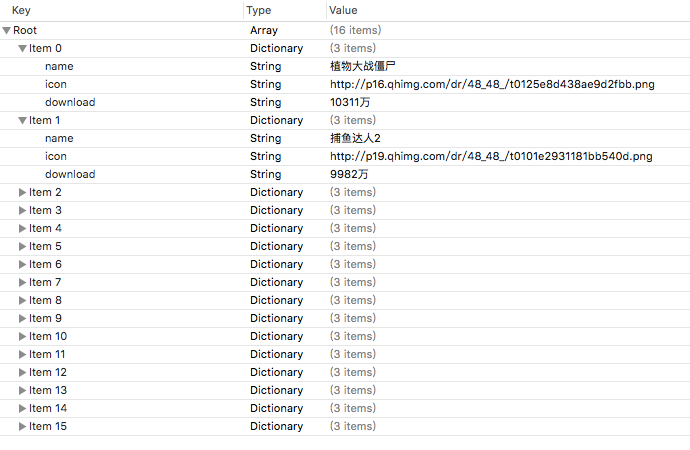
列表文字與圖片網址可從 plist 讀取。每一筆資料可封裝成 DDZApp 模型,包含 icon、name、download 等欄位。
@interface DDZApp : NSObject
@property (nonatomic, strong) NSString *icon;
@property (nonatomic, strong) NSString *name;
@property (nonatomic, strong) NSString *download;
+ (instancetype)appWithDict:(NSDictionary *)dict;
@end
記憶體與沙盒快取
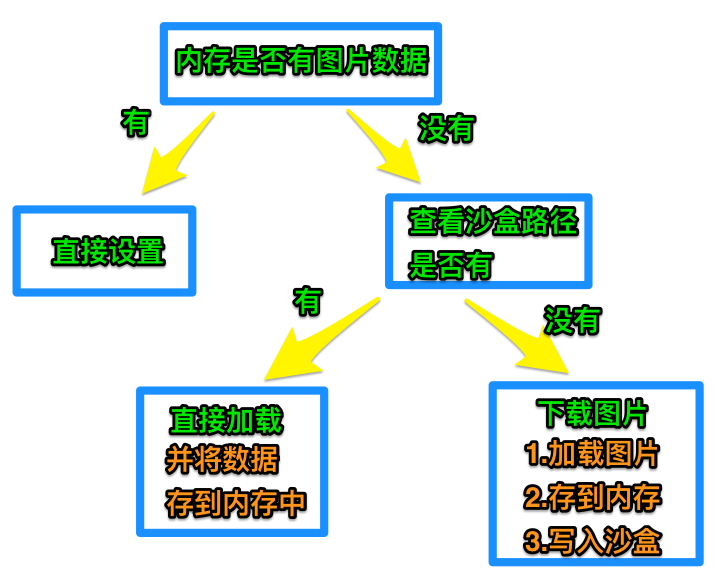
可先建立 imgCache 字典,用來保存已下載的 UIImage。若記憶體沒有圖片,再到沙盒 Caches 目錄尋找檔案;若沙盒也沒有,才從網路下載。
NSString *cachesPath = [NSSearchPathForDirectoriesInDomains(NSCachesDirectory, NSUserDomainMask, YES) firstObject];
NSString *filename = [app.icon lastPathComponent];
NSString *file = [cachesPath stringByAppendingPathComponent:filename];
NSData *data = [NSData dataWithContentsOfFile:file];
若沙盒中已有資料,可直接建立 UIImage 並放入 imgCache;若沒有,才使用 NSData dataWithContentsOfURL: 下載,再把資料寫入沙盒。
流程整理
這種寫法容易理解,但若在主執行緒直接下載大量圖片,會造成 UI 卡頓。因此下一篇文章會改用多執行緒與佇列來改善。