
iOS 實作水平方向的瀑布流
編輯:iOS 開發綜合
效果
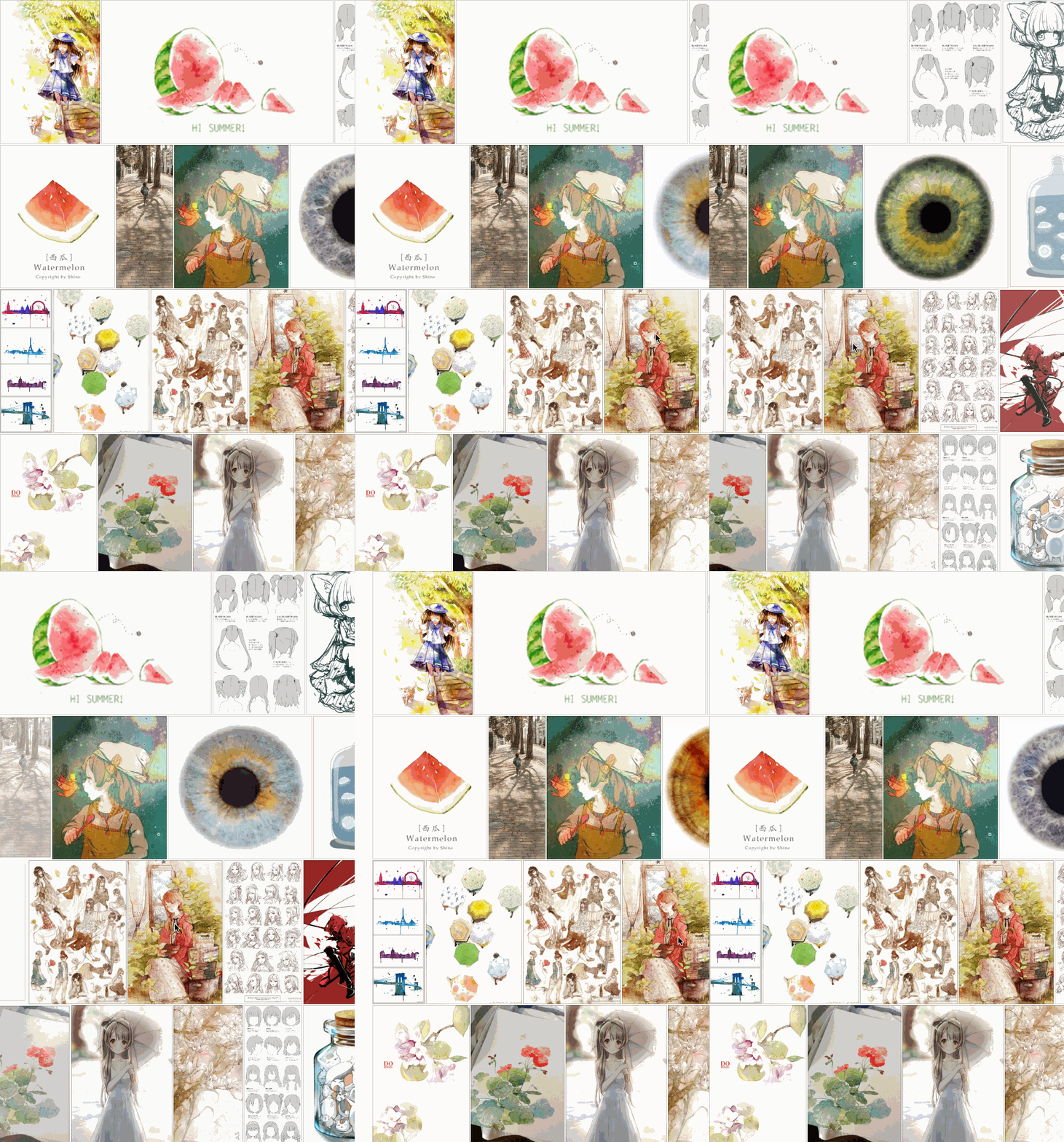
核心程式碼
水平瀑布流的關鍵在於自訂 UICollectionViewLayout,讓每個 item 依固定高度、可變寬度的方式排列:
static NSString *picturesSource = @"https://www.duitang.com/album/1733789/masn/p/0/50/";

@interface GridFlowLayoutViewController () <UICollectionViewDataSource, UICollectionViewDelegate, GridLayoutDelegate>
@property (nonatomic, strong) UICollectionView *collectionView;
@property (nonatomic) CGFloat rowHeight;
@property (nonatomic, strong) NSMutableArray <WaterfallPictureModel *> *dataSource;
@end

- (void)setup {
    [super setup];
    _dataSource = [NSMutableArray new];
    // 初始化布局
    CGFloat gap = 1;
    NSInteger rowCount = arc4random() % 3 + 2;
    _rowHeight = (self.contentView.height - (rowCount + 1) * gap) / (CGFloat)rowCount;
    GridLayout *layout = [GridLayout new];
    layout.manager.edgeInsets = UIEdgeInsetsMake(gap, gap, gap, gap);
    layout.manager.gap = gap;
    layout.delegate = self;
    NSMutableArray *rowHeights = [NSMutableArray array];
    for (int i = 0; i < rowCount; i++) {
        [rowHeights addObject:@(_rowHeight)];
    }
    layout.manager.rowHeights = rowHeights;
    self.collectionView = [[UICollectionView alloc] initWithFrame:self.contentView.bounds collectionViewLayout:layout];
    self.collectionView.delegate = self;
    self.collectionView.dataSource = self;
    self.collectionView.backgroundColor = [UIColor clearColor];
    self.collectionView.showsHorizontalScrollIndicator = NO;
    [self.collectionView registerClass:[FlowStyleCell class] forCellWithReuseIdentifier:@"FlowStyleCell"];
    [self.contentView addSubview:self.collectionView];
}
每個 item 的寬度依圖片原始比例計算(固定高度、按比例縮放寬度):
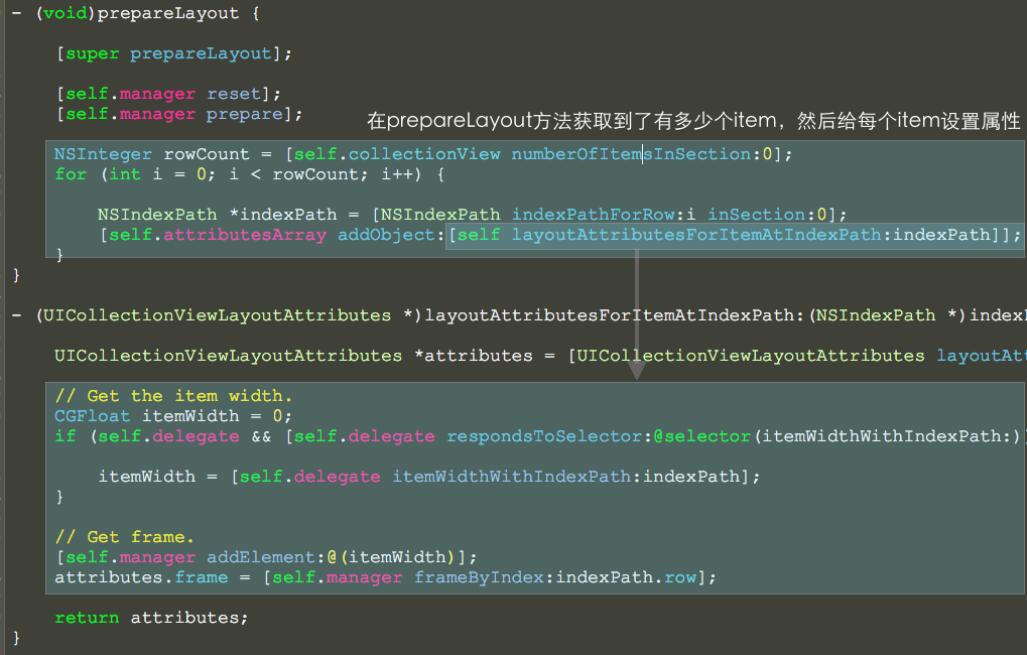
- (CGFloat)itemWidthWithIndexPath:(NSIndexPath *)indexPath {
    WaterfallPictureModel *pictureModel = _dataSource[indexPath.row];
    return [Math resetFromSize:CGSizeMake(pictureModel.iwd.floatValue, pictureModel.iht.floatValue) withFixedHeight:_rowHeight].width;
}
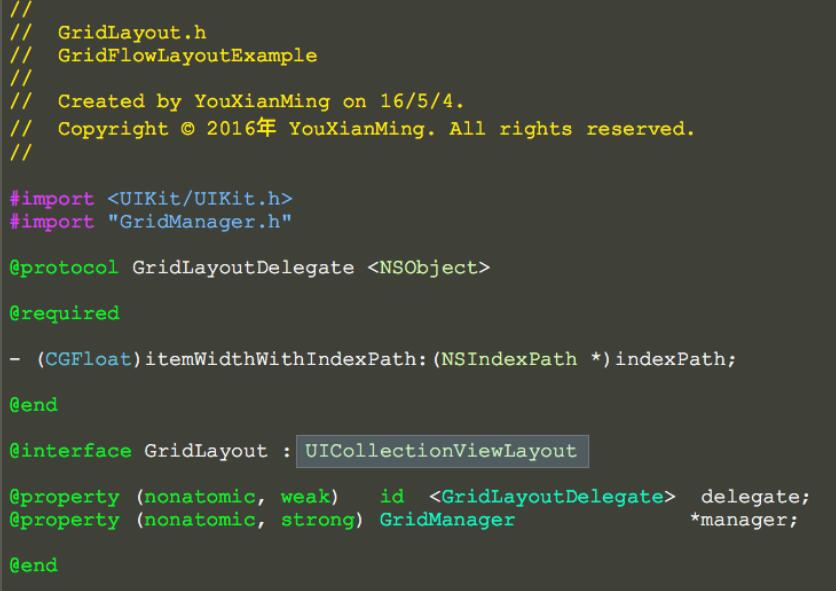
細節:自訂 UICollectionViewLayout
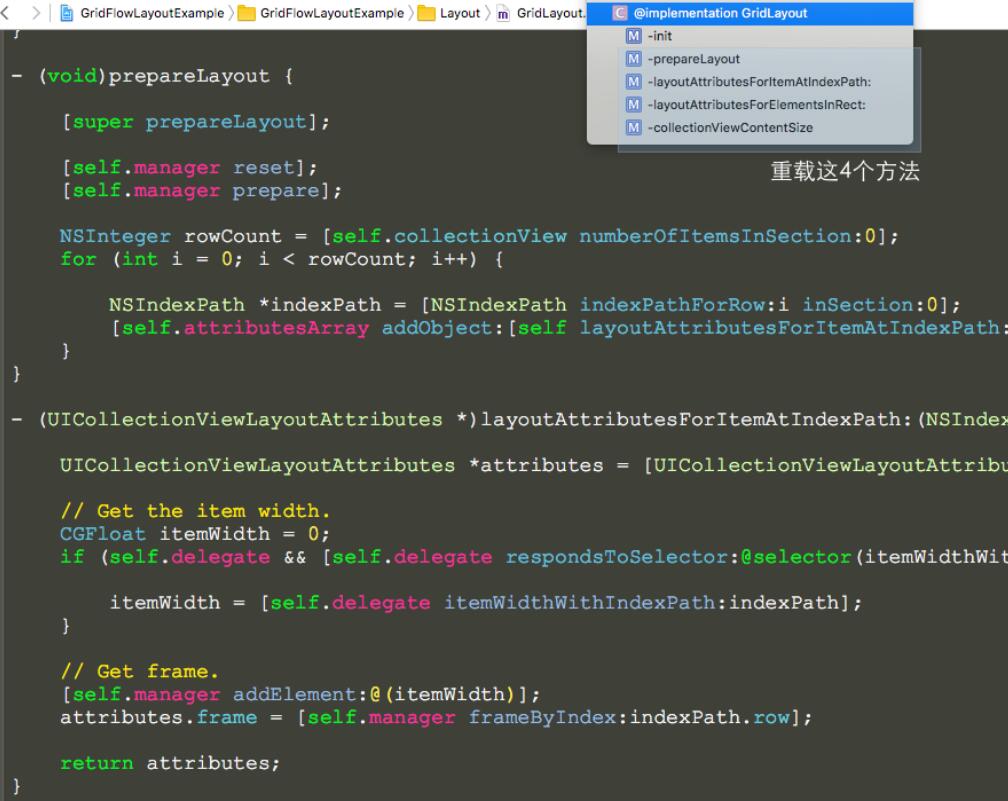
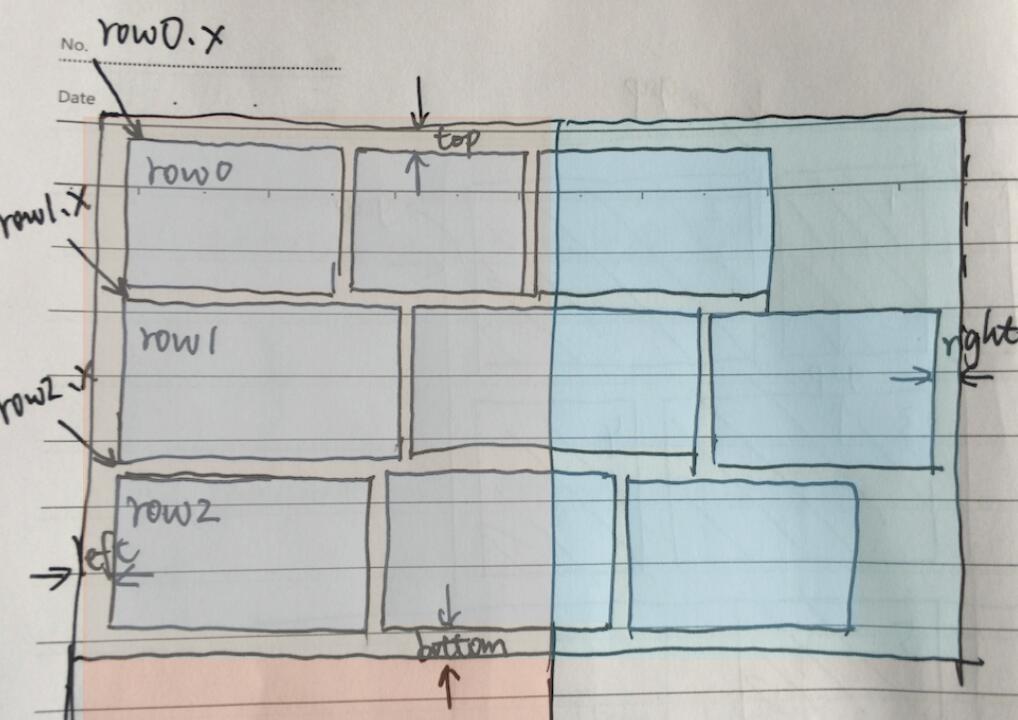
自訂的 GridLayout 需繼承自 UICollectionViewLayout,並重寫四個關鍵方法來計算每個 item 的 frame 與整體內容尺寸,再依各「列」目前的累積高度決定新項目要放在哪一列,從而形成水平方向的瀑布流排列。
小結
以上就是 iOS 實作水平方向瀑布流的做法,核心是自訂 UICollectionViewLayout 並依比例計算寬度、依列高安排位置,希望對你的學習有所幫助。
- 上一篇文章: iOS 將漢字轉換為拼音
- 下一篇文章: iOS 實作側滑欄效果