
iOS 漸層圓環旋轉動畫:CAShapeLayer 與 CAGradientLayer 聯手
編輯:iOS 開發綜合
要做一個會轉、帶漸層、還會呼吸縮放的圓環進度圈,CAShapeLayer 負責形狀、CAGradientLayer 負責顏色,兩者疊起來再掛動畫就足夠了。
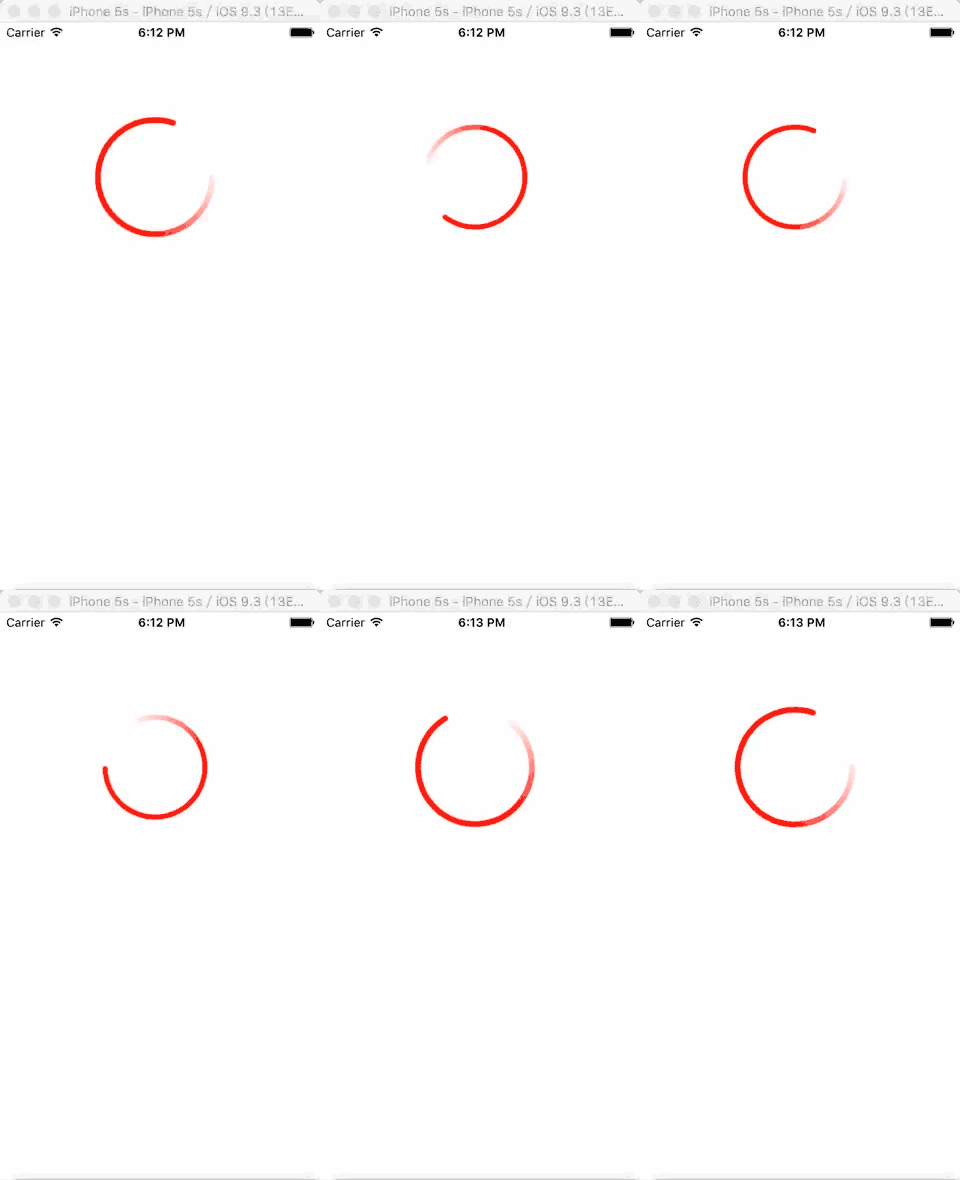
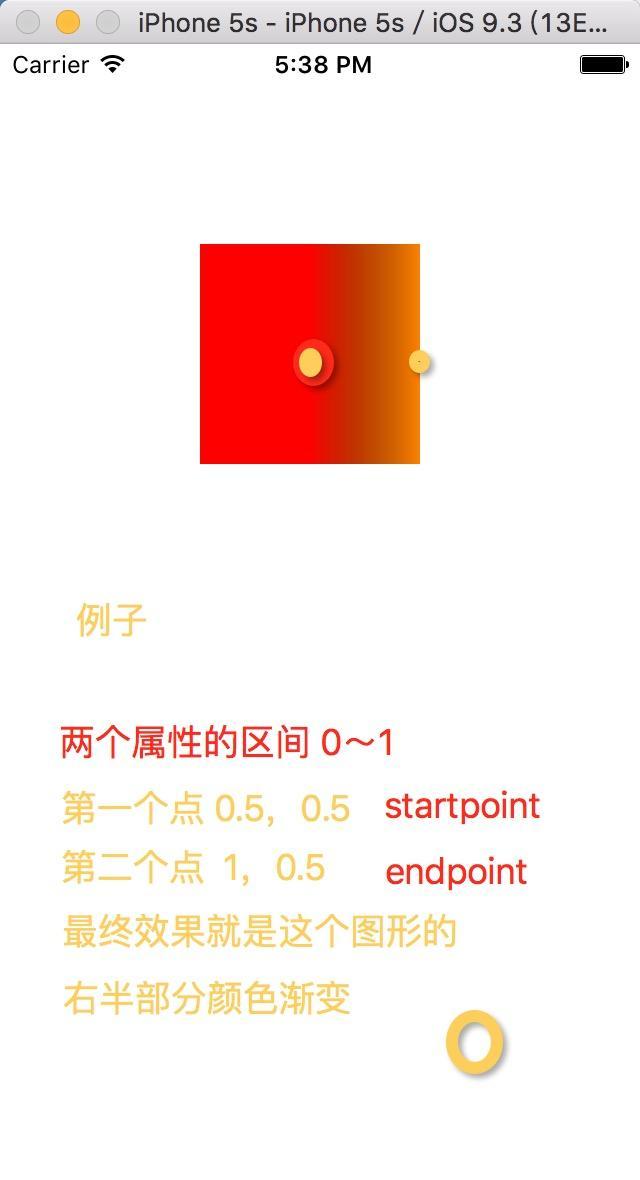
完整程式碼
- (void)viewDidLoad {
    [super viewDidLoad];

    // 底色圓
    CALayer *layer = [CALayer layer];
    layer.backgroundColor = [UIColor redColor].CGColor;
    layer.frame = CGRectMake(100, 100, 110, 110);

    // 用貝塞爾曲線畫出圓環路徑
    UIBezierPath *bezierPath = [UIBezierPath bezierPathWithArcCenter:CGPointMake(55, 55)
                                                             radius:50
                                                         startAngle:0
                                                           endAngle:M_PI * 2
                                                          clockwise:YES];

    // 遮罩:決定圓環只露出 80% 的弧
    CAShapeLayer *shapeLayer = [CAShapeLayer layer];
    shapeLayer.fillColor   = [UIColor clearColor].CGColor;
    shapeLayer.strokeColor = [UIColor redColor].CGColor;
    shapeLayer.lineWidth   = 5;
    shapeLayer.strokeStart = 0;
    shapeLayer.strokeEnd   = 0.8;
    shapeLayer.lineCap     = @"round";
    shapeLayer.lineDashPhase = 0.8;
    shapeLayer.path = bezierPath.CGPath;

    // 漸層
    NSMutableArray *colors = [NSMutableArray arrayWithObjects:
                              (__bridge id)[UIColor redColor].CGColor,
                              (__bridge id)[UIColor whiteColor].CGColor, nil];
    CAGradientLayer *gradientLayer = [CAGradientLayer layer];
    gradientLayer.shadowPath = bezierPath.CGPath;
    gradientLayer.frame = CGRectMake(50, 50, 60, 60);
    gradientLayer.startPoint = CGPointMake(0, 1);
    gradientLayer.endPoint   = CGPointMake(1, 0);
    [gradientLayer setColors:[NSArray arrayWithArray:colors]];
    [layer addSublayer:gradientLayer];

    // 套上遮罩
    [layer setMask:shapeLayer];
    [self.view.layer addSublayer:layer];

    // 呼吸縮放
    CABasicAnimation *scaleAnimation =
        [CABasicAnimation animationWithKeyPath:@"transform.scale"];
    scaleAnimation.fromValue = [NSNumber numberWithFloat:1.0];
    scaleAnimation.toValue   = [NSNumber numberWithFloat:1.5];
    scaleAnimation.autoreverses = YES;
    scaleAnimation.duration = 0.8;

    // 持續旋轉
    CABasicAnimation *rotationAnimation =
        [CABasicAnimation animationWithKeyPath:@"transform.rotation.z"];
    rotationAnimation.fromValue = [NSNumber numberWithFloat:0];
    rotationAnimation.toValue   = [NSNumber numberWithFloat:6.0 * M_PI];
    rotationAnimation.autoreverses  = YES;
    rotationAnimation.repeatCount   = MAXFLOAT;
    rotationAnimation.beginTime     = 0.8;   // 延遲 0.8 秒,避開縮放
    rotationAnimation.duration      = 2;

    // 組成動畫組
    CAAnimationGroup *groupAnimation = [CAAnimationGroup animation];
    groupAnimation.duration  = 4;
    groupAnimation.autoreverses = YES;
    groupAnimation.animations = @[scaleAnimation, rotationAnimation];
    groupAnimation.repeatCount = MAXFLOAT;
    [layer addAnimation:groupAnimation forKey:@"groupAnimation"];
}
關鍵在 keyPath
整個效果成不成,取決於 CABasicAnimation 初始化時傳的 keyPath。iOS 裡常用的幾種如下:
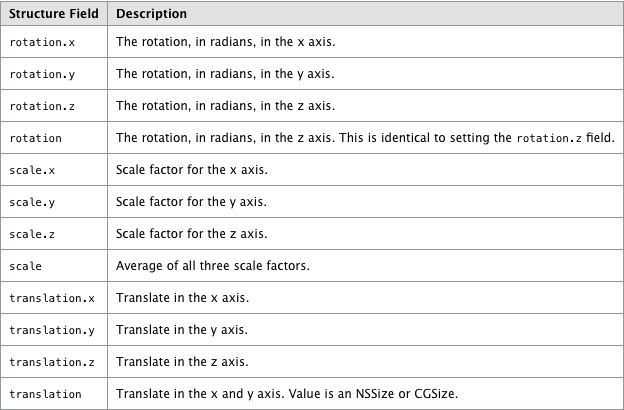
其中 transform.rotation.z 是繞 z 軸旋轉,transform.scale 是等比縮放,opacity 控制透明度,position 與 bounds 則分別對應位移與尺寸變化。把 mask 與漸層的組合記熟,大部分進度圈、載入動畫都能直接套用。