
iOS 仿電商類 App 首頁:UICollectionView 布局實作
編輯:iOS 開發綜合
電商類 App 的首頁通常包含輪播圖、功能選單與商品列表。本文將以 UICollectionView 為核心,說明如何實作類似電商 App 的首頁布局。
一、整體效果
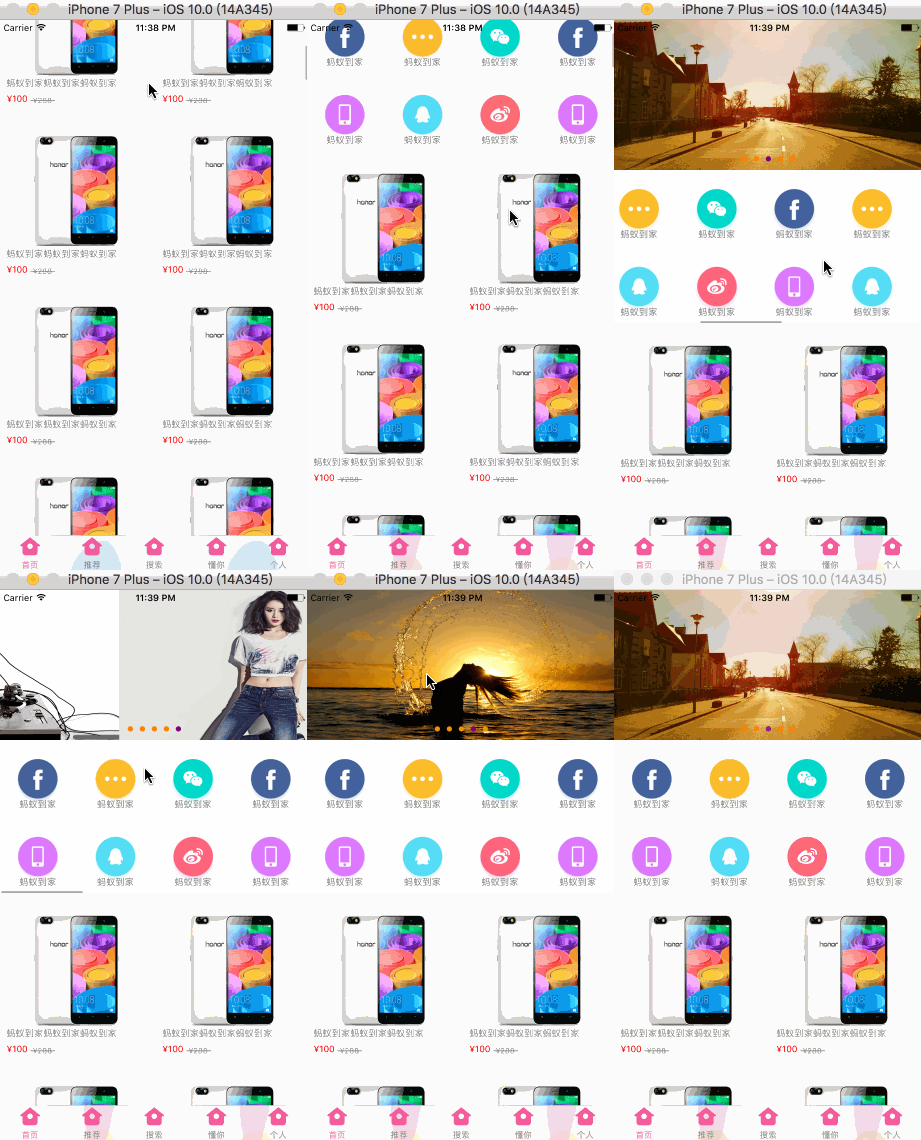
首頁通常可以拆成兩個部分:上方是 headerView,包含輪播圖與橫向選單;下方是商品列表,可以上下滑動。
二、UI 結構
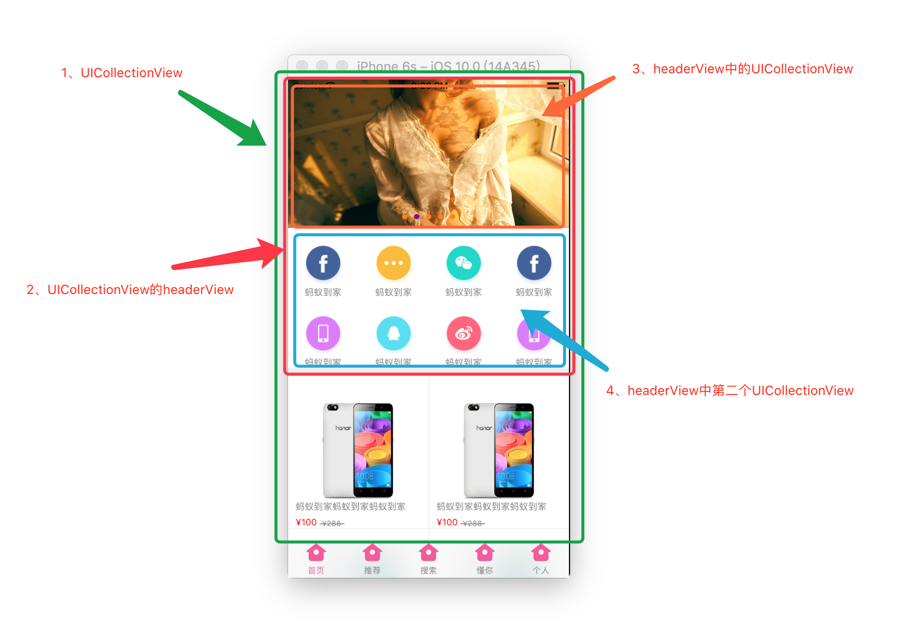
整個首頁可以使用一個父 UICollectionView 實作。headerView 中可以再嵌入兩個 UICollectionView,分別負責圖片輪播與橫向功能按鈕。
三、初始化 UICollectionView
建立 UICollectionView 時,需要註冊 cell 與 headerView。若沒有註冊 headerView,後續將無法正確顯示。
- (UICollectionView *)collectionView {
    if (!_collectionView) {
        UICollectionViewFlowLayout *layout = [[UICollectionViewFlowLayout alloc] init];

        _collectionView = [[UICollectionView alloc] initWithFrame:[UIScreen mainScreen].bounds
                                                     collectionViewLayout:layout];

        _collectionView.backgroundColor = [UIColor colorWithRed:238/255.0 green:238/255.0 blue:238/255.0 alpha:1.0];

        [_collectionView registerClass:[MYIHomeCell class]
           forCellWithReuseIdentifier:@"collectionViewCell"];

        [_collectionView registerClass:[MYIHomeHeaderView class]
          forSupplementaryViewOfKind:UICollectionElementKindSectionHeader
                 withReuseIdentifier:@"headerView"];

        _collectionView.delegate = self;
        _collectionView.dataSource = self;
    }
    return _collectionView;
}
在 viewDidLoad 中,建議將 automaticallyAdjustsScrollViewInsets 設為 NO,避免輪播圖出現錯位。
- (void)viewDidLoad {
    [super viewDidLoad];
    self.automaticallyAdjustsScrollViewInsets = NO;
}
四、提供資料與 headerView
- (NSInteger)collectionView:(UICollectionView *)collectionView numberOfItemsInSection:(NSInteger)section {
    return 80;
}

- (UICollectionViewCell *)collectionView:(UICollectionView *)collectionView cellForItemAtIndexPath:(NSIndexPath *)indexPath {
    MYIHomeCell *cell = [collectionView dequeueReusableCellWithReuseIdentifier:@"collectionViewCell"
                                                                  forIndexPath:indexPath];
    cell.iconName = @"goodsimagetest";
    cell.describe = @"螞蟻到家螞蟻到家螞蟻到家";
    cell.currentPrice = @"¥100";
    cell.originalPrice = @"¥288";
    return cell;
}

- (UICollectionReusableView *)collectionView:(UICollectionView *)collectionView viewForSupplementaryElementOfKind:(NSString *)kind atIndexPath:(NSIndexPath *)indexPath {
    MYIHomeHeaderView *headerView = [collectionView dequeueReusableSupplementaryViewOfKind:UICollectionElementKindSectionHeader
                                                                        withReuseIdentifier:@"headerView"
                                                                               forIndexPath:indexPath];

    if (kind == UICollectionElementKindSectionHeader) {
        return headerView;
    }
    return nil;
}
若需要設定 headerView 尺寸,可實作:
- (CGSize)collectionView:(UICollectionView *)collectionView
                  layout:(UICollectionViewLayout *)collectionViewLayout
referenceSizeForHeaderInSection:(NSInteger)section {
    return CGSizeMake(self.view.bounds.size.width, 380);
}
五、注意事項
使用 UICollectionView 實作電商首頁時,需要特別注意:
- headerView 必須先註冊,否則會無法出隊。
- 輪播器若有 auto layout 或 inset 問題,可先檢查 scrollView 的自動調整設定。
- 商品 cell 的布局可透過自定義
UICollectionViewLayout控制間距與尺寸。
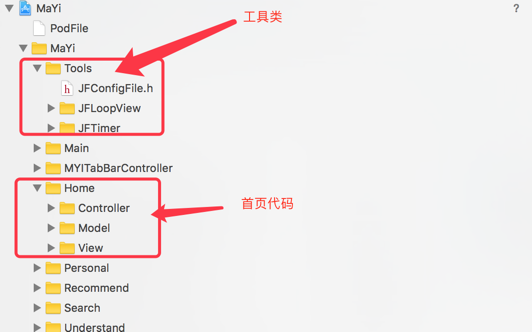
完成後,記得執行對應的 workspace 或 project 檔案。
這種首頁結構也可以改用 UITableView 實作,但 UICollectionView 在自定義布局與橫向滾動方面更靈活,非常適合電商類首頁。
- 上一篇文章: iOS 遠程網絡音樂播放核心技術:AVPlayer、後台播放與鎖屏控制
- 下一篇文章: iOS 點擊推送跳轉指定頁面:極光推送實作解析