
iOS 城市定位完整流程:從經緯度到中文城市名
編輯:iOS 開發綜合
要把定位結果變成使用者看得懂的中文城市名,中間其實有幾個容易漏掉的環節:系統的權限描述、iOS 8 的授權 API、以及 CLGeocoder 回傳時的語言問題。下面一步步走完整個流程。
本文涵蓋:取得經緯度、轉換為城市、iOS 8 定位失敗的解法、以及讓回傳結果固定為中文。
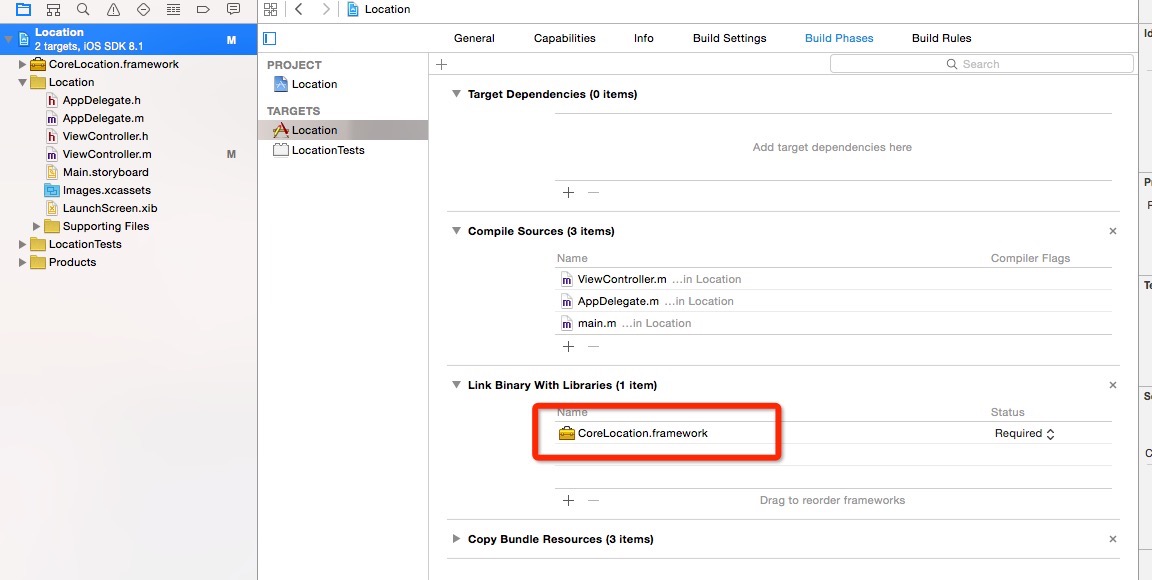
步驟一:建立專案並導入 CoreLocation.framework
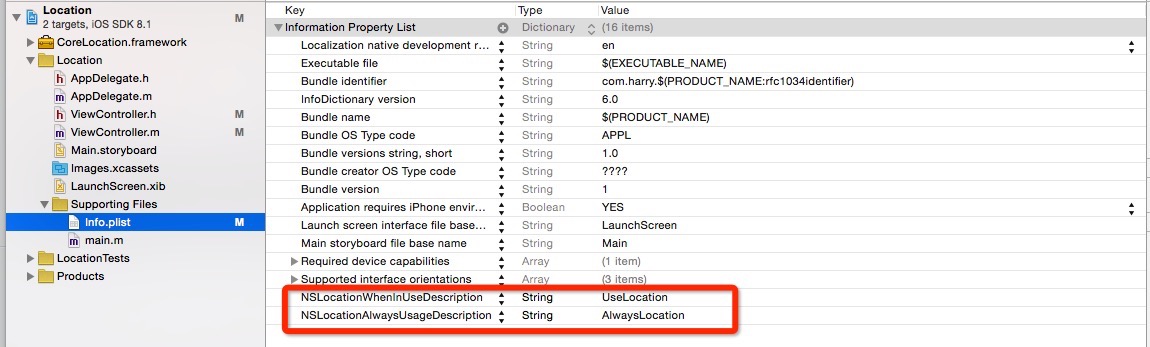
步驟二:在 Info.plist 補上用途說明
加入 NSLocationAlwaysUsageDescription,值填 AlwaysLocation。這個 key 少了,系統會直接拒絕定位甚至讓 App 崩潰。
步驟三:用 CLLocationManager 開始定位
_locationManger = [[CLLocationManager alloc] init];
_locationManger.delegate = self;
[_locationManger requestAlwaysAuthorization]; // iOS 8 必須加,否則定位失敗
_locationManger.desiredAccuracy = kCLLocationAccuracyBest; // 最高精度
_locationManger.distanceFilter = 100.0f; // 移動超過 100 公尺才回報一次
[_locationManger startUpdatingLocation]; // 開始定位
步驟四:在代理方法中取得座標並轉成中文城市
- (void)locationManager:(CLLocationManager *)manager didFailWithError:(NSError *)error {
    NSLog(@"定位失敗");
    [_locationManger stopUpdatingLocation]; // 關閉定位
}

- (void)locationManager:(CLLocationManager *)manager didUpdateLocations:(NSArray *)locations {
    NSLog(@"定位成功");
    [_locationManger stopUpdatingLocation]; // 關閉定位

    CLLocation *newLocation = locations[0];
    NSLog(@"%@", [NSString stringWithFormat:@"經度:%3.5f\n緯度:%3.5f",
          newLocation.coordinate.latitude, newLocation.coordinate.longitude]);

    // 先保存設備目前的語言設定
    NSMutableArray *userDefaultLanguages = [[NSUserDefaults standardUserDefaults] objectForKey:@"AppleLanguages"];

    // 強制暫時切成簡體中文
    [[NSUserDefaults standardUserDefaults] setObject:[NSArray arrayWithObjects:@"zh-hans", nil] forKey:@"AppleLanguages"];

    CLGeocoder *geoCoder = [[CLGeocoder alloc] init];
    [geoCoder reverseGeocodeLocation:newLocation completionHandler:^(NSArray *placemarks, NSError *error) {
        for (CLPlacemark *placemark in placemarks) {
            NSDictionary *test = [placemark addressDictionary];
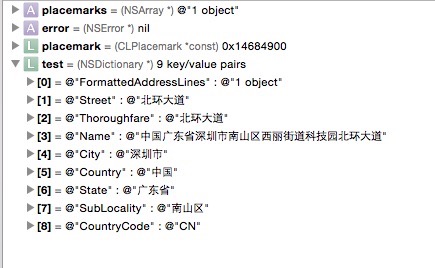
            // Country(國家) / State(城市) / SubLocality(區)
            NSLog(@"%@", [test objectForKey:@"State"]);

            // 取完之後把語言還原回使用者原本的設定
            [[NSUserDefaults standardUserDefaults] setObject:userDefaultLanguages forKey:@"AppleLanguages"];
        }
    }];
}
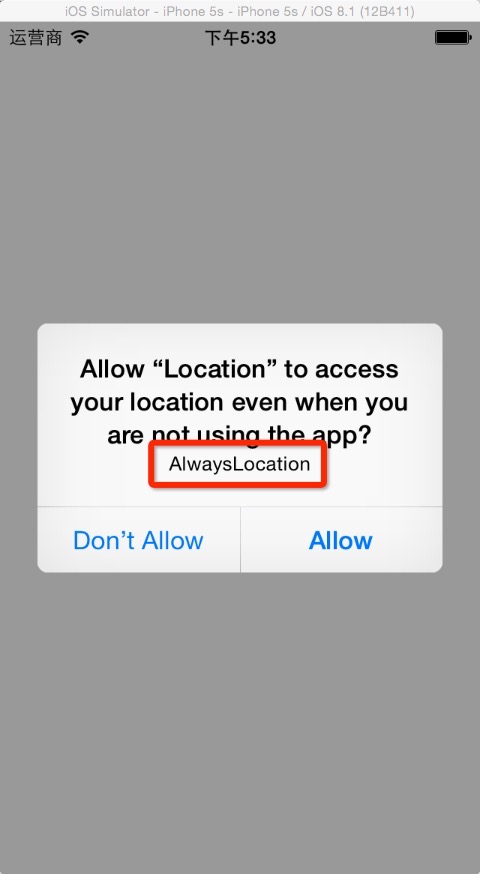
首次啟動時,系統會跳出提示,內容就是剛才在 Info.plist 裡設定的那段文字:
而 addressDictionary 這個字典裡實際有哪些欄位,可以從下圖看到:
幾個實務上的補充
用 NSUserDefaults 改 AppleLanguages 是舊專案常見的取巧做法,在新版系統上不一定即時生效,正式專案建議改用 CLGeocoder 的 preferredLocale 相關策略,或在後端做地址翻譯。
另外,如果只用到「使用 App 期間」的定位,改用 requestWhenInUseAuthorization 並搭配 NSLocationWhenInUseUsageDescription 會更容易通過審核。
- 上一篇文章: iOS 圖片拉伸技巧:端蓋概念與 iOS 5.0 / 6.0 三種方案
- 下一篇文章: iOS 接入支付寶的完整步驟與踩坑筆記