
Xcode 4.2 多視圖開發:自建 MainWindow.xib 與純程式碼兩種做法
Xcode 4 之後的變化
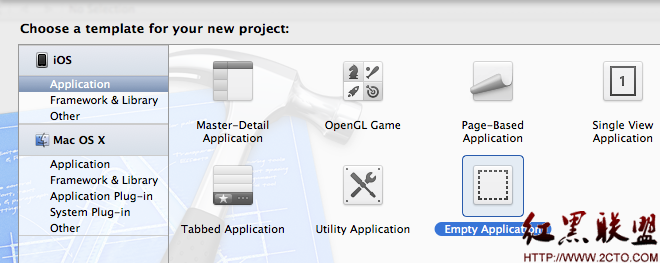
在 Xcode 4 以前,建立 Window-based Application 會自動產生 MainWindow.xib。Xcode 4 之後,可改用 Empty Application,再自行決定是否建立 MainWindow.xib。
建立測試專案
使用 CMD+SHIFT+N 建立 Empty Application,專案名稱可取為 MVTest。
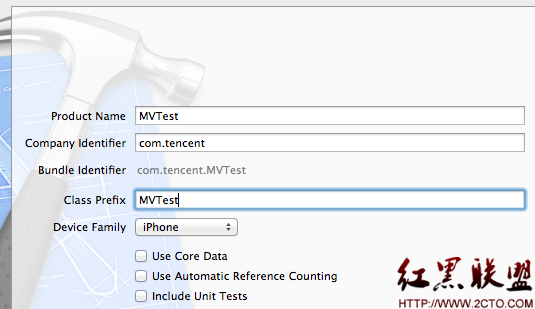
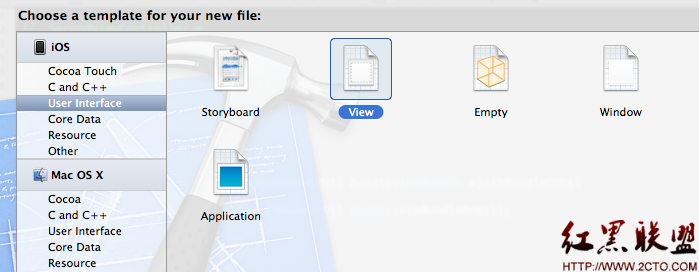
接著建立 SwitchViewController、FirstViewController 與 SecondViewController,並建立 FirstView.xib 與 SecondView.xib。
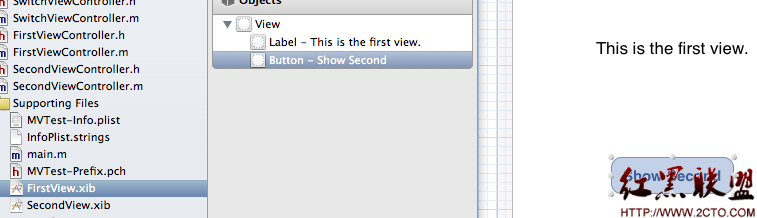
在兩個 xib 中各加入一個 label 與一個 button。
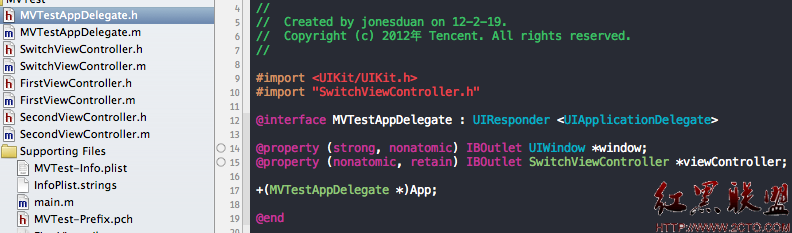
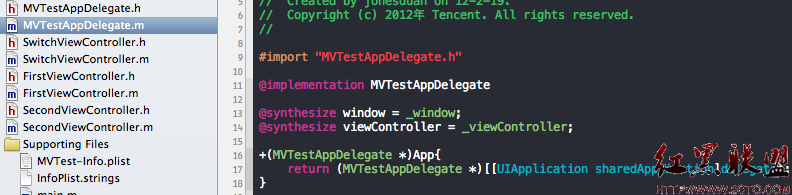
在 MVTestAppDelegate 中宣告 SwitchViewController 類型的 viewController 屬性。
SwitchViewController 的角色
SwitchViewController 負責切換兩個子畫面。它會持有 FirstViewController 與 SecondViewController,並在需要時加入或移除畫面。
-(void)showSecondView {
    if (self.secondviewcontroller == nil) {
        self.secondviewcontroller = [[SecondViewController alloc] initWithNibName:@"SecondView" bundle:nil];
    }
    [self removeAllView];
    [self.view insertSubview:self.secondviewcontroller.view atIndex:0];
}
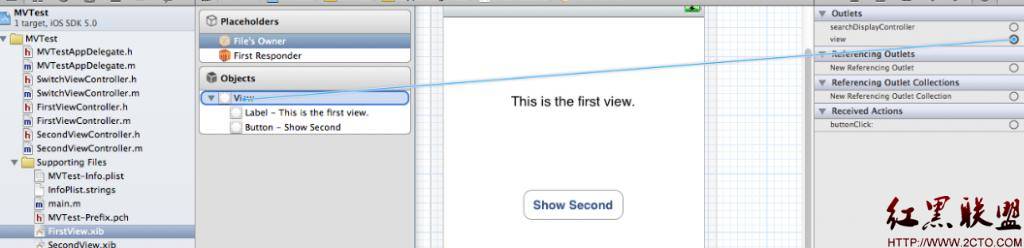
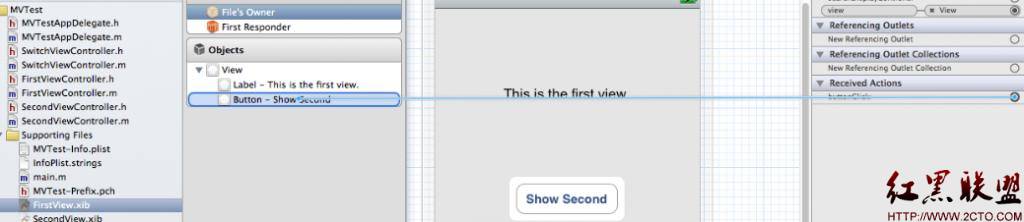
在 FirstViewController 與 SecondViewController 中,button 可呼叫 SwitchViewController 的切換方法。
不用 MainWindow.xib
若不使用 MainWindow.xib,就要在應用程式啟動時,以程式碼建立 window 與 rootViewController。
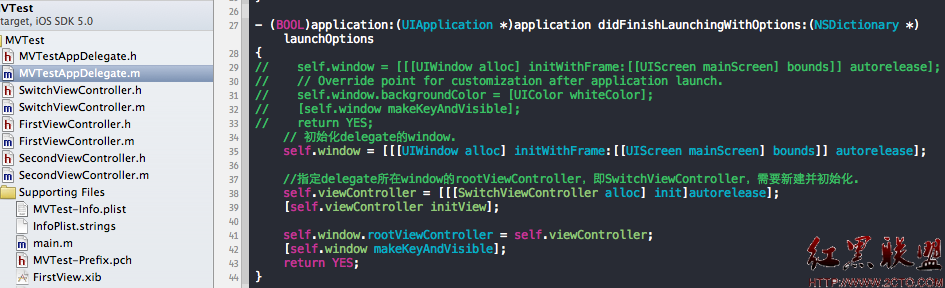
self.window = [[[UIWindow alloc] initWithFrame:[[UIScreen mainScreen] bounds]] autorelease];
self.viewController = [[[SwitchViewController alloc] init] autorelease];
[self.viewController initView];
self.window.rootViewController = self.viewController;
自行建立 MainWindow.xib
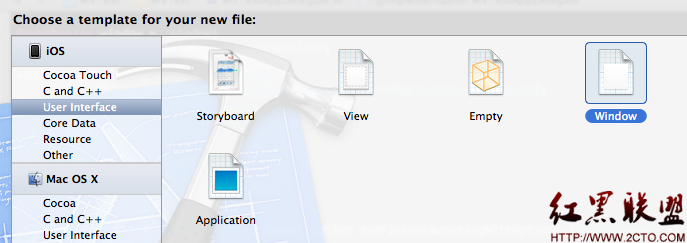
若要使用 MainWindow.xib,可新增一個 Window 類型的 xib,命名為 MainWindow.xib。
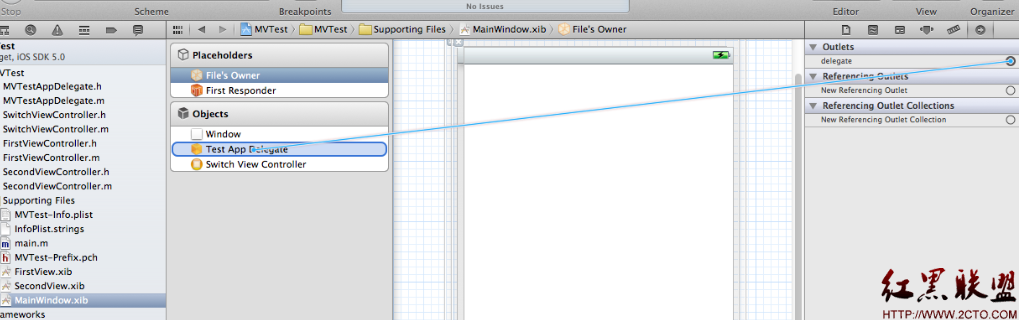
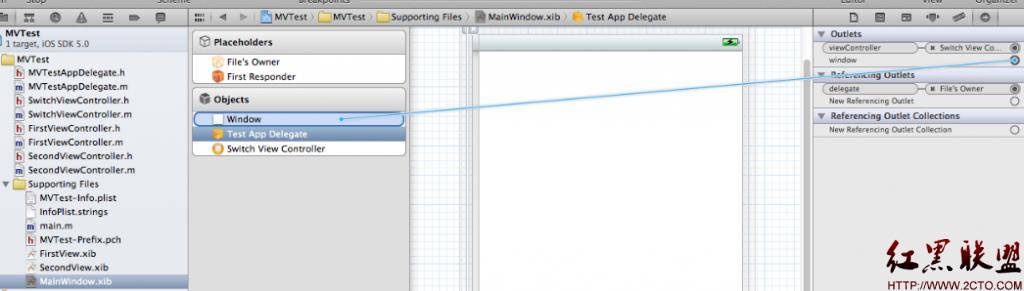
從 Library 拖入 Object,指定所屬類為 MVTestAppDelegate。

再拖入 View Controller,指定所屬類為 SwitchViewController,並連接 delegate、window 與 viewController。
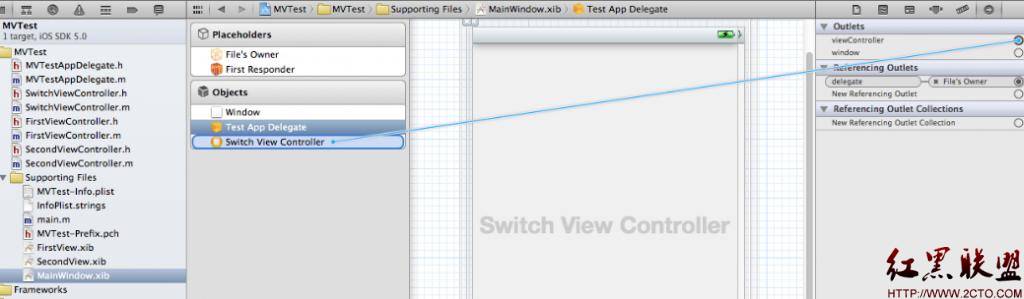
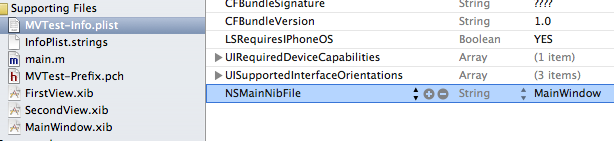
因為 MainWindow.xib 是自行建立,所以要在 Info.plist 中指定 NSMainNibFile 為 MainWindow。
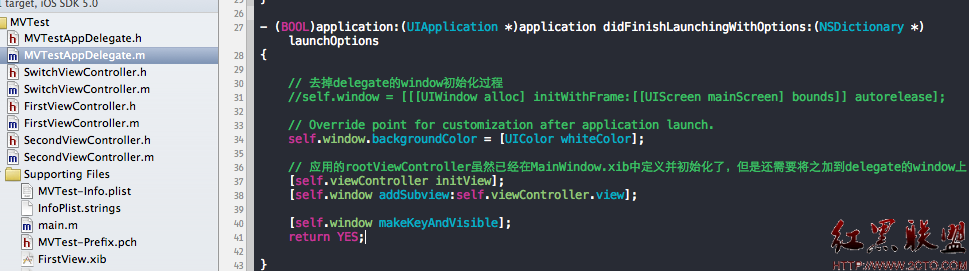
若執行後出現「Applications are expected to have a root view controller at the end of application launch」,通常表示尚未把 rootViewController 的 view 加入 window。此時可移除 delegate 中自行建立 window 的程式,並把 view 加入。
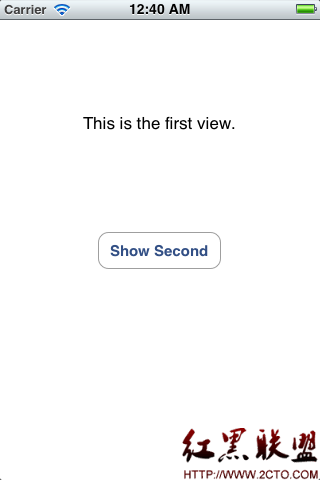
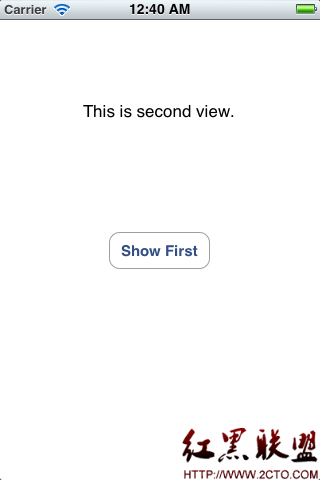
最終效果是啟動時顯示 FirstViewController,按下切換後顯示 SecondViewController,再按返回則回到 FirstViewController。
總結
不使用 MainWindow.xib 時,window 與 rootViewController 都由程式建立與初始化。使用 MainWindow.xib 時,要在 Info.plist 指定 NSMainNibFile,並在 delegate 中把 xib 內的 rootViewController.view 加入 window。