
IOS學習筆記(七)之UISegmentedControl分段控件的基本概念和使用方法
IOS學習筆記(七)之UISegmentedControl分段控件的基本概念和使用方法(博客地址:http://blog.csdn.net/developer_jiangqq)
Author:hmjiangqq
Email:jiangqqlmj@163.com
UISegmentedControl
首先看下官網介紹:
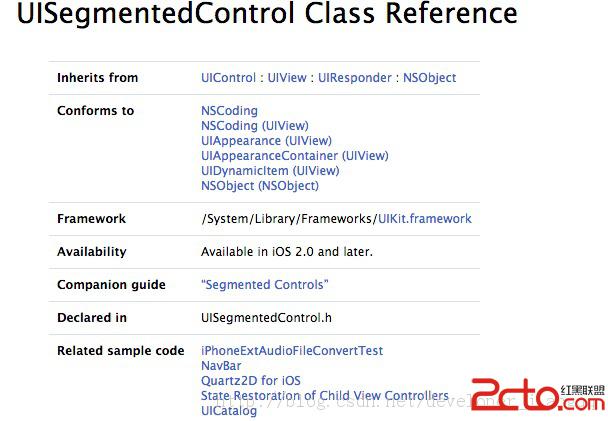
A UISegmentedControl object is a horizontal control made of multiple segments, each segment functioning as a discrete button. A segmented control affords
a compact means to group together a number of controls.
A segmented control can display a title (an NSString object)
or an image (UIImage object).
The UISegmentedControl object automatically resizes segments to fit proportionally within their superview unless they have a specific width set. When
you add and remove segments, you can request that the action be animated with sliding and fading effects.
每個段相當於一個獨立的按鈕。這控件一般有兩種樣式-Plain&Bordered樣式和Bar樣式,
Bordered樣式是在Plain樣式上面加上了一個邊框.Plain和Bordered樣式中每一段都可以設置文本
和添加圖片.Bar樣式整體來說比較窄,在其中我們一般不會放置圖片。
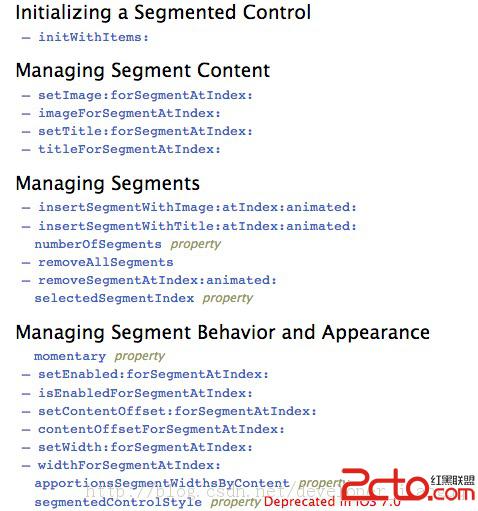
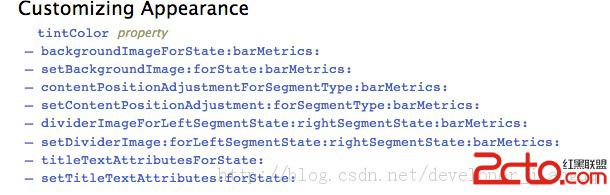
常用的屬性和方法如下:
實例代碼如下:
- (BOOL)application:(UIApplication *)application didFinishLaunchingWithOptions:(NSDictionary *)launchOptions
{
    self.window = [[[UIWindow alloc] initWithFrame:[[UIScreen mainScreen] bounds]] autorelease];
    // Override point for customization after application launch.
    self.window.backgroundColor = [UIColor whiteColor];

    NSArray *array=@[@"搜索",@"選擇",@"視頻",@"圖片"];
    UISegmentedControl *segmentControl=[[UISegmentedControl alloc]initWithItems:array];
    segmentControl.segmentedControlStyle=UISegmentedControlStyleBordered;
    //設置位置 大小
    segmentControl.frame=CGRectMake(60, 100, 200, 40);
    //默認選擇
    segmentControl.selectedSegmentIndex=1;
    //設置背景色
    segmentControl.tintColor=[UIColor greenColor];
    //設置監聽事件
    [segmentControl addTarget:self action:@selector(change:) forControlEvents:UIControlEventValueChanged];
    [self.window addSubview:segmentControl];
    [segmentControl release];

    [self.window makeKeyAndVisible];
    return YES;
}

-(void)change:(UISegmentedControl *)segmentControl{
    NSLog(@"segmentControl %d",segmentControl.selectedSegmentIndex);
}
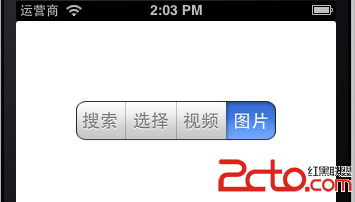
運行截圖:

- 上一頁:iOS 逆向之ARM匯編
- 下一頁:iOS多個storyboard間跳轉

- 【IOS 開發】基本 UI 控件詳解 (UISegmentedControl | UIImageView | UIProgressView | UISlider | UIAlertView )
- iphone開發之object c基礎一定義接口
- ios [access] This app has crashed because ……
- IOS實現微信朋友圈相冊評論界面的翻轉過渡動畫
- iOS 面試題總結
- IOS設計模式之組合設計模式
- iOS10:用 Speech 框架創建語音輸入App
- iOS開發之適配iOS10以及Xcode8
- 設計模式深入學習IOS版(9)工程依賴解耦之靜態鏈接庫
- iOS --- APP之間相互跳轉