Ios教程網 >> IOS編程開發 >> IOS開發綜合 >> iOS 動畫Animation詳解, UIView動畫(UIView屬性動畫,UIViewTransition動畫,UIView Block動畫),CALayer動畫(CABasicAnima...)
iOS 動畫Animation詳解, UIView動畫(UIView屬性動畫,UIViewTransition動畫,UIView Block動畫),CALayer動畫(CABasicAnima...)
編輯:IOS開發綜合
iOS 動畫Animation詳解, UIView動畫(UIView屬性動畫,UIViewTransition動畫,UIView Block動畫),CALayer動畫(CABasicAnima, CAKeyframeAnimation, CATransition, CAAnimationGroup)
//
//  FirstVC.m
//  LessonAnimation
//
//  Created by lanouhn on 14-9-17.
//  Copyright (c) 2014年 vaercly@163.com 陳聰雷. All rights reserved.
//

#import "FirstVC.h"

@interface FirstVC ()

@end

@implementation FirstVC
/*
    創建xib過程
    1 創建xib(名字和類名相同)
    2 文件擁有者為類名
    3 和類的view連線
 */
- (id)initWithNibName:(NSString *)nibNameOrNil bundle:(NSBundle *)nibBundleOrNil
{
    self = [super initWithNibName:nibNameOrNil bundle:nibBundleOrNil];
    if (self) {
        // Custom initialization
    }
    return self;
}

- (void)viewDidLoad
{
    [super viewDidLoad];
    // Do any additional setup after loading the view from its nib.
}

- (void)didReceiveMemoryWarning
{
    [super didReceiveMemoryWarning];
    // Dispose of any resources that can be recreated.
}

//UIView屬性動畫
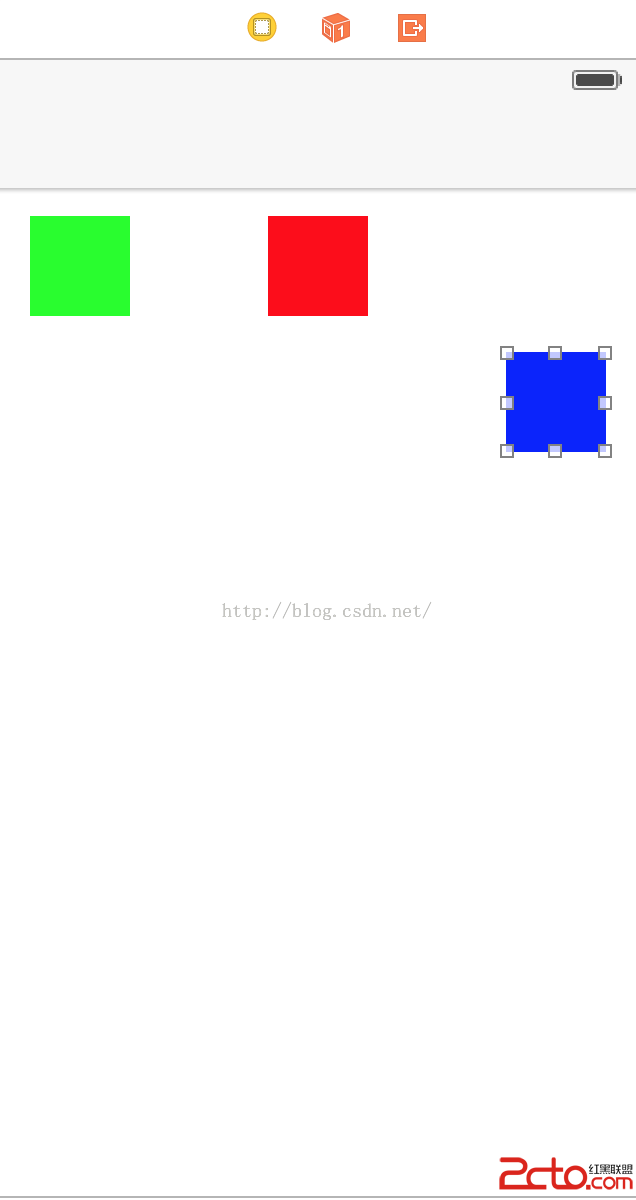
- (IBAction)pressPropertyAnimation:(id)sender {
    //1 准備動畫
    //參數1: 動畫的作用, 用來區分多個動畫, 參數二: 傳遞參數用 nil:OC中使用 NULL:C語言使用
    [UIView beginAnimations:@"改變大小" context:NULL];
    //在准備動畫的時候可以設置動畫的屬性
    [UIView setAnimationDuration:2];//設置動畫的持續時間
    [UIView setAnimationDelegate:self];
    [UIView setAnimationWillStartSelector:@selector(startAnimation)];
//    [UIView setAnimationDelay:1];//動畫延遲執行時間
    [UIView setAnimationCurve:UIViewAnimationCurveEaseInOut];//動畫的曲線
    [UIView setAnimationRepeatCount:20];//動畫的重復次數
    [UIView setAnimationRepeatAutoreverses:YES];//動畫往返執行, 必須設置動畫的重復次數
    //2 修改view的屬性, 可以同時修改多個屬性 注意:不是所有的屬性都可以修改的(只有frame, center, bounds, backgroundColor, alpha, transform 可以修改)
    self.changeView.frame = CGRectMake(110, 100, 100, 100);
//    self.changeView.backgroundColor = [UIColor brownColor];
    self.changeView.backgroundColor = [UIColor colorWithRed:arc4random() % 256 / 255.0 green:arc4random() % 256 / 255.0 blue:arc4random() % 256 / 255.0 alpha:0.5];
    //3 提交並執行動畫
    [UIView commitAnimations];
}
//UIView過度動畫
- (IBAction)pressTranstionAnimation:(id)sender {
    //1 准備動畫
    [UIView beginAnimations:@"過度動畫" context:NULL];
    [UIView setAnimationDuration:5];
    [UIView setAnimationRepeatCount:50];
    //2 設置過度樣式
    //參數1: 過度樣式, 參數2: 指定那個View做動畫, 參數3: 是否設置緩存
    [UIView setAnimationTransition:UIViewAnimationTransitionFlipFromLeft forView:self.changeView cache:YES];
    self.changeView.backgroundColor = [UIColor colorWithRed:arc4random() % 256 / 255.0 green:arc4random() % 256 / 255.0 blue:arc4random() % 256 / 255.0 alpha:0.5];
    //3 提交並執行動畫
    [UIView commitAnimations];
}

//Block動畫
- (IBAction)pressBlockAnimation:(id)sender {
    //只有一行代碼 Block動畫實質是對UIView動畫的封裝
    //參數1:動畫時長 參數2:Block: 設置要修改的View屬性
    /*
    [UIView animateWithDuration:2 animations:^{
        self.changeView.backgroundColor = [UIColor orangeColor];
    }];
     */
    //第二種Block
    /*
    //參數1:動畫時長 參數2:Block: 設置要修改的View屬性 參數3: 動畫完成時調用
    [UIView animateWithDuration:2 animations:^{
        self.changeView.backgroundColor = [UIColor orangeColor];
    } completion:^(BOOL finished) {
        //finished判斷動畫是否完成
        if (finished) {
            NSLog(@"finished");
        }
    }];
    */
    //第三種Block
    /*
    [UIView animateWithDuration:2 delay:1 options:UIViewAnimationOptionCurveEaseInOut animations:^{
//        設置要修改的View屬性
        self.changeView.backgroundColor = [UIColor orangeColor];
    } completion:^(BOOL finished) {
        //finished判斷動畫是否完成
        if (finished) {
            NSLog(@"finished");
        }
    }];
     */
    //對過度動畫的封裝
    //參數1: 改變的View 參數2:動畫時長 參數3:動畫類型 參數4 Block: 設置要修改的View屬性 參數5:完成後的操作
    [UIView transitionWithView:self.changeView duration:2 options:UIViewAnimationOptionTransitionFlipFromLeft animations:^{
        self.changeView.backgroundColor = [UIColor orangeColor];
    } completion:^(BOOL finished) {
        //finished判斷動畫是否完成
        if (finished) {
            NSLog(@"finished");
        }
    }];
}

#pragma mark - AnimationDelegate
//動畫將要開始時調用
- (void)animationWillStart:(NSString *)animationID context:(void *)context
{
    NSLog(@"start: %@, %@", animationID, context);
}

//動畫結束時調用
- (void)animationDidStop:(NSString *)animationID finished:(NSNumber *)finished context:(void *)context
{
    NSLog(@"stop: %@, %@", animationID, context);
}

- (void)startAnimation
{
    NSLog(@"self");
}
- (void)dealloc {
    [_changeView release];
    [super dealloc];
}
@end
//
//  SecondVC.m
//  LessonAnimation
//
//  Created by lanouhn on 14-9-17.
//  Copyright (c) 2014年 vaercly@163.com 陳聰雷. All rights reserved.
//

#import "SecondVC.h"

@interface SecondVC ()

@end

@implementation SecondVC

- (id)initWithNibName:(NSString *)nibNameOrNil bundle:(NSBundle *)nibBundleOrNil
{
    self = [super initWithNibName:nibNameOrNil bundle:nibBundleOrNil];
    if (self) {
        // Custom initialization
    }
    return self;
}

- (void)viewDidLoad
{
    [super viewDidLoad];
    // Do any additional setup after loading the view from its nib.
    NSLog(@"%@", NSStringFromCGRect(self.changeView.frame));
    NSLog(@"%f", CGRectGetWidth(self.changeView.frame));
    //UIView和CALayer的關系
    //UIView負責交互, frame以及顯示CALayer
    //CALayer負責渲染, 並且它是UIView的一個readonly屬性
    /*
    self.changeView.layer.cornerRadius = 100;//設置圓角, 參數是內切圓的半徑, 若想畫一個圓, 前提是view必須是正方形, 參數應該是view邊長的一半
    self.changeView.layer.borderWidth = 1;//設置描邊的寬度
    self.changeView.layer.borderColor = [UIColor orangeColor].CGColor;//設置描邊的顏色(UIView上的顏色使用的是UIColor, CALayer上使用的顏色是CGColor)
    self.changeView.layer.shadowOffset = CGSizeMake(50, 100);//設置陰影的偏移量 width影響水平偏移(正右負左), height影響垂直偏移(正下負上)
    self.changeView.layer.shadowColor = [UIColor grayColor].CGColor;//陰影的偏移的顏色
    self.changeView.layer.shadowOpacity = 1;//陰影的不透明度, 取值范圍(0 ~ 1), 默認是0, 就是透明的
     */
//    CAAnimation抽象類, 使用必須要使用其具體的子類
//    CAPropertyAnimation抽象子類, 需要子類化
//    CABasicAnimation
//    CAKeyframeAnimation
}

- (void)didReceiveMemoryWarning
{
    [super didReceiveMemoryWarning];
    // Dispose of any resources that can be recreated.
}

- (void)dealloc {
    [_changeView release];
    [super dealloc];
}
//CABasicAnimation基本動畫 沒有真正的修改屬性值
- (IBAction)pressBasicAnimation:(id)sender {
    //1 創建並指定要修改的屬性
//    KeyPath:CAlayer的屬性名, 不是所有的屬性都可以, 只有在頭文件中出現animatable的屬性才可以, 可以修改屬性的屬性, 例如:bounds.size
//    CALayer
    CABasicAnimation *basic = [CABasicAnimation animationWithKeyPath:@"bounds"];
    [basic setDuration:2];
    //2 修改屬性值
    basic.fromValue = [NSValue valueWithCGRect:CGRectMake(0, 0, self.changeView.bounds.size.width, self.changeView.bounds.size.height)];
    basic.toValue = [NSValue valueWithCGRect:CGRectMake(0, 0, 300, 300)];
//    basic.byValue =
    //3 添加動畫
    //key做區分動畫用
    [self.changeView.layer addAnimation:basic forKey:@"changColor"];
}

//CAKeyframeAnimation關鍵幀動畫
- (IBAction)pressKeyFrameAnimation:(id)sender {
    /*
    //1 創建動畫
    CAKeyframeAnimation *keyFrame = [CAKeyframeAnimation animationWithKeyPath:@"bounds"];
    [keyFrame setDuration:2];
    //2 修改屬性
    keyFrame.values = @[[NSValue valueWithCGRect:CGRectMake(0, 0, self.changeView.bounds.size.width, self.changeView.bounds.size.height)], [NSValue valueWithCGRect:CGRectMake(0, 0, 250, 250)], [NSValue valueWithCGRect:CGRectMake(0, 0, 300, 300)]];
//    keyTimes:值代表了出現動畫的時刻, 值得范圍是0~1, 值必須是遞增的, keyTimes和values是一一對應的
    keyFrame.keyTimes = @[@(0.4), @(0.6), @(1)];
    //3 添加動畫
    [self.changeView.layer addAnimation:keyFrame forKey:@"keyFrame"];
    */
    CAKeyframeAnimation *keyFrame = [CAKeyframeAnimation animationWithKeyPath:@"backgroundColor"];
    [keyFrame setDuration:10];
    keyFrame.values = @[(id)[UIColor redColor].CGColor, (id)[UIColor orangeColor].CGColor, (id)[UIColor yellowColor].CGColor, (id)[UIColor greenColor].CGColor, (id)[UIColor blueColor].CGColor];
    //keyTimes中的第一個值是0, 不能修改
    keyFrame.keyTimes = @[@(0.3), @(0.5), @(0.6), @(0.7), @(0.9)];
    [self.changeView.layer addAnimation:keyFrame forKey:nil];
}

//    CATransaction 過度動畫
- (IBAction)pressTransition:(id)sender {
    //1 創建
    CATransition *transition = [CATransition animation];
    [transition setDuration:2];
    //2 設置過度樣式
    transition.type = kCATransitionReveal;//控制樣式
    transition.subtype = kCATransitionFromTop;//控制方向
    //添加動畫
    [self.changeView.layer addAnimation:transition forKey:nil];
}

//    CAAnimationGroup 組動畫
- (IBAction)pressAnimationGroup:(id)sender {

    //1 創建並指定要修改的屬性
    //    KeyPath:CAlayer的屬性名, 不是所有的屬性都可以, 只有在頭文件中出現animatable的屬性才可以, 可以修改屬性的屬性, 例如:bounds.size
    //    CALayer
    CABasicAnimation *basic = [CABasicAnimation animationWithKeyPath:@"bounds"];
    [basic setDuration:2];
    //2 修改屬性值
    basic.fromValue = [NSValue valueWithCGRect:CGRectMake(0, 0, self.changeView.bounds.size.width, self.changeView.bounds.size.height)];
    basic.toValue = [NSValue valueWithCGRect:CGRectMake(0, 0, 300, 300)];

    CAKeyframeAnimation *keyFrame = [CAKeyframeAnimation animationWithKeyPath:@"backgroundColor"];
    [keyFrame setDuration:5];
    keyFrame.values = @[(id)[UIColor redColor].CGColor, (id)[UIColor orangeColor].CGColor, (id)[UIColor yellowColor].CGColor, (id)[UIColor greenColor].CGColor, (id)[UIColor blueColor].CGColor];
    //keyTimes中的第一個值是0, 不能修改
    keyFrame.keyTimes = @[@(0.3), @(0.5), @(0.6), @(0.7), @(0.9)];


    // 創建
    //當group動畫的時長 > 組中所有動畫的最長時長, 動畫的時長以組中最長的時長為准
    //當group動畫的時長 < 組中所有動畫的最長時長, 動畫的時長以group的時長為准
    //最合適: group的時長 = 組中所有動畫的最長時長
    CAAnimationGroup *group = [CAAnimationGroup animation];
    [group setDuration:10];
    //設置組動畫
    group.animations = @[basic, keyFrame];
    //添加動畫
    [self.changeView.layer addAnimation:group forKey:nil];
}
@end
- 上一頁:iOS UICollectionView詳解
- 下一頁:iOS 多線程詳解 NSThread, NSOperationQueue(NSInvocationOperation, NSBlockOperation), GCD
相關文章
+