iOS項目開發實戰——多個視圖的平移動畫與閉包函數的聲明與調用
編輯:IOS開發綜合
在iOS動畫中,可以對不同的控件分別進行設置動畫效果,並且設置不同的時間延遲。並且要注意閉包函數的使用。下面我們來實現一下。
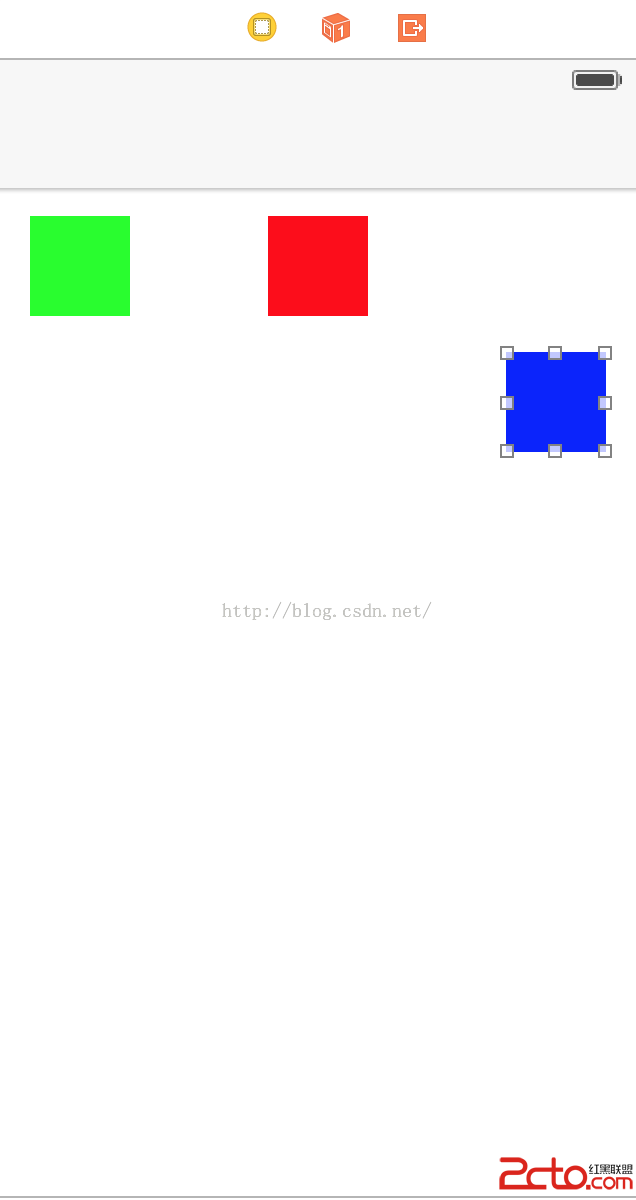
(1)在Main.storyboard中拖入三個不同顏色的View控件,放置在不同位置,並且綁定到代碼中,如圖:
 。
。
(3)然後在代碼中實現如下:
import UIKit

class PositionViewController: UIViewController {


    @IBOutlet weak var greenSquare: UIView!
    @IBOutlet weak var redSquare: UIView!
    @IBOutlet weak var blueSquare: UIView!

    override func viewDidLoad() {
        super.viewDidLoad()

        // Do any additional setup after loading the view.
    }

    override func viewDidAppear(animated: Bool) {


        //閉包函數的定義;
        //注意調用動畫的方法中的animations,completion使用的都是閉包函數;可以直接在外面定義,裡面調用,這樣代碼更加清晰;
        func completeGreen(v:Bool){

            println(Green Completion)

        }

        func completeRed(v:Bool){

            println(Red Completion)

        }

        func completeBlue(v:Bool){

            println(Blue Completion)

        }


        func animGreen(){

              self.greenSquare.center.x = self.view.bounds.width - self.greenSquare.center.x
        }

        func animRed(){

             self.redSquare.center.y = self.view.bounds.height - self.redSquare.center.y
        }

        func animBlue(){

            self.blueSquare.center.y = self.view.bounds.height - self.blueSquare.center.y
            self.blueSquare.center.x = self.view.bounds.width - self.blueSquare.center.x
        }


        //參數delay表示延遲,第一個參數表示動畫時間;
        //注意調用閉包函數;
        UIView.animateWithDuration(1, delay: 0, options: nil, animations: animGreen, completion: completeGreen)


        UIView.animateWithDuration(1, delay: 0.5, options: nil, animations: animRed, completion: completeRed)

        UIView.animateWithDuration(1, delay: 1, options: nil, animations: animBlue, completion: completeBlue)


        /*
        參數提示中:
        ()->Void:表示參數為空,返回值為Void,必須要實現這個閉包函數;
        <#((Bool) -> Void)?##(Bool) -> Void#>:表示參數為Bool類型,返回值為Void,後面的?表示這個閉包函數可以為空;

        */

//        UIView.animateWithDuration(<#duration: NSTimeInterval#>, delay: <#NSTimeInterval#>, options: <#UIViewAnimationOptions#>, animations: <#() -> Void##() -> Void#>, completion: <#((Bool) -> Void)?##(Bool) -> Void#>)


    }


    override func didReceiveMemoryWarning() {
        super.didReceiveMemoryWarning()
        // Dispose of any resources that can be recreated.
    }


}
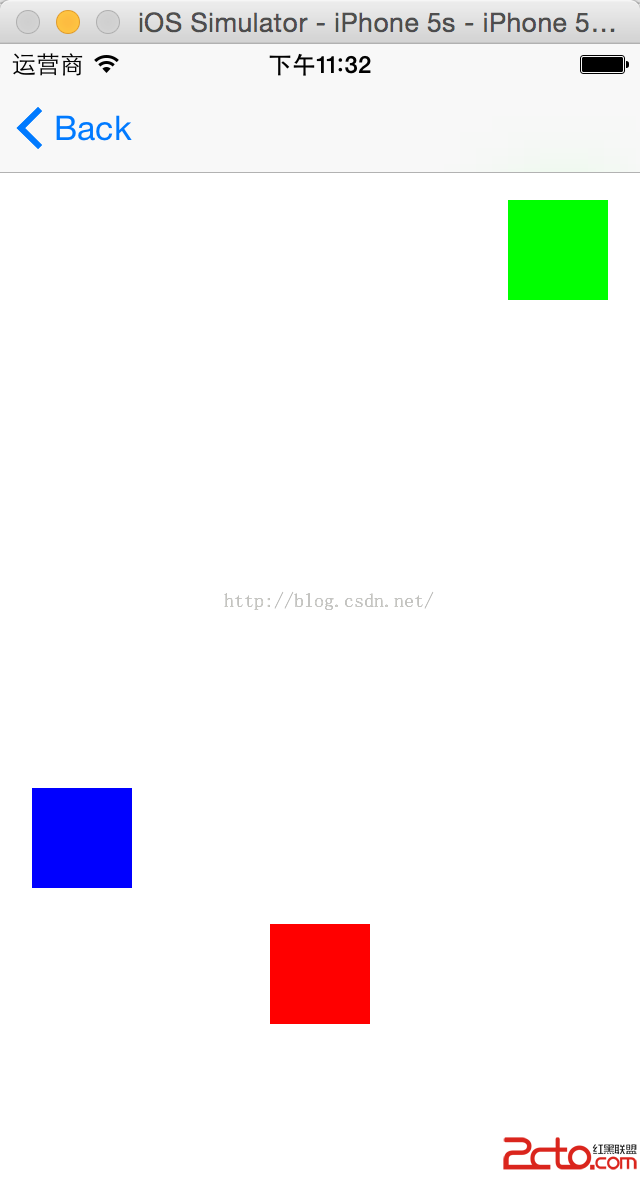
(4)對三個不同的色塊設置了延遲,注意不要勾選“Use Auto Layout”.實現效果如下:

 。
。


相關文章
+