iOS 百度地圖 軌跡記錄 道路貼合
編輯:IOS開發綜合
最近在做一個小的demo,試一下軌跡記錄。
記錄軌跡需要不停的獲取位置記錄到數據庫。
在畫折現的時候會在道路拐角處直接連線,不會與道路貼合,在這說一下我的解決方案。
我調用了百度地圖的路徑規劃api。這樣就能實現路徑貼合功能了。
在此附上dome:點擊打開鏈接
強調:這個dome是真機上運行,在模擬器上會報錯。下載的時候注意一下。
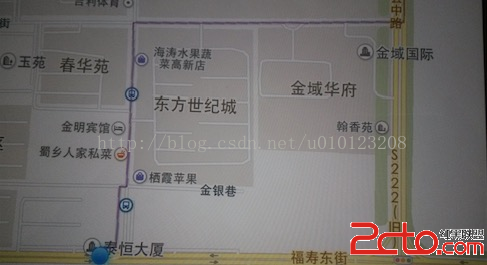
由於各種原因圖片是用手機拍的。
上張圖看看:
 vcTHteO1xM/fwrfIu7rzu62z9sK3z9+jrMn6s8m1xM/fwrfU2s/Cw+a6r8r91tC78bXDoaM8L3A+CjxwPjxwcmUgY2xhc3M9"brush:java;">- (void)onGetDrivingRouteResult:(BMKRouteSearch *)searcher result:(BMKDrivingRouteResult *)result errorCode:(BMKSearchErrorCode)error上面這是代理方法。
BMKPlanNode *startNode = [[BMKPlanNode alloc]init];
    CLLocationCoordinate2D startCoordinate;
    startCoordinate.latitude =36.727558;
    startCoordinate.longitude =119.185956;
    startNode.pt = startCoordinate;
    BMKPlanNode *endNode = [[BMKPlanNode alloc]init];
    CLLocationCoordinate2D endCoordnate;
    endCoordnate.latitude =36.827558;
    endCoordnate.longitude =119.385956;
    endNode.pt = endCoordnate;
    BMKDrivingRoutePlanOption * drivingRoutePlanOption = [[BMKDrivingRoutePlanOption alloc]init];
    drivingRoutePlanOption.from = startNode;
    drivingRoutePlanOption.to = endNode;
    if ([_searcher drivingSearch:drivingRoutePlanOption]) {
        NSLog(@"路線查找成功");
    }
- (void)onGetDrivingRouteResult:(BMKRouteSearch *)searcher result:(BMKDrivingRouteResult *)result errorCode:(BMKSearchErrorCode)error
{
BMKDrivingRouteLine *plan = (BMKDrivingRouteLine *)[result.routes objectAtIndex:0];
int size = (int)[plan.steps count];
int pointCount = 0;
for (int i = 0; i< size; i++) {
BMKDrivingStep *step = [plan.steps objectAtIndex:i];
pointCount += step.pointsCount;
}
BMKMapPoint *points = new BMKMapPoint[pointCount];
int k = 0;
for (int i = 0; i< size; i++) {
BMKDrivingStep *step = [plan.steps objectAtIndex:i];
for (int j= 0; j在上面方法中我們從返回的線路中 獲取該線路的路段,再從路段中獲取到路段中的點,最後對這些點進行畫線。



相關文章
+