
IOS開發—圖片壓縮/解壓成Zip文件
編輯:IOS開發綜合
圖片壓縮/解壓成Zip文件
本文介紹如何將圖片壓縮成Zip文件,首先需要下載第三方庫ZipArchive 並導入項目中。
一、文檔結構:
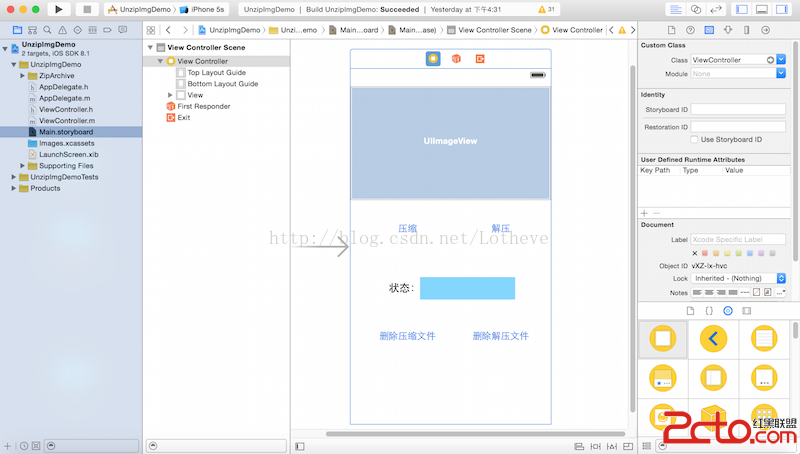
二、准備工作:
1、框架導入:
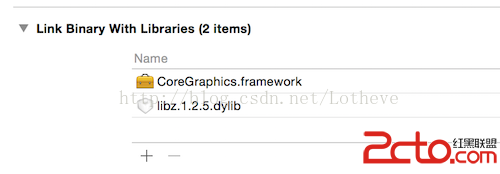
2、ZipArchive.m文件使用非ARC機制

三、代碼示例:
//
// ViewController.m
//  UnzipImgDemo
//
//  Created byLotheve on 15/4/10.
//  Copyright (c)2015年 Lotheve. All rights reserved.
//

#import ViewController.h
#import ZipArchive.h

@interface ViewController ()

@property (weak, nonatomic) IBOutlet UIImageView *imgView;

@property (weak, nonatomic) IBOutlet UIButton *zipBtn;
@property (weak, nonatomic) IBOutlet UIButton *unzipBtn;
@property (weak, nonatomic) IBOutlet UIButton *zipFileDeBtn;
@property (weak, nonatomic) IBOutlet UIButton *zipedFiledeBtn;

@property (weak, nonatomic) IBOutlet UILabel *statusLabel;

@end

@implementation ViewController

- (void)viewDidLoad {
    [super viewDidLoad];
    [self downLoadImg];
}
//加載圖片到本地
- (void)downLoadImg{
    NSString *URLString = @https://www.baidu.com/img/bdlogo.png;
    NSURL *URL = [NSURL URLWithString:URLString];
    NSData *data = [NSData dataWithContentsOfURL:URL];

    NSMutableString *path = [NSSearchPathForDirectoriesInDomains(NSCachesDirectory, NSUserDomainMask, YES) firstObject];;
    NSString *imgPath = [path stringByAppendingPathComponent:@baidu.png];
    [data writeToFile:imgPath atomically:YES];
}
//壓縮文件
- (IBAction)zipFile:(id)sender {
    NSString *docsPath = [NSSearchPathForDirectoriesInDomains(NSDocumentDirectory, NSUserDomainMask, YES) firstObject];
    NSString *cachesPath = [NSSearchPathForDirectoriesInDomains(NSCachesDirectory, NSUserDomainMask, YES) firstObject];

    NSString *imgPath = [cachesPath stringByAppendingPathComponent:@baidu.png];
    NSString *zipFilePath = [docsPath stringByAppendingPathComponent:@newZipFile.zip];

    //實例化一個壓縮文檔,並創建文件
    ZipArchive *za = [[ZipArchive alloc]init];
    [za CreateZipFile2:zipFilePath];
    //在壓縮文檔中添加文件
    [za addFileToZip:imgPath newname:@baidu_zipped.png];
    //關閉zip文件操作
    BOOL success = [za CloseZipFile2];
    if (success) {
        _statusLabel.text = @壓縮成功;
    }else{
        _statusLabel.text = @壓縮失敗;
    }
}
//解壓文件
- (IBAction)unzipFile:(id)sender {
    NSString *docsPath = [NSSearchPathForDirectoriesInDomains(NSDocumentDirectory, NSUserDomainMask, YES) firstObject];
    NSString *zipPath = [docsPath stringByAppendingPathComponent:@newZipFile.zip];
    ZipArchive *za = [[ZipArchive alloc]init];
    //在內存中解壓文件
    if ([za UnzipOpenFile:zipPath]) {
        //將解壓的內容寫到磁盤中
        BOOL success = [za UnzipFileTo:docsPath overWrite:YES];
        if (!success) {
            _statusLabel.text = @解壓失敗;
        }else{
            //關閉壓縮文件
            [za UnzipCloseFile];
            _statusLabel.text = @解壓成功;
            NSString *imgPath = [docsPath stringByAppendingPathComponent:@baidu_zipped.png];
            NSData *data = [NSData dataWithContentsOfFile:imgPath];
            UIImage *image = [UIImage imageWithData:data];
            _imgView.image = image;
        }
    }else{
        _statusLabel.text = @壓縮文件不存在;
    }
}
//刪除壓縮文件
- (IBAction)deleteZipFile:(id)sender {
    NSString *docsPath = [NSSearchPathForDirectoriesInDomains(NSDocumentDirectory, NSUserDomainMask, YES) firstObject];
    NSString *zipPath = [docsPath stringByAppendingPathComponent:@newZipFile.zip];
    //創建文件管理器
    NSFileManager *fm = [NSFileManager defaultManager];
    //判斷指定路徑文件是否存在
    BOOL exist = [fm fileExistsAtPath:zipPath];
    if (exist) {
        NSError *error = nil;
        [fm removeItemAtPath:zipPath error:&error];
        if (!error) {
            _statusLabel.text = @刪除壓縮文件成功;
        }else{
            _statusLabel.text = @刪除壓縮文件失敗;
        }
    }else{
        _statusLabel.text = @文件不存在;
    }
}
//刪除解壓文件
- (IBAction)deleteZipedFile:(id)sender {
    NSString *docsPath = [NSSearchPathForDirectoriesInDomains(NSDocumentDirectory, NSUserDomainMask, YES) firstObject];
    NSString *zippedFilePath = [docsPathstringByAppendingPathComponent:@baidu_zipped.png];

    NSFileManager *fm = [NSFileManager defaultManager];
    BOOL exist = [fm fileExistsAtPath:zippedFilePath];
    if (exist) {
        NSError *error = nil;
        [fm removeItemAtPath:zippedFilePath error:&error];
        if (!error) {
            _statusLabel.text = @刪除解壓文件成功;
            _imgView.image = nil;
        }else{
            _statusLabel.text = @刪除解壓文件失敗;
        }
    }else{
        _statusLabel.text = @文件不存在;
    }
}
@end
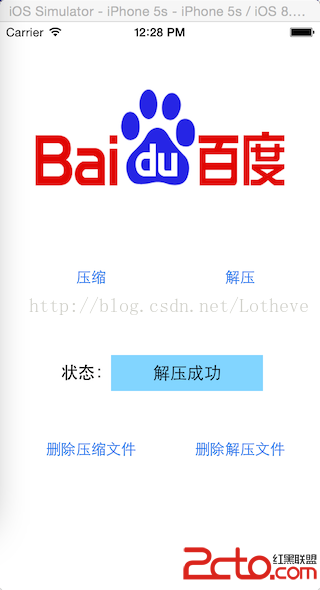
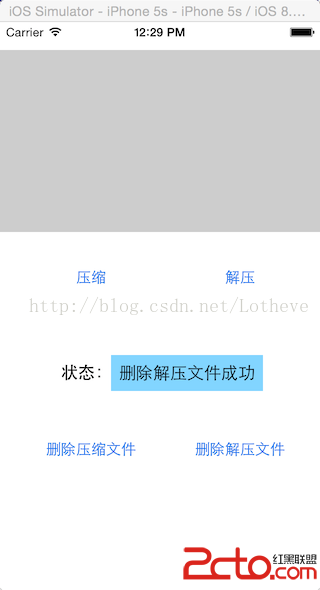
四:效果演示
點擊壓縮按鈕:
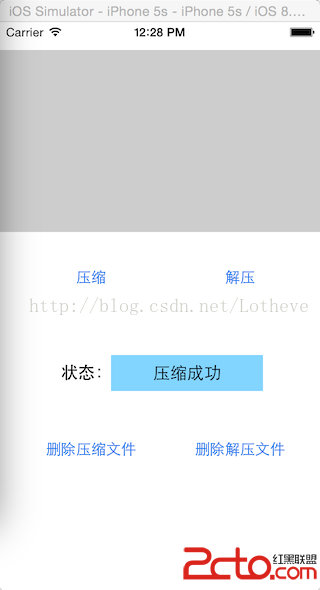
點擊解壓按鈕:
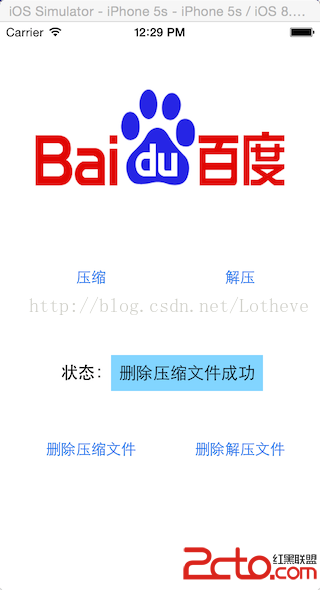
刪除按鈕:

相關文章
+