iOS 開發實戰:UIWebView 控件載入網頁與 HTML
編輯:iOS 開發綜合
UIWebView 能動態載入網頁內容,透過它可以調用等同 iOS 內建 Safari 的大部分能力。本文示範兩種常見用法:一是直接載入自訂的 HTML 字串,二是載入遠端網址並監聽載入狀態。
一、載入自訂 HTML 內容
ZYViewController.h:
#import <UIKit/UIKit.h>

@interface ZYViewController : UIViewController

@property(nonatomic,strong) UIWebView *myWebView;

@end
ZYViewController.m:
@synthesize myWebView;

- (void)viewDidLoad
{
    [super viewDidLoad];
    self.view.backgroundColor = [UIColor whiteColor];
    myWebView = [[UIWebView alloc] initWithFrame:self.view.bounds];//初始化 UIWebView
    [self.view addSubview:myWebView];
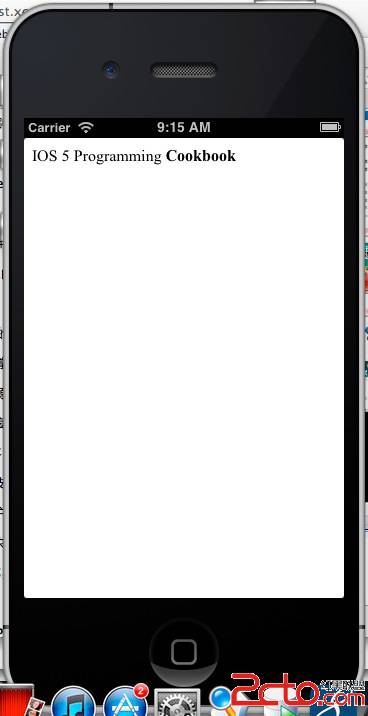
    NSString *htmlString = @"IOS 5 Programming <strong>Cookbook</strong>";//要顯示的 HTML
    [myWebView loadHTMLString:htmlString baseURL:nil];//載入內容
}
運行結果:
二、載入遠端網址並監聽狀態
ZYUIWebViewController.h:
#import <UIKit/UIKit.h>

@interface ZYUIWebViewController : UIViewController<UIWebViewDelegate>

@property(nonatomic,strong) UIWebView *myWebView;

@end
ZYUIWebViewController.m:
- (void)viewDidLoad
{
    [super viewDidLoad];
    self.view.backgroundColor = [UIColor whiteColor];
    self.myWebView = [[UIWebView alloc] initWithFrame:self.view.bounds];
    self.myWebView.scalesPageToFit = YES;//頁面自適應手機大小
    [self.view addSubview:self.myWebView];
    NSURL *url = [NSURL URLWithString:@"https://www.csdn.net"];//初始化 NSURL
    NSURLRequest *request = [NSURLRequest requestWithURL:url];//初始化 NSURLRequest
    self.myWebView.delegate = self;//設置代理
    [self.myWebView loadRequest:request];//載入 request
}
//開始載入時
-(void)webViewDidStartLoad:(UIWebView *)webView{
    [[UIApplication sharedApplication] setNetworkActivityIndicatorVisible:YES];//開啟網絡指示器
    NSLog(@"Loading webViewDidStartLoad method");
}
//載入完成時
-(void)webViewDidFinishLoad:(UIWebView *)webView{
    [[UIApplication sharedApplication] setNetworkActivityIndicatorVisible:NO];
    NSLog(@"Loading webViewDidFinishLoad method");
}
//載入失敗時,例如網絡異常
-(void)webView:(UIWebView *)webView didFailLoadWithError:(NSError *)error{
    [[UIApplication sharedApplication] setNetworkActivityIndicatorVisible:NO];
    NSLog(@"Loading webView method");
}
透過 UIWebViewDelegate 的三個回調方法,就能即時掌握網頁的載入、完成與失敗狀態,並據此更新狀態列上的網絡指示器。
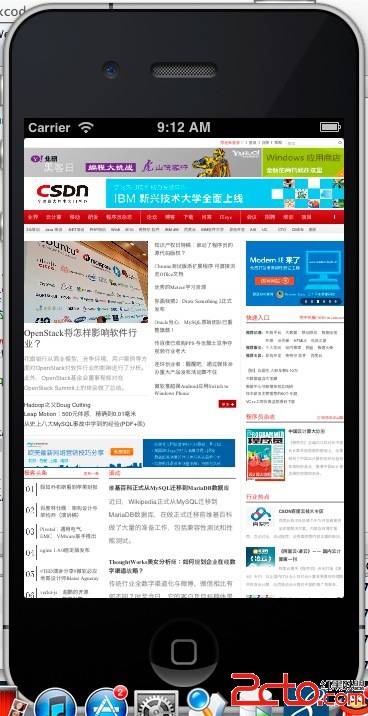
三、運行結果