
iOS 學習筆記(八):UIActivityIndicatorView 基本概念與用法
編輯:iOS 開發綜合
本文整理 UIActivityIndicatorView(活動指示器視圖)的基本概念與使用方法。
作用:向使用者提示目前的正在進行的加載任務,這種控件能有效消除使用者等待時的焦慮感,提升整體使用者體驗。
先來看看官方說明:
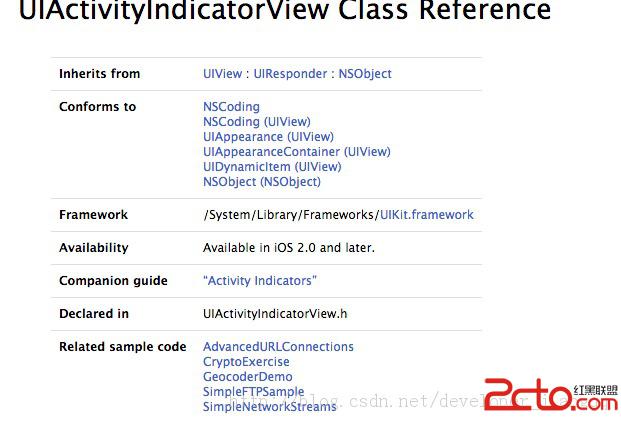
Use an activity indicator to show that a task is in progress. An activity indicator appears as a "gear" that is either spinning or stopped. You control when an activity indicator animates by calling the startAnimating and stopAnimating methods. To automatically hide the activity indicator when animation stops, set the hidesWhenStopped property to YES.
常用的屬性和方法:
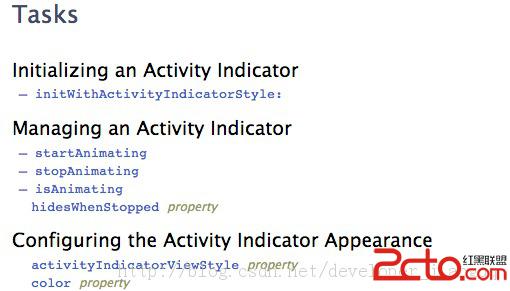
- (void)startAnimating; // 開始進度動畫
- (void)stopAnimating; // 停止進度動畫
- (BOOL)isAnimating; // 檢測動畫是否正在執行
實例程式碼如下:
- (BOOL)application:(UIApplication *)application didFinishLaunchingWithOptions:(NSDictionary *)launchOptions {
    self.window = [[[UIWindow alloc] initWithFrame:[[UIScreen mainScreen] bounds]] autorelease];
    self.window.backgroundColor = [UIColor redColor];
    UIActivityIndicatorView *activityView = [[UIActivityIndicatorView alloc] initWithActivityIndicatorStyle:UIActivityIndicatorViewStyleWhiteLarge];
    activityView.center = CGPointMake(160, 155);
    [activityView startAnimating];
    [self.window addSubview:activityView];
    [activityView release];
    // 3 秒後自動停止運行
    [NSTimer scheduledTimerWithTimeInterval:3 target:self selector:@selector(test:) userInfo:activityView repeats:NO];
    [self.window makeKeyAndVisible];
    return YES;
}
-(void)test:(NSTimer *)timer {
    UIActivityIndicatorView *view = timer.userInfo;
    [view stopAnimating];
    NSLog(@"進度結束...");
}
透過 startAnimating 與 stopAnimating 兩個方法,我們就能輕鬆控制活動指示器的顯示與隱藏;若將 hidesWhenStopped 設為 YES,還能在動畫停止時自動將它隱藏起來。