
iOS 學習筆記(七):UISegmentedControl 分段控標觀念與用法
編輯:iOS 開發綜合
本文作者:hmjiangqq Email:jiangqqlmj@163.com 原文:https://blog.csdn.net/developer_jiangqq
它是什麼
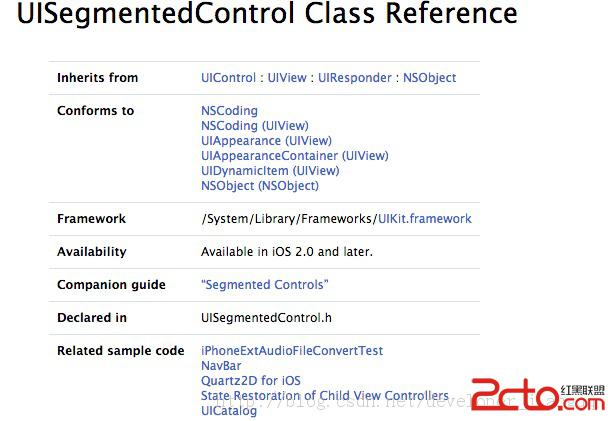
Apple 官方文件的定義是:UISegmentedControl 是一個由多個區段組成的水平控制項,每個區段都如同獨立的按鈕,適合用來緊湊地歸納一組相關選項。它可以顯示標題(NSString)或圖片(UIImage),若未指定特定寬度,各區段會依比例自動縮放以填滿父視圖;增減區段時還可以要求以滑動與淡入淡出的動畫呈現。
白話來說,它是一種選擇型控制項,功能近似 Windows 上的單選按鈕群組,由兩段或更多段組成,每段都是可獨立點擊的按鈕。
兩種外觀風格
- Plain 與 Bordered:Bordered 就是在 Plain 基礎上加了一圈邊框。這兩種樣式中,每一段都可以設定文字與圖片。
- Bar:整體較扁狹,通常只用來放文字,不適合塞圖片。適合放在導覽列或工具列上。
常用屬性與方法
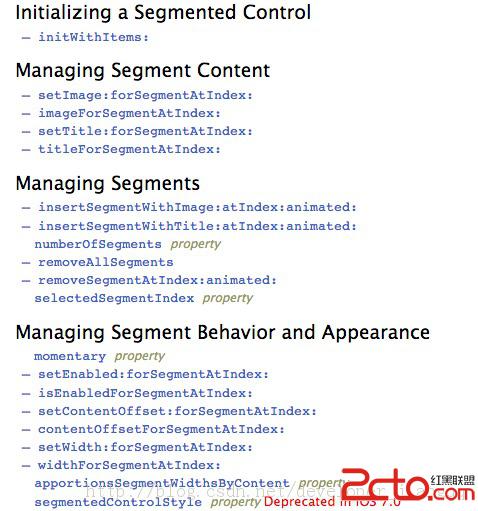
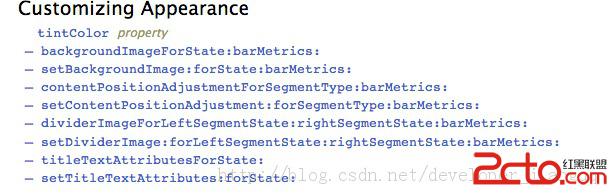
initWithItems::以字串陣列一口氣建立所有區段segmentedControlStyle:設定外觀風格selectedSegmentIndex:目前選中的索引,可讀可寫,設為UISegmentedControlNoSegment可取消選取tintColor:控制項的色調insertSegmentWithTitle:atIndex:animated:/insertSegmentWithImage:atIndex:animated::插入區段removeSegmentAtIndex:animated:/removeAllSegments:移除區段setTitle:forSegmentAtIndex:/setImage:forSegmentAtIndex::設定各段內容setWidth:forSegmentAtIndex::指定某段寬度
實作範例
- (BOOL)application:(UIApplication *)application
    didFinishLaunchingWithOptions:(NSDictionary *)launchOptions {

    self.window = [[[UIWindow alloc] initWithFrame:[[UIScreen mainScreen] bounds]] autorelease];
    self.window.backgroundColor = [UIColor whiteColor];

    NSArray *array = @[@"搜索", @"選擇", @"視頻", @"圖片"];
    UISegmentedControl *segmentControl = [[UISegmentedControl alloc] initWithItems:array];

    segmentControl.segmentedControlStyle = UISegmentedControlStyleBordered;
    segmentControl.frame = CGRectMake(60, 100, 200, 40);
    segmentControl.selectedSegmentIndex = 1;          // 預設選中第二段
    segmentControl.tintColor = [UIColor greenColor];

    [segmentControl addTarget:self
                       action:@selector(change:)
             forControlEvents:UIControlEventValueChanged];

    [self.window addSubview:segmentControl];
    [segmentControl release];

    [self.window makeKeyAndVisible];
    return YES;
}

- (void)change:(UISegmentedControl *)segmentControl {
    NSLog(@"segmentControl %d", segmentControl.selectedSegmentIndex);
}
記得監聽的是 UIControlEventValueChanged,而不是 TouchUpInside——分段控制項的價值在於「切換選擇」這個動作,用錯事件會導致重複點同一段時沒有回應。
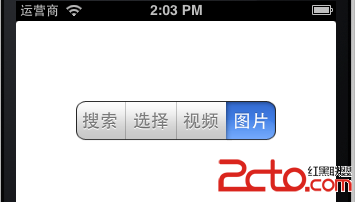
執行結果:

使用上的提醒
區段數量建議控制在五個以內。太多會讓文字被截斷或縮小到難以辨識,這種情況該改用 TabBar 或 CollectionView。另外 UISegmentedControl 在新版 iOS 已被 UISegmentedControl 的 style 屬性標記為不建議使用,若要在 iOS 13 以後維持一致的外觀,建議改用 UISegmentedControlStylePlatinum 並透過 UITabBarItem 的 appearance 設定色調。