
iOS 在 UIActionSheet 中加入 UIDatePicker 與 UIPickerView
編輯:iOS 開發綜合
在 iOS 中,若需要彈出式選擇器,除了使用系統控制項,也可以將 UIDatePicker 或 UIPickerView 加入 UIActionSheet。本文以日期選擇器與地區聯動選擇器為例說明。
1. 建立 UIActionSheet
可先建立一個標題為空的 UIActionSheet,讓頂部保留空間放置選擇器:
NSString *title = UIDeviceOrientationIsLandscape([UIDevice currentDevice].orientation) ? @"" : @"";
UIActionSheet *actionSheet = [[UIActionSheet alloc] initWithTitle:title
                                                        delegate:self
                                               cancelButtonTitle:@"取消"
                                          destructiveButtonTitle:nil
                                               otherButtonTitles:@"確定", nil];
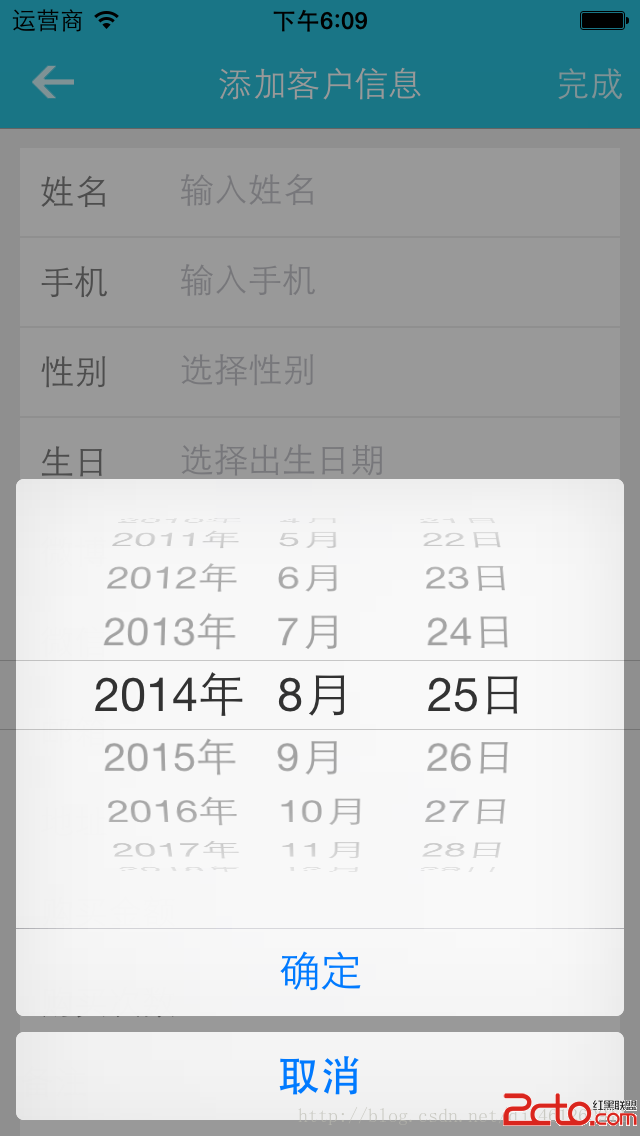
2. 加入 UIDatePicker
設定 ActionSheet 背景透明,再將日期選擇器加入:
actionSheet.userInteractionEnabled = YES;
actionSheet.backgroundColor = [UIColor clearColor];

UIDatePicker *datePicker = [[UIDatePicker alloc] init];
datePicker.tag = 1000;
datePicker.datePickerMode = UIDatePickerModeDate;
[actionSheet addSubview:datePicker];
[actionSheet showInView:self.view];
actionSheet.tag = 100;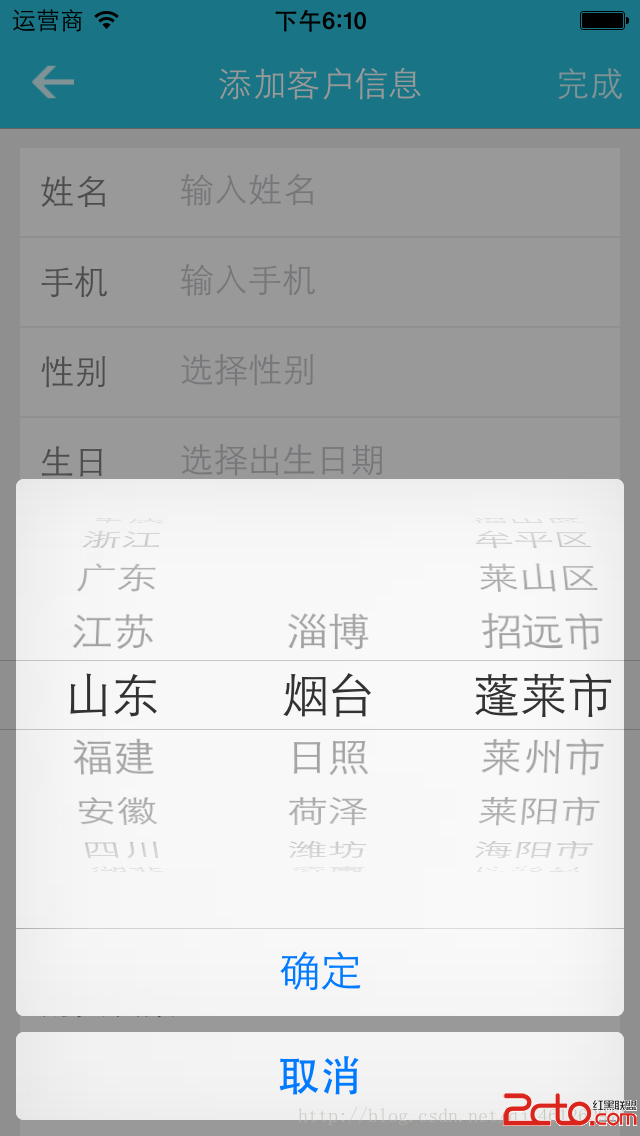
3. 地區聯動選擇器
地區聯動通常使用 plist 存放省、市、區資料,並透過 UIPickerView 的三列顯示:
UIActionSheet *actionSheet = [[UIActionSheet alloc] initWithTitle:title
                                                        delegate:self
                                               cancelButtonTitle:@"取消"
                                          destructiveButtonTitle:nil
                                               otherButtonTitles:@"確定", nil];

actionSheet.userInteractionEnabled = YES;
actionSheet.backgroundColor = [UIColor clearColor];

UIPickerView *areaPicker = [[UIPickerView alloc] init];
areaPicker.dataSource = self;
areaPicker.delegate = self;
[actionSheet addSubview:areaPicker];
[actionSheet showInView:self.view];
actionSheet.tag = 200;
4. UIPickerView 資料來源與代理
需要實作列數、每列行數、標題與選擇事件:
- (NSInteger)numberOfComponentsInPickerView:(UIPickerView *)pickerView {
    return 3;
}

- (NSInteger)pickerView:(UIPickerView *)pickerView numberOfRowsInComponent:(NSInteger)component {
    if (component == 0) {
        return provinces.count;
    } else if (component == 1) {
        return cities.count;
    } else {
        return areas.count;
    }
}
當使用者選擇省份或城市時,需重新載入後續列,以達成聯動效果。
5. 注意事項
將 UIPickerView 加入 UIActionSheet 屬於變通做法,不同 iOS 版本可能會有版面差異。實作時應注意背景色、tag 標記與使用者互動狀態。
- 上一篇文章: iOS 自定義狀態欄:建立高於系統狀態欄的 UIWindow
- 下一篇文章: iOS 8 定位授權調整與百度地圖相容處理