
iOS 頁面之間切換:Container 容器視圖實現雙頁面交換
編輯:iOS 開發綜合
本文以一個容器視圖控制器(ContainerViewController)為例,示範如何在兩個子頁面之間進行切換。核心思路是:把兩個子控制器作為容器控制器的子控制器加載,透過移除與添加 view 的方式實現切換。
一、容器控制器頭文件
打開 ContainerViewController.h:
#import <UIKit/UIKit.h>

@interface ContainerViewController : UIViewController

// 切換兩個頁面
- (void)exchangeFirstViewAndSecondView;

@end
二、容器控制器實現
打開 ContainerViewController.m:
#import "ContainerViewController.h"
#import "FirstViewController.h"
#import "SecondViewController.h"

@interface ContainerViewController ()
{
    FirstViewController *_firstVC;
    SecondViewController *_secondVC;
}
@end

@implementation ContainerViewController

- (void)viewDidLoad {
    [super viewDidLoad];
    self.title = @"切換頁面";

    // 創建 firstVC
    _firstVC = [[FirstViewController alloc] init];
    [self addChildViewController:_firstVC];

    // 創建 secondVC
    _secondVC = [[SecondViewController alloc] init];
    [self addChildViewController:_secondVC];

    [self.view addSubview:_firstVC.view];
}

// 切換兩個頁面
- (void)exchangeFirstViewAndSecondView {
    // 若 firstVC 的 view 有父視圖,說明當前顯示第一頁
    if (_firstVC.view.superview != nil) {
        // 從第一頁進入第二頁
        [_firstVC.view removeFromSuperview];
        [self.view addSubview:_secondVC.view];
    } else {
        // 從第二頁進入第一頁
        [_secondVC.view removeFromSuperview];
        [self.view addSubview:_firstVC.view];
    }
}

@end
關鍵在於 exchangeFirstViewAndSecondView 方法:透過判斷 _firstVC.view.superview 是否為空,來確定當前顯示的是哪一個頁面,然後移除當前 view、添加另一個 view,即可完成切換。
三、第一個子頁面
打開 FirstViewController.m:
#import "FirstViewController.h"
#import "ContainerViewController.h"

@implementation FirstViewController

- (void)viewDidLoad {
    [super viewDidLoad];
    self.view.backgroundColor = [UIColor redColor];

    // 前往第二頁的按鈕
    UIButton *toSecondBtn = [UIButton buttonWithType:(UIButtonTypeSystem)];
    toSecondBtn.frame = CGRectMake(60, 100, 100, 40);
    [toSecondBtn setTitle:@"前往第二頁" forState:(UIControlStateNormal)];
    [toSecondBtn addTarget:self action:@selector(clickToSecongBtnAction:) forControlEvents:(UIControlEventTouchUpInside)];
    [self.view addSubview:toSecondBtn];

    UILabel *label = [[UILabel alloc] initWithFrame:CGRectMake(100, 200, 100, 40)];
    label.text = @"第一頁";
    [self.view addSubview:label];
}

// 前往第二頁按鈕的響應方法
- (void)clickToSecongBtnAction:(UIButton *)btn {
    // 取得父容器並觸發切換
    ContainerViewController *containerVC = (ContainerViewController *)self.parentViewController;
    [containerVC exchangeFirstViewAndSecondView];
}

@end
四、第二個子頁面
打開 SecondViewController.m:
#import "SecondViewController.h"
#import "ContainerViewController.h"

@implementation SecondViewController

- (void)viewDidLoad {
    [super viewDidLoad];
    self.view.backgroundColor = [UIColor cyanColor];

    // 前往第一頁的按鈕
    UIButton *toFirstButton = [UIButton buttonWithType:(UIButtonTypeSystem)];
    toFirstButton.frame = CGRectMake(100, 100, 100, 40);
    [toFirstButton setTitle:@"前往第一頁" forState:(UIControlStateNormal)];
    [self.view addSubview:toFirstButton];
    [toFirstButton addTarget:self action:@selector(didClickToFirstButtonAction:) forControlEvents:(UIControlEventTouchUpInside)];

    UILabel *label = [[UILabel alloc] initWithFrame:CGRectMake(100, 200, 100, 40)];
    label.text = @"第二頁";
    [self.view addSubview:label];
}

// 前往第一頁按鈕的響應方法
- (void)didClickToFirstButtonAction:(UIButton *)button {
    ContainerViewController *containerVC = (ContainerViewController *)self.parentViewController;
    [containerVC exchangeFirstViewAndSecondView];
}

@end
效果圖如下:
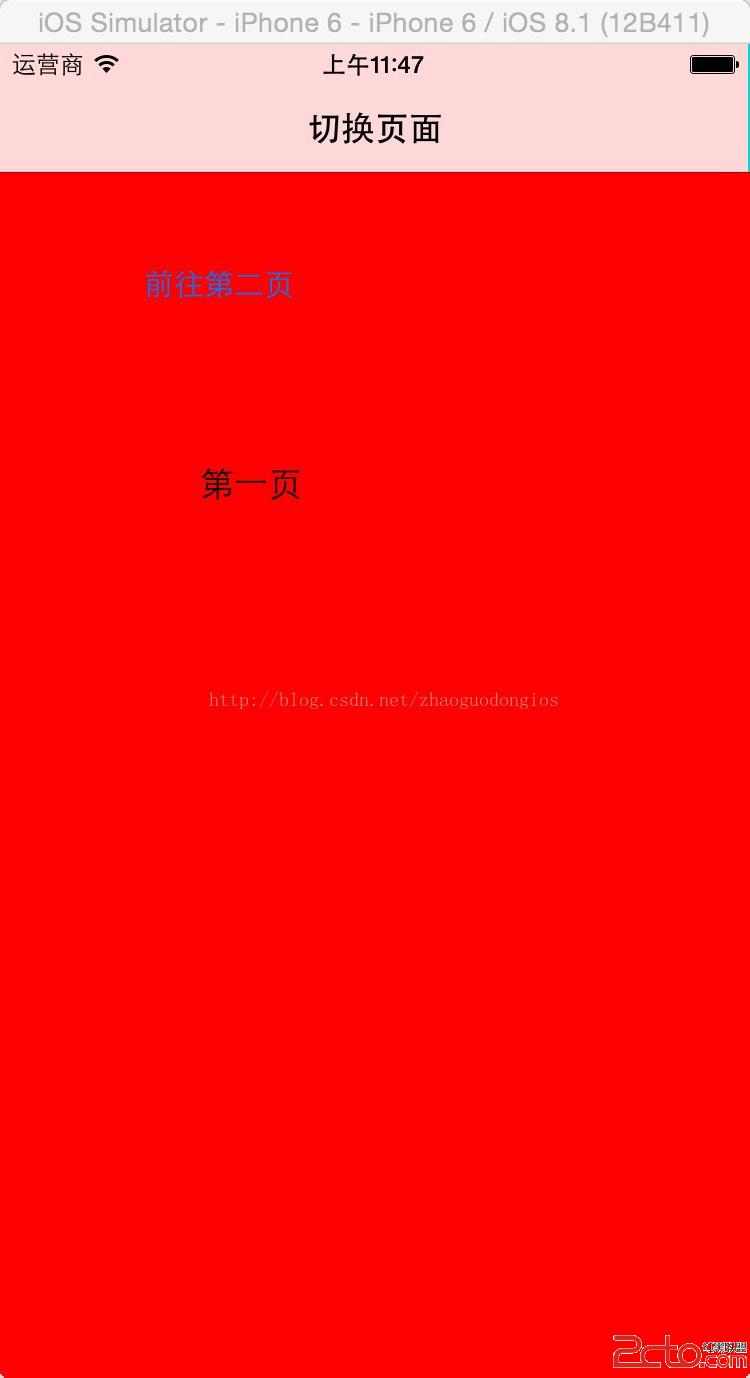
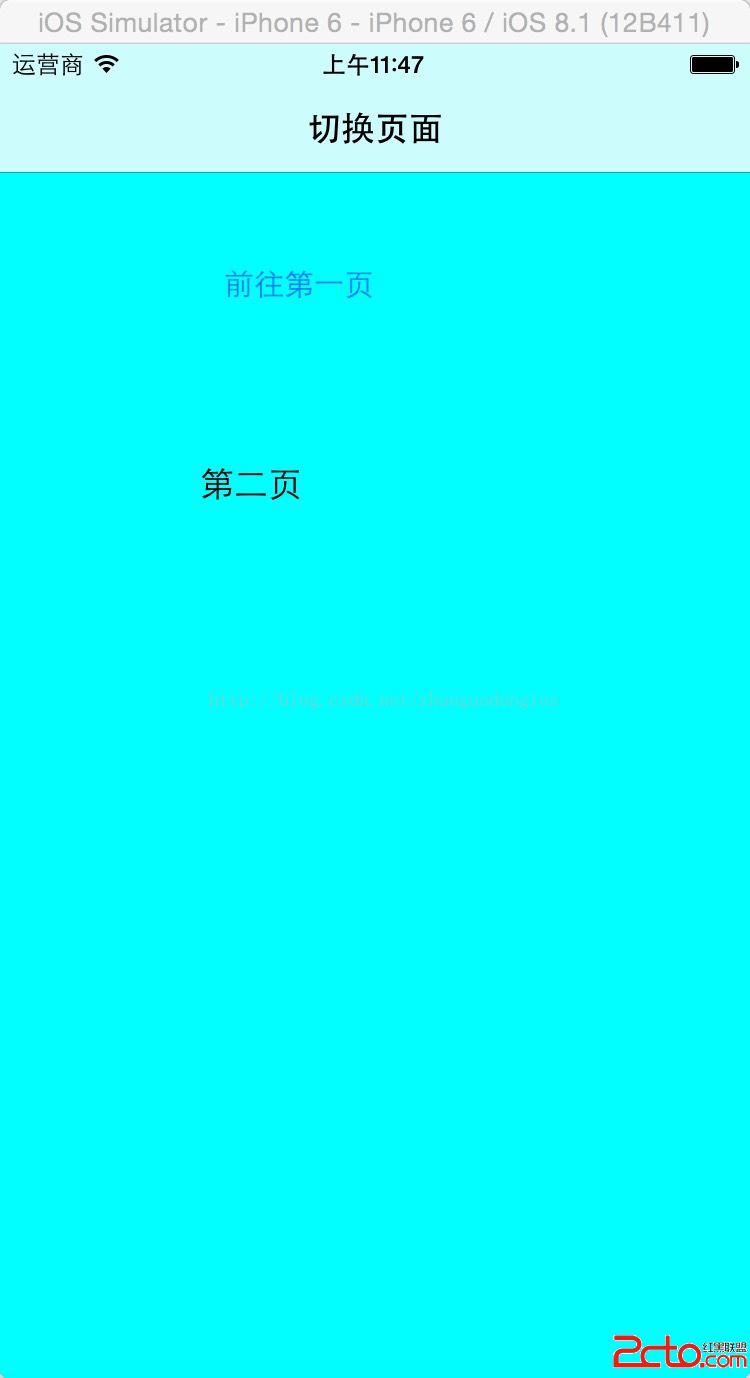
透過這種方式,兩個子頁面都持有對父容器的引用,點擊按鈕即可回調父容器的切換方法,實現頁面的自由交換。