
iOS 平台遊戲對接 GameCenter 完整教學
隨著手遊市場擴張,iOS 開發者為了提升玩家黏性,幾乎都會接入蘋果自家的 GameCenter。它免費、無需第三方 SDK,排行榜與成就系統開箱即用。本文把 iTunes Connect 配置與代碼接入兩部分完整走一遍。
一、iTunes Connect 配置
登入 iTunes Connect,選中你的 App,在應用頁面找到 Game Center 選項並點開。

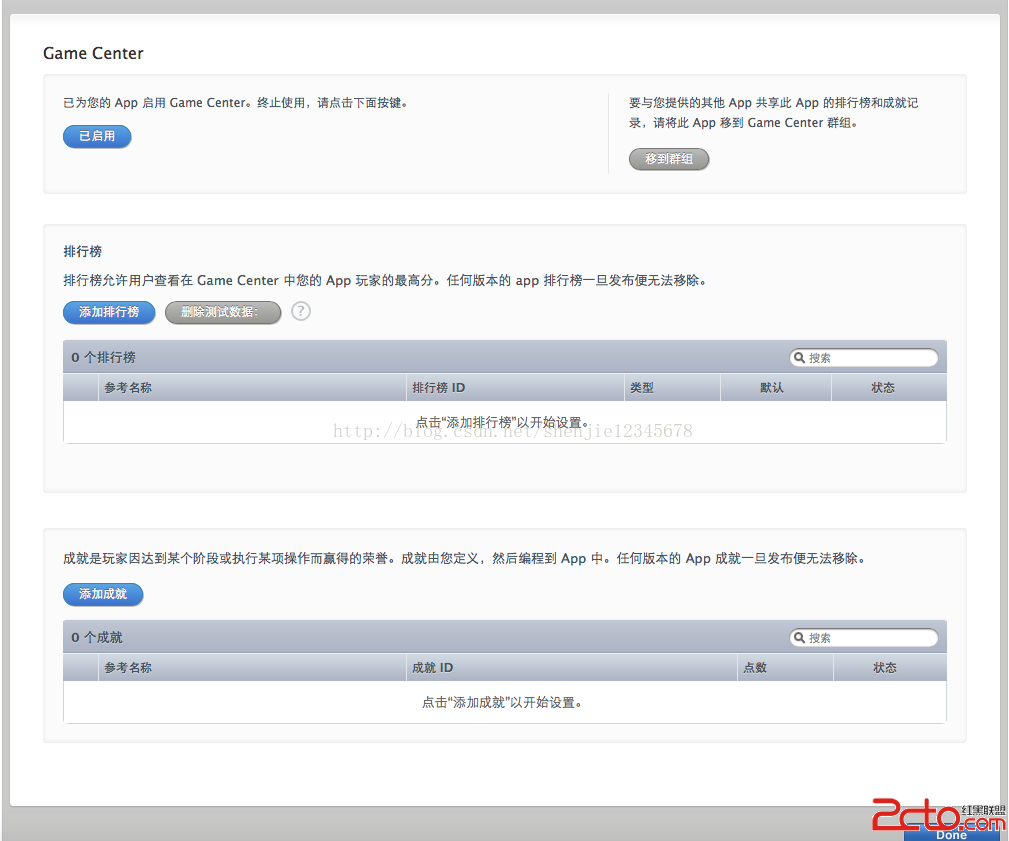
GameCenter 分為兩大塊:排行榜(Leaderboard)與成就(Achievement)。
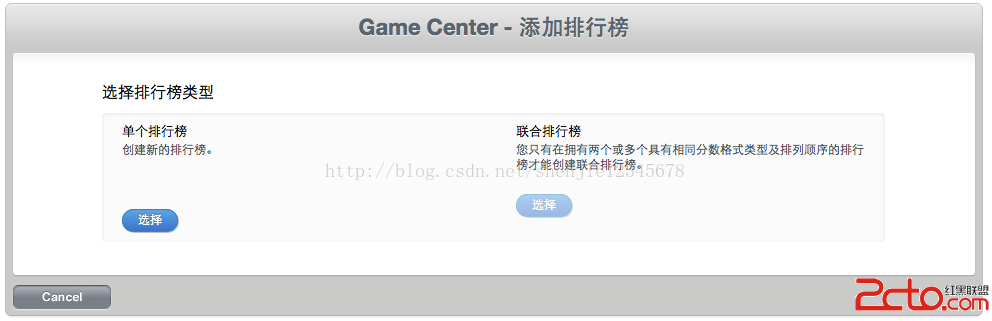
新增排行榜:
新增成就:
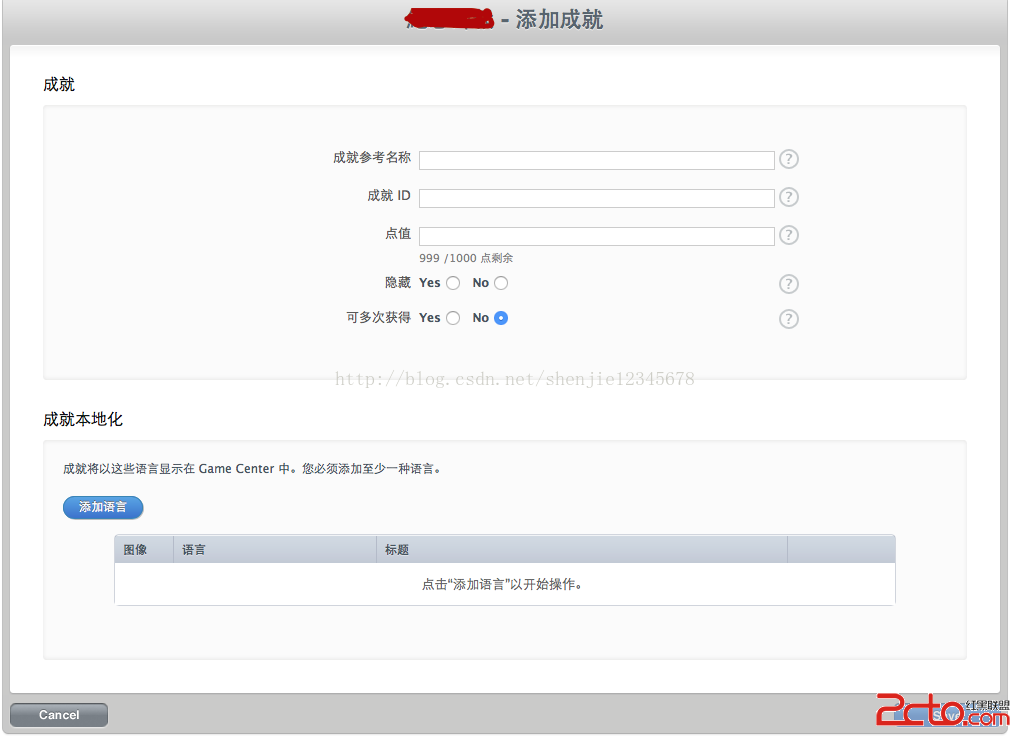
成就配置要點
- 每個 App 的成就點數上限為 1000 點。
Hidden(隱藏)設為 YES 時,用戶在未取得成就或達成進展前看不到該成就。- 若希望用戶能針對已獲得的成就互相挑戰,建立時要勾選「可多次獲得」。
- 每個成就需要兩組本地化描述:一組在達成前顯示,一組在達成後顯示。
- 需要提供 512×512 的成就圖標;App 發布後無法再刪除已建立的成就,配置前請想清楚。
配置完成後的最終狀態:
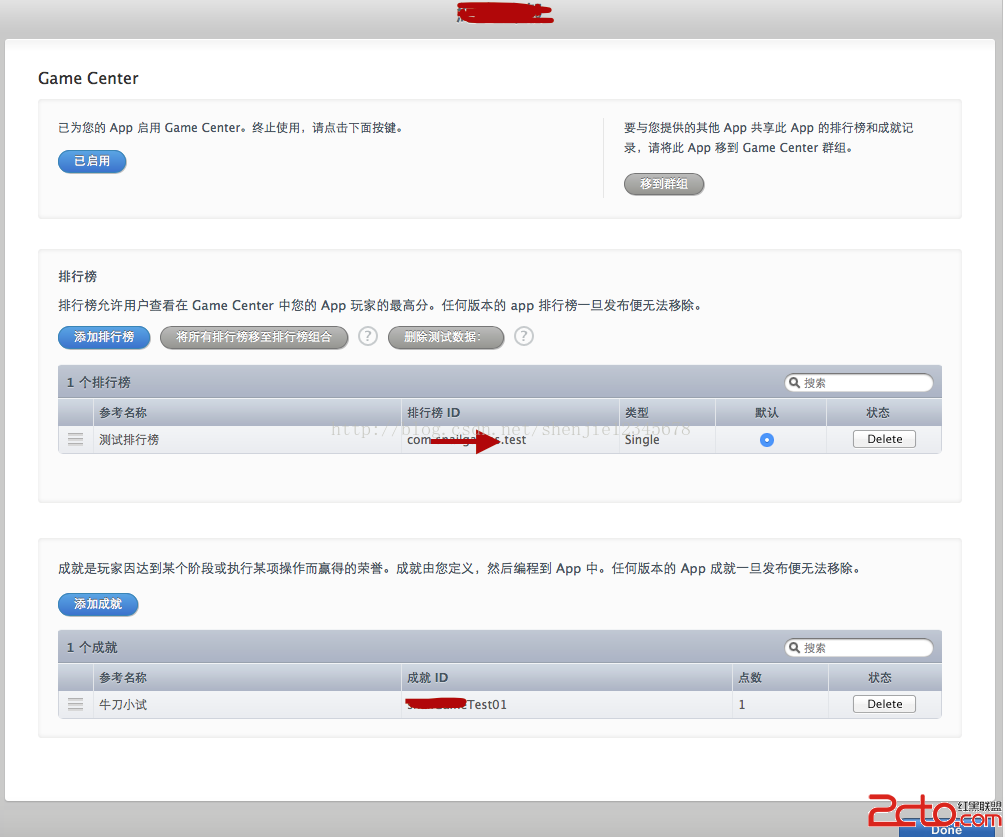
要注意:GameCenter 必須經過測試才能上線,未上線的 App 在測試環境登入時會出現 sandBox 提示,這是正常的。
二、代碼接入
Apple 提供了 GameKit.framework,凡是要使用 GameCenter 的類都要導入 GameKit.h,並在 .h 中加入 GKGameCenterControllerDelegate 協議。
1. 建立遊戲管理器並檢查可用性
// 是否支援 GameCenter
- (BOOL)isGameCenterAvailable {
    Class gcClass = (NSClassFromString(@"GKLocalPlayer"));
    NSString *reqSysVer = @"4.1";
    NSString *currSysVer = [[UIDevice currentDevice] systemVersion];
    BOOL osVersionSupported = ([currSysVer compare:reqSysVer
                                           options:NSNumericSearch] != NSOrderedAscending);
    return (gcClass && osVersionSupported);
}
2. 身份驗證
GameCenter 是需要驗證身份的服務,未登入什麼都做不了。
- (void)authenticateLocalUser {
    GKLocalPlayer *localPlayer = [GKLocalPlayer localPlayer];

    localPlayer.authenticateHandler = ^(UIViewController *viewController, NSError *error) {
        if (viewController != nil) {
            // 需要展示登入界面
            [self presentViewController:viewController animated:YES completion:nil];
        } else {
            if ([GKLocalPlayer localPlayer].authenticated) {
                // 取得預設排行榜 ID
                [[GKLocalPlayer localPlayer]
                    loadDefaultLeaderboardIdentifierWithCompletionHandler:
                    ^(NSString *leaderboardIdentifier, NSError *error) {
                    if (error != nil) {
                        NSLog(@"%@", [error localizedDescription]);
                    }
                }];
            }
        }
    };
}
3. 監聽用戶變更
- (void)registerForAuthenticationNotification {
    NSNotificationCenter *nc = [NSNotificationCenter defaultCenter];
    [nc addObserver:self
           selector:@selector(authenticationChanged)
               name:GKPlayerAuthenticationDidChangeNotificationName
             object:nil];
}

- (void)authenticationChanged {
    if ([GKLocalPlayer localPlayer].isAuthenticated) {
        // 已登入
    } else {
        // 未登入
    }
}
4. 提交分數
- (void)reportScore:(int64_t)score forCategory:(NSString *)category {
    GKScore *scoreReporter = [[GKScore alloc] initWithCategory:category];
    scoreReporter.value = score;

    [scoreReporter reportScoreWithCompletionHandler:^(NSError *error) {
        if (error != nil) {
            // 提交失敗,先存下來之後再補交
            NSData *saveScoreData = [NSKeyedArchiver archivedDataWithRootObject:scoreReporter];
            [self storeScoreForLater:saveScoreData];
        } else {
            NSLog(@"提交成功");
        }
    }];
}

- (void)storeScoreForLater:(NSData *)scoreData {
    NSMutableArray *savedScoresArray =
        [[NSMutableArray alloc] initWithArray:
         [[NSUserDefaults standardUserDefaults] objectForKey:@"savedScores"]];
    [savedScoresArray addObject:scoreData];
    [[NSUserDefaults standardUserDefaults] setObject:savedScoresArray forKey:@"savedScores"];
}
網路不佳時提交會失敗,因此離線暫存與後續補交是必要設計:
- (void)submitAllSavedScores {
    NSMutableArray *savedScoreArray =
        [[NSMutableArray alloc] initWithArray:
         [[NSUserDefaults standardUserDefaults] objectForKey:@"savedScores"]];
    [[NSUserDefaults standardUserDefaults] removeObjectForKey:@"savedScores"];

    for (NSData *scoreData in savedScoreArray) {
        GKScore *scoreReporter = [NSKeyedUnarchiver unarchiveObjectWithData:scoreData];
        [scoreReporter reportScoreWithCompletionHandler:^(NSError *error) {
            if (error != nil) {
                NSData *saveScoreData = [NSKeyedArchiver archivedDataWithRootObject:scoreReporter];
                [self storeScoreForLater:saveScoreData];
            } else {
                NSLog(@"提交成功");
            }
        }];
    }
}
5. 顯示排行榜
- (void)showGameCenter {
    GKGameCenterViewController *gameView = [[GKGameCenterViewController alloc] init];
    if (gameView != nil) {
        gameView.gameCenterDelegate = self;
        [gameView setLeaderboardCategory:@"com.xxxx.test"];
        [gameView setLeaderboardTimeScope:GKLeaderboardTimeScopeAllTime];
        [self presentViewController:gameView animated:YES completion:^{}];
    }
}

- (void)gameCenterViewControllerDidFinish:(GKGameCenterViewController *)gameCenterViewController {
    [self dismissViewControllerAnimated:YES completion:nil];
}
6. 提交成就
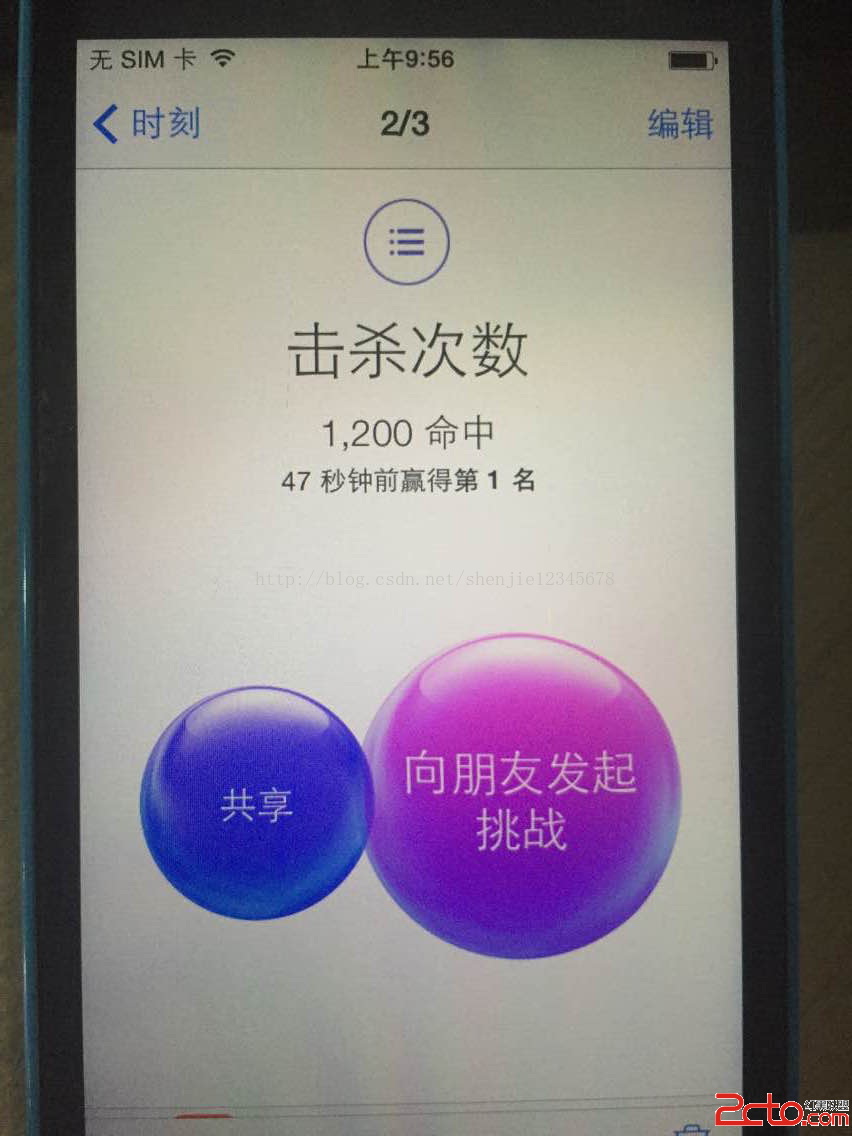
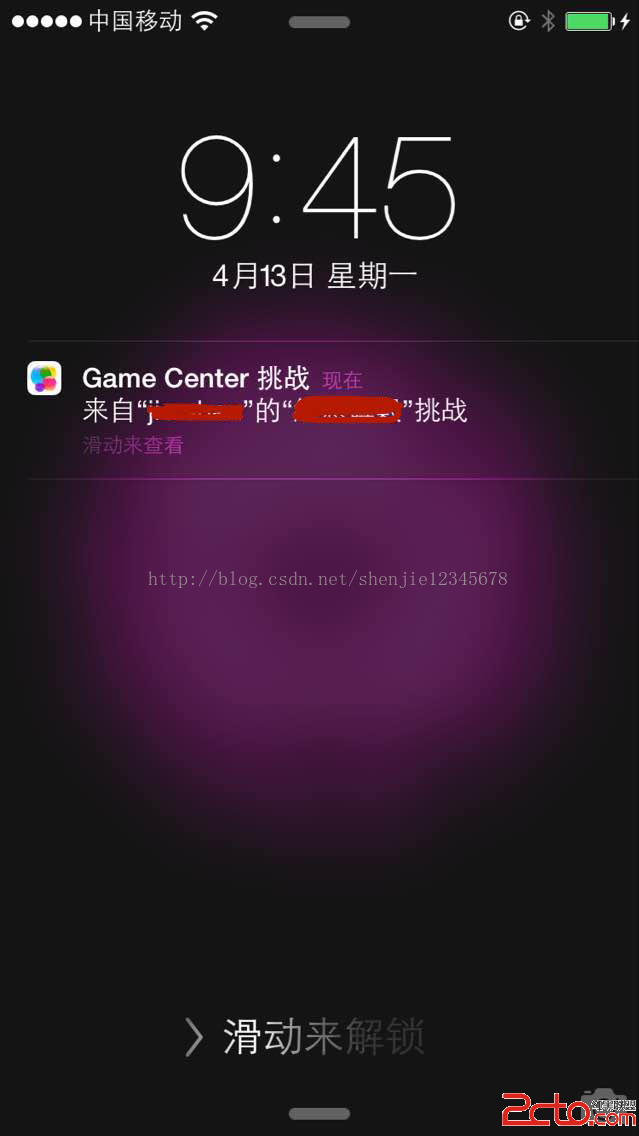
挑戰功能讓玩家可以針對分數或成就互相邀戰,狀態有四種:「無效」、「待處理」、「已結束」、「已謝絕」。
- (void)reportAchievement:(NSString *)identifier
      withPercentageComplete:(double)percentComplete {
    GKAchievement *achievement = [[GKAchievement alloc] initWithIdentifier:identifier];
    [achievement setPercentComplete:percentComplete];

    [achievement reportAchievementWithCompletionHandler:^(NSError *error) {
        if (error != nil) {
            NSLog(@"error: %@", [error localizedDescription]);
        } else {
            NSLog(@"提交成就成功");
        }
    }];
}
三、實測畫面
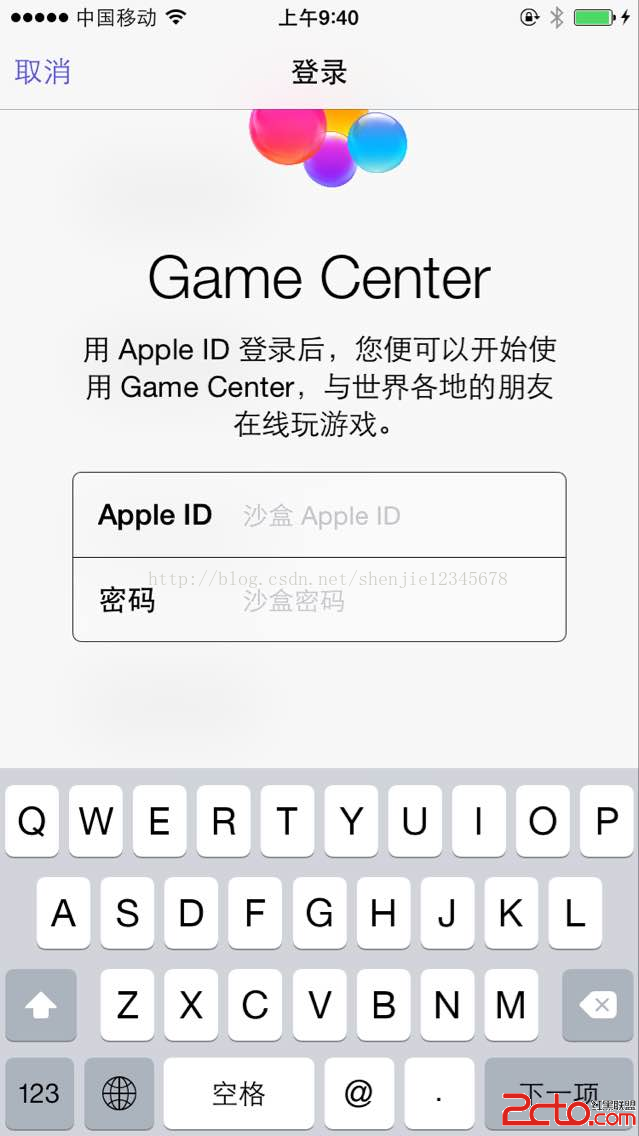
1. 在 sandbox 環境登入 GameCenter
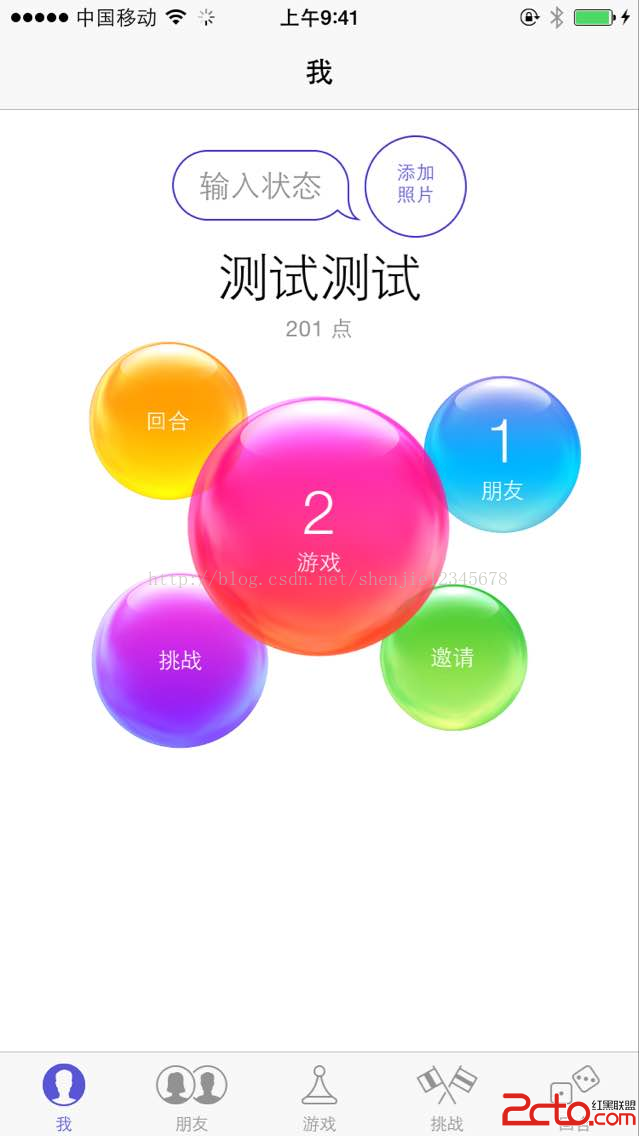
2. 登入成功後上方會出現 "Welcome..." 橫幅,點擊可開啟 GameCenter App 查看自己與遊戲資訊。
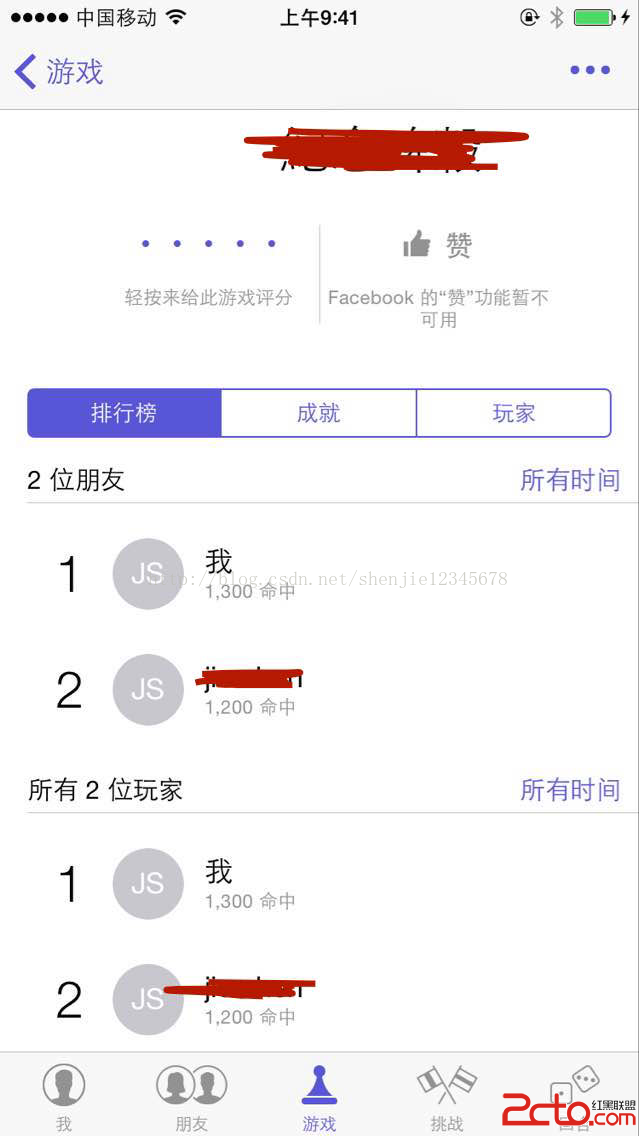
3. 排行榜界面
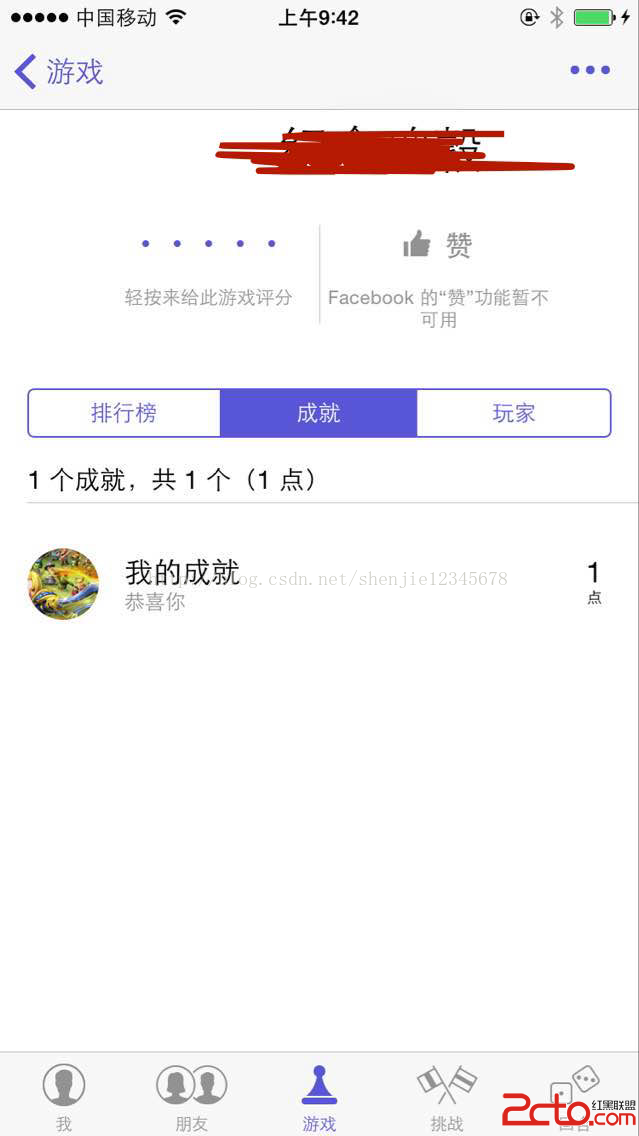
4. 成就(圖標取自後台配置)
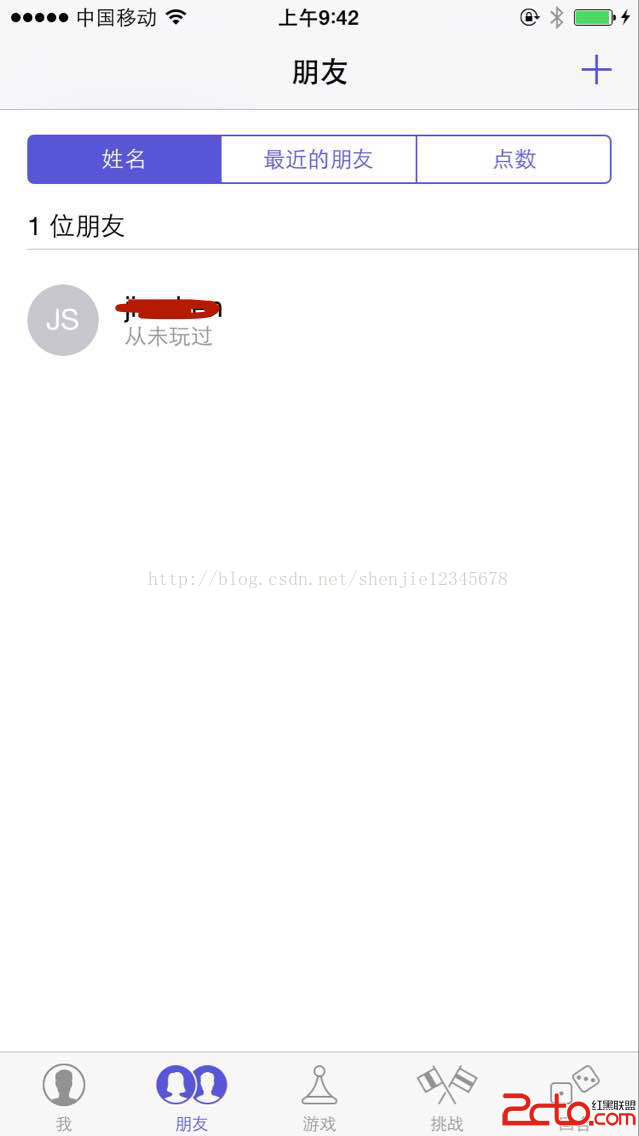
5. 添加好友:點右上角「加號」,輸入對方 Apple ID 即可發送好友邀請。
6. 發起挑戰與對方收到的推播:
GameCenter 的接入到此告一段落。補充兩點:GameKit 自 iOS 14 起把 GKLeaderboardViewController 等類改為 iOS SDK 內建,新的初始化方式與舊的 setLeaderboardCategory: 不同,新專案請對照當前 SDK 文檔;另外成就與排行榜 ID 一旦發布不可刪除,命名前務必規劃好。
- 上一篇文章: iOS GCD 基礎用法:主隊列、全局隊列與異步更新 UI
- 下一篇文章: iOS 開發:三級控制器的搭建與自定義標籤欄