iOS 自定義控件實戰(二):狀態欄消息提示控件
編輯:iOS 開發綜合
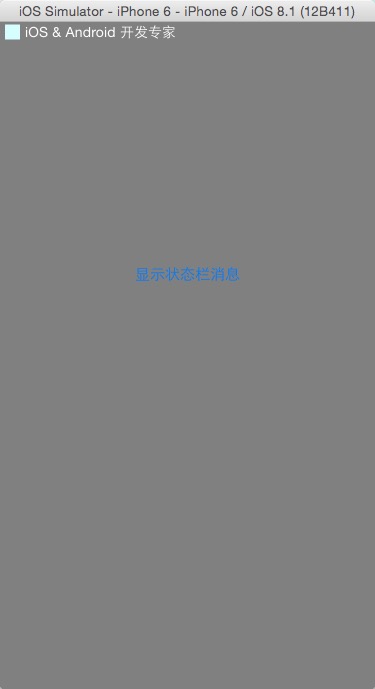
消息提示是 App 裡最常見的需求之一。相比彈窗,狀態欄提示有幾個明顯優勢:不遮擋主界面、不打斷用戶操作、視覺上也更有新意。本文實作一個懸浮在系統狀態欄位置的提示條,支援自訂文案、自訂圖標與自動消失。
設計要點
- 獨立 UIWindow:把提示條放在
UIWindowLevelStatusBar + 1的窗口上,才能蓋住狀態欄又不影響主界面層級。 - 單例:全局只需要一份,用
dispatch_once保證線程安全。 - 動畫進出:從螢幕上方滑入,停留一段時間後淡出隱藏。
- 手勢回應:點擊提示條可觸發業務邏輯,例如跳轉到消息列表。
- 方向自適應:監聽狀態欄 frame 變化通知,橫豎屏切換時調整自身 transform。
核心實作
//
//  WHC_StatusBarMessage.m
//  WHCStatusBarMessage
//
//  Created by apple on 14-3-28.
//

#import "WHC_StatusBarMessage.h"

#define kPading    (5.0)    // 邊距
#define kLogoWidth (15.0)   // 圖標寬度

@interface WHC_StatusBarMessage () {
    UILabel     *msgLab;        // 消息標籤
    UIImageView *logoImgV;      // logo 圖標
    UIImage     *logoImg;       // logo 圖標對象
    CGFloat      height;        // 高度
    CGFloat      screenWidth;   // 螢幕寬
    CGFloat      screenHeight;  // 螢幕高
}

@property (nonatomic, retain) UILabel     *statusLab;
@property (nonatomic, retain) UIImageView *logImgView;
@property (nonatomic, retain) NSTimer     *runTimer;   // 停留計時器

@end

@implementation WHC_StatusBarMessage

static WHC_StatusBarMessage *msb;

#pragma mark - 單例

+ (WHC_StatusBarMessage *)shareStatusBar {
    static dispatch_once_t onceToken;
    dispatch_once(&onceToken, ^{
        msb = [[WHC_StatusBarMessage alloc] init];
    });
    return msb;
}

#pragma mark - 初始化界面

- (id)init {
    CGRect statusFrame = [UIApplication sharedApplication].statusBarFrame;
    height      = statusFrame.size.height;
    screenWidth  = [UIScreen mainScreen].bounds.size.width;
    screenHeight = [UIScreen mainScreen].bounds.size.height;

    self = [super initWithFrame:statusFrame];
    if (self) {
        self.frame            = statusFrame;
        self.autoresizingMask = UIViewAutoresizingFlexibleWidth;
        self.windowLevel      = UIWindowLevelStatusBar + 1.0;
        self.backgroundColor  = kWHC_StatusBarMessageBack_Color;

        logoImg = [UIImage imageWithContentsOfFile:
                   [[NSBundle mainBundle] pathForResource:@"29x29" ofType:@"png"]];
        logoImgV = [[UIImageView alloc]
                    initWithFrame:CGRectMake(kPading, kPading / 2.0, kLogoWidth, kLogoWidth)];
        logoImgV.backgroundColor = [UIColor clearColor];
        [self addSubview:logoImgV];

        msgLab = [[UILabel alloc]
                  initWithFrame:CGRectMake(logoImgV.frame.origin.x + kPading + logoImgV.frame.size.width,
                                           0.0,
                                           screenWidth - (logoImgV.frame.origin.x + kPading + logoImgV.frame.size.width),
                                           statusFrame.size.height)];
        msgLab.backgroundColor = [UIColor clearColor];
        msgLab.font      = [UIFont systemFontOfSize:14.0];
        msgLab.textColor = [UIColor whiteColor];
        [self addSubview:msgLab];

        // 註冊點擊手勢
        UITapGestureRecognizer *tapStatusBar =
            [[UITapGestureRecognizer alloc] initWithTarget:self action:@selector(tapTopBar:)];
        [self addGestureRecognizer:tapStatusBar];

        // 註冊方向變化監聽
        [[NSNotificationCenter defaultCenter]
            addObserver:self
               selector:@selector(screenOrientationChange:)
                   name:UIApplicationWillChangeStatusBarFrameNotification
                 object:nil];
    }
    return self;
}

#pragma mark - 交互

- (void)tapTopBar:(UITapGestureRecognizer *)tapGesture {
    if (_whcStatusBardelegate &&
        [_whcStatusBardelegate respondsToSelector:@selector(didTapTouchWHCStatusBarMessageDoSomething)]) {
        [_whcStatusBardelegate didTapTouchWHCStatusBarMessageDoSomething];
    }
}

#pragma mark - 顯示與隱藏

- (void)showTextMessage:(NSString *)strMessage delayTime:(NSInteger)delay {
    [self.runTimer invalidate];
    self.runTimer = nil;

    if (logoImg == nil) {
        logoImg = [UIImage imageWithContentsOfFile:
                   [[NSBundle mainBundle] pathForResource:@"29x29" ofType:@"png"]];
    }
    if (delay == -1) delay = 3;

    logoImgV.image = logoImg;
    msgLab.text    = strMessage;

    // 從螢幕上方滑入
    __block CGRect stateFrame = self.frame;
    stateFrame.origin.y = -20.0;
    self.frame = stateFrame;
    [UIView animateWithDuration:0.2 animations:^{
        stateFrame.origin.y = 0.0;
        self.frame = stateFrame;
    }];

    [self makeKeyAndVisible];

    self.runTimer = [NSTimer scheduledTimerWithTimeInterval:delay
                                                     target:self
                                                   selector:@selector(dismissTimer)
                                                   userInfo:nil
                                                    repeats:NO];
}

- (void)showMessage:(NSString *)strMessage
           logImage:(UIImage *)logImage
          delayTime:(NSInteger)delay {
    logoImg = logImage;
    [self showTextMessage:strMessage delayTime:delay];
}

- (void)dismissTimer {
    double delayInSeconds = 0.3;
    dispatch_time_t popTime = dispatch_time(DISPATCH_TIME_NOW, (int64_t)(delayInSeconds * NSEC_PER_SEC));
    dispatch_after(popTime, dispatch_get_main_queue(), ^(void) {
        msb.hidden = YES;
    });
}

#pragma mark - 屏幕方向適配

- (void)screenOrientationChange:(NSNotification *)notif {
    UIInterfaceOrientation orientation =
        [[[notif userInfo] objectForKey:UIApplicationStatusBarOrientationUserInfoKey] integerValue];
    switch (orientation) {
        case UIInterfaceOrientationPortrait:
            self.transform = CGAffineTransformIdentity;
            self.frame = CGRectMake(0.0, 0.0, screenWidth, height);
            break;
        case UIInterfaceOrientationPortraitUpsideDown:
            self.transform = CGAffineTransformMakeRotation(M_PI);
            self.center = CGPointMake(screenWidth / 2.0, screenHeight - height / 2.0);
            self.bounds = CGRectMake(0.0, 0.0, screenWidth, height);
            break;
        case UIInterfaceOrientationLandscapeLeft:
            self.transform = CGAffineTransformMakeRotation(-M_PI_2);
            self.center = CGPointMake(height / 2.0, screenHeight / 2.0);
            self.bounds = CGRectMake(0.0, 0.0, screenHeight, height);
            break;
        case UIInterfaceOrientationLandscapeRight:
            self.transform = CGAffineTransformMakeRotation(M_PI_2);
            self.center = CGPointMake(screenWidth - height / 2.0, screenHeight / 2.0);
            self.bounds = CGRectMake(0.0, 0.0, screenHeight, height);
            break;
        default:
            break;
    }
}

@end
呼叫方式
// 預設停留 3 秒
[[WHC_StatusBarMessage shareStatusBar] showTextMessage:@"已加入收藏" delayTime:3];

// 自訂圖標,停留 2 秒
[[WHC_StatusBarMessage shareStatusBar] showMessage:@"下載完成"
                                         logImage:[UIImage imageNamed:@"ok"]
                                        delayTime:2];
實作上有兩點值得注意:一是提示條復用同一個窗口對象,連續觸發時要先 invalidate 舊計時器,避免先後兩次提示互相覆蓋;二是橫屏時狀態欄 frame 並不位於螢幕原點,因此需要靠 transform 把提示條搬到正確位置。