
iOS 用 CoreLocation 取得當前所在城市
編輯:iOS 開發綜合
取得經緯度只是第一步,使用者真正想看的往往是「我在哪個城市」。這需要再透過 CLGeocoder 做反向地理編碼。整個流程是:啟動定位 → 拿到座標 → 反查地名 → 更新介面。
一、啟動定位服務
類別需遵循 CLLocationManagerDelegate。先建立 CLLocationManager、設定 delegate,再呼叫 startUpdatingLocation。啟動前務必先檢查定位服務是否開啟。
@property (strong, nonatomic) CLLocationManager *locationManager;

#pragma mark - 取得當前定位城市
- (void)locate {
    self.currentCity = [[NSString alloc] init];

    if ([CLLocationManager locationServicesEnabled]) {
        self.locationManager = [[CLLocationManager alloc] init];
        self.locationManager.delegate = self;
        [self.locationManager startUpdatingLocation];
    } else {
        UIAlertView *alert = [[UIAlertView alloc]
            initWithTitle:NSLocalizedString(@"home_cannot_locate", comment:@"無法進行定位")
                  message:NSLocalizedString(@"home_cannot_locate_message", comment:@"請檢查您的設備是否開啟定位功能")
                 delegate:self
            cancelButtonTitle:NSLocalizedString(@"common_confirm", comment:@"確定")
            otherButtonTitles:nil, nil];
        [alert show];
    }
}
iOS 8 之後還要記得補上 requestWhenInUseAuthorization,並在 Info.plist 設定用途說明字串,否則定位不會啟動。
二、在委派方法中反查城市
#pragma mark - CoreLocation Delegate
- (void)locationManager:(CLLocationManager *)manager
    didUpdateLocations:(NSArray *)locations {
    CLLocation *currentLocation = [locations lastObject];   // 最後一筆為最新位置

    CLGeocoder *geoCoder = [[CLGeocoder alloc] init];
    [geoCoder reverseGeocodeLocation:currentLocation
                   completionHandler:^(NSArray *placemarks, NSError *error) {
        if (placemarks.count > 0) {
            CLPlacemark *placeMark = placemarks[0];
            // locality 為城市,取不到時退回 administrativeArea(省/州)
            self.currentCity = placeMark.locality ? placeMark.locality
                                                  : placeMark.administrativeArea;
            if (!self.currentCity) {
                self.currentCity = NSLocalizedString(@"home_cannot_locate_city",
                                                     comment:@"無法定位當前城市");
            }

            // 反查會在背景執行緒回呼,更新 UI 必須切回主線程
            dispatch_async(dispatch_get_global_queue(DISPATCH_QUEUE_PRIORITY_DEFAULT, 0), ^{
                dispatch_async(dispatch_get_main_queue(), ^{
                    self.cityDict[@"0"] = @[self.currentCity];
                    [self.tableView reloadSections:[NSIndexSet indexSetWithIndex:0]
                                  withRowAnimation:UITableViewRowAnimationNone];
                });
            });
        } else if (error == nil && placemarks.count == 0) {
            NSLog(@"No location and error returned");
        } else if (error) {
            NSLog(@"Location error: %@", error);
        }
    }];

    // 拿到結果後停止定位,省電
    [manager stopUpdatingLocation];
}
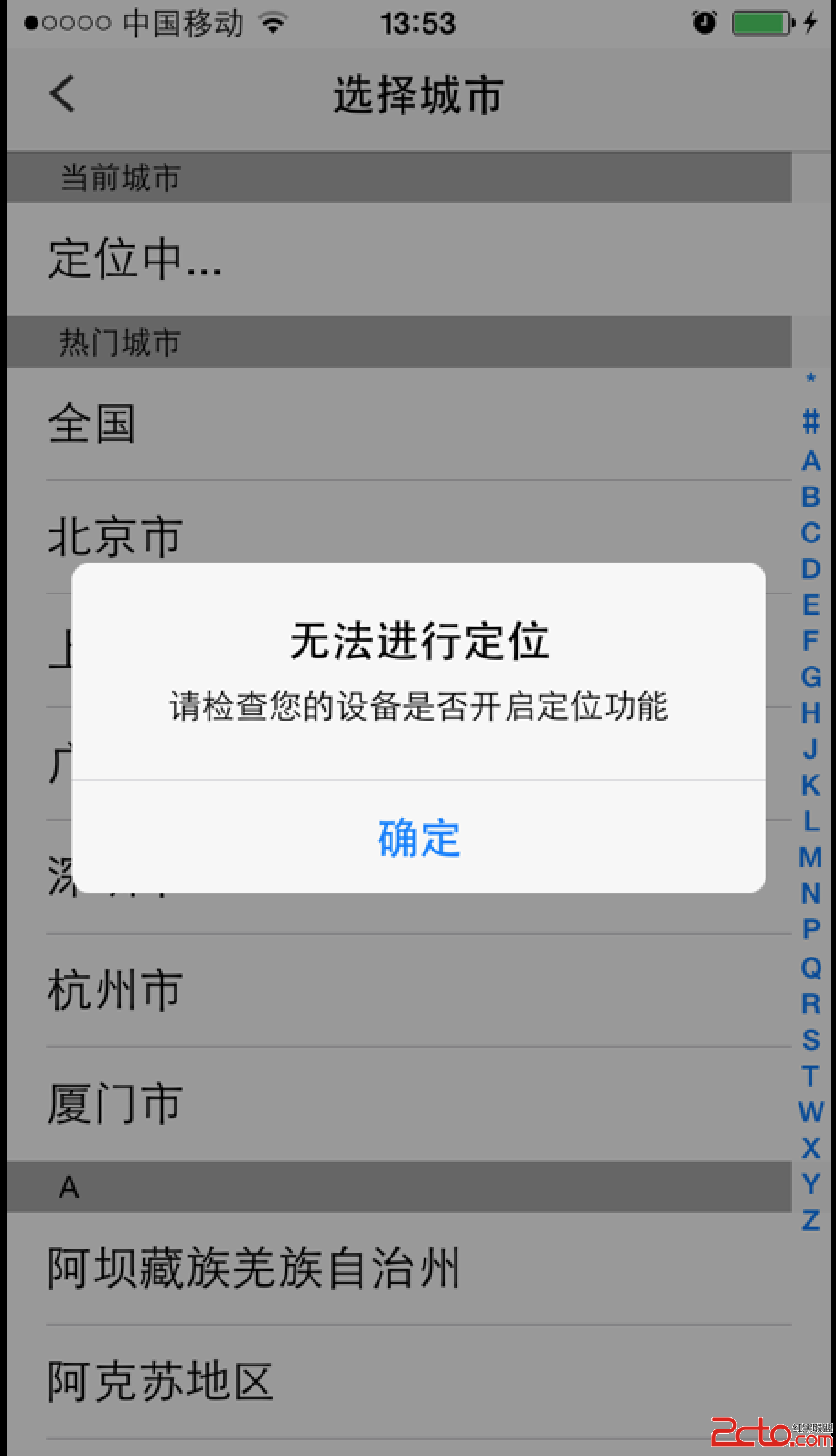
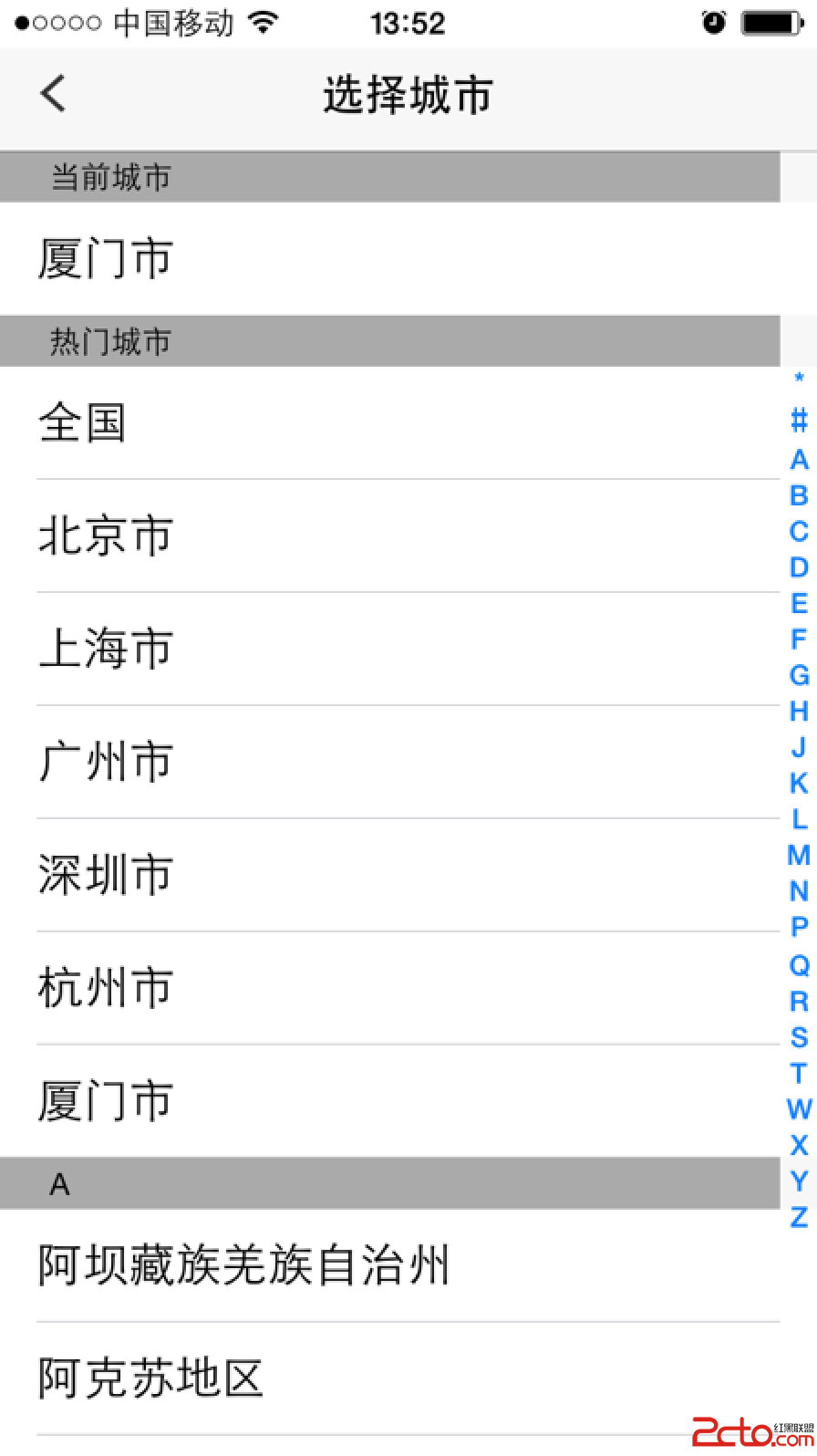
結果如下圖,左為定位失敗、右為成功取得城市:
三、兩個實務提醒
第一,reverseGeocodeLocation 有網路相依性,在沒有連線或飛行模式下會直接回傳錯誤,因此務必處理 error 分支並提供降級方案(例如快取上次成功的城市)。第二,CLGeocoder 有速率限制,不該在 didUpdateLocations 中無條件反查——這個方法在你持續移動時會頻繁觸發。建議加上距離門檻(distanceFilter)或節流判斷,只在跨區時才反查。
- 上一篇文章: iOS 雪花飄落效果:兩種實作思路對比
- 下一篇文章: iOS AutoLayout 與 SizeClass 自動佈局(一):從原理到實踐