
iOS 頁面傳值進階:用 Block 取代 delegate 回傳資料
編輯:iOS 開發綜合
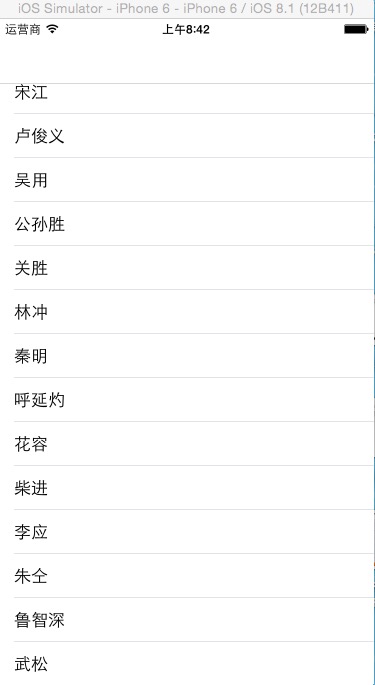
delegate 是頁面傳值的傳統做法,但當回呼邏輯只有一段、且與呼叫處高度相關時,delegate 顯得繁瑣——要宣告協議、要採用、要實作方法。Block 在這種情境下更輕巧。本文以「列表頁點選跳轉,詳情頁回傳一筆資料」為例示範。
列表頁:定義並傳入 block
#import "MainViewController.h"
#import "SecondViewController.h"

@interface MainViewController () <UITableViewDataSource, UITableViewDelegate>
@property (nonatomic, retain) NSMutableArray *arr;
@property (nonatomic, retain) UITableView *tableView;
@end

@implementation MainViewController

- (instancetype)initWithNibName:(NSString *)nibNameOrNil bundle:(NSBundle *)nibBundleOrNil {
    self = [super initWithNibName:nibNameOrNil bundle:nibBundleOrNil];
    if (self) {
        self.arr = [NSMutableArray arrayWithObjects:@"宋江", @"盧俊義", @"吳用", @"公孫勝",
                    @"關勝", @"林沖", @"秦明", @"呼延灼", @"花容", @"柴進",
                    @"李應", @"朱仝", @"魯智深", @"武松", nil];
    }
    return self;
}

- (void)viewDidLoad {
    [super viewDidLoad];
    self.navigationController.navigationBar.translucent = NO;
    self.tableView = [[UITableView alloc]
        initWithFrame:CGRectMake(0, 0, self.view.frame.size.width,
                                 self.view.frame.size.height - 64)
                style:UITableViewStylePlain];
    self.tableView.delegate   = self;
    self.tableView.dataSource = self;
    [self.view addSubview:self.tableView];
    [self.tableView release];
}

- (void)tableView:(UITableView *)tableView
didSelectRowAtIndexPath:(NSIndexPath *)indexPath {

    SecondViewController *secVC = [[SecondViewController alloc] init];

    // block 作為屬性時建議搭配 copy,確保它從堆疊複製到堆上,不會在跳頁後失效
    void (^block)(NSString *) = ^(NSString *str) {
        NSLog(@"%@", str);
        [self.arr addObject:str];
        [tableView reloadData];
    };
    secVC.block = block;

    [self.navigationController pushViewController:secVC animated:YES];
    [secVC release];
}
@end
詳情頁:以 typedef 宣告 block 型別
// SecondViewController.h
#import <UIKit/UIKit.h>

typedef void (^ValueBlock)(NSString *value);

@interface SecondViewController : UIViewController
@property (nonatomic, copy) ValueBlock block;
@end
// SecondViewController.m
@implementation SecondViewController

- (void)dealloc {
    Block_release(_block);
    [super dealloc];
}

- (void)viewDidLoad {
    [super viewDidLoad];
    self.view.backgroundColor = [UIColor cyanColor];

    UIButton *button = [UIButton buttonWithType:UIButtonTypeSystem];
    button.frame = CGRectMake(100, 100, 150, 40);
    button.layer.borderWidth  = 1;
    button.layer.cornerRadius = 10;
    [button setTitle:@"返回" forState:UIControlStateNormal];
    [button addTarget:self action:@selector(click:)
     forControlEvents:UIControlEventTouchUpInside];
    [self.view addSubview:button];
}

- (void)click:(UIButton *)button {
    if (self.block) {
        self.block(@"跳洞虎 陳達");   // 回傳資料給上一頁
    }
    [self.navigationController popToRootViewControllerAnimated:YES];
}
@end


三個實務要點
屬性為何用 copy:在 ARC 之前,block 預設分配在堆疊上,函式執行完畢即失效。以 copy 修飾可把它複製到堆上,確保跨方法調用時仍然有效。ARC 之下編譯器多會自動處理,但維持 copy 的寫法仍是社群慣例。
呼叫前務必判空:block 屬性若未被賦值就是 nil,直接呼叫會崩潰。寫成 if (self.block) { self.block(...); } 是最保險的做法。
小心循環引用:若 block 內強引用 self,而 self 又持有該 block,雙方互扣導致無法釋放。此時需在 block 內使用 __weak typeof(self) weakSelf = self; 打破循環。本例中 block 由 SecondViewController 持有、內含對 MainViewController 的引用,方向相反,不構成循環。
block 與 delegate 怎麼選
回呼只有一到兩個、且邏輯與呼叫點緊密耦合時,用 block;需要多個回呼方法、或跨越多個物件共享同一套介面時,delegate 的結構更清楚。UIKit 本身的演進方向也是兩者並存——例如 UIAlertAction 用 block,而 UITableView 仍用 delegate。