
Core Animation 完全指南:基礎動畫、關鍵幀、組動畫與過渡動畫
一、Core Animation 是什麼
iOS 的動畫主要建立在 Core Animation 框架上。它是 iOS 與 OS X 平台上負責圖形渲染與動畫的基礎框架,可以作用在動畫檢視或其他可視元素上,為你完成絕大多數繪幀工作。開發者只需要設定少量參數(例如起始位置與結束位置),就能得到動畫效果。
更關鍵的是,Core Animation 把實際的繪圖任務交給圖形硬體處理,由 GPU 加速渲染。這種自動化的圖形加速讓動畫擁有更高的幀率、更平滑的顯示效果,而且不會加重 CPU 負擔拖累程式運行速度。
二、類別結構與常用屬性
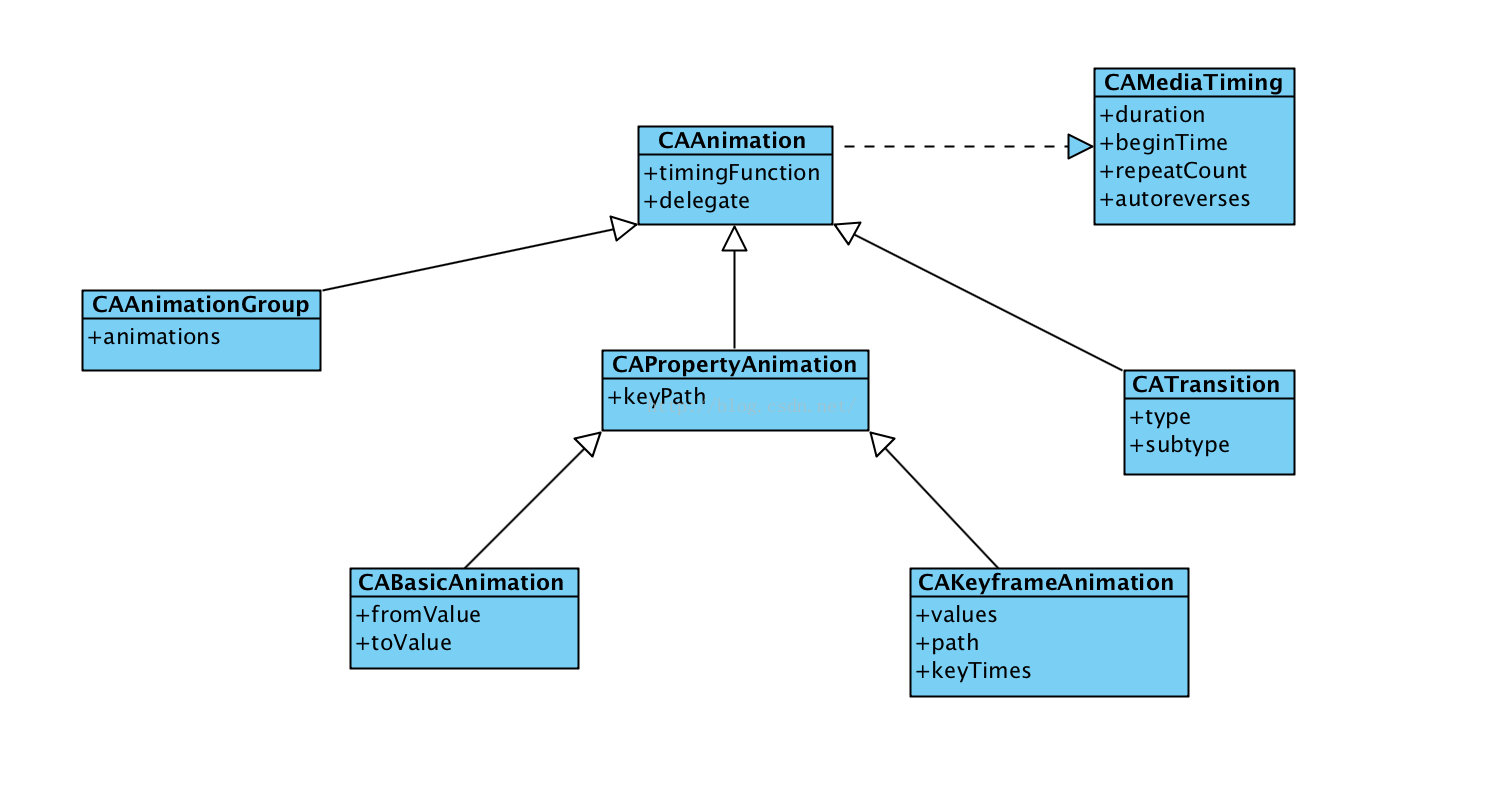
通用屬性
duration:動畫持續時間beginTime:動畫開始時間repeatCount:重複次數autoreverses:是否按原動畫反向再跑一次delegate:動畫代理,可監聽開始與結束
timingFunction:控制節奏,系統提供五種:
- kCAMediaTimingFunctionLinear 線性
- kCAMediaTimingFunctionEaseIn 慢進快出
- kCAMediaTimingFunctionEaseOut 快進慢出
- kCAMediaTimingFunctionEaseInEaseOut 慢進快出再慢出
- kCAMediaTimingFunctionDefault 預設,中段較快
/* CAAnimation 的代理方法 */
@interface NSObject (CAAnimationDelegate)

/* 動畫進入作用中階段時呼叫 */
- (void)animationDidStart:(CAAnimation *)anim;

/* 動畫結束或從圖層移除時呼叫。
   flag 為 YES 代表動畫是自然播完,而非被移除 */
- (void)animationDidStop:(CAAnimation *)anim finished:(BOOL)flag;

@end
其他常用屬性
path:關鍵幀動畫的執行路徑type:過渡動畫的類型subtype:過渡動畫的方向
三、三種呼叫方式
寫法一:UIView 程式碼區塊
_demoView.frame = CGRectMake(0, SCREEN_HEIGHT/2-50, 50, 50);

[UIView animateWithDuration:1.0f animations:^{
    _demoView.frame = CGRectMake(SCREEN_WIDTH, SCREEN_HEIGHT/2-50, 50, 50);
} completion:^(BOOL finished) {
    _demoView.frame = CGRectMake(SCREEN_WIDTH/2-25, SCREEN_HEIGHT/2-50, 50, 50);
}];
寫法二:begin / commit 模式
[UIView beginAnimations:@"move" context:nil];
[UIView setAnimationDuration:2];
[UIView setAnimationDelegate:self];
animationView.frame = CGRectMake(100, 100, 120, 100);
[UIView commitAnimations];
寫法三:直接使用 Core Animation 類別
// time:閃爍間隔;repeatCount = MAXFLOAT 代表永久閃爍
CABasicAnimation *animation = [CABasicAnimation animationWithKeyPath:@"opacity"];
animation.fromValue = [NSNumber numberWithFloat:1.0f];
animation.toValue   = [NSNumber numberWithFloat:0.0f];
animation.autoreverses = YES;
animation.duration = time;
animation.repeatCount = repeatCount;

// 動畫播完不刪除
animation.removedOnCompletion = NO;
animation.fillMode = kCAFillModeForwards;

// 節奏
animation.timingFunction = [CAMediaTimingFunction functionWithName:kCAMediaTimingFunctionEaseIn];
四、四大動畫類型
4.1 基礎動畫 CABasicAnimation
兩個關鍵屬性:fromValue(keyPath 對應的初始值)與 toValue(結束值)。它主要用來對 CALayer 的可變屬性做簡單動畫,例如位移、透明度、縮放、旋轉、背景色等。
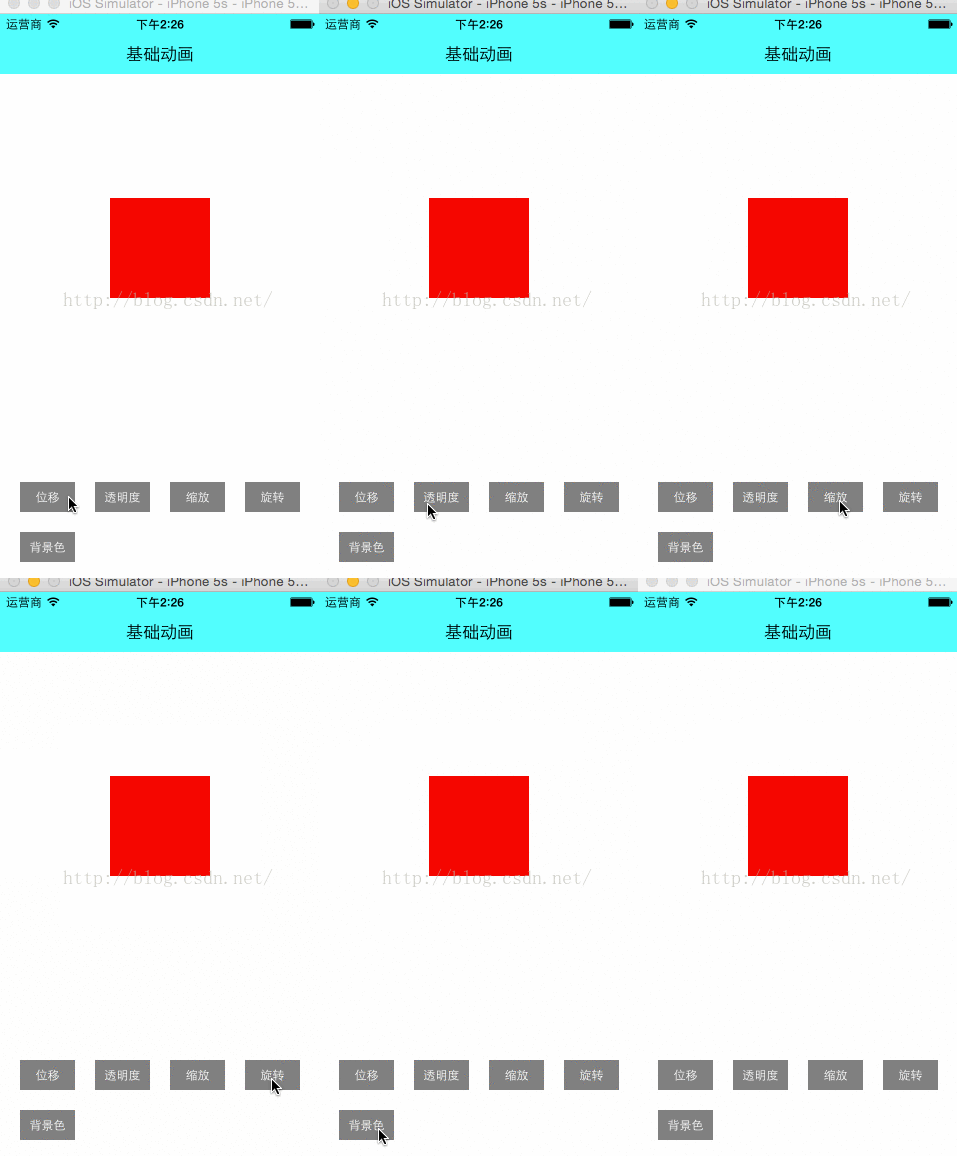
CABasicAnimation *anima = [CABasicAnimation animationWithKeyPath:@"position"];
anima.fromValue = [NSValue valueWithCGPoint:CGPointMake(0, SCREEN_HEIGHT/2-75)];
anima.toValue   = [NSValue valueWithCGPoint:CGPointMake(SCREEN_WIDTH, SCREEN_HEIGHT/2-75)];
anima.duration  = 1.0f;
// anima.fillMode = kCAFillModeForwards;
// anima.removedOnCompletion = NO;
[_demoView.layer addAnimation:anima forKey:@"positionAnimation"];
容易誤解的一點:如果設了 fillMode = kCAFillModeForwards 且 removedOnCompletion = NO,動畫播完後圖層會「看起來」停在結束狀態,但實際上圖層的屬性值仍然是動畫開始前的初始值,並沒有真正被改變。後續若有互動要讀取該屬性,就會發現數值對不上。
4.2 關鍵幀動畫 CAKeyframeAnimation
CAKeyframeAnimation 與 CABasicAnimation 都繼承自 CAPropertyAnimation。前者只能從一個值變到另一個值,後者則用一個 NSArray 保存一整組關鍵幀。
重要屬性:
values:那個 NSArray,裡面的元素稱為 keyframe。動畫會在 duration 內依序呈現每一幀。path:可設為 CGPathRef / CGMutablePathRef,讓圖層沿路徑移動。path 只對 CALayer 的 anchorPoint 與 position 生效;一旦設了 path,values 會被忽略。keyTimes:為各關鍵幀指定時間點,取值範圍 0 到 1.0,每個值對應 values 中的一幀。不設定的話,各幀時間均分。
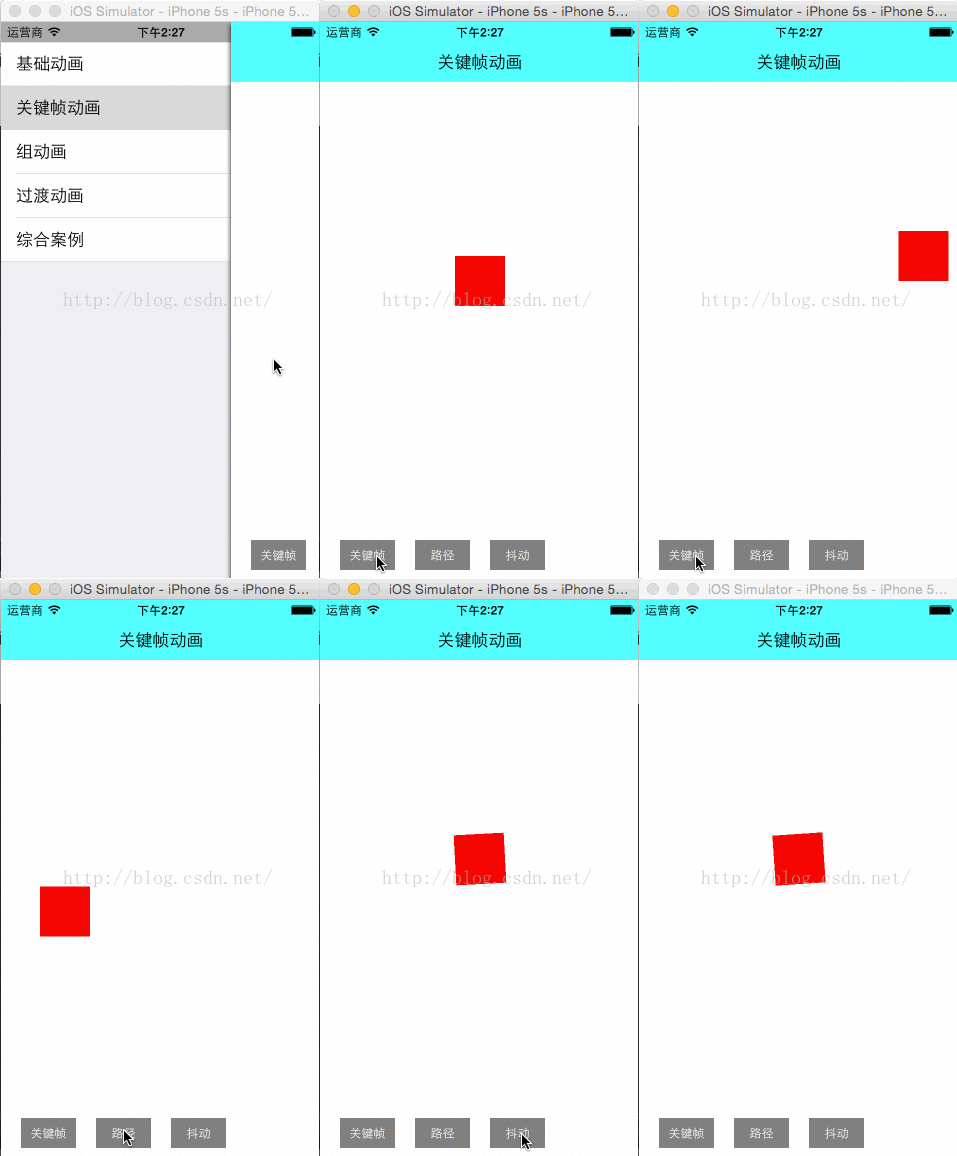
CAKeyframeAnimation *anima = [CAKeyframeAnimation animationWithKeyPath:@"position"];

UIBezierPath *path = [UIBezierPath bezierPathWithOvalInRect:
                      CGRectMake(SCREEN_WIDTH/2-100, SCREEN_HEIGHT/2-100, 200, 200)];
anima.path = path.CGPath;
anima.duration = 2.0f;

[_demoView.layer addAnimation:anima forKey:@"pathAnimation"];
換個角度看,CABasicAnimation 其實就是「最多只有兩個關鍵幀」的 CAKeyframeAnimation。
4.3 組動畫 CAAnimationGroup
CAAnimation 的子類,可以保存一組動畫物件。加入圖層後,組內所有動畫會同時並發執行。核心屬性是 animations,一個裝動畫物件的 NSArray。
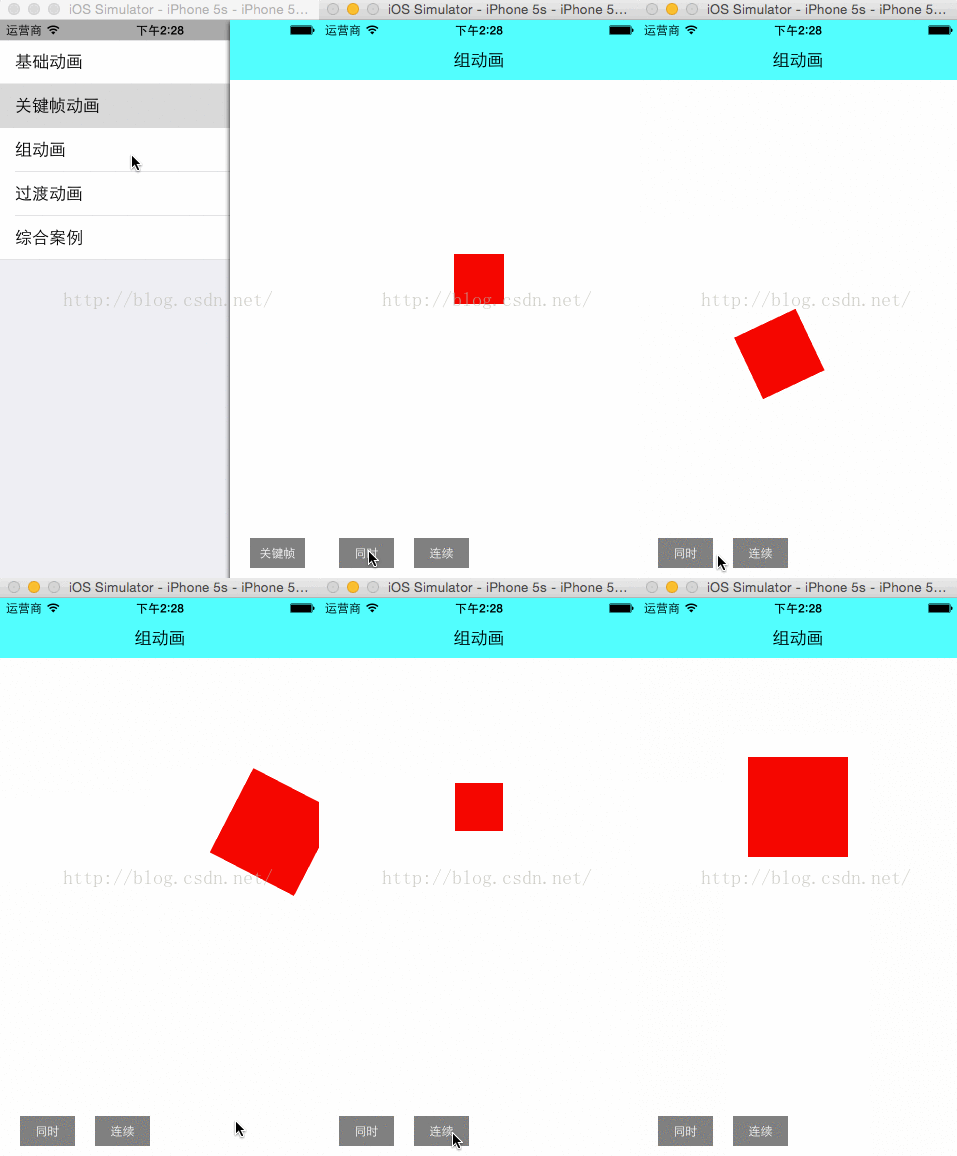
// 位移:多關鍵幀
CAKeyframeAnimation *anima1 = [CAKeyframeAnimation animationWithKeyPath:@"position"];
anima1.values = [NSArray arrayWithObjects:
    [NSValue valueWithCGPoint:CGPointMake(0, SCREEN_HEIGHT/2-50)],
    [NSValue valueWithCGPoint:CGPointMake(SCREEN_WIDTH/3, SCREEN_HEIGHT/2-50)],
    [NSValue valueWithCGPoint:CGPointMake(SCREEN_WIDTH/3, SCREEN_HEIGHT/2+50)],
    [NSValue valueWithCGPoint:CGPointMake(SCREEN_WIDTH*2/3, SCREEN_HEIGHT/2+50)],
    [NSValue valueWithCGPoint:CGPointMake(SCREEN_WIDTH*2/3, SCREEN_HEIGHT/2-50)],
    [NSValue valueWithCGPoint:CGPointMake(SCREEN_WIDTH, SCREEN_HEIGHT/2-50)],
    nil];

// 縮放
CABasicAnimation *anima2 = [CABasicAnimation animationWithKeyPath:@"transform.scale"];
anima2.fromValue = [NSNumber numberWithFloat:0.8f];
anima2.toValue   = [NSNumber numberWithFloat:2.0f];

// 旋轉
CABasicAnimation *anima3 = [CABasicAnimation animationWithKeyPath:@"transform.rotation"];
anima3.toValue = [NSNumber numberWithFloat:M_PI*4];

// 組動畫
CAAnimationGroup *groupAnimation = [CAAnimationGroup animation];
groupAnimation.animations = [NSArray arrayWithObjects:anima1, anima2, anima3, nil];
groupAnimation.duration = 4.0f;

[_demoView.layer addAnimation:groupAnimation forKey:@"groupAnimation"];
4.4 過渡動畫 CATransition
同樣是 CAAnimation 的子類,用於轉場效果,能為圖層提供移出與移入螢幕的動畫。
type(官方只提供四種):
- kCATransitionFade 漸變
- kCATransitionMoveIn 進入覆蓋
- kCATransitionPush 推出
- kCATransitionReveal 揭露離開
網路上常看到像 "cube"、"suckEffect"、"oglFlip"、"rippleEffect"、"pageCurl"、"cameraIrisHollowOpen" 等更炫的效果,這些都是私有 API,不建議使用:Apple 不提供維護,而且很可能導致 App 審核被拒。
subtype(方向):FromRight、FromLeft、FromTop、FromBottom。
startProgress / endProgress:動畫起點與終點在整體動畫中的百分比位置。

五、綜合案例
仿 Path 選單
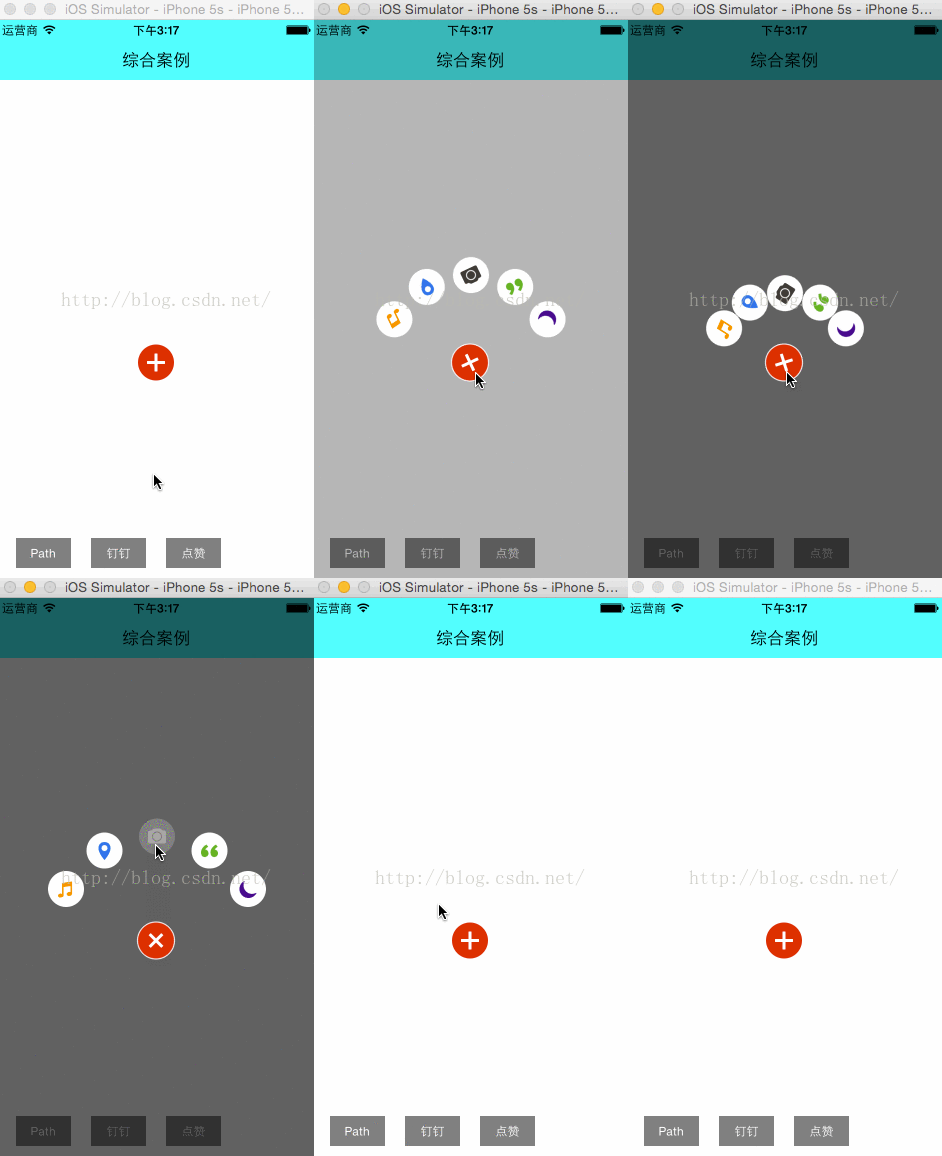
拆解一下:點擊紅色按鈕時它自己旋轉(旋轉動畫);黑色小按鈕依序彈出並帶旋轉(位移 + 旋轉 + 組動畫);點擊黑色按鈕後其他按鈕消失,被點擊者放大並淡出(縮放 + alpha + 組動畫)。
仿釘釘選單
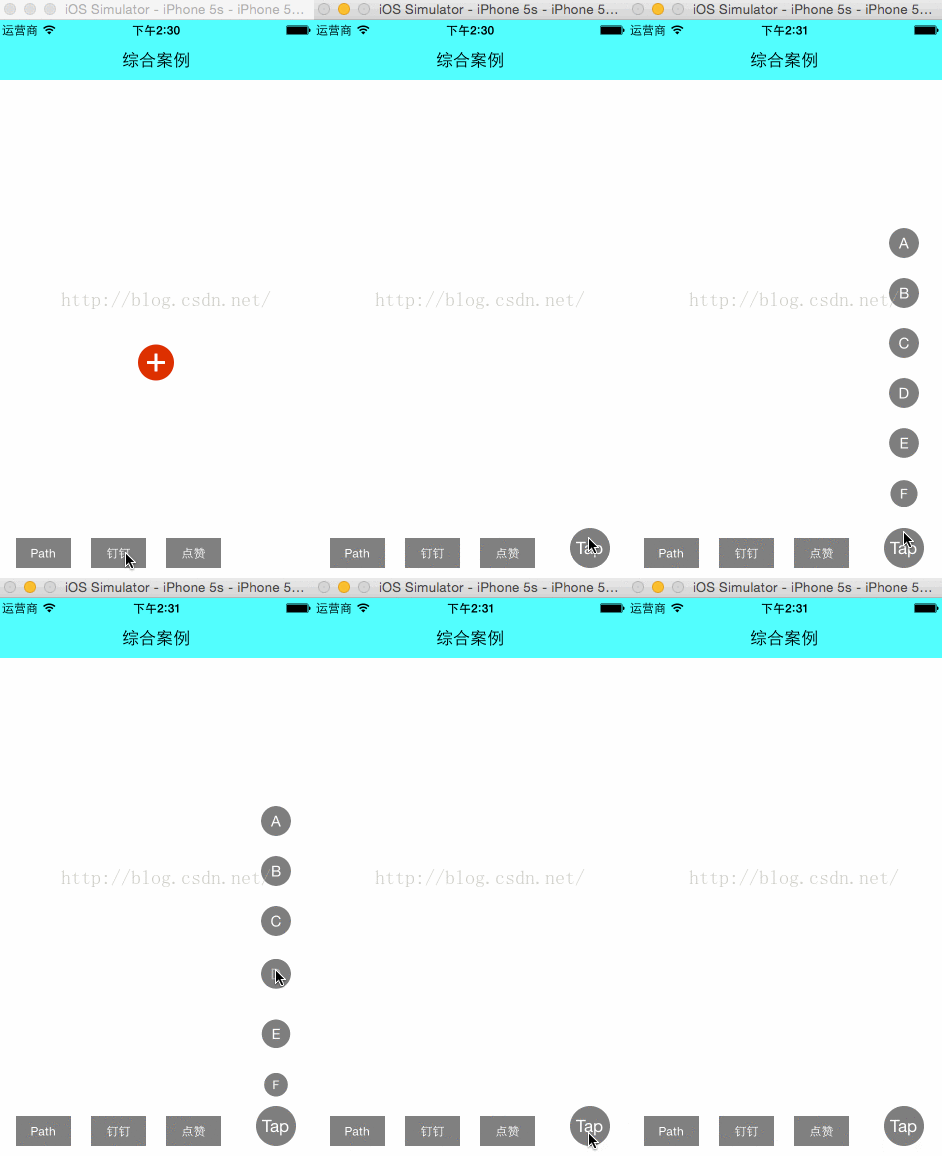
看起來很炫,實作其實就是位移動畫加縮放動畫。
點讚煙花效果
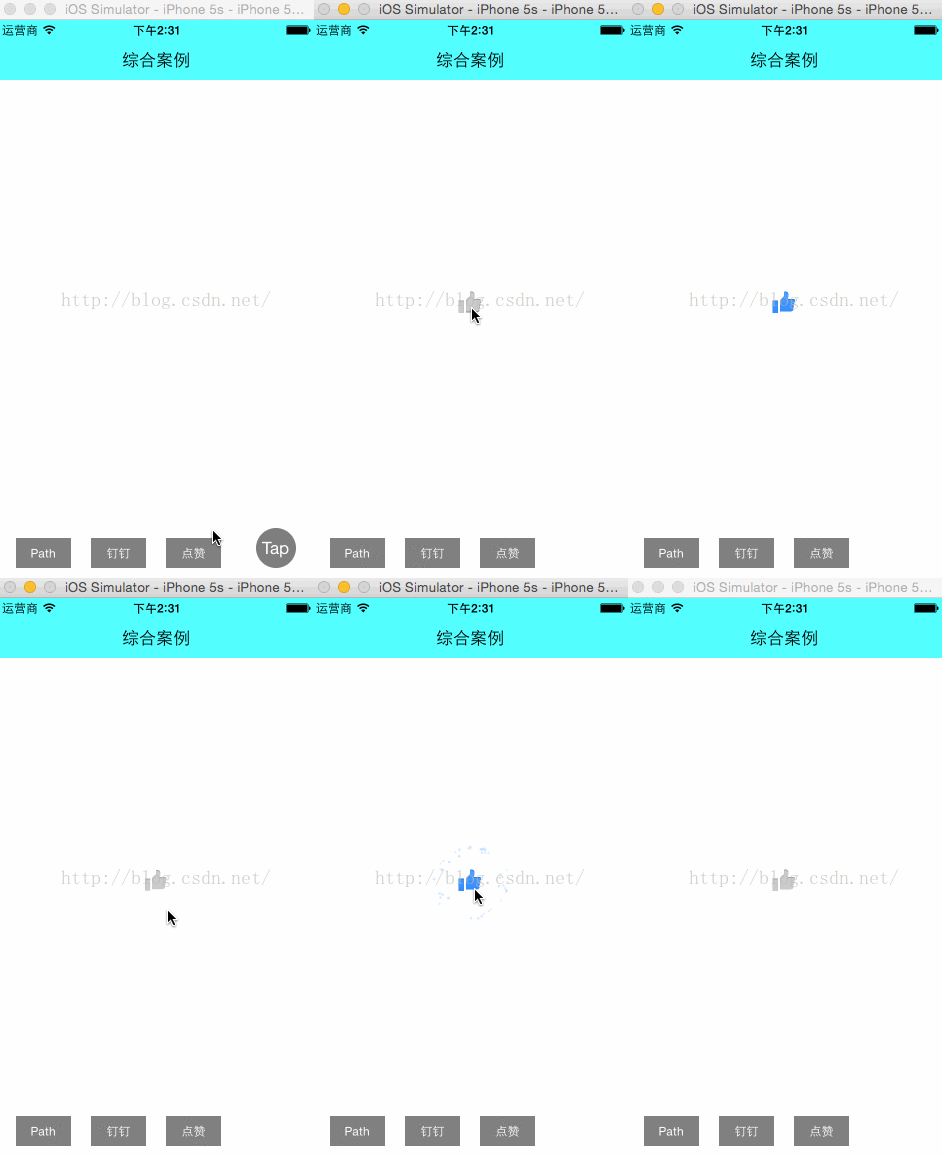
按鈕變大用的是縮放動畫;煙花則屬於比較特殊的粒子動畫。一個粒子系統通常由兩部分組成:
- CAEmitterCell:可視為單一粒子的原型。發散一個粒子時,系統會依此原型與隨機參數產生實際粒子。原型上的屬性用來控制粒子的圖片、顏色、方向、運動、縮放比例與生命週期。
- CAEmitterLayer:控制發射源的位置、尺寸、發射模式與形狀等。這兩個類別的屬性相當多,這裡不逐一展開。
六、常用動畫封裝範例
以下是常見動畫的封裝寫法,可直接放進專案重複使用。
#import <Foundation/Foundation.h>

@interface AnimationManager : NSObject

/** 閃爍動畫;repeatCount = MAXFLOAT 為永久閃爍 */
+ (CABasicAnimation *)opacityForever_Animation:(CGFloat)time repeatCount:(CGFloat)repeatCount;

/** 橫向、縱向移動,x / y 為終點 */
+ (CABasicAnimation *)moveX:(CGFloat)time X:(NSNumber *)x;
+ (CABasicAnimation *)moveY:(CGFloat)time Y:(NSNumber *)y;

/** 縮放;Multiple 為 fromValue,orginMultiple 為 toValue */
+ (CABasicAnimation *)scale:(NSNumber *)Multiple
                     orgin:(NSNumber *)orginMultiple
                  durTimes:(CGFloat)time
                       Rep:(CGFloat)repertTimes;

/** 組合動畫 */
+ (CAAnimationGroup *)groupAnimation:(NSArray *)animationAry
                            durTimes:(CGFloat)time
                                 Rep:(CGFloat)repeatTimes;

/** 路徑動畫 */
+ (CAKeyframeAnimation *)keyframeAnimation:(CGMutablePathRef)path
                                  durTimes:(CGFloat)time
                                       Rep:(CGFloat)repeatTimes;

/** 旋轉動畫 */
+ (CABasicAnimation *)rotation:(CGFloat)time
                        degree:(CGFloat)degree
                     direction:(CGFloat)direction
                  repeatCount:(CGFloat)repeatCount;

@end
#import "AnimationManager.h"

@implementation AnimationManager

#pragma mark - 閃爍
+ (CABasicAnimation *)opacityForever_Animation:(CGFloat)time repeatCount:(CGFloat)repeatCount {
    CABasicAnimation *animation = [CABasicAnimation animationWithKeyPath:@"opacity"];
    animation.fromValue = [NSNumber numberWithFloat:1.0f];
    animation.toValue   = [NSNumber numberWithFloat:0.0f];
    animation.autoreverses = YES;
    animation.duration = time;
    animation.repeatCount = repeatCount;
    animation.removedOnCompletion = NO;
    animation.fillMode = kCAFillModeForwards;
    animation.timingFunction = [CAMediaTimingFunction functionWithName:kCAMediaTimingFunctionEaseIn];
    return animation;
}

#pragma mark - 位移
+ (CABasicAnimation *)moveX:(CGFloat)time X:(NSNumber *)x {
    CABasicAnimation *animation = [CABasicAnimation animationWithKeyPath:@"transform.translation.x"];
    animation.toValue = x;
    animation.duration = time;
    animation.removedOnCompletion = NO;
    animation.repeatCount = MAXFLOAT;
    animation.fillMode = kCAFillModeForwards;
    return animation;
}

+ (CABasicAnimation *)moveY:(CGFloat)time Y:(NSNumber *)y {
    CABasicAnimation *animation = [CABasicAnimation animationWithKeyPath:@"transform.translation.y"];
    animation.toValue = y;
    animation.duration = time;
    animation.removedOnCompletion = NO;
    animation.repeatCount = MAXFLOAT;
    animation.fillMode = kCAFillModeForwards;
    return animation;
}

#pragma mark - 縮放
+ (CABasicAnimation *)scale:(NSNumber *)Multiple
                     orgin:(NSNumber *)orginMultiple
                  durTimes:(CGFloat)time
                       Rep:(CGFloat)repertTimes {
    CABasicAnimation *animation = [CABasicAnimation animationWithKeyPath:@"transform.scale"];
    animation.fromValue = Multiple;
    animation.toValue   = orginMultiple;
    animation.autoreverses = YES;
    animation.repeatCount = repertTimes;
    animation.duration = time;
    animation.removedOnCompletion = NO;
    animation.fillMode = kCAFillModeForwards;
    return animation;
}

#pragma mark - 組合
+ (CAAnimationGroup *)groupAnimation:(NSArray *)animationAry
                            durTimes:(CGFloat)time
                                 Rep:(CGFloat)repeatTimes {
    CAAnimationGroup *animation = [CAAnimationGroup animation];
    animation.animations = animationAry;
    animation.duration = time;
    animation.removedOnCompletion = NO;
    animation.repeatCount = repeatTimes;
    animation.fillMode = kCAFillModeForwards;
    return animation;
}

#pragma mark - 路徑
+ (CAKeyframeAnimation *)keyframeAnimation:(CGMutablePathRef)path
                                  durTimes:(CGFloat)time
                                       Rep:(CGFloat)repeatTimes {
    CAKeyframeAnimation *animation = [CAKeyframeAnimation animationWithKeyPath:@"position"];
    animation.path = path;
    animation.removedOnCompletion = NO;
    animation.fillMode = kCAFillModeForwards;
    animation.timingFunction = [CAMediaTimingFunction functionWithName:kCAMediaTimingFunctionEaseIn];
    animation.autoreverses = NO;
    animation.duration = time;
    animation.repeatCount = repeatTimes;
    return animation;
}

#pragma mark - 旋轉
+ (CABasicAnimation *)rotation:(CGFloat)time
                        degree:(CGFloat)degree
                     direction:(CGFloat)direction
                  repeatCount:(CGFloat)repeatCount {
    CATransform3D rotationTransform = CATransform3DMakeRotation(degree, 0, 0, direction);
    CABasicAnimation *animation = [CABasicAnimation animationWithKeyPath:@"transform"];
    animation.toValue = [NSValue valueWithCATransform3D:rotationTransform];
    animation.duration = time;
    animation.autoreverses = NO;
    animation.cumulative = NO;
    animation.fillMode = kCAFillModeForwards;
    animation.repeatCount = repeatCount;
    animation.delegate = self;
    return animation;
}

#pragma mark - 粒子(煙花)
+ (CAEmitterLayer *)AnimationEmitterPosition:(CGPoint)emitterPosition {
    CAEmitterLayer *fireworksEmitter = [CAEmitterLayer layer];

    fireworksEmitter.emitterPosition = emitterPosition;
    fireworksEmitter.emitterZPosition = -20.f;
    fireworksEmitter.emitterSize = CGSizeMake(10.f, 10.f);
    fireworksEmitter.emitterMode = kCAEmitterLayerOutline;
    fireworksEmitter.emitterShape = kCAEmitterLayerLine;
    fireworksEmitter.renderMode = kCAEmitterLayerAdditive;
    fireworksEmitter.spin = 0.f;
    fireworksEmitter.scale = 1.f;
    fireworksEmitter.velocity = 1.f;

    // 升空階段
    CAEmitterCell *rocket = [CAEmitterCell emitterCell];
    rocket.birthRate = 5.0;
    rocket.emissionRange = M_PI/6;   // 發射角度略有變化
    rocket.velocity = 300;
    rocket.yAcceleration = 275;
    rocket.lifetime = 1.02;

    NSString *imageName = [NSString stringWithFormat:@"liveRoom_zan_da_%zd", getRandomNumber(1, 12)];
    rocket.contents = (id)[[UIImage imageNamed:imageName] CGImage];
    rocket.scale = 0.3;
    rocket.spinRange = M_PI/2;
    rocket.alphaRange = 1.0;

    // 爆開階段
    CAEmitterCell *burst = [CAEmitterCell emitterCell];
    burst.birthRate = 1.0;
    burst.velocity = 0;
    burst.lifetime = 1.35;
    burst.alphaSpeed = -2.3;

    fireworksEmitter.emitterCells = [NSArray arrayWithObject:rocket];
    rocket.emitterCells = [NSArray arrayWithObject:burst];

    return fireworksEmitter;
}

#pragma mark - UIView 系列轉場動畫

// 翻轉
- (void)animationFlipWithView:(UIView *)animationView {
    [UIView beginAnimations:@"doflip" context:nil];
    [UIView setAnimationDuration:1];
    [UIView setAnimationCurve:UIViewAnimationCurveEaseInOut];
    [UIView setAnimationDelegate:self];
    [UIView setAnimationTransition:UIViewAnimationTransitionFlipFromLeft
                           forView:animationView cache:YES];
    [UIView commitAnimations];
}

// 旋轉
- (void)animationRotateWithView:(UIView *)animationView {
    CGAffineTransform transform =
        CGAffineTransformRotate(animationView.transform, M_PI/6.0);
    [UIView beginAnimations:@"rotate" context:nil];
    [UIView setAnimationDuration:2];
    [UIView setAnimationDelegate:self];
    [animationView setTransform:transform];
    [UIView commitAnimations];
}

// 偏移
- (void)animationMoveWithView:(UIView *)animationView {
    [UIView beginAnimations:@"move" context:nil];
    [UIView setAnimationDuration:2];
    [UIView setAnimationDelegate:self];
    animationView.frame = CGRectMake(100, 100, 120, 100);
    [UIView commitAnimations];
}

// 翻頁
- (void)animationCurlUpWithView:(UIView *)animationView {
    [UIView beginAnimations:@"curlUp" context:nil];
    [UIView setAnimationCurve:UIViewAnimationCurveEaseInOut];
    [UIView setAnimationDuration:1];
    [UIView setAnimationDelegate:self];
    [UIView setAnimationTransition:UIViewAnimationTransitionCurlUp
                           forView:animationView cache:YES];
    [UIView commitAnimations];
}

// 縮放
- (void)animationScaleWithView:(UIView *)animationView {
    CGAffineTransform transform =
        CGAffineTransformScale(animationView.transform, 1.2, 1.2);
    [UIView beginAnimations:@"scale" context:nil];
    [UIView setAnimationDuration:2];
    [UIView setAnimationDelegate:self];
    [animationView setTransform:transform];
    [UIView commitAnimations];
}

// 取反
- (void)animationInvertWithView:(UIView *)animationView {
    CGAffineTransform transform = CGAffineTransformInvert(animationView.transform);
    [UIView beginAnimations:@"Invert" context:nil];
    [UIView setAnimationDuration:2];
    [UIView setAnimationDelegate:self];
    [animationView setTransform:transform];
    [UIView commitAnimations];
}

@end
七、總結
再複雜的動畫,拆開來看都是幾個基礎動畫的組合。位移、縮放、旋轉、透明度這四個基本元素,透過 CAKeyframeAnimation 排成序列,再用 CAAnimationGroup 同時播放,幾乎能拼出任何效果。真正需要花時間的不是 API,而是學會把一個視覺效果正確拆解成動畫語句。