
用命令列跑 Xcode 7 UI Tests:從建立 target 到產出截圖的完整流程

原文:Run Xcode 7 UI Tests from the command line
Apple 在 Xcode 7 中推出了名為 UI Tests 的測試技術,讓開發者可以直接用 Swift 或 Objective-C 撰寫介面層級的測試。在這之前,唯一可行的路-ish 是 UI Automation。換成 UI Tests 之後,除了解決問題時能在 Xcode 裡正常中斷點除錯,也不必再跟 JavaScript 腳本纏鬥。
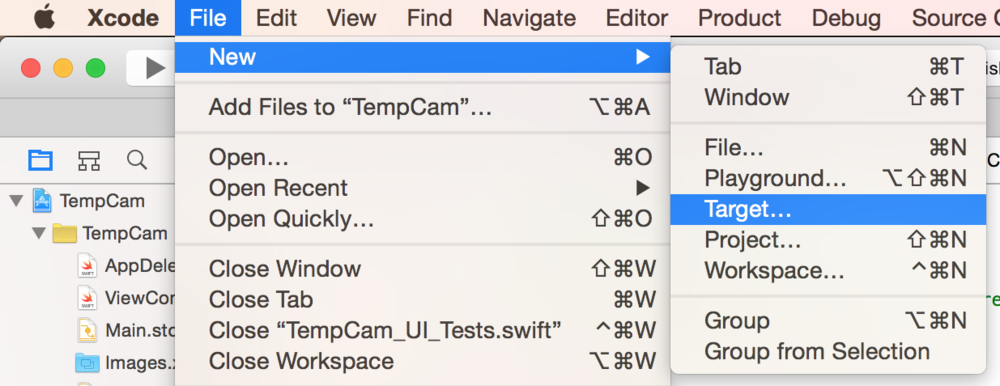
第一步:建立 UI Tests target
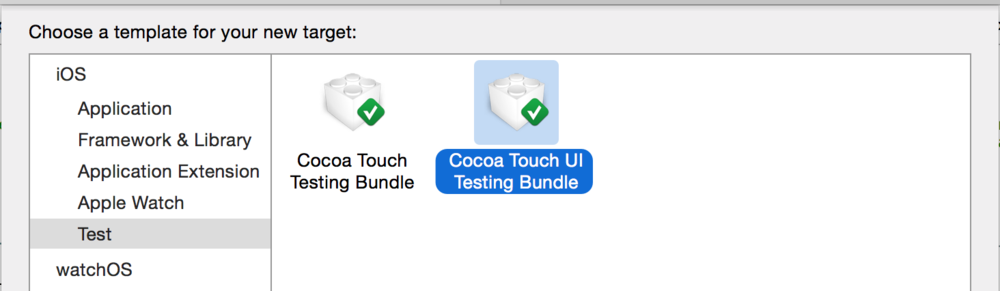
新增 target 時,在測試分類中選擇 Cocoa Touch UI Testing Bundle:
接著打開專案裡 UI Tests 群組下新產生的檔案,你會看到一個名為 testExample 的空方法。請注意圖中的游標位置,然後點擊畫面下方那顆紅色的錄製按鈕。
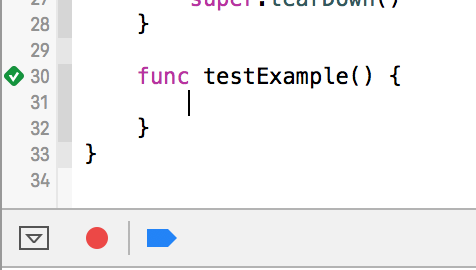
按下錄製後 App 會被啟動。這時你可以隨意點擊、操作,跟介面互動,示範完畢再點一次紅色按鈕停止錄製。
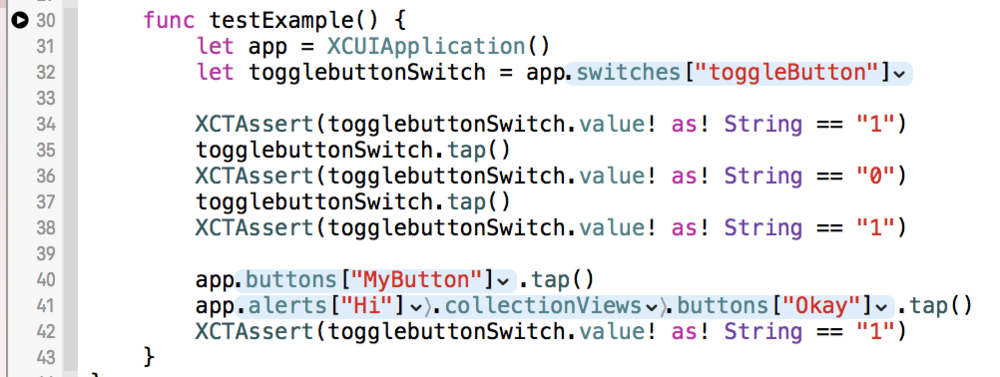
錄製結果會自動轉寫成測試程式碼。我在產生的程式碼之間補上了幾個 XCTAssert 斷言作為示範。在 Xcode 中按 CMD + U 就能執行,單元測試與 UI Tests 會一起跑起來。
為 UI Tests 建立獨立 scheme
此時你已經可以用 CLI 跑測試了,不需要再額外調整。不過我們通常希望 UI Tests 有自己的 scheme,於是點擊 scheme 選單並選擇 New Scheme:
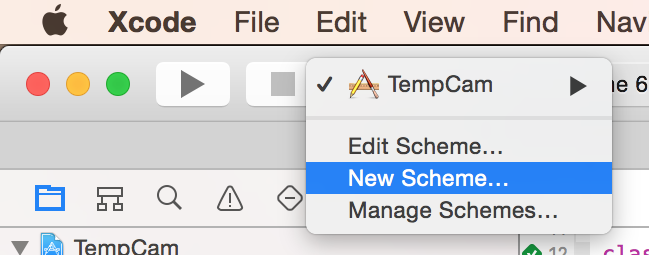
選中剛建立的 UI Test target,按下確認即可。
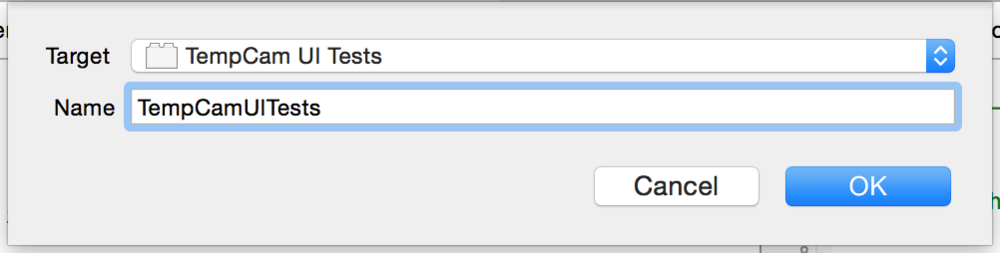
如果你打算在 CI 伺服器上執行測試,務必確認新 scheme 已勾選 Shared。點擊 scheme 後選擇 Manage Schemes 開啟設定視窗。
從命令列執行測試
xcodebuild -workspace App.xcworkspace \
    -scheme "SchemeName" \
    -sdk iphonesimulator \
    -destination 'platform=iOS Simulator,name=iPhone 6,OS=9.0' \
    test
明確指定要使用哪個版本的 Xcode 很重要,我們這裡用的是最新的 beta 版:
export DEVELOPER_DIR="/Applications/Xcode-beta.app"
你也可以乾脆把 beta 版設成系統預設:
sudo xcode-select --switch "/Applications/Xcode-beta.app"
以下是 UI Tests 執行時的終端機輸出片段:
Test Suite 'All tests' started at 2015-06-18 14:48:42.601
Test Suite 'TempCam UI Tests.xctest' started
  Test Suite 'TempCam_UI_Tests' started
    Test Case '-[TempCam_UI_Tests.TempCam_UI_Tests testExample]' started.
       t =   1.99s  Wait for app to idle
       t =   2.63s  Find the "toggleButton" Switch
       t =   2.65s  Tap the "toggleButton" Switch
       t =   3.54s  Tap the "MyButton" Button
       t =   4.25s  Tap the "Okay" Button
    Test Case '-[TempCam_UI_Tests.TempCam_UI_Tests testExample]' passed (4.526 seconds).
  Test Suite 'TempCam_UI_Tests' passed
    Executed 1 test, with 0 failures (0 unexpected) in 4.526 (4.527) seconds
Test Suite 'All tests' passed
** TEST SUCCEEDED **
自動產生截圖
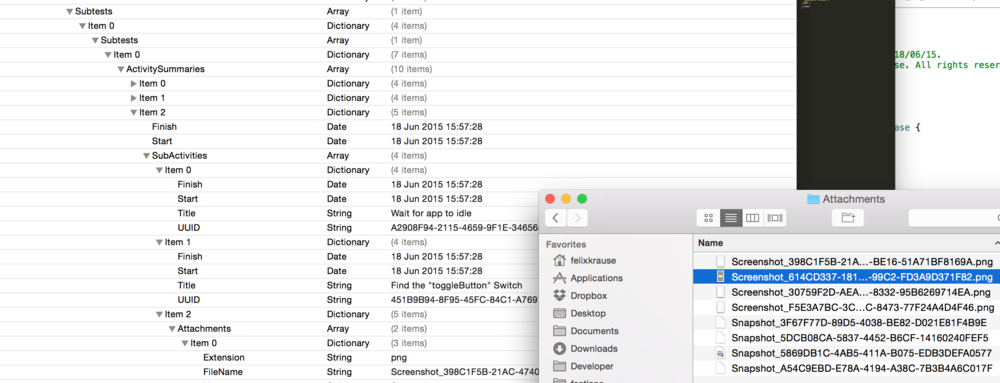
這部分幾乎零成本。只要在指令中加上 derivedDataPath 參數,就能告訴 Xcode 把測試結果(包含產生的截圖)存到哪裡。
xcodebuild -workspace App.xcworkspace \
    -scheme "SchemeName" \
    -sdk iphonesimulator \
    -destination 'platform=iOS Simulator,name=iPhone 6,OS=9.0' \
    -derivedDataPath './output' \
    test
Xcode 會自動為每一個測試動作產生截圖。想更了解輸出結構,可以參考 Michele 寫的 Test Logs in Xcode。
接下來呢?
如果你需要為多種語言、多種裝置尺寸批量產生截圖,可能會需要 snapshot 這類工具。snapshot 早期建構在 UI Automation 之上,而該技術已被淘汰。目前我使用較新版本的 snapshot,它能充分利用新 UI Tests 的能力,一旦程式出錯,也能呈現更完整的細節與錯誤訊息。