
iOS 動畫入門:UIView 動畫完整用法整理
iOS 的動畫一向以順滑、細膩著稱,是提升使用者體驗的重要環節。App 裡要做出動畫效果的方式很多,若是相對簡單的場景,直接用 UIKit 提供的動畫 API 就夠了。
UIView 動畫簡介
UIView 動畫本質上是對 CoreAnimation 的一層封裝,對外提供的是更精簡的介面。它可以操作的屬性包含:
1. 尺寸變化(frame)
2. 拉伸變化(bounds)
3. 中心位置(center)
4. 旋轉(transform)
5. 透明度(alpha)
6. 背景顏色(backgroundColor)
7. 內容拉伸(contentStretch)
UIView 類方法動畫
動畫的起點與終點
1.1 標記動畫開始
[UIViewbeginAnimations:(nullableNSString*)context:(nullablevoid*)];
第一個參數是動畫標識;第二個是附加參數,若設定了代理,它會被傳給 setAnimationWillStartSelector 與 setAnimationDidStopSelector 所指定的方法,一般傳 nil 即可。
1.2 提交動畫
[UIViewcommitAnimations];
動畫參數設定
//動畫持續時間 [UIViewsetAnimationDuration:(NSTimeInterval)]; //動畫的代理對象 [UIViewsetAnimationDelegate:(nullableid)]; //設置動畫將開始時代理對象執行的SEL [UIViewsetAnimationWillStartSelector:(nullableSEL)]; //設置動畫結束時代理對象執行的SEL [UIViewsetAnimationDidStopSelector:(nullableSEL)]; //設置動畫延遲執行的時間 [UIViewsetAnimationDelay:(NSTimeInterval)]; //設置動畫的重復次數 [UIViewsetAnimationRepeatCount:(float)]; //設置動畫的曲線 [UIViewsetAnimationCurve:(UIViewAnimationCurve)]; UIViewAnimationCurve的枚舉值如下: UIViewAnimationCurveEaseInOut,//慢進慢出(默認值) UIViewAnimationCurveEaseIn,//慢進 UIViewAnimationCurveEaseOut,//慢出 UIViewAnimationCurveLinear//勻速 //設置是否從當前狀態開始播放動畫 [UIViewsetAnimationBeginsFromCurrentState:YES];
設想上一個動畫還在播放、尚未結束,此時你又啟動一個新動畫:
設為 YES 時,新動畫會從上一個動畫當前所處的狀態接著播;設為 NO 時,則直接從上一個動畫指定的最終狀態開始(此時上一個動畫立刻結束)。
//設置動畫是否繼續執行相反的動畫 [UIViewsetAnimationRepeatAutoreverses:(BOOL)]; //是否禁用動畫效果(對象屬性依然會被改變,只是沒有動畫效果) [UIViewsetAnimationsEnabled:(BOOL)]; //設置視圖的過渡效果 [UIViewsetAnimationTransition:(UIViewAnimationTransition)forView:(nonnullUIView*)cache:(BOOL)];
第一個參數是轉場類型,可選值如下:
UIViewAnimationTransitionNone,//不使用動畫 UIViewAnimationTransitionFlipFromLeft,//從左向右旋轉翻頁 UIViewAnimationTransitionFlipFromRight,//從右向左旋轉翻頁 UIViewAnimationTransitionCurlUp,//從下往上卷曲翻頁 UIViewAnimationTransitionCurlDown,//從上往下卷曲翻頁
第二個參數是要套用轉場的 View;第三個參數控制是否使用視圖緩存,YES 代表只在開始與結束時各渲染一次,NO 則每一幀都重新渲染。
實例程式碼
1、屬性變化動畫(以 frame 為例)
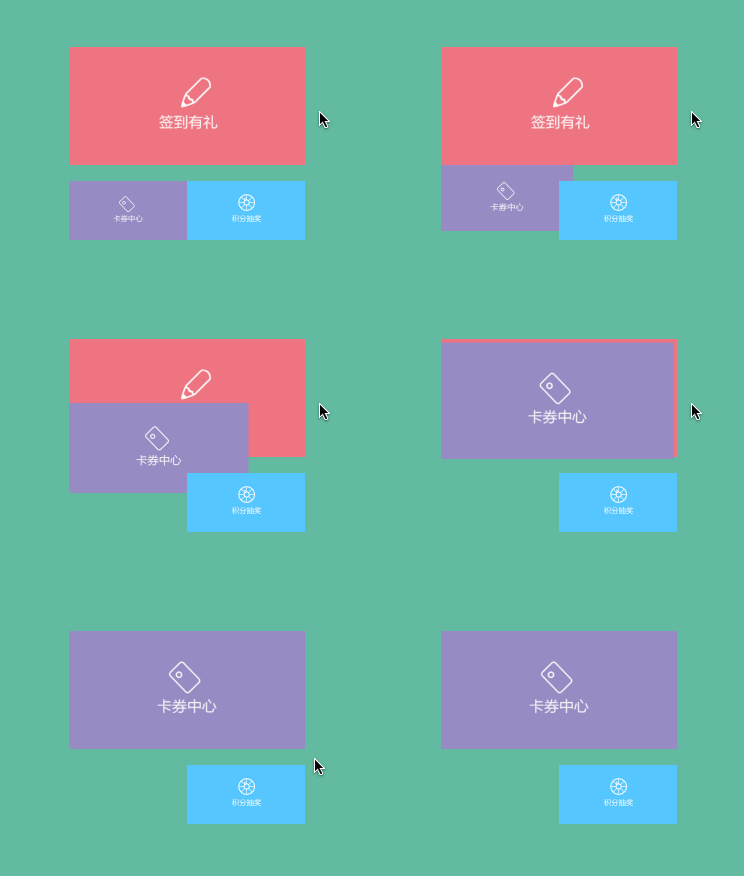
-(void)changeFrame{ [UIViewbeginAnimations:@"FrameAni"context:nil]; [UIViewsetAnimationDuration:1.0]; [UIViewsetAnimationDelegate:self]; [UIViewsetAnimationWillStartSelector:@selector(startAni:)]; [UIViewsetAnimationDidStopSelector:@selector(stopAni:)]; [UIViewsetAnimationRepeatCount:1]; [UIViewsetAnimationCurve:UIViewAnimationCurveEaseInOut]; self.cartCenter.frame=self.centerShow.frame; [UIViewcommitAnimations]; } -(void)startAni:(NSString*)aniID{ NSLog(@"%@start",aniID); } -(void)stopAni:(NSString*)aniID{ NSLog(@"%@stop",aniID); }效果:
2、轉場效果動畫(以 Flip 為例)
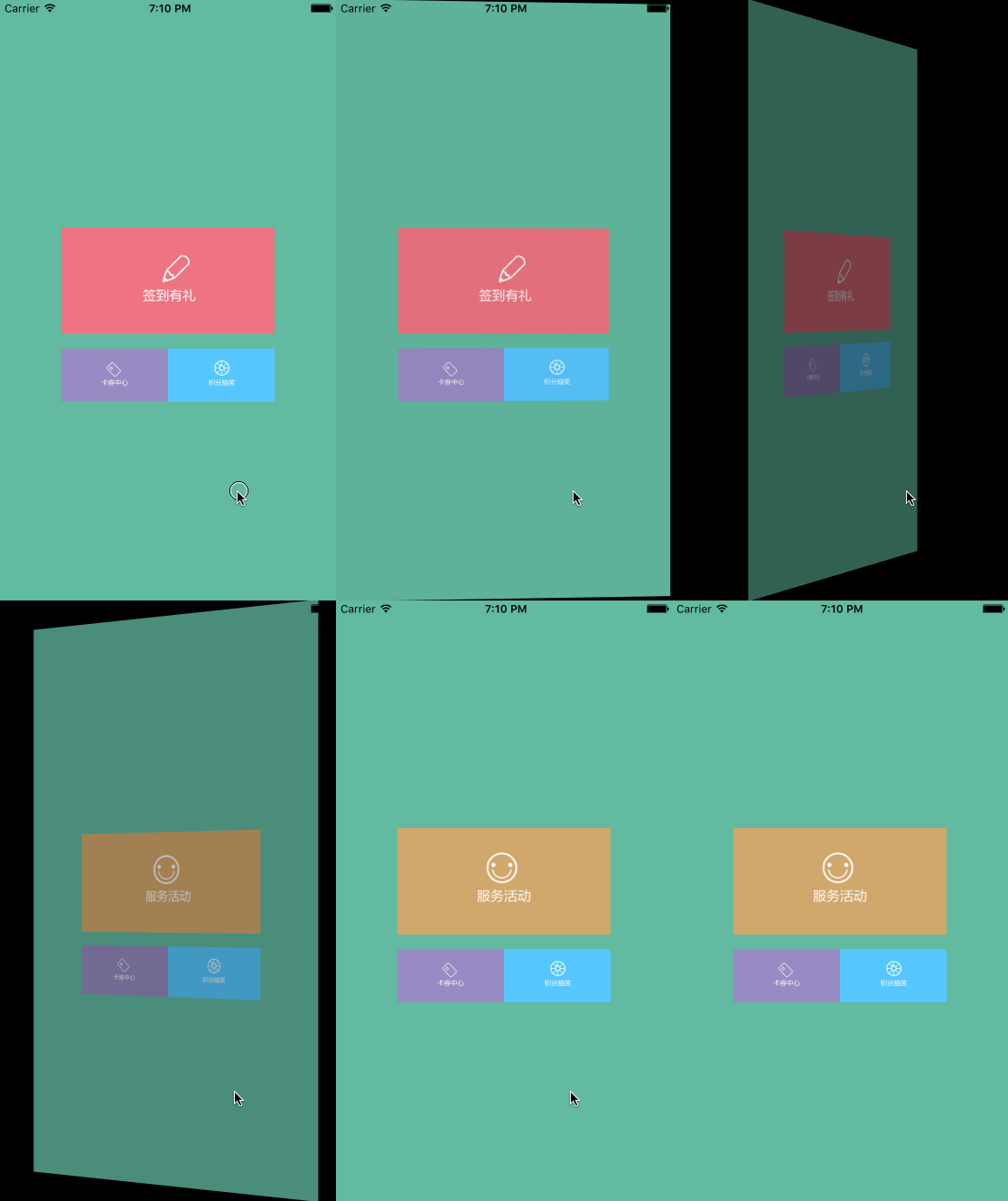
-(void)flipAni{ [UIViewbeginAnimations:@"FlipAni"context:nil]; [UIViewsetAnimationDuration:1.0]; [UIViewsetAnimationDelegate:self]; [UIViewsetAnimationWillStartSelector:@selector(startAni:)]; [UIViewsetAnimationDidStopSelector:@selector(stopAni:)]; [UIViewsetAnimationRepeatCount:1]; [UIViewsetAnimationCurve:UIViewAnimationCurveEaseInOut]; [UIViewsetAnimationTransition:UIViewAnimationTransitionFlipFromLeftforView:self.centerShowcache:YES]; self.centerShow.image=[UIImageimageNamed:@"service"]; [UIViewcommitAnimations]; }效果:
UIView Block 動畫
iOS 4.0 之後加入了 Block 形式的動畫,寫法更簡潔。
Block 動畫方法
1、最精簡的寫法,只帶時間與動畫本體
[UIViewanimateWithDuration:(NSTimeInterval)//動畫持續時間 animations:^{ //執行的動畫 }];2、帶完成回調的寫法
[UIViewanimateWithDuration:(NSTimeInterval)//動畫持續時間 animations:^{ //執行的動畫 }completion:^(BOOLfinished){ //動畫執行完畢後的操作 }];3、可設定延遲與過渡效果的寫法
[UIViewanimateWithDuration:(NSTimeInterval)//動畫持續時間 delay:(NSTimeInterval)//動畫延遲執行的時間 options:(UIViewAnimationOptions)//動畫的過渡效果 animations:^{ //執行的動畫 }completion:^(BOOLfinished){ //動畫執行完畢後的操作 }];UIViewAnimationOptions 的枚舉值如下,可組合使用:
UIViewAnimationOptionLayoutSubviews//進行動畫時布局子控件 UIViewAnimationOptionAllowUserInteraction//進行動畫時允許用戶交互 UIViewAnimationOptionBeginFromCurrentState//從當前狀態開始動畫 UIViewAnimationOptionRepeat//無限重復執行動畫 UIViewAnimationOptionAutoreverse//執行動畫回路 UIViewAnimationOptionOverrideInheritedDuration//忽略嵌套動畫的執行時間設置 UIViewAnimationOptionOverrideInheritedCurve//忽略嵌套動畫的曲線設置 UIViewAnimationOptionAllowAnimatedContent//轉場:進行動畫時重繪視圖 UIViewAnimationOptionShowHideTransitionViews//轉場:移除(添加和移除圖層的)動畫效果 UIViewAnimationOptionOverrideInheritedOptions//不繼承父動畫設置 UIViewAnimationOptionCurveEaseInOut//時間曲線,慢進慢出(默認值) UIViewAnimationOptionCurveEaseIn//時間曲線,慢進 UIViewAnimationOptionCurveEaseOut//時間曲線,慢出 UIViewAnimationOptionCurveLinear//時間曲線,勻速 UIViewAnimationOptionTransitionNone//轉場,不使用動畫 UIViewAnimationOptionTransitionFlipFromLeft//轉場,從左向右旋轉翻頁 UIViewAnimationOptionTransitionFlipFromRight//轉場,從右向左旋轉翻頁 UIViewAnimationOptionTransitionCurlUp//轉場,下往上卷曲翻頁 UIViewAnimationOptionTransitionCurlDown//轉場,從上往下卷曲翻頁 UIViewAnimationOptionTransitionCrossDissolve//轉場,交叉消失和出現 UIViewAnimationOptionTransitionFlipFromTop//轉場,從上向下旋轉翻頁 UIViewAnimationOptionTransitionFlipFromBottom//轉場,從下向上旋轉翻頁
4、Spring 動畫
iOS 7.0 起新增,系統自身的動畫大多採用這種彈簧模型,適用於任何可加動畫的屬性。
[UIViewanimateWithDuration:(NSTimeInterval)//動畫持續時間 delay:(NSTimeInterval)//動畫延遲執行的時間 usingSpringWithDamping:(CGFloat)//震動效果,范圍0~1,數值越小震動效果越明顯 initialSpringVelocity:(CGFloat)//初始速度,數值越大初始速度越快 options:(UIViewAnimationOptions)//動畫的過渡效果 animations:^{ //執行的動畫 } completion:^(BOOLfinished){ //動畫執行完畢後的操作 }];5、Keyframes 動畫
iOS 7.0 起新增的關鍵幀動畫,支援屬性關鍵幀,不支援路徑關鍵幀。
[UIViewanimateKeyframesWithDuration:(NSTimeInterval)//動畫持續時間 delay:(NSTimeInterval)//動畫延遲執行的時間 options:(UIViewKeyframeAnimationOptions)//動畫的過渡效果 animations:^{ //執行的關鍵幀動畫 } completion:^(BOOLfinished){ //動畫執行完畢後的操作 }];UIViewKeyframeAnimationOptions 可選值如下,可組合:
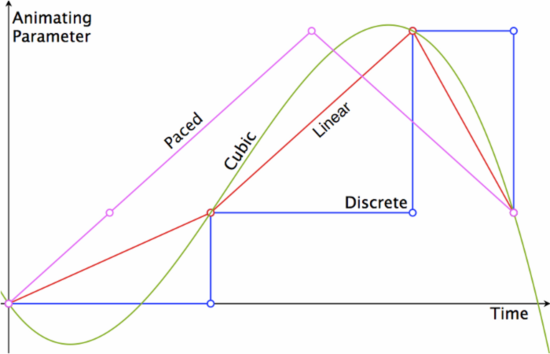
UIViewAnimationOptionLayoutSubviews//進行動畫時布局子控件 UIViewAnimationOptionAllowUserInteraction//進行動畫時允許用戶交互 UIViewAnimationOptionBeginFromCurrentState//從當前狀態開始動畫 UIViewAnimationOptionRepeat//無限重復執行動畫 UIViewAnimationOptionAutoreverse//執行動畫回路 UIViewAnimationOptionOverrideInheritedDuration//忽略嵌套動畫的執行時間設置 UIViewAnimationOptionOverrideInheritedOptions//不繼承父動畫設置 UIViewKeyframeAnimationOptionCalculationModeLinear//運算模式:連續 UIViewKeyframeAnimationOptionCalculationModeDiscrete//運算模式:離散 UIViewKeyframeAnimationOptionCalculationModePaced//運算模式:均勻執行 UIViewKeyframeAnimationOptionCalculationModeCubic//運算模式:平滑 UIViewKeyframeAnimationOptionCalculationModeCubicPaced//運算模式:平滑均勻
各運算模式的視覺差異如下圖:
加入關鍵幀的方法:
[UIViewaddKeyframeWithRelativeStartTime:(double)//動畫開始的時間(占總時間的比例) relativeDuration:(double)//動畫持續時間(占總時間的比例) animations:^{ //執行的動畫 }];6、轉場動畫
6.1 從舊視圖切換到新視圖
[UIViewtransitionFromView:(nonnullUIView*) toView:(nonnullUIView*) duration:(NSTimeInterval) options:(UIViewAnimationOptions) completion:^(BOOLfinished){ //動畫執行完畢後的操作 }];這個動畫執行期間,fromView 會被移出父視圖,toView 則被加入父視圖;要留意的是轉場效果呈現在父視圖上。呼叫它等同於執行下面兩句:
[fromView.superviewaddSubview:toView]; [fromViewremoveFromSuperview];
6.2 單一視圖的過渡效果
[UIViewtransitionWithView:(nonnullUIView*) duration:(NSTimeInterval) options:(UIViewAnimationOptions) animations:^{ //執行的動畫 } completion:^(BOOLfinished){ //動畫執行完畢後的操作 }];實例程式碼
1、普通動畫
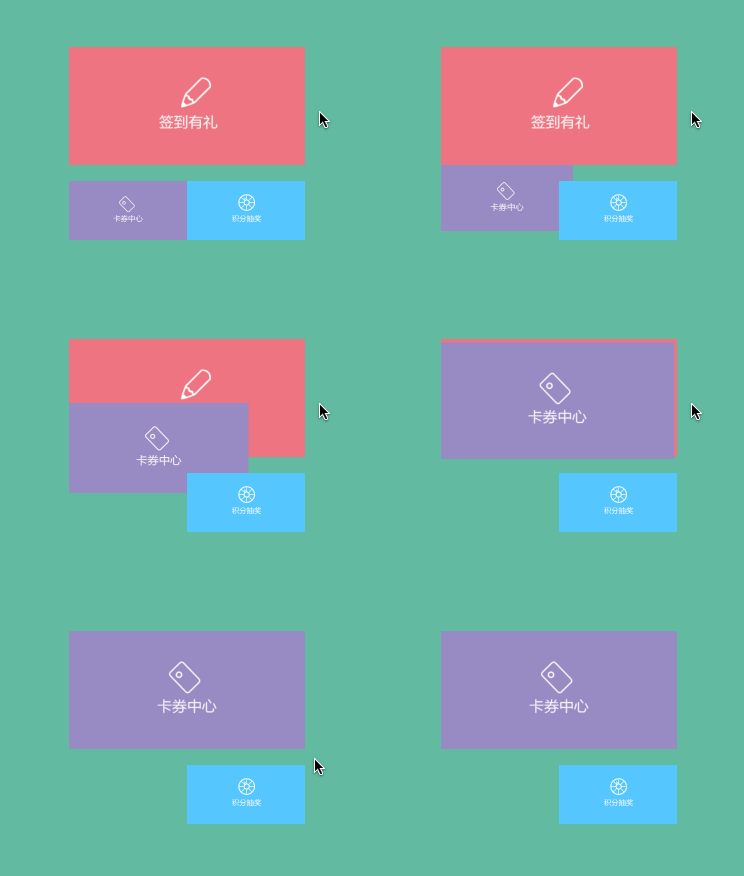
下面三段程式碼實現了同樣的 frame 變化,差別只在延遲時間、過渡效果與完成回調。
-(void)blockAni1{ [UIViewanimateWithDuration:1.0animations:^{ self.cartCenter.frame=self.centerShow.frame; }]; } -(void)blockAni2{ [UIViewanimateWithDuration:1.0animations:^{ self.cartCenter.frame=self.centerShow.frame; }completion:^(BOOLfinished){ NSLog(@"動畫結束"); }]; } -(void)blockAni3{ [UIViewanimateWithDuration:1.0delay:1.0options:UIViewAnimationOptionCurveEaseInOutanimations:^{ self.cartCenter.frame=self.centerShow.frame; }completion:^(BOOLfinished){ NSLog(@"動畫結束"); }]; }效果:
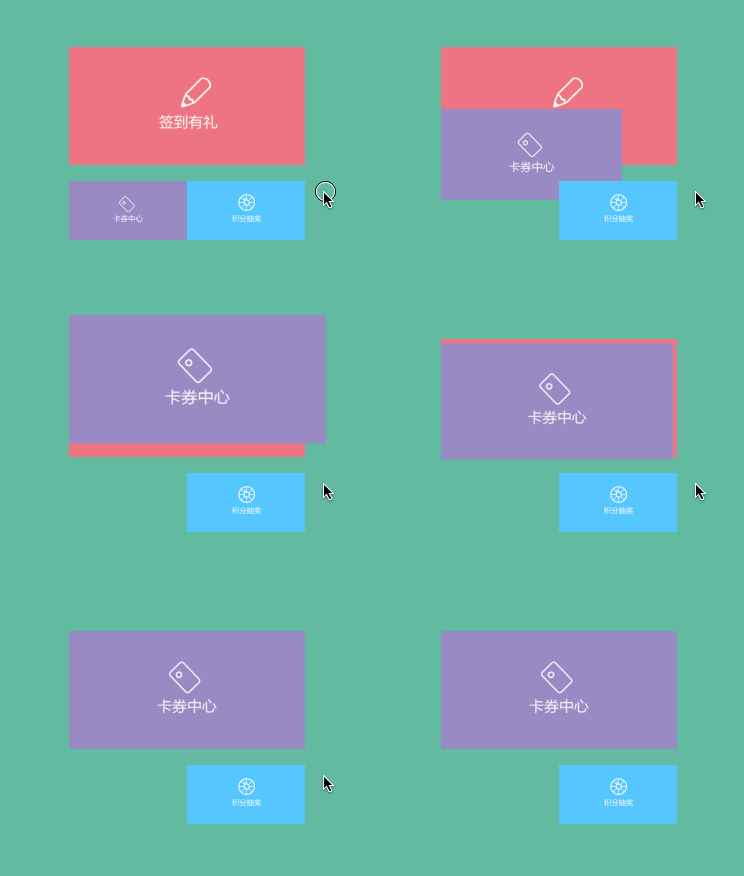
2、Spring 動畫
-(void)blockAni4{ [UIViewanimateWithDuration:1.0delay:0.fusingSpringWithDamping:0.5initialSpringVelocity:5.0options:UIViewAnimationOptionCurveLinearanimations:^{ self.cartCenter.frame=self.centerShow.frame; }completion:^(BOOLfinished){ NSLog(@"動畫結束"); }]; }效果:
3、Keyframes 動畫
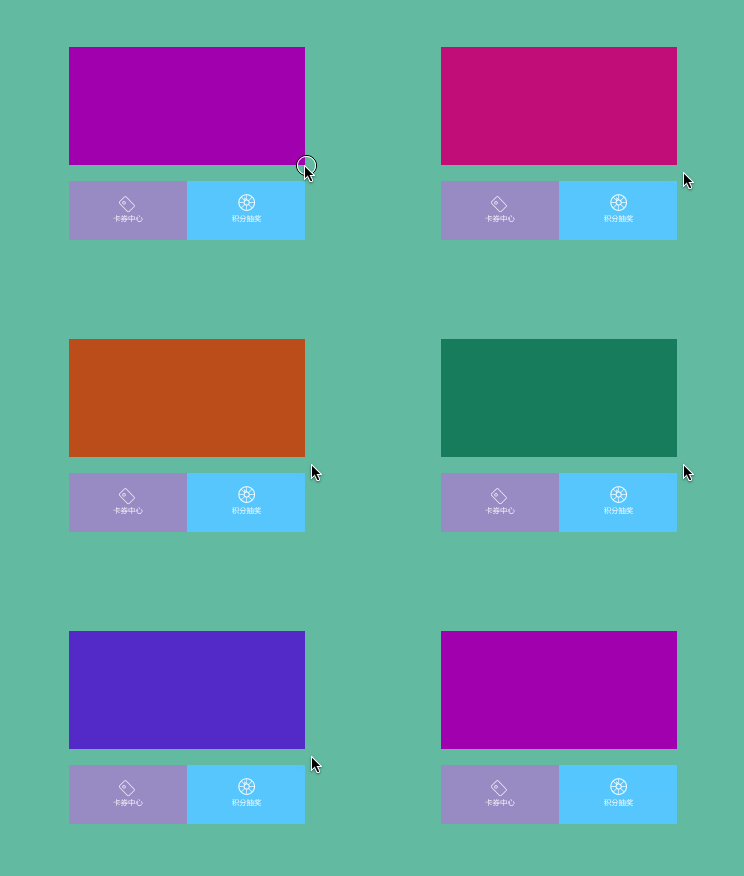
這裡用視圖背景色依序變化(紅—綠—藍—紫)來示範。
-(void)blockAni5{ self.centerShow.image=nil; [UIViewanimateKeyframesWithDuration:9.0delay:0.foptions:UIViewKeyframeAnimationOptionCalculationModeLinearanimations:^{ [UIViewaddKeyframeWithRelativeStartTime:0.frelativeDuration:1.0/4animations:^{ self.centerShow.backgroundColor=[UIColorcolorWithRed:0.9475green:0.1921blue:0.1746alpha:1.0]; }]; [UIViewaddKeyframeWithRelativeStartTime:1.0/4relativeDuration:1.0/4animations:^{ self.centerShow.backgroundColor=[UIColorcolorWithRed:0.1064green:0.6052blue:0.0334alpha:1.0]; }]; [UIViewaddKeyframeWithRelativeStartTime:2.0/4relativeDuration:1.0/4animations:^{ self.centerShow.backgroundColor=[UIColorcolorWithRed:0.1366green:0.3017blue:0.8411alpha:1.0]; }]; [UIViewaddKeyframeWithRelativeStartTime:3.0/4relativeDuration:1.0/4animations:^{ self.centerShow.backgroundColor=[UIColorcolorWithRed:0.619green:0.037blue:0.6719alpha:1.0]; }]; }completion:^(BOOLfinished){ NSLog(@"動畫結束"); }]; }效果:
4、轉場動畫
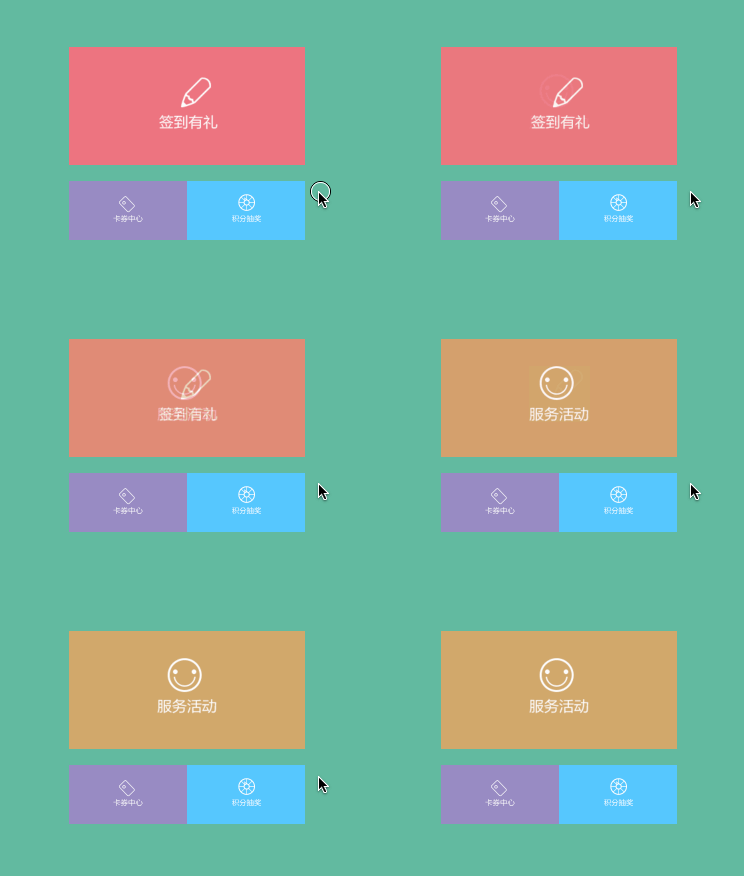
4.1 單一視圖的過渡效果
-(void)blockAni6{ [UIViewtransitionWithView:self.centerShowduration:1.0options:UIViewAnimationOptionTransitionCrossDissolveanimations:^{ self.centerShow.image=[UIImageimageNamed:@"Service"]; }completion:^(BOOLfinished){ NSLog(@"動畫結束"); }]; }效果:
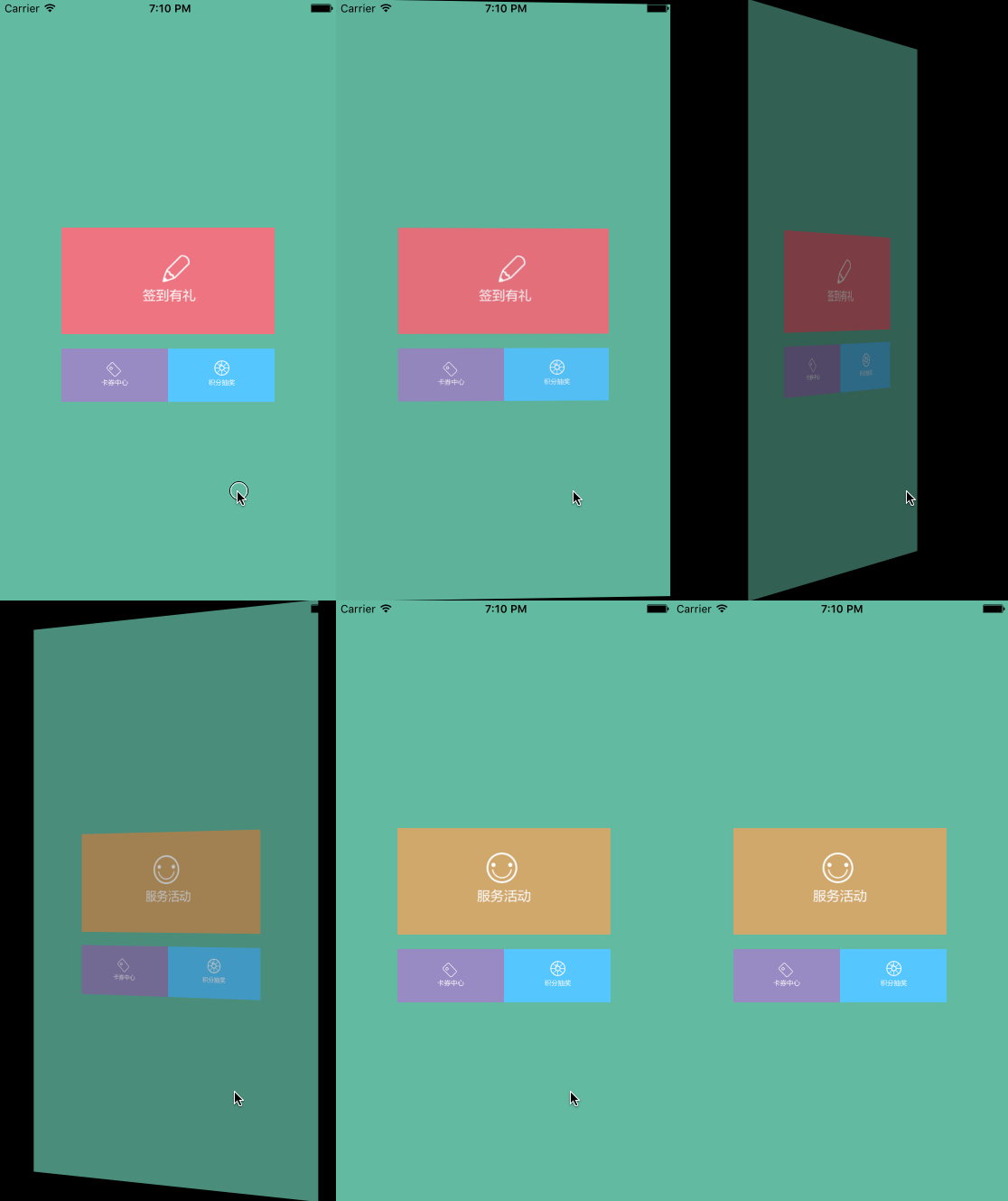
4.2 從舊視圖切換到新視圖
-(void)blockAni7{ UIImageView*newCenterShow=[[UIImageViewalloc]initWithFrame:self.centerShow.frame]; newCenterShow.image=[UIImageimageNamed:@"Service"]; [UIViewtransitionFromView:self.centerShowtoView:newCenterShowduration:1.0options:UIViewAnimationOptionTransitionFlipFromLeftcompletion:^(BOOLfinished){ NSLog(@"動畫結束"); }]; }效果:
原文作者:明仔 Su(簡書作者),原文鏈接:https://www.jianshu.com/p/5abc038e4d94
- 上一篇文章: iOS 開發實戰:用 CoreText 打造超鏈接富文本
- 下一篇文章: GCD 實戰手冊:從後台隊列到信號量的最佳實踐