
讀懂 MJRefresh 源碼:上拉下拉刷新的狀態機與臨界值計算
想真正掌握下拉刷新,最好的方式是把 MJRefresh 的狀態流轉和臨界值計算自己推一遍。這篇文章就是一次完整的源碼拆解。
三個狀態
Idle:閒置狀態
Pulling:鬆手即可開始刷新
Refreshing:正在刷新
初始狀態下,header 和 footer 都是 Idle。
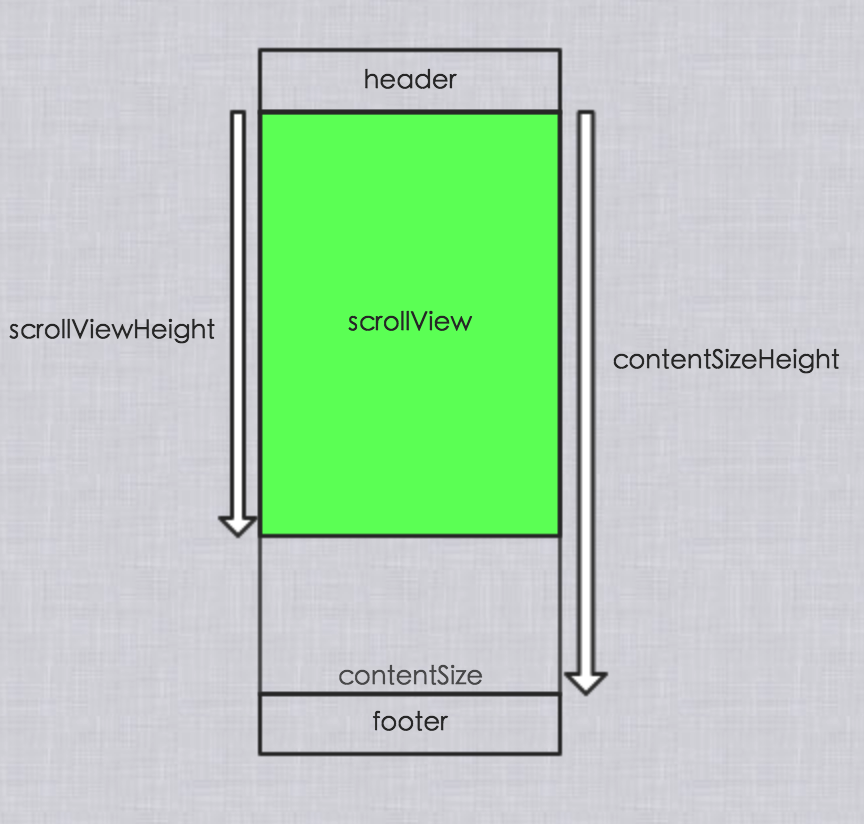
header 的狀態變化
拖拽下拉時,header 開始出現在屏幕上。
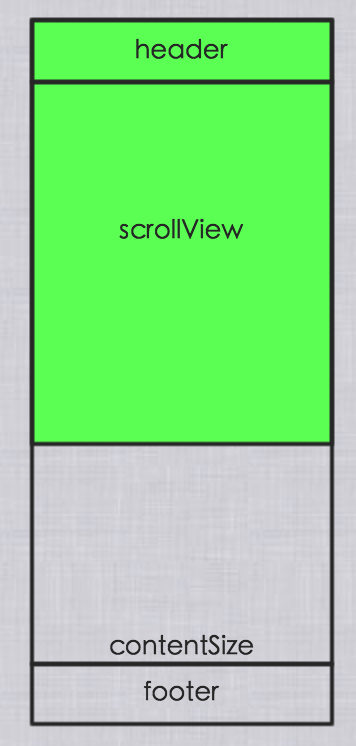
狀態流轉規則是:
header 從「開始出現」到「完全出現」:Idle → Pulling
header 從「完全出現」回到「部分出現」:Pulling → Idle
拖曳結束(松手)時:
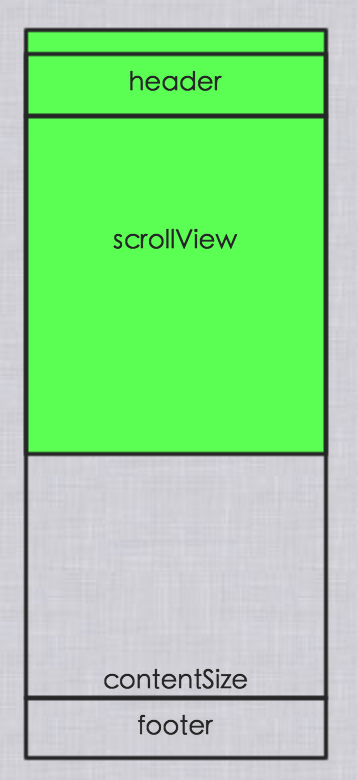
此時若處於 Pulling 狀態,狀態由 Pulling → Refreshing;若是在 Idle 狀態下松手,狀態不變。
footer 的狀態變化
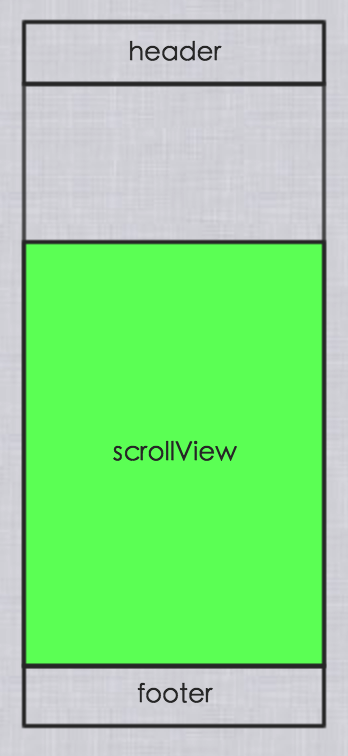
footer 即將出現時,狀態為 Idle。
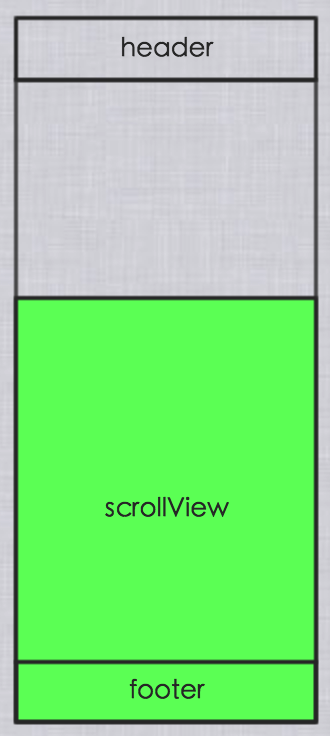
footer 從「開始出現」到「完全出現」:Idle → Pulling;從「完全出現」回到「部分出現」:Pulling → Idle。松手時若處於 Pulling,則 Pulling → Refreshing,否則保持不變。
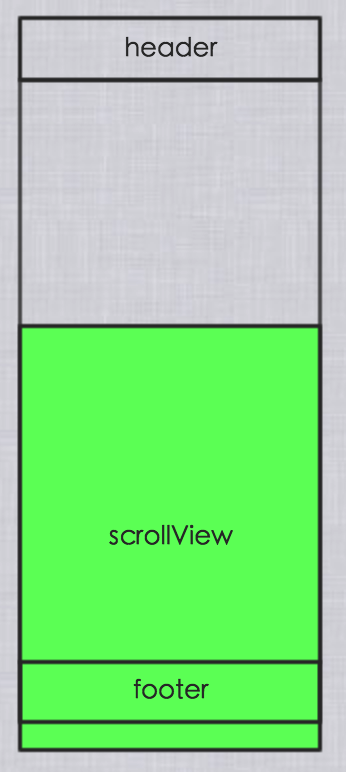
header 與 footer 的初始位置
header 是 scrollView 的 subView,它的 frame.y 為 -header.frame.height。
footer 也是 scrollView 的 subView,frame.y 分兩種情況:
當 contentSize.height > scrollView.frame.height 時,footer.frame.y 為 contentSize.height
當 contentSize.height < scrollView.frame.height 時,footer.frame.y 為 scrollView.frame.height
也就是說,footer 一定待在 scrollView 內容的下方。
不過上面是最理想的情況,現實往往更複雜:
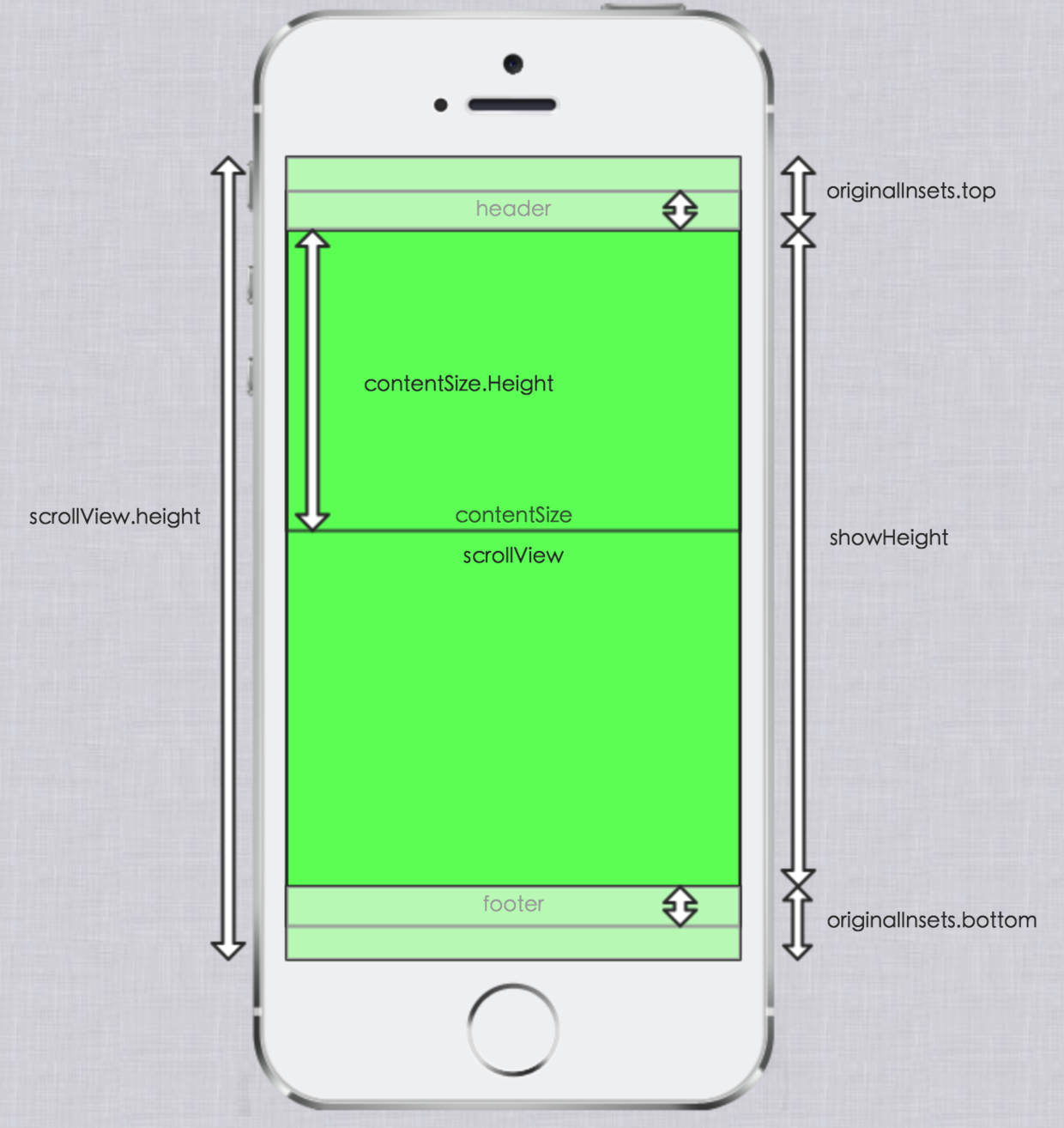
設想一個 tableViewController 嵌在 navigationController 裡,navigationController 又嵌在 tabbarController 裡。此時 tableView 的 contentInset 為 (64, 0, 49, 0),contentOffset 為 (0, -64)。64 是狀態欄加導航欄的高度,49 是 tabbar 的高度,這些都是系統默認塞給你的值。
所以添加 footer 時必須把 originalInsets 考慮進來,把
當 contentSize.height < scrollView.frame.height 時,footer.frame.y 為 scrollView.frame.height
改成:
當 contentSize.height < scrollView.frame.height 時,footer.frame.y 為 scrollView.frame.height - originalInsets.top - originalInsets.bottom
後面所有臨界值的推導,都要把 originalInsets 算進去。
臨界值確定
初始位置定好之後,就要確定狀態切換的臨界線。MJRefresh 通過 KVO 監聽 scrollView 的 contentOffset 變化來判斷。
header 的臨界值:
contentOffset.y < -originalInsets.top 時,才開始顯示 header
contentOffset.y <= -originalInsets.top - header.frame.size.height 時,header 才完全顯示
footer 的臨界值,當 contentSize.height 大於 showHeight 時:
contentOffset.y > scrollView.frame.size.height - showHeight - originalInsets.top 時才開始顯示 footer
contentOffset.y > scrollView.frame.size.height - showHeight - originalInsets.top + footer.frame.size.height 時才完全顯示
當 contentSize.height 小於 showHeight 時:
contentOffset.y > -originalInsets.top 時就開始顯示 footer
contentOffset.y > -originalInsets.top + footer.frame.size.height 時才完全顯示
懸浮狀態的實現
header 懸浮:
scrollView.contentInsets.top = header.frame.size.height + originalInsets.top
scrollView.contentOffset.y = -(scrollView.contentInsets.top)
header 隱藏:
scrollView.contentInset.top = originalInsets.top
scrollView.contentOffset.y = -(scrollView.contentInsets.top)
footer 懸浮,當 contentSize.height 大於 showHeight 時:
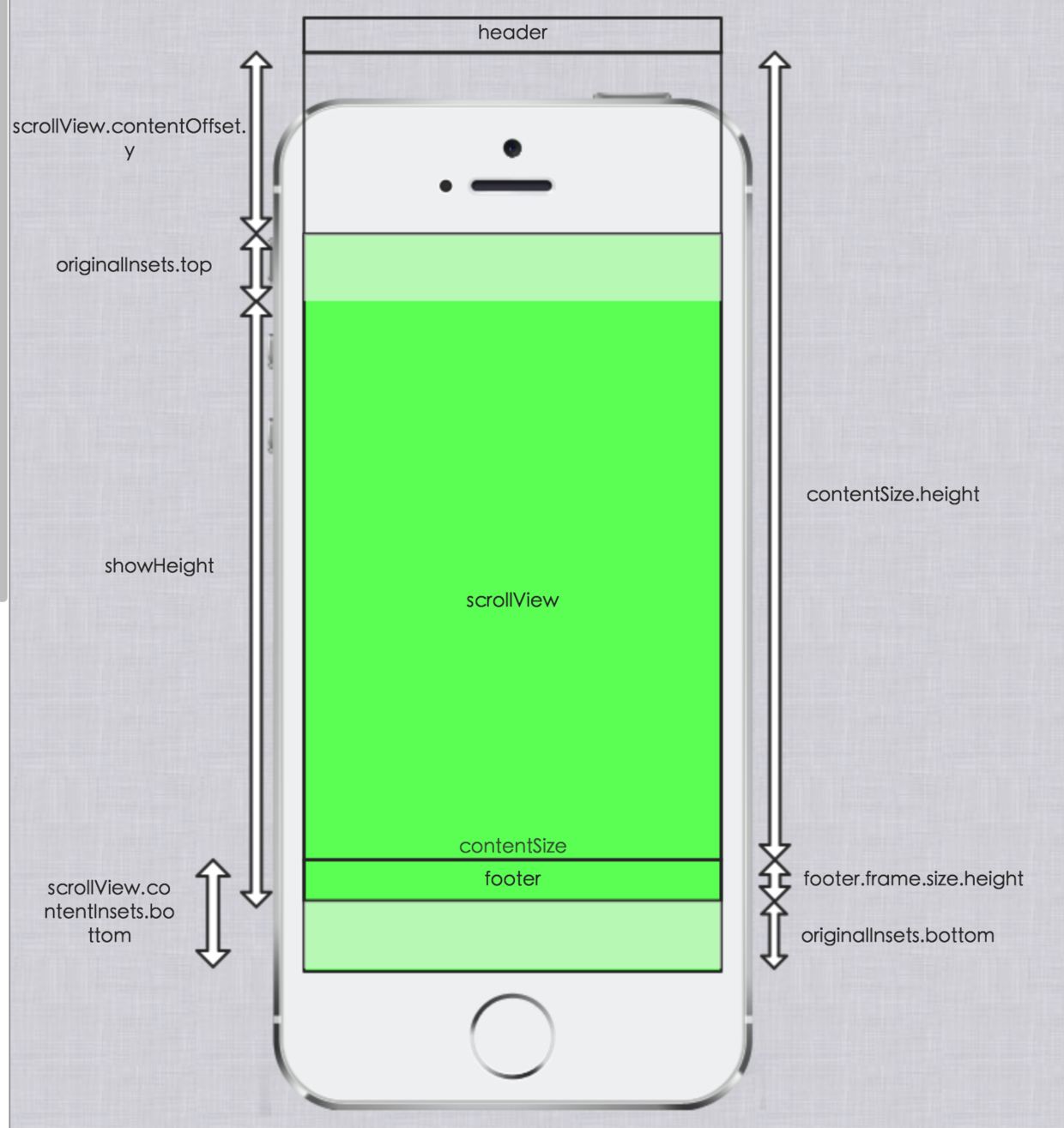
scrollView.contentInsets.bottom = footer.frame.size.height + originalInsets.bottom
scrollView.contentOffset.y = contentSize.height - showHeight - originalInsets.top + footer.frame.size.height
當 contentSize.height 小於 showHeight 時:
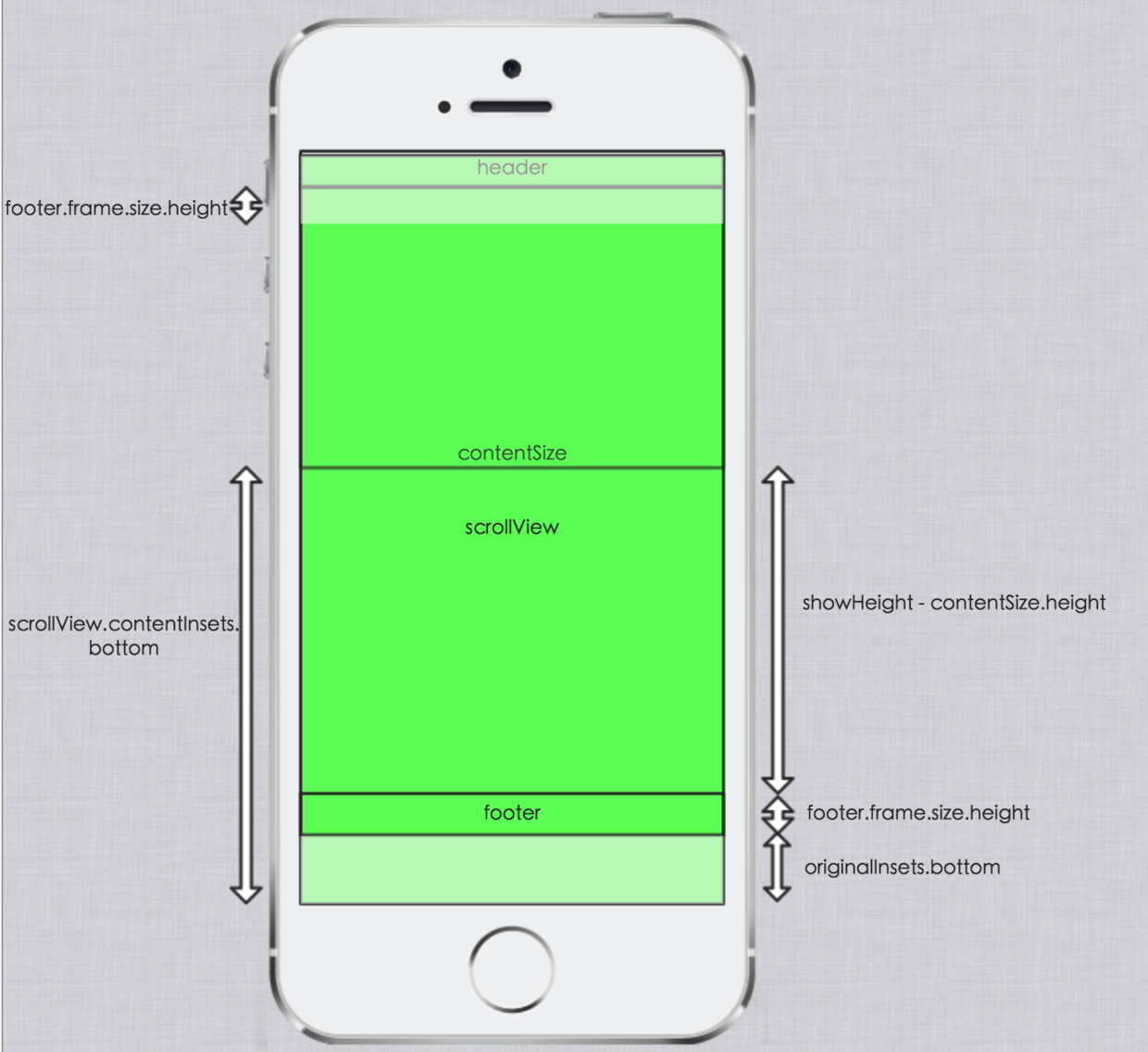
scrollView.contentInsets.bottom = bottom + showHeight - contentSize.height可以理解成初始的 contentOffset.y 為 -originalInsets.top,然後向上移動了 footer.frame.size.height:
scrollView.contentOffset.y = -originalInsets.top + footer.frame.size.heightfooter 隱藏:
scrollView.contentInsets.bottom = originalInsets.bottom當 contentSize.height > showHeight 時:
scrollView.contentOffset.y = contentSize.height - showHeight - originalInsets.top當 contentSize.height < showHeight 時:
scrollView.contentOffset.y = -originalInsets.topUIScrollView 關鍵屬性梳理
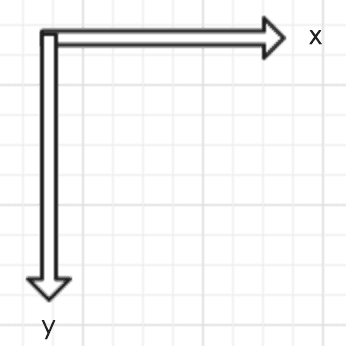
先記住坐標系的正方向:
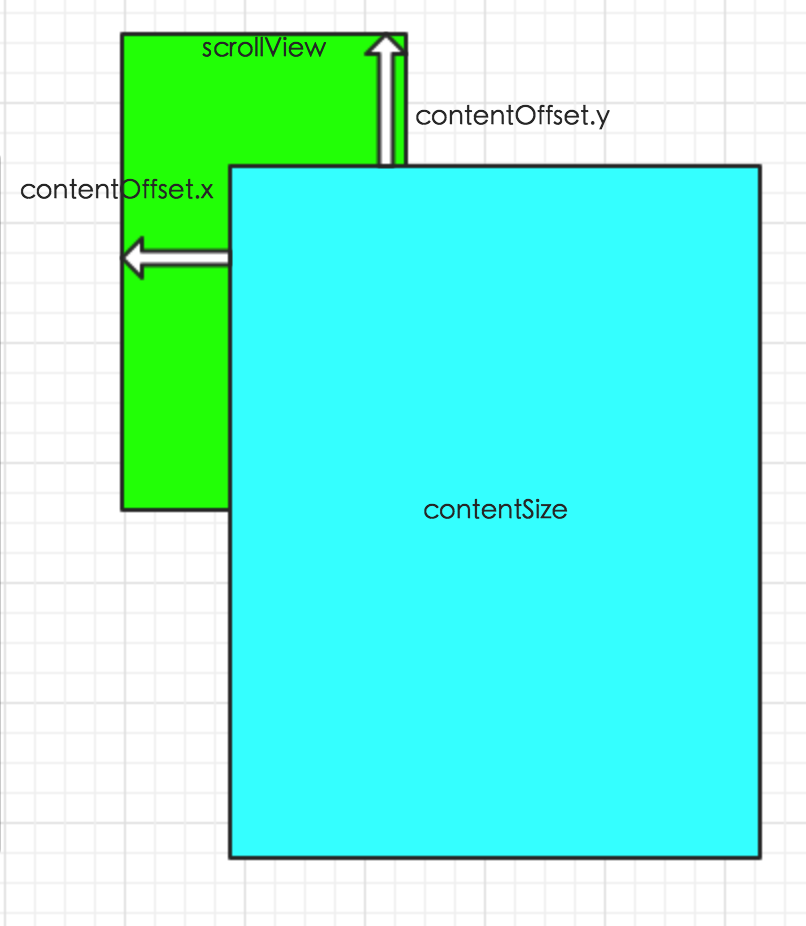
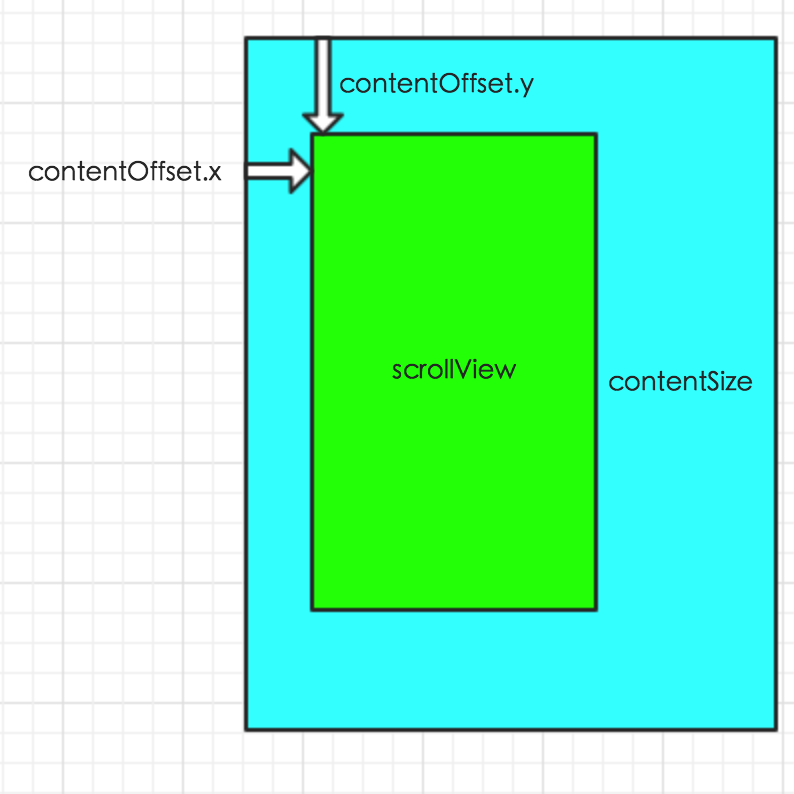
contentOffset 的含義:
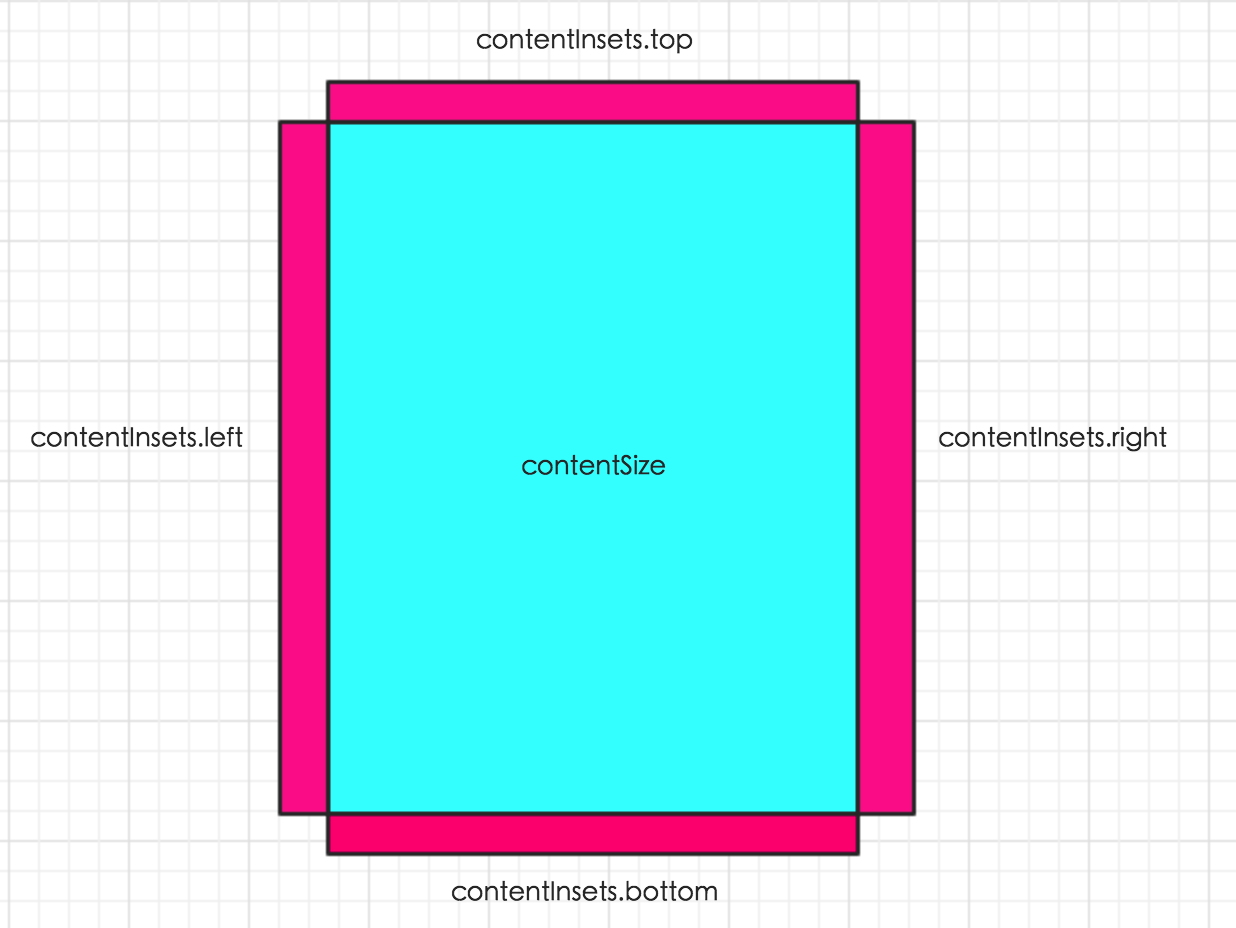
contentInsets 並不影響 contentSize:
但 contentInsets 會影響 contentOffset:
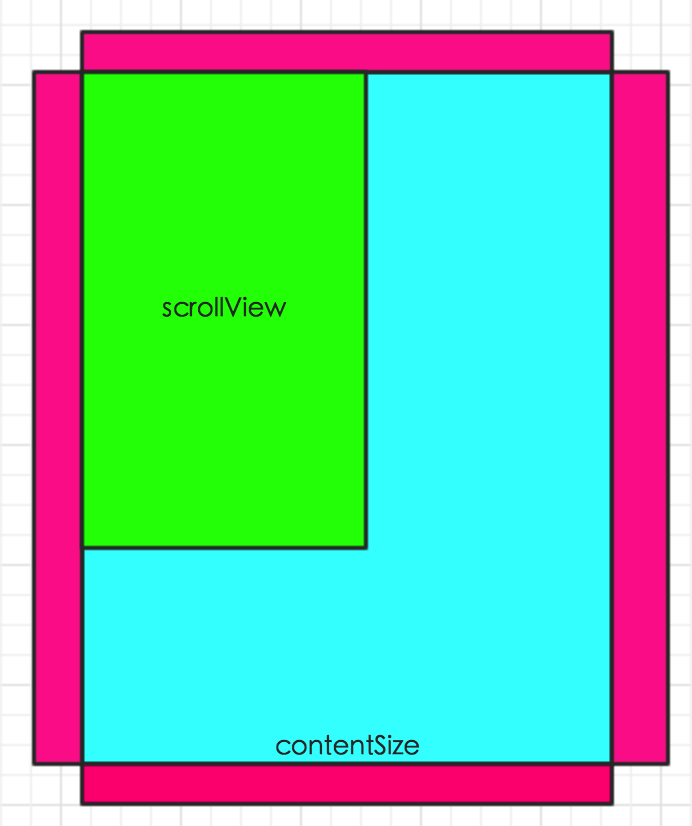
上圖的 contentOffset 為:
(0, 0)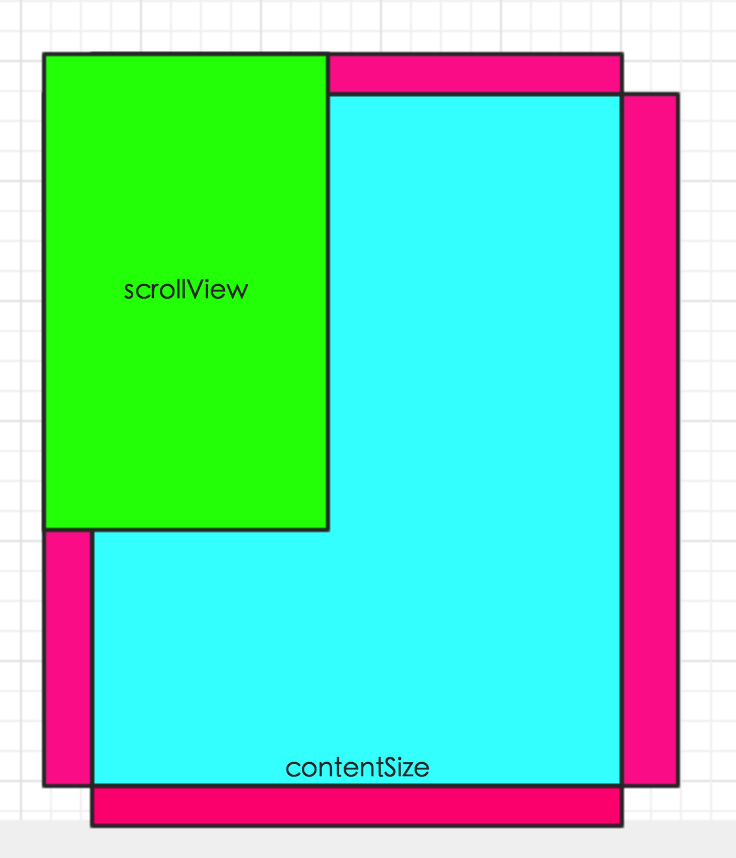
上圖的 contentOffset 為:
(-contentInsets.left, -contentInsets.top)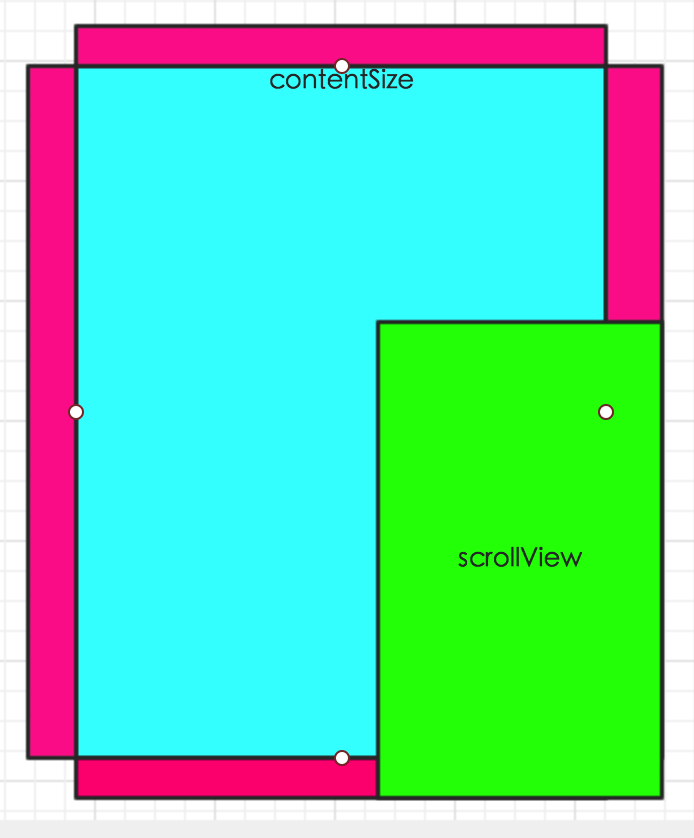
上圖的 contentOffset 為:
(contentSize.width - scrollView.frame.size.width + contentInsets.right,
 contentSize.height - scrollView.frame.size.height + contentInsets.bottom)
說白了,contentInsets 就是給 scrollView 提供了更多可停留的空間。切記要把彈簧效果打開,否則當 contentSize 小於 scrollView.frame 時,scrollView 根本拖不動。
scrollView.alwaysBounceVertical = YES;
self.scrollView.alwaysBounceHorizontal = YES;
沒有設置 contentInsets 時,scrollView 的停留範圍是:
contentOffset.x: 0 -> max(contentSize.width - scrollView.frame.width, 0)
contentOffset.y: 0 -> max(contentSize.height - scrollView.frame.height, 0)
有 contentInsets 時,停留範圍變為:
contentOffset.x: -contentInsets.left -> max(contentSize.width - scrollView.frame.size.width) + contentInsets.right
contentOffset.y: -contentInsets.top -> max(contentSize.height - scrollView.frame.size.height) + contentInsets.bottom
文末附上完整 Demo 地址,建議對照著源碼再推一遍這些公式,理解會牢固很多。
- 上一篇文章: Appium 自動化測試入門:從環境搭建到跑通第一條用例
- 下一篇文章: 用 Python 揪出 iOS 項目裡從未被使用的圖片資源