UITableView實現格瓦拉飛天投票模塊
編輯:IOS開發基礎
格瓦拉目前來說動畫效果確實做的還比較好,雖然不是說很炫但做到精致,這次就模仿了它投票的模塊。其實想到要實現它還是有很多方法,不過這次我還是采用了蘋果自帶控件UITableView簡簡單單來實現它,再次認識它的強大一面。
Github地址:https://github.com/ZFbaby/ZFVoteViewDemo(歡迎star~謝謝)
接著先上效果:
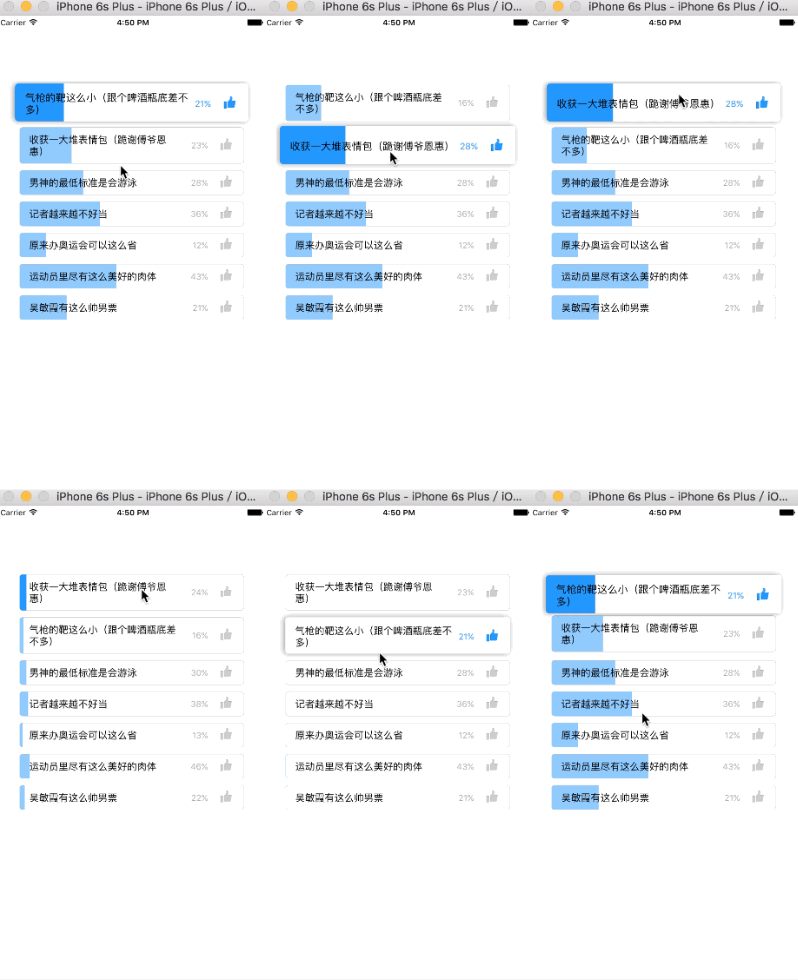
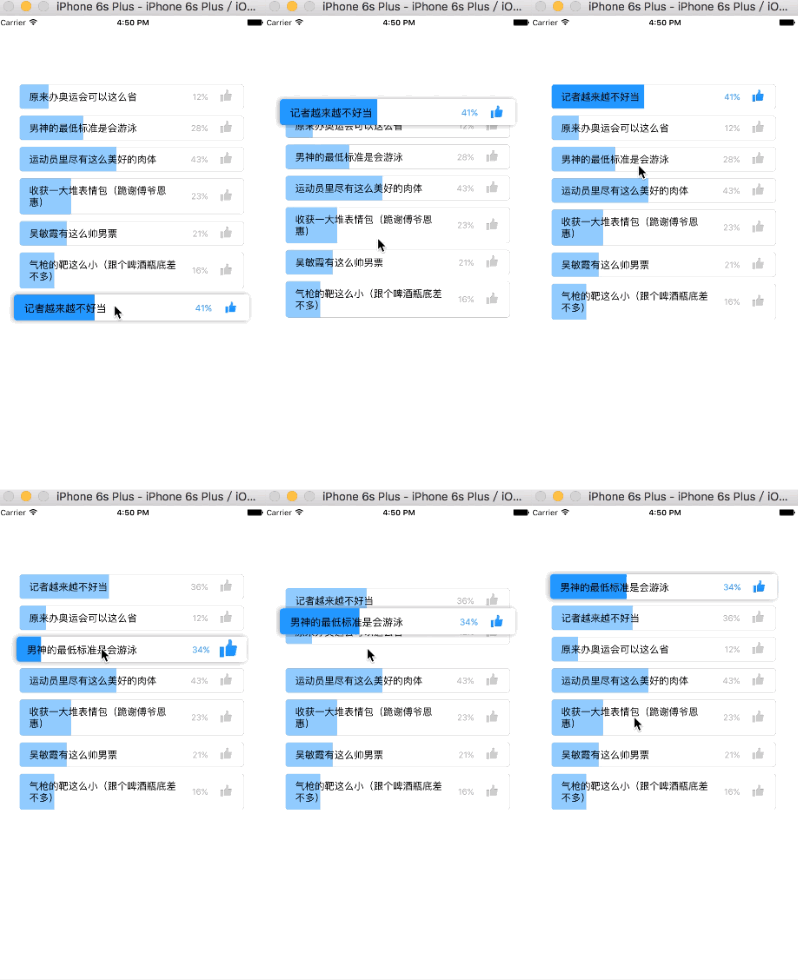
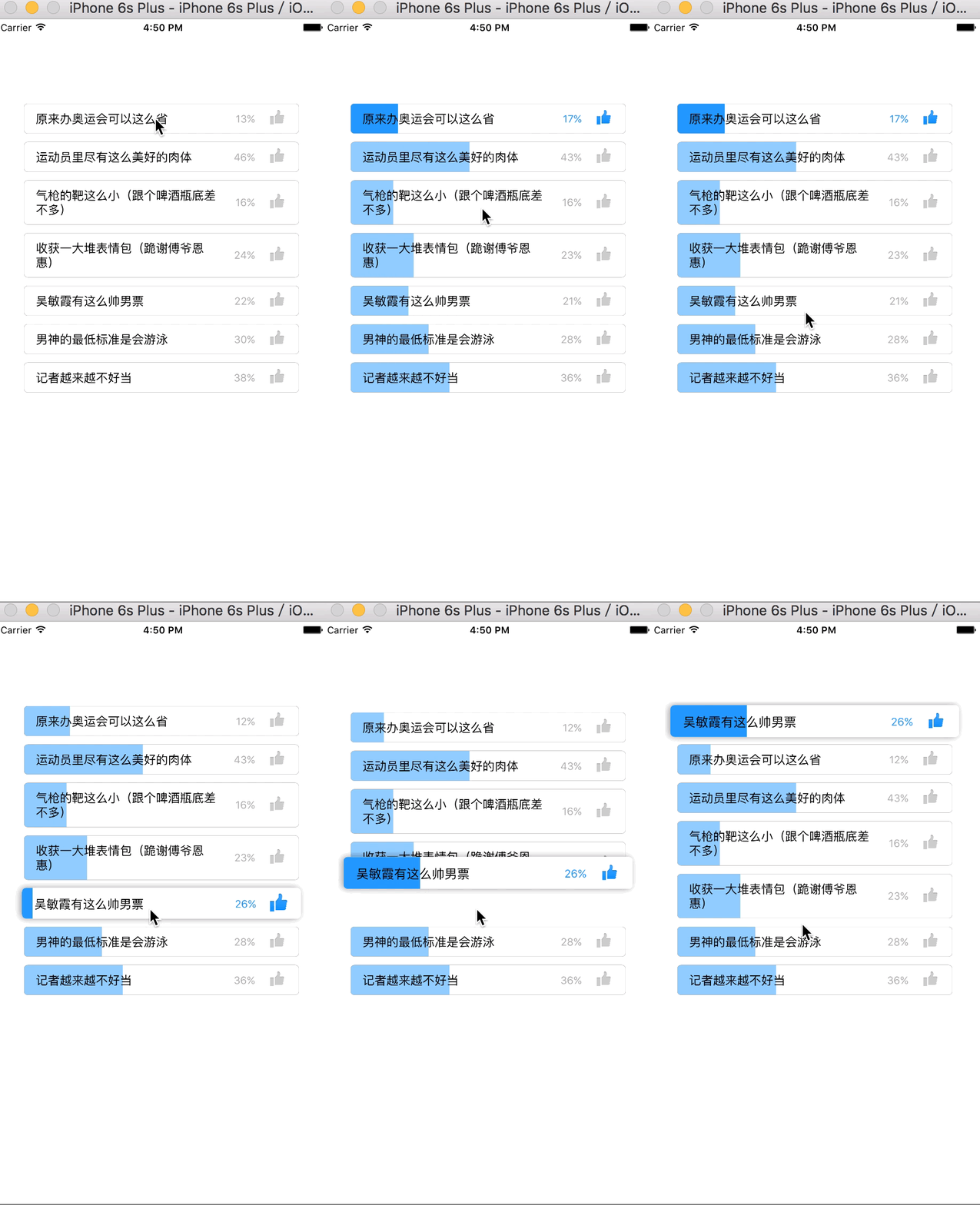
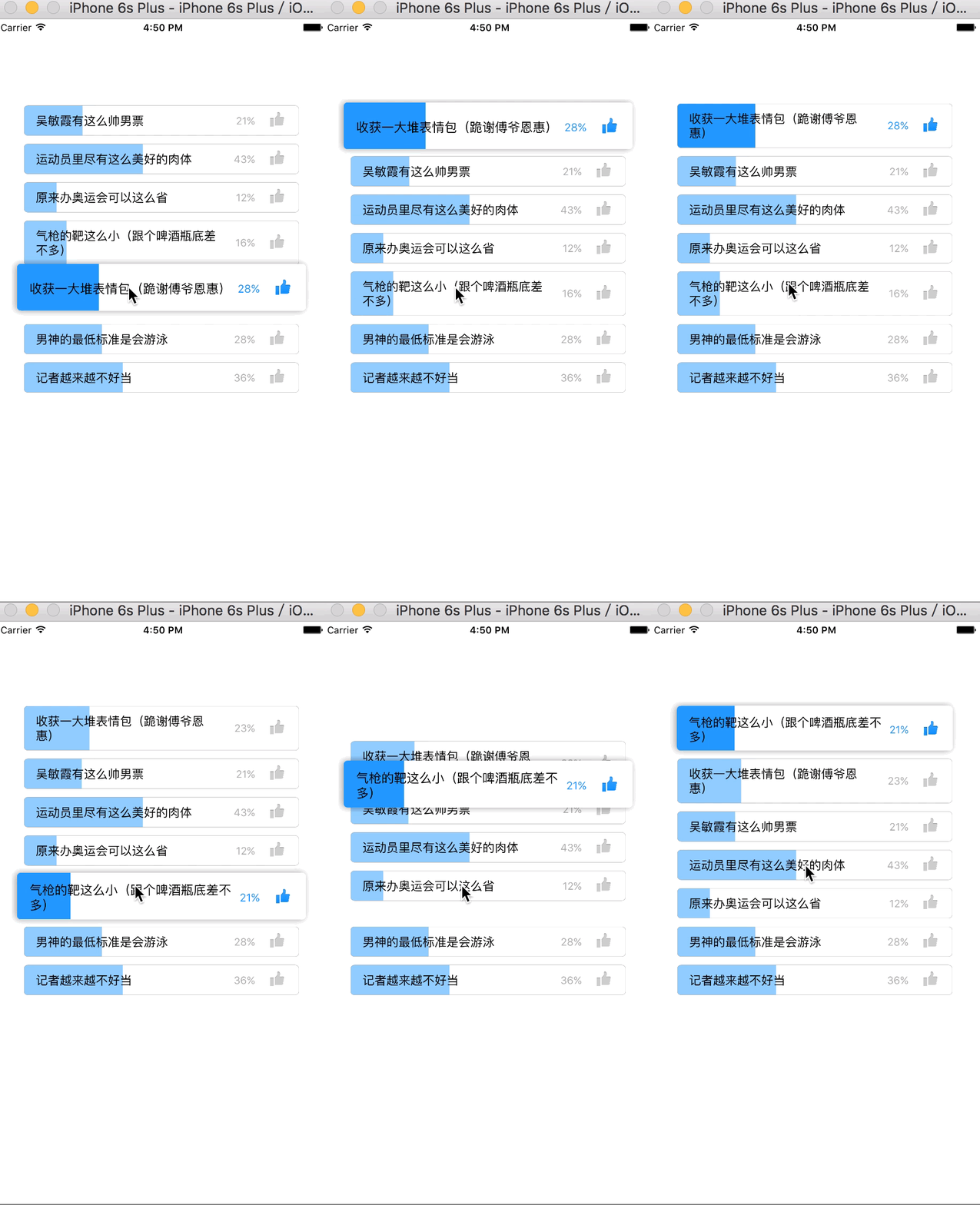
實現步驟:
* 數據回來的時候就要根據數據算出每一行的高度並且算出總高,總高就是tableview的高度
-(void)setTitle:(NSString *)title
{
    //根據數據算出每行cell的實際高度
    _title = title;
    CGFloat title_H = [title boundingRectWithSize:CGSizeMake(ZFVoteTableViewMax_W - percentLable_W - thumbUpView_WH - 85, 100)
    options:NSStringDrawingUsesFontLeading|NSStringDrawingUsesLineFragmentOrigin
    attributes:@{NSFontAttributeName:[UIFont systemFontOfSize:15.0]}
    context:nil].size.height;
    self.voteCell_H = title_H + 30;
}
* 設置cell的內邊距離及x值,利用setFrame:方法改變原來父類算好的frame實現cell有內邊距離,達到實現相鄰兩條cell不連接在一起的效果
-(void)setFrame:(CGRect)frame{
    if (frame.size.width == ZFVoteTableViewMax_W) {//初始化就設置cell的內邊距
        frame = UIEdgeInsetsInsetRect(frame,
        UIEdgeInsetsMake(ZFVoteCellTopBottomInset,
        ZFVoteCellLeftRightInset,
        ZFVoteCellTopBottomInset,
        ZFVoteCellLeftRightInset));
    }else{//重復利用的時候改變它的x值
        frame.origin.x += ZFVoteCellLeftRightInset;
    }
    [super setFrame:frame];
}
* 創建投票主控件並添加到cell上,投票主控件就是所有要展示動畫效果的控件集合,有cell了為什麼還需要它,其實說白了它就是打醬油的,只是為了呈現動畫的一種載體,在看下面一條就了解了
-(void)initSubviews{
    ZFPercentBar *bar = [[ZFPercentBar alloc]initWithFrame:self.bounds];
    self.bar = bar;
    [self addSubview:bar];
    UIImageView *thumbUpView = [[UIImageView alloc]init];
    self.thumbUpView = thumbUpView;
    [self addSubview:thumbUpView];
    UILabel *percentLable = [UILabel labelWithFont:[UIFont systemFontOfSize:13.0]
    textColor:[UIColor lightGrayColor]
    textAlignment:NSTextAlignmentRight
    numberOfLines:1];
    self.percentLable = percentLable;
    [self addSubview:percentLable];
    UILabel *voteLabel = [UILabel labelWithFont:[UIFont systemFontOfSize:15.0]
    textColor:[UIColor blackColor]
    textAlignment:NSTextAlignmentLeft
    numberOfLines:0];
    self.voteLabel = voteLabel;
    [self addSubview:voteLabel];
}
* 每次點擊選擇一個cell的時候創建個投票主控件,然後隱藏被選擇的cell,改變主控件的形變添加陰影效果使它看起來有浮動效果,改變主控件坐標到當前tableView的第一行cell的位置,在利用tableview本身自帶的功能交換行實現的方法就完成了cell之間的交換效果
ZFVoteView *voteView = [[ZFVoteView alloc]initWithFrame:selectedCell.frame
voteView:voteModel];
voteView.layer.masksToBounds = NO;
[self.tableView addSubview:voteView];
self.tableView.userInteractionEnabled = NO;
[UIView animateWithDuration:0.4
animations:^{
    voteView.transform = CGAffineTransformMakeScale(1.05, 1.05);
}
completion:^(BOOL finished)
{
        [UIView animateWithDuration:0.7
        animations:^{
            [self.list removeObject:voteModel];
            [self.list insertObject:voteModel atIndex:0];
            [self.tableView moveRowAtIndexPath:indexPath
            toIndexPath:[NSIndexPath indexPathForRow:0 inSection:0]];
            voteView.centerY = selectedCell.centerY;
            voteView.centerX = selectedCell.centerX;
        }completion:^(BOOL finished) {
            [UIView animateWithDuration:0.4
        animations:^{
            voteView.transform = CGAffineTransformIdentity;
        }completion:^(BOOL finished) {
            [voteView removeFromSuperview];
            self.tableView.userInteractionEnabled = YES;
        }];
    }];
}];
說到這核心的東西也是差不多了,當然很有很多細節在裡邊,也還有很多需要完善的地方。
以上只是個人的對該模塊按自己的想法和思路實現,最後還要感謝GraphKit作者,demo中部分繪圖動畫功能引用至它的方法及進行了小部分修改,
Github地址:https://github.com/ZFbaby/ZFVoteViewDemo
覺得好麻煩給個星star謝謝~


相關文章
+- iOS開源一個簡略的訂餐app UI框架
- 在uiview 的tableView中點擊cell進入跳轉到另外一個界面的完成辦法
- iOS開辟之UIScrollView控件詳解
- 進修iOS自界說導航掌握器UINavigationController
- iOS仿熱點話題熱門輪播界面tableView
- IOS中UITableView轉動到指定地位
- iOS為UIView設置暗影後果
- iOS設置UIButton文字顯示地位和字體年夜小、色彩的辦法
- iOS開辟之UIPickerView完成城市選擇器的步調詳解
- iOS長按UIlabel完成可復制功效
- iOS開辟中UIWebView的加載當地數據的三種方法
- iOS中修正UITextField占位符字體色彩的辦法總結
- IOS 仿時間網選票UI實例代碼
- iOS推送之當地告訴UILocalNotification
- 應用UITextField限制只可輸出中,英文,數字的辦法