iOS簡單易用的標簽列表界面
編輯:IOS開發基礎
前言
很多應用都有標簽列表界面,這次封裝了一個,標簽列表界面(YZTagListView),用法比較簡單。如果喜歡我的文章,可以關注我微博:吖了個峥,也可以來小碼哥,了解下我們的iOS培訓課程。後續還會更新更多內容,有任何問題,歡迎簡書留言峥吖。。。
Demo效果:
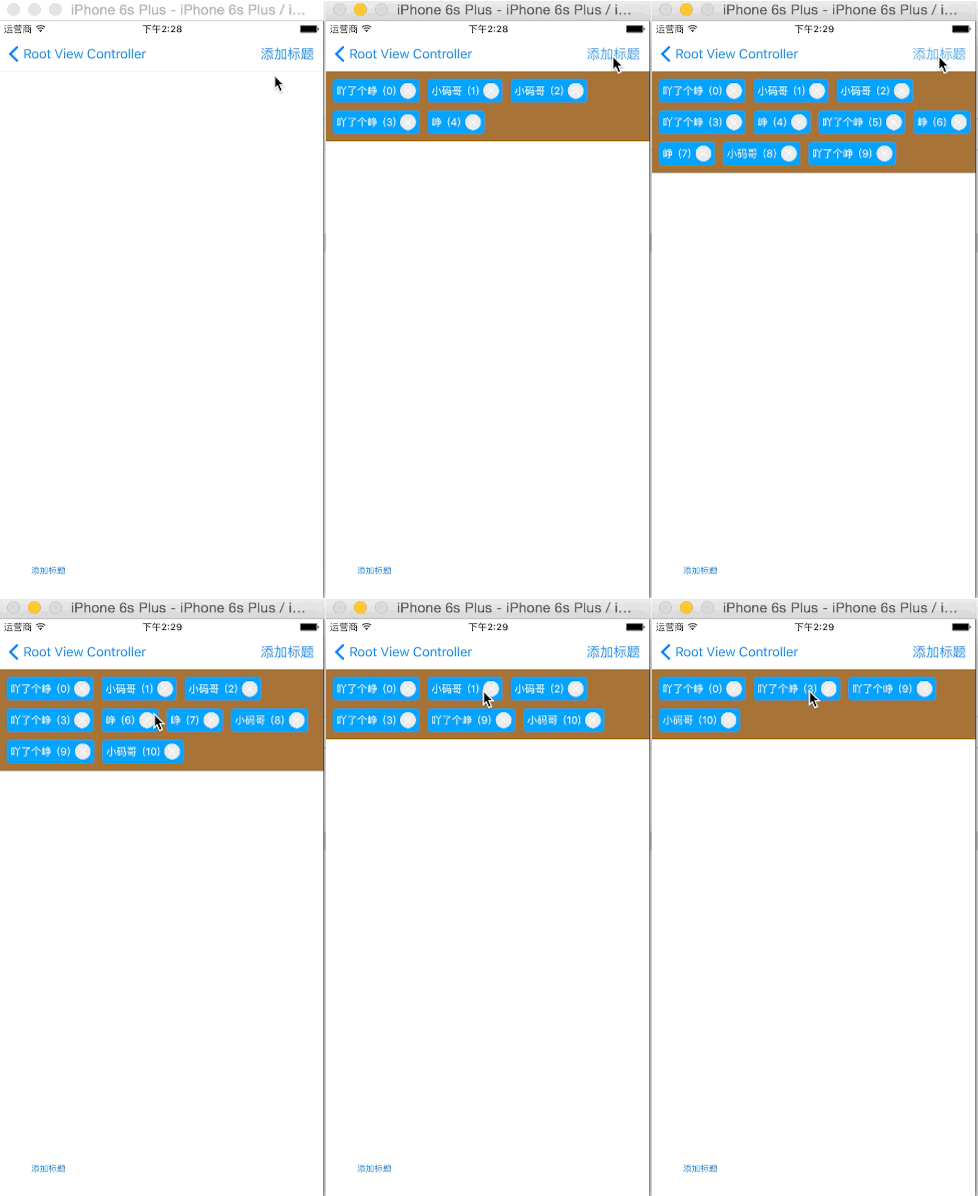
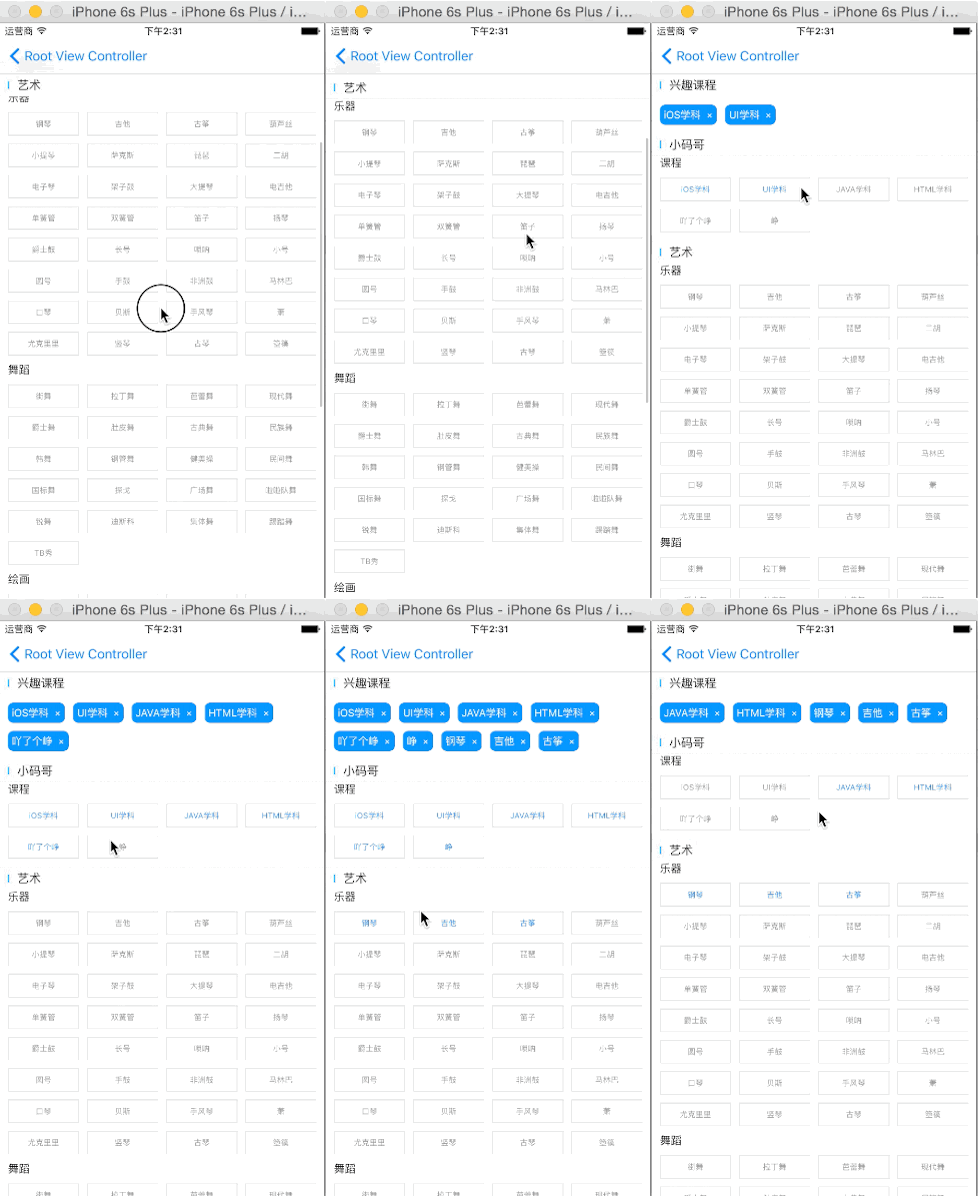
Demo演示:
1.使用
cocoapods引入YZTagListView,或者直接拖入YZTagListView文件夾到項目中2.導入YZTagListView.h頭文件
#import "YZTagList.h"
3.創建YZTagListView控件
  YZTagList *tagList = [[YZTagList alloc] init];
  tagList.backgroundColor = [UIColor brownColor];
  _tagList = tagList;
4.設置YZTagListView屬性(可選)
  // 高度可以設置為0,會自動跟隨標題計算
  tagList.frame = CGRectMake(0, 64, self.view.bounds.size.width, 0);  // 設置標簽背景色
  tagList.tagBackgroundColor = [UIColor colorWithRed:20 / 255.0 green:160 / 255.0 blue:250 / 255.0 alpha:1];  // 設置標簽顏色
  tagList.tagColor = [UIColor whiteColor];  // 設置標簽刪除圖片
  tagList.tagDeleteimage = [UIImage imageNamed:@"chose_tag_close_icon"];
5.添加標簽
/**
 *  添加標簽
 *
 *  @param tagStr 標簽文字
 */- (void)addTag:(NSString *)tagStr;
6.添加多個標簽
/**
 *  添加多個標簽
 *
 *  @param tagStrs 標簽數組,數組存放(NSString *)
 */- (void)addTags:(NSArray *)tagStrs;
7.刪除標簽
/**
 *  刪除標簽
 *
 *  @param tagStr 標簽文字
 */- (void)deleteTag:(NSString *)tagStr;
8.監聽標簽點擊
/**
 *  點擊標簽,執行Block
 */@property (nonatomic, strong) void(^clickTagBlock)(NSString *tag);

列如:點擊標簽,刪除標簽  // 點擊標簽,就會調用
    __weak typeof(_tagList) weakTagList = _tagList;
    _tagList.clickTagBlock = ^(NSString *tag){
        [weakTagList deleteTag:tag];
    };
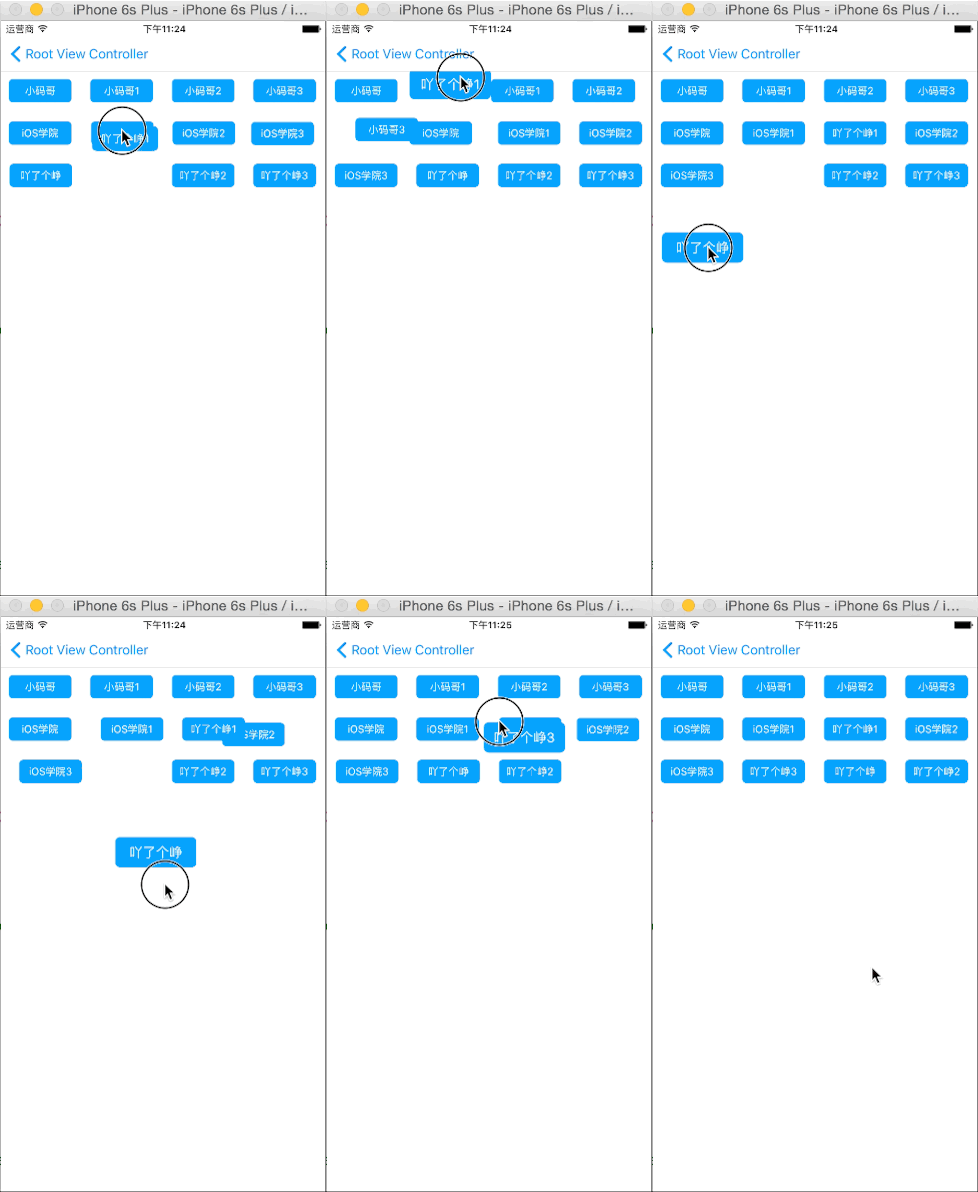
9.排序功能
屬性:/**
 *  是否需要排序功能
 */@property (nonatomic, assign) BOOL isSort;/**
 *  在排序的時候,放大標簽的比例,必須大於1
 */@property (nonatomic, assign) CGFloat scaleTagInSort;
實例:
- (void)viewDidLoad {
    [super viewDidLoad];    // Do any additional setup after loading the view.

    NSArray *tags = @[@"小碼哥",@"小碼哥1",@"小碼哥2",@"小碼哥3",@"iOS學院",@"iOS學院1",@"iOS學院2",@"iOS學院3",@"吖了個峥",@"吖了個峥1",@"吖了個峥2",@"吖了個峥3"];    // 創建標簽列表
    YZTagList *tagList = [[YZTagList alloc] init];    // 高度可以設置為0,會自動跟隨標題計算
    tagList.frame = CGRectMake(0, 64, self.view.bounds.size.width, self.view.bounds.size.height - 64);    // 設置排序時,縮放比例
    tagList.scaleTagInSort = 1.3;    // 需要排序
    tagList.isSort = YES;    // 標簽尺寸
    tagList.tagSize = CGSizeMake(80, 30);    // 不需要自適應標簽列表高度
    tagList.isFitTagListH = NO;
    [self.view addSubview:tagList];    // 設置標簽背景色
    tagList.tagBackgroundColor = [UIColor colorWithRed:20 / 255.0 green:160 / 255.0 blue:250 / 255.0 alpha:1];    // 設置標簽顏色
    tagList.tagColor = [UIColor whiteColor];    /**
     *  這裡一定先設置標簽列表屬性,然後最後去添加標簽
     */
    [tagList addTags:tags];
}
更多用法,請參考Demo
點擊這下載源代碼
- 上一頁:iOS干貨:快速集成搜索界面下拉菜單框架
- 下一頁:iOS裁剪出環形圖片

相關文章
+