
iOS 開發的 22 個實用小技巧,看完效率翻倍
本文作者結合自身的實踐開發經驗,總結出了 22 個 iOS 開發的小技巧,以輕鬆的語調解決開發過程中所遇到的各種難題。
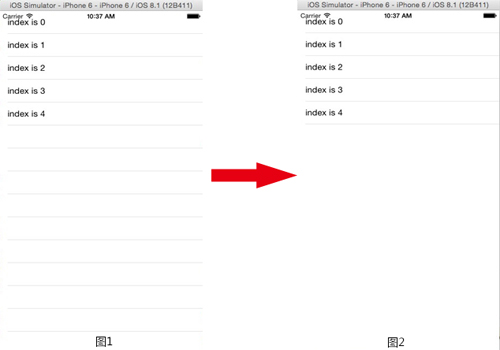
1. TableView 不顯示沒內容的 Cell 怎麼辦?
很簡單,添加 "self.tableView.tableFooterView = [[UIView alloc] init];",加完這句之後空白的 Cell 就不會再顯示了。
2. 自定義了 leftBarButtonItem 左滑返回手勢失效了怎麼辦?
把 interactivePopGestureRecognizer 的 delegate 設為 self:
self.navigationController.interactivePopGestureRecognizer.delegate = (id<UIGestureRecognizerDelegate>)self;
3. ScrollView 莫名其妙不能在 viewController 劃到頂怎麼辦?
self.automaticallyAdjustsScrollViewInsets = NO;
4. 鍵盤事件寫得好煩躁怎麼辦?
- 使用 IQKeyboardManager(GitHub 上可搜索),用完之後鍵盤的各種問題都能自動處理。
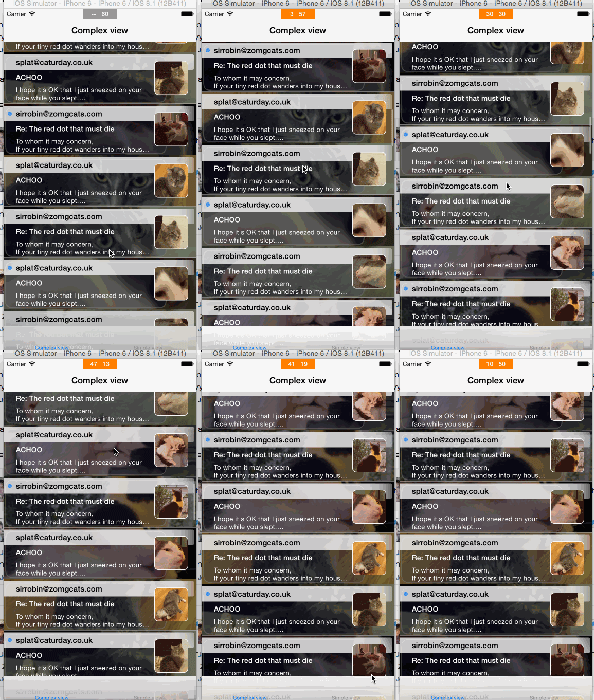
5. 為什麼我的 App 老是不流暢,到底哪裡出了問題?
這個神器叫做 KMCGeigerCounter,快去 GitHub 上搬運吧,它能即時監測 FPS。
6. 怎麼在不新建一個 Cell 的情況下調整分隔線的位置?
_myTableView.separatorInset = UIEdgeInsetsMake(0, 100, 0, 0);
7. 怎麼點擊 self.view 就讓鍵盤收起?
重寫 touchesBegan 方法,在其中呼叫 [self.view endEditing:YES]; 即可。
8. 怎麼給每個 ViewController 設定默認的背景圖片?
使用基類,把背景設定寫在基類中讓所有子類繼承。
9. 想在代碼裡改 xib 裡添加的 layoutAttributes 怎麼找?
像拉 Button 一樣地拉你的約束,NSLayoutAttribute 也是可以拉線的。
10. 怎麼像 Safari 一樣滑動的時候隱藏 navigationBar?
navigationController.hidesBarsOnSwipe = YES
11. 導航條返回鍵帶的 title 太討厭了,怎麼讓它消失?
透過 setBackButtonTitlePositionAdjustment 把返回按鈕標題的偏移調到畫面外:
[[UIBarButtonItem appearance] setBackButtonTitlePositionAdjustment:UIOffsetMake(0, -60) forBarMetrics:UIBarMetricsDefault];
12. CoreData 用起來好煩,語法又臭又長怎麼辦?
使用 MagicRecord。
13. CollectionView 怎麼實現 tableview 那種懸停的 header?
使用 CSStickyHeaderFlowLayout。
14. 能不能只用一個 pan 手勢來代替各個方向的 swipe 手勢?
可以透過判斷 pan 手勢的速度向量(velocityInView)來判斷方向,在 UIGestureRecognizerStateBegan 時計算 dx 與 dy 的絕對值大小,判定是水平還是垂直滑動,再依正負判斷上下左右,然後分別觸發對應的處理方法即可。
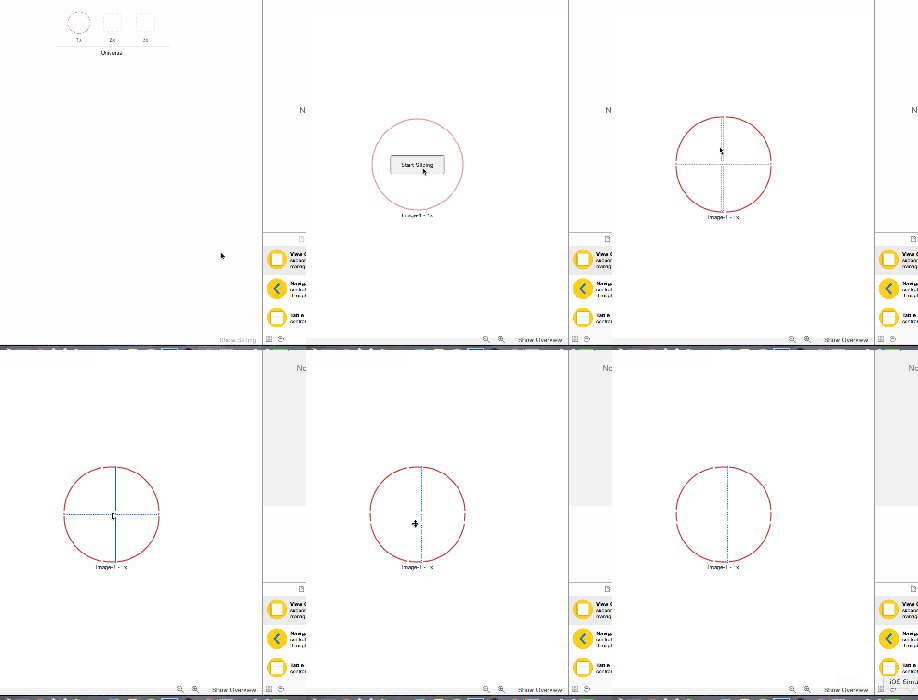
15. 拉伸圖片的時候怎麼才能讓圖片不變形?
方法一:使用 resizableImageWithCapInsets(舊的 stretchableImageWithLeftCapWidth:topCapHeight: 已棄用)。方法二:如圖設定。
16. 怎麼播放 GIF 時這麼卡,有沒有好點的庫?
FlipBoard 出品的 FLAnimatedImage 太適合你了。
17. 怎麼一句話添加上拉刷新?
使用 SVPullToRefresh 庫,透過 addPullToRefreshWithActionHandler 並指定 position 即可。
18. 怎麼把 tableview 裡 Cell 的小對勾顏色改成別的顏色?
_mTableView.tintColor = [UIColor redColor];

19. statusbar 用 UIImagePickerController 會變成黑色怎麼辦?
在 navigationController:willShowViewController:animated: 中重新設定 [[UIApplication sharedApplication] setStatusBarStyle:UIStatusBarStyleLightContent];。
20. 怎麼把 navigationBar 弄成透明的而不是帶模糊的效果?
把背景圖與 shadowImage 都設為空白的 [UIImage new],並將 translucent 設為 YES。
21. 怎麼改變 UITextField placeholder 的顏色和位置?
繼承 UITextField,重寫 drawPlaceholderInRect: 方法,在其中設定顏色並自行繪製 placeholder。
22. 你為什麼知道這麼多奇怪的花招?
去 Stack Overflow 刷問題啊!這些看似瑣碎的技巧,背後都是無數開發經驗的累積,善用它們能讓日常開發事半功倍。
- 上一篇文章: iOS 性能調優系列:用 Instruments 動態分析記憶體洩漏
- 下一篇文章: 最樸實也最有效:談談暴力調試這件事