
用 UIScrollView 的 delegate 讓 UICollectionView 精準停在你要的位置
一個 UICollectionView 裡有很多 cell,隨便滑一下,誰也不知道會停在哪裡:滑得快就多滑一段,滑得慢就停在附近。這正是 UIScrollView 手感好的地方。但有時候我們恰恰需要「精準停靠」——不管使用者怎麼滑,最後都要讓某個 cell 剛好落在螢幕正中央,cover flow 風格的輪播就是典型場景。
為什麼 scrollToItemAtIndexPath 不夠用
直覺的做法是呼叫:
- (void)scrollToItemAtIndexPath:(NSIndexPath *)indexPath
              atScrollPosition:(UICollectionViewScrollPosition)scrollPosition
                      animated:(BOOL)animated;
它確實能讓指定的 cell 停在上下左右或置中,scrollPosition 參數也提供了控制能力。但問題是:使用者只是「隨便滑一下」,你事先並不知道它會停在哪个 indexPath 上。
常見的替代方案是在 scrollViewDidEndDecelerating 等 delegate 方法中,依目前的 contentOffset 算出最近的整數頁及其對應 offset,再用動畫移過去。這個做法的致命缺陷是動畫不連貫——完全沒有「剛好停在那裡」的順暢感。
正解:scrollViewWillEndDragging
- (void)scrollViewWillEndDragging:(UIScrollView *)scrollView
                     withVelocity:(CGPoint)velocity
                targetContentOffset:(inout CGPoint *)targetContentOffset
        NS_AVAILABLE_IOS(5_0);
看到 targetContentOffset 這個 inout 參數,再翻一下文件,答案就出來了:這正是讓 scrollView「剛好停在某個位置」的方法(系統從 5.0 就提供了)。它是一個指標,你可以改寫它的值,決定 scrollView 最終的停止點。
注意:只有當 scrollView 的 pagingEnabled 為 NO 時,這個方法才會被呼叫。
- (void)scrollViewWillEndDragging:(UIScrollView *)scrollView
                     withVelocity:(CGPoint)velocity
                targetContentOffset:(inout CGPoint *)targetContentOffset
{
    CGPoint originalTarget = CGPointMake(targetContentOffset->x,
                                         targetContentOffset->y);
    *targetContentOffset = [self itemCenterOffsetWithOriginalTargetContentOffset:originalTarget];
}
這樣 scrollView 就會平滑減速,最後精準停在 itemCenterOffsetWithOriginalTargetContentOffset: 算出來的位置上,效果非常順。
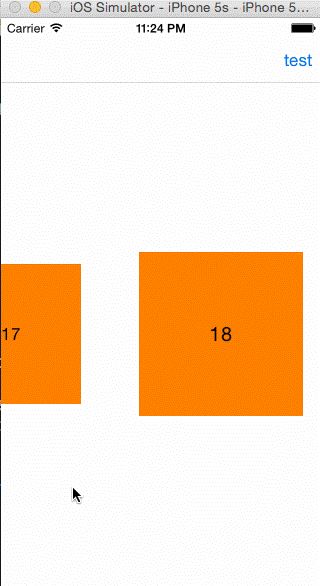
本來以為這個方法沒多少人知道,搜了一下才發現早有前輩寫過詳盡文章(https://tech.glowing.com/cn/practice-in-uiscrollview/),這篇就當作自己的記錄。
另外也發現一個只用 NSObject 就實現類似效果的庫:https://github.com/nicklockwood/iCarousel ,乍看之下沒讀懂,等有空再細究。
補充(2015-06-19):更好的做法是改寫 Layout
其實 UICollectionViewLayout 本身就提供了兩個方法:
- (CGPoint)targetContentOffsetForProposedContentOffset:(CGPoint)proposedContentOffset
                                  withScrollingVelocity:(CGPoint)velocity;

- (CGPoint)targetContentOffsetForProposedContentOffset:(CGPoint)proposedContentOffset
        NS_AVAILABLE_IOS(7_0);
效果與 delegate 方法完全相同,但因為屬於 Layout 的方法,需要在自己的 layout 子類中覆寫。好處是 viewController 裡不必再寫 scrollView 的 delegate,控制器更精簡;所有與佈局相關的邏輯都集中在 layout 類別中,職責也更清晰。
- 上一篇文章: iOS 自訂輸入框元件:鍵盤上的訊息輸入列
- 下一篇文章: iOS 圖片拉伸技巧:端蓋(Cap Insets)三種解法