
Xcode 8 + iOS 10 下用 Masonry 實現 Cell 自動適應行高
編輯:iOS 技巧大全
說起 tableView 的自動計算行高,真的不想再提了,這個功能寫了不下幾百遍。可就是這麼個小東西,硬是把我難住了,眼看頭髮都要掉光。
第一步:設置 tableView 的預估行高與自動行高
// 設置預估行高
self.tableView.estimatedRowHeight = 200;

// 設置行高自動計算
self.tableView.rowHeight = UITableViewAutomaticDimension;
第二步:搭建 Cell 的約束
- (void)setupUI {
    UIImageView *imgV = [[UIImageView alloc] initWithImage:[UIImage imageNamed:@"1"]];
    UILabel *rightLabel = [[UILabel alloc] init];
    UILabel *bottomLabel = [[UILabel alloc] init];

    [self.contentView addSubview:imgV];
    [self.contentView addSubview:rightLabel];
    [self.contentView addSubview:bottomLabel];

    _imgV = imgV;
    _rightLabel = rightLabel;
    _bottomLabel = bottomLabel;

    imgV.contentMode = UIViewContentModeScaleAspectFit;
    rightLabel.text = @"我是圖片右邊的Label";
    bottomLabel.text = @"我是圖片下邊的Label";

    [imgV mas_makeConstraints:^(MASConstraintMaker *make) {
        make.top.left.equalTo(self.contentView).offset(10);
        make.size.mas_equalTo(CGSizeMake(100, 100));
    }];

    [rightLabel mas_makeConstraints:^(MASConstraintMaker *make) {
        make.top.equalTo(imgV);
        make.left.equalTo(imgV.mas_right).offset(10);
    }];

    [bottomLabel mas_makeConstraints:^(MASConstraintMaker *make) {
        make.top.equalTo(imgV.mas_bottom).offset(15);
        make.left.equalTo(imgV).offset(30);
        make.height.mas_equalTo(20);
    }];

    [self.contentView mas_makeConstraints:^(MASConstraintMaker *make) {
        make.top.left.right.mas_equalTo(self);
        // contentView 的底部與最下方控件底部對齊
        make.bottom.equalTo(bottomLabel);
    }];
}
第三步:錯誤來了
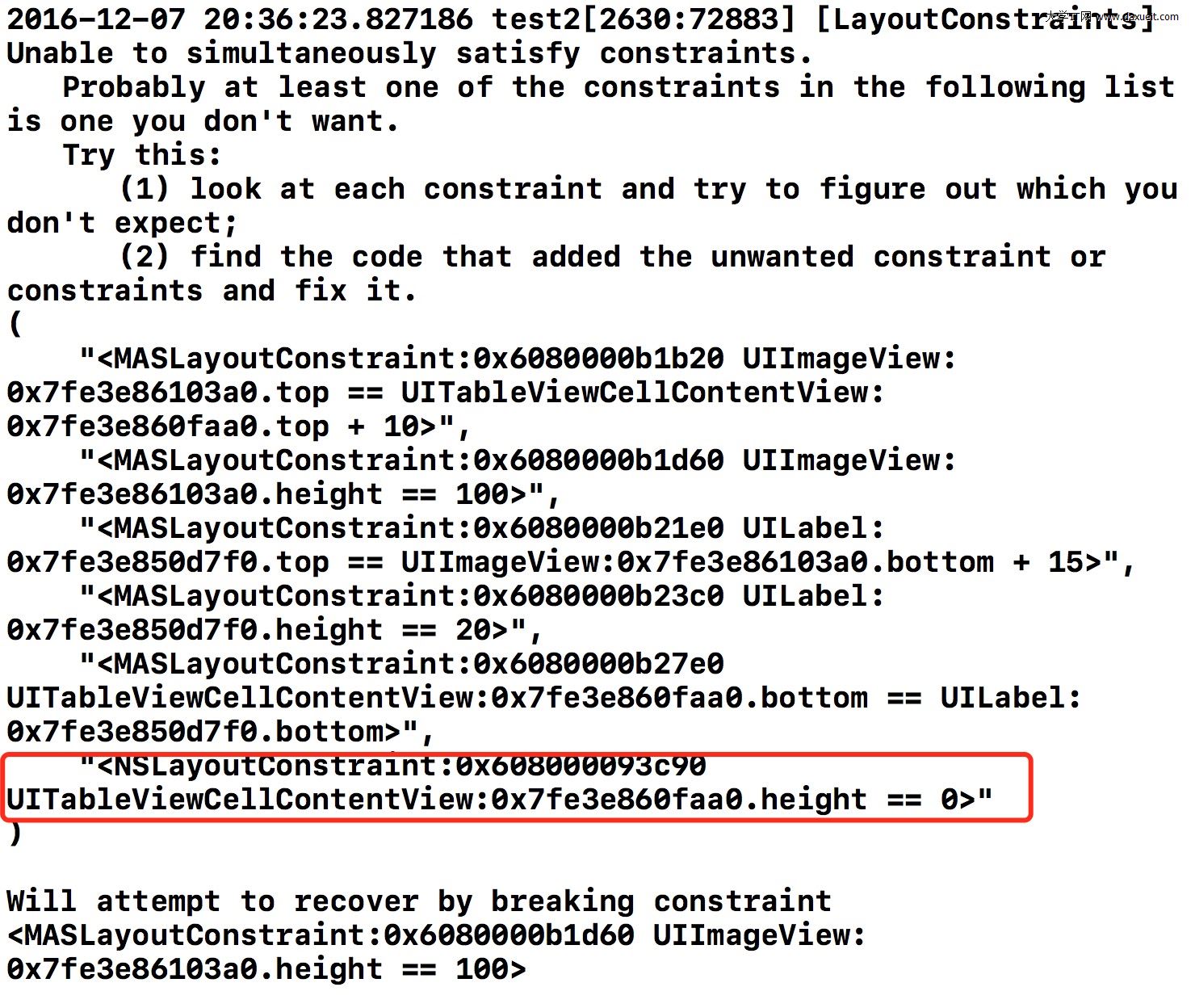
請看重點部分:contentView 的高度居然是 0。寫了幾百遍的代碼怎麼會報錯?百思不得其解。
折騰了大半天才發現,這是 Xcode 8.0+ 與 iOS 10+ 帶來的行為變化。
修正一:調整約束的依賴方向
需要改為:最下方控件的底部與 contentView 的底部對齊,然後讓 contentView 的四條邊與 self 對齊。
[bottomLabel mas_makeConstraints:^(MASConstraintMaker *make) {
    make.top.equalTo(imgV.mas_bottom).offset(15);
    make.left.equalTo(imgV).offset(30);
    make.height.mas_equalTo(20);
    // 重點:最下方控件的底部與 contentView 的底部對齊
    make.bottom.equalTo(self.contentView);
}];

[self.contentView mas_makeConstraints:^(MASConstraintMaker *make) {
    // 重點:contentView 的四條邊都與 self 對齊
    make.top.left.right.bottom.mas_equalTo(self);
}];
改完之後 contentView 的高度出來了,但控件高度又開始報約束衝突。
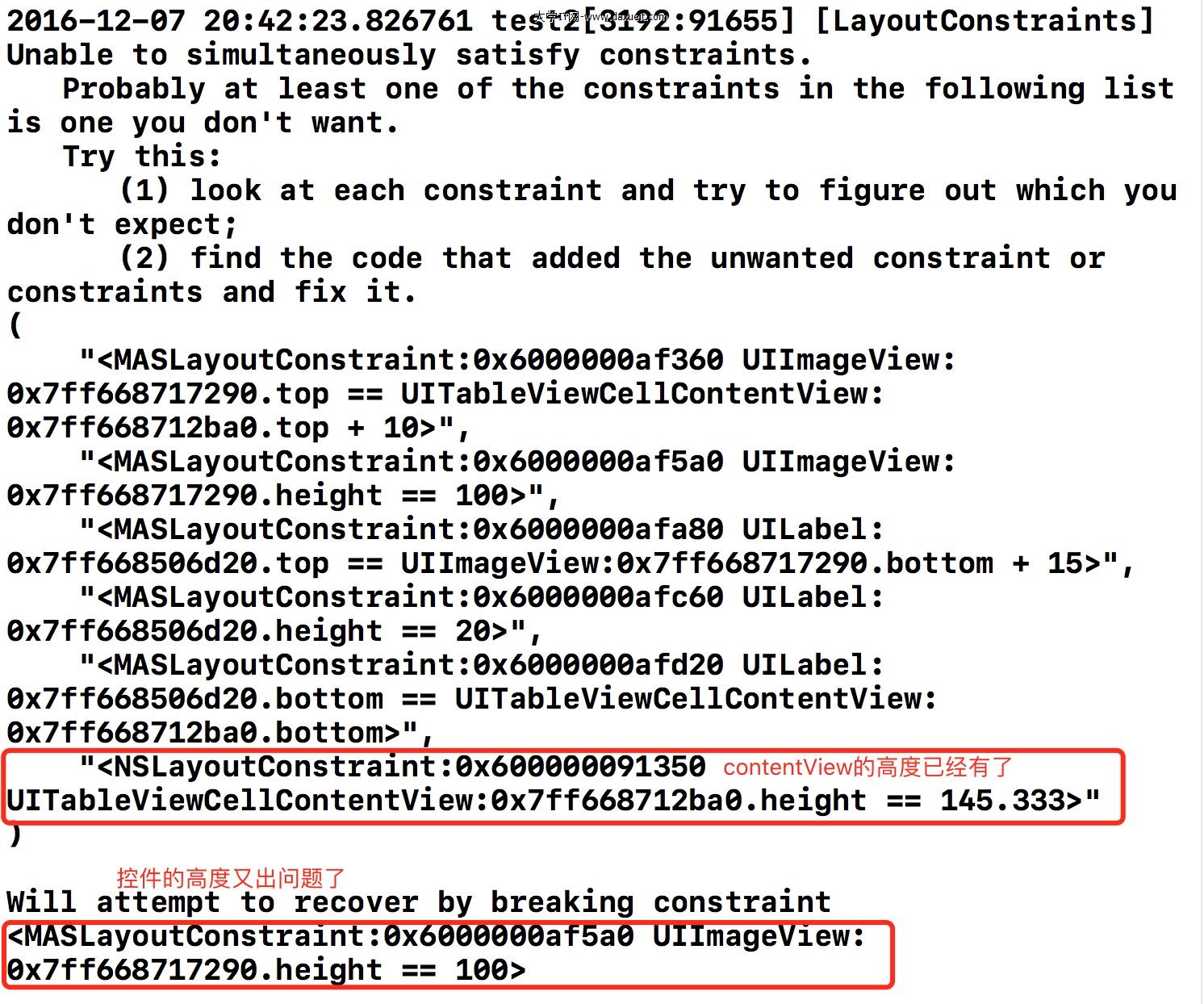
我也想知道根本原因,只知道怎麼解決。有了解原理的朋友歡迎留言分享。
修正二:調整約束優先級
這裡引用一段說明:
Masonry 可以設置約束的優先級,分為 priorityHigh、priorityMedium、priorityLow
(高、中等、低)三個等級,默認為中等。

當我們對同一個控件設置了重複或相互矛盾的約束時,控制台會打印警告,
提示我們去修復它們。

既然知道了原因,解決辦法有兩種:
1. 找到該控件,修改相關約束,消除警告信息。
2. 把該控件的約束優先級提高,這樣即使約束重複也不會產生警告。
   這也是最簡單省事的辦法。
在 Cell 裡,只要給控件設置了固定高度(包括通過 size 設置),就容易與自動行高的計算機制衝突。此時提高約束優先級即可。
最終代碼
- (void)setupUI {
    UIImageView *imgV = [[UIImageView alloc] initWithImage:[UIImage imageNamed:@"1"]];
    UILabel *rightLabel = [[UILabel alloc] init];
    UILabel *bottomLabel = [[UILabel alloc] init];

    [self.contentView addSubview:imgV];
    [self.contentView addSubview:rightLabel];
    [self.contentView addSubview:bottomLabel];

    _imgV = imgV;
    _rightLabel = rightLabel;
    _bottomLabel = bottomLabel;

    imgV.contentMode = UIViewContentModeScaleAspectFit;
    rightLabel.text = @"我是圖片右邊的Label";
    bottomLabel.text = @"我是圖片下邊的Label";

    [imgV mas_makeConstraints:^(MASConstraintMaker *make) {
        make.top.left.equalTo(self.contentView).offset(10);
        // 重點:提高約束優先級
        make.size.mas_equalTo(CGSizeMake(100, 100)).priorityHigh();
    }];

    [rightLabel mas_makeConstraints:^(MASConstraintMaker *make) {
        make.top.equalTo(imgV);
        make.left.equalTo(imgV.mas_right).offset(10);
    }];

    [bottomLabel mas_makeConstraints:^(MASConstraintMaker *make) {
        make.top.equalTo(imgV.mas_bottom).offset(15);
        make.left.equalTo(imgV).offset(30);
        make.height.mas_equalTo(20);
        // 重點:底部控件的底部與 contentView 的底部對齊
        make.bottom.equalTo(self.contentView);
    }];

    [self.contentView mas_makeConstraints:^(MASConstraintMaker *make) {
        // 重點:contentView 四條邊與 self 對齊
        make.top.left.right.bottom.mas_equalTo(self);
    }];
}
效果圖:
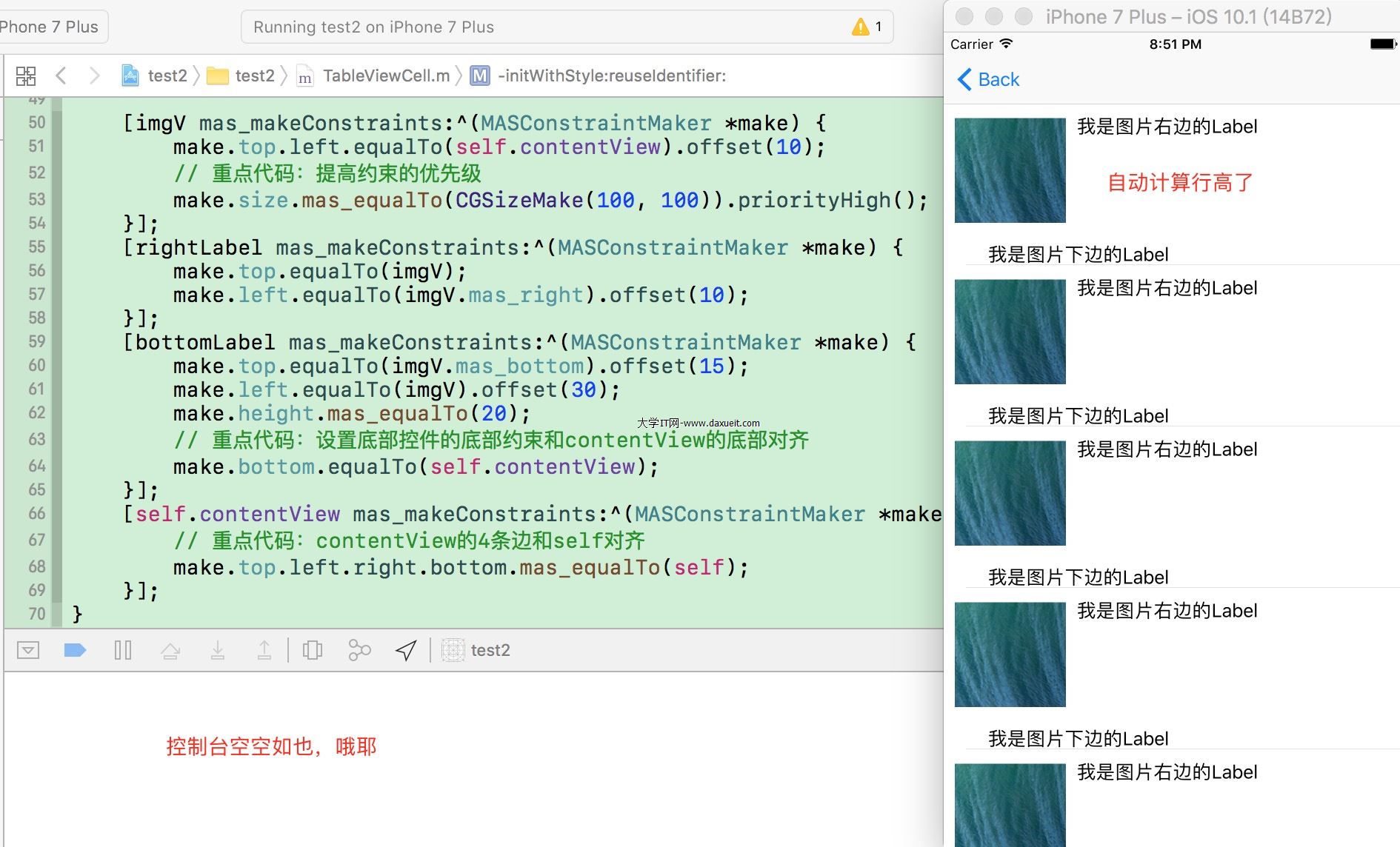
總結一下這次排查的兩條關鍵經驗:一是約束的「底線」要由下往上收(最下方控件撐起 contentView,contentView 再撐起 Cell),二是遇到固定尺寸與自動行高打架時,用 priorityHigh() 讓固定約束退讓。
希望這篇文章能幫你少熬幾個夜。