
Swift 使用 QQ 授權登入並取得使用者資料
編輯:iOS 7 技巧
流程概覽
QQ 登入通常包含幾個步驟:初始化 TencentOAuth、請求授權、跳轉到 QQ 或登入頁、完成後回到 App,最後透過回調取得使用者資料。
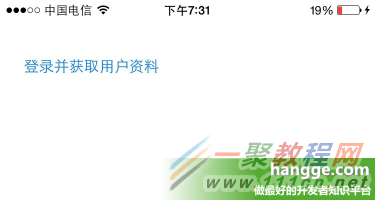
點擊登入按鈕後,App 會帶出授權流程。
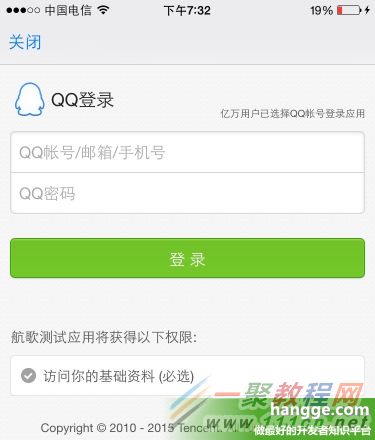
使用者登入成功後,會自動返回原本的 App。
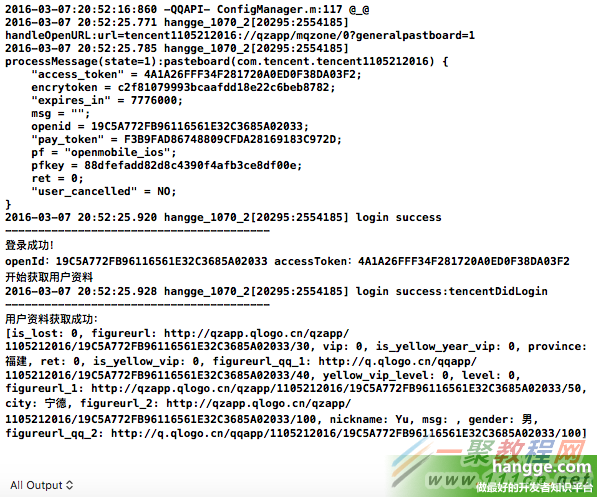
回到 App 後,可以在回調中取得 openId、accessToken、使用者暱稱、性別、頭像等資料。
初始化 TencentOAuth
在頁面載入時建立 TencentOAuth 物件,並把 delegate 指向目前頁面,才能接收登入與資料回調。
tencentOAuth = TencentOAuth(appId: "你的AppID", andDelegate: self)請求授權
點擊登入時,可以指定需要的權限,例如取得使用者基本資料。
let permissions = ["get_user_info", "get_simple_userinfo"]
tencentOAuth.authorize(permissions)
登入成功後取得資料
登入成功後,可以呼叫 getUserInfo 取得使用者資料。
func tencentDidLogin() {
    if !tencentOAuth.accessToken.isEmpty {
        tencentOAuth.getUserInfo()
    }
}
取得資料的回調通常會收到 APIResponse,從中可讀取 JSON 資料。
func getUserInfoResponse(response: APIResponse) {
    print(response.jsonResponse ?? "")
}
常見欄位
回傳資料中可能包含 nickname、gender、figureurl、openId 等欄位。不同平台或不同權限下,欄位內容可能會有差異。
登出
若要取消授權或登出,可以呼叫 TencentOAuth 的 logout 方法。
tencentOAuth.logout(self)- 上一篇文章: Swift 動畫環形進度條:從基礎到圓點與箭頭的進階做法
- 下一篇文章: iOS 開發:商品倒計時與時間差計算的實作方式